

Motion Transfer AI
Get the exact performance you have in mind: Motion Transfer AI applies the gestures, facial expressions, and body movements from a reference video directly to your character photo.
Listing not yet reviewed by our editors · How we check
Overview
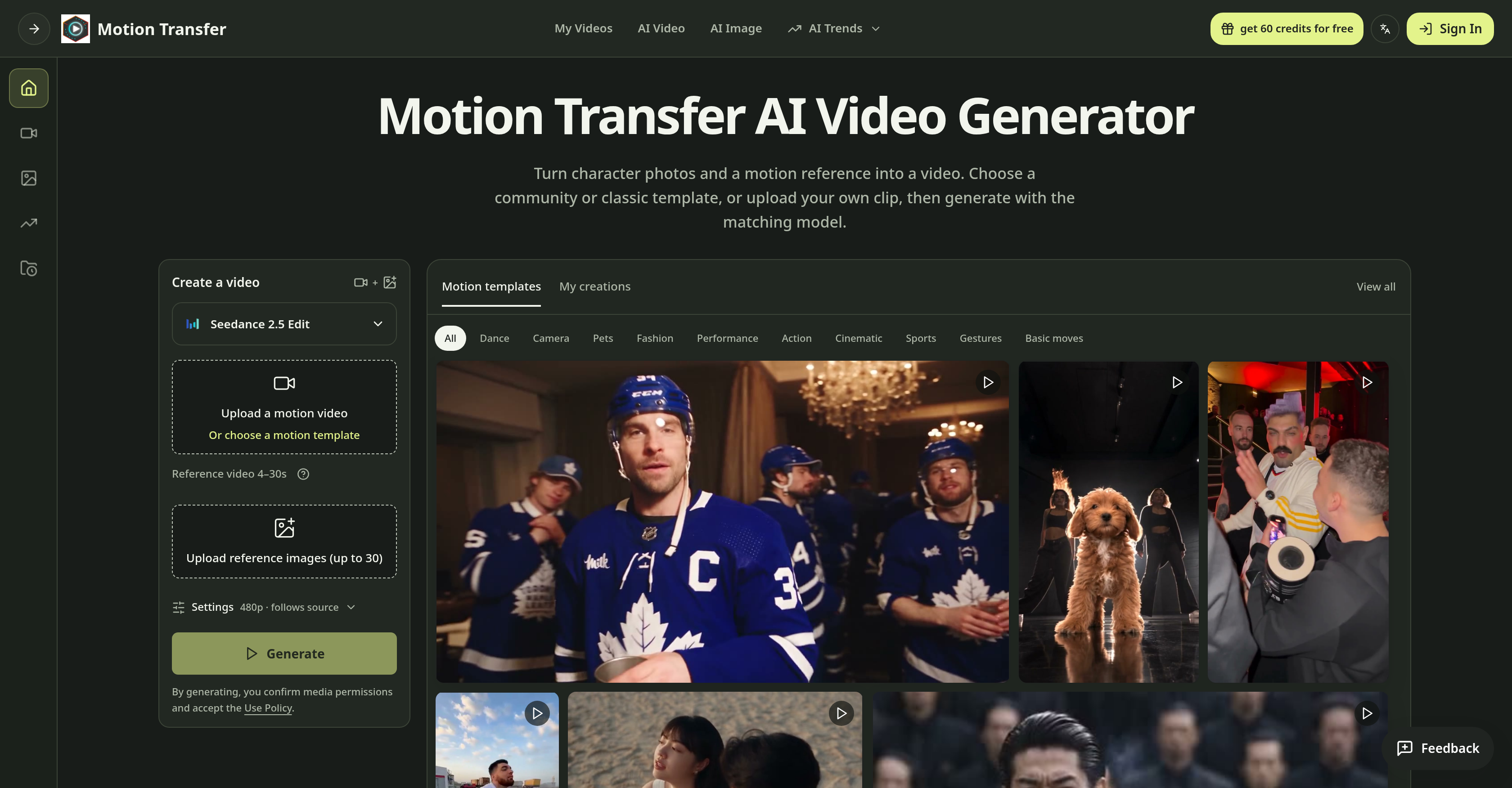
- Get the exact performance you have in mind: Motion Transfer AI applies the gestures, facial expressions, and body movements from a reference video directly to your character photo.
- Start animating without filming anything: predefined motion templates give you ready-made movement sequences for instant photo animation.
- Direct custom choreography and signature moves: upload your own clip to embed specific hand gestures or actions into the character animation.
- Keep a consistent look across a full cast: reuse the same motion template on different photos so every character performs identical movements.
- Compare styles for a single performance: swap in different portraits against one reference video to test multiple character looks side by side.
- Combine several characters into one video: animate multiple photos sequentially and get a single, stitched animated video sequence.
- Avoid wasted renders: preview each animated video before finalizing and adjust settings, including output resolution, to match your reference footage.
- Find fresh ideas for your next clip: browse curated AI animation trends and popular templates for creative inspiration.
- Return to earlier work instantly: the My Creations library stores every previously generated character animation for quick access.
Pros & Cons
From the listing; not yet checked by our editors.
Pros
- Animate any photo
- Guides gestures from video
- Upload personal motion clip
- Predefined motion templates
- Output character videos
- Preview work before finalizing
- Adjustable settings
- Animate portrait clips
- Incorporate specific actions
- Performance representation tool
- Video editing features
- Includes visual effects
- Resolution options
- Seedance 2.5 model supported
- In-app video upload
- Choose from multiple models
- Estimated credit consumption
- Workspace for video creation
- Cost estimation before generation
- My creations section
- Download video after generation
- Reopen videos from account
- Specific performance representation
- Crop suggestions for photos
- Detailed how-to-use guide
- Credit system for uses
- Yearly and monthly subscriptions
- Watermark-free downloads
- Image editing features
- Model choice affects credit use
- Sign-in prompt for generation
- Facilitates character greetings
- Generates expressive portrait clips
- Creative community templates
- Reinvent movement in scenes
- Single user motion focus
- Supports JPEG, PNG, WebP
- Stable camera motion guidance
- Play whole motion video
- Affordable subscription plans
- Generation history in account
- Practical FAQ section
- Useful for social posts
- Trimming suggestions for videos
- Automatic subscription renewal
- Image and video models.
Cons
- No support for batch processing
- Inconsistent quality with complex animations
- May struggle with subtle movements
- No direct sharing to social media
- No support for live video streaming
- Lack of integrations with other software
- Output quality relies heavily on reference selection
- Resolution limitations
- User must pre-process videos
- Limited format compatibility
Alternatives to Motion Transfer AI
Tools that share the most tags with Motion Transfer AI.
- AI Motion Transfer
Launch polished ad campaigns and social media content faster by generating character videos from any motion reference, with no physical shooting or actors required
Free trial · from $10/month
$10/month
Not yet checked
Reviews
Rate this tool
Loading reviews...
Frequently asked questions
What is the Motion Transfer AI?
Motion Transfer AI is a tool that lets users animate character photos using the movements from a reference video. The photograph gives the appearance aspect, while the selected reference video guides gestures, expressions, body movements and overall performance.
How does Motion Transfer AI animate photos?
Motion Transfer AI uses a selected reference video to guide the animation of a character photo. It extracts gestures, expressions, and movements from the video and applies them to the static image, creating a video where the character from the photo performs the movements.
Can I upload my own video to Motion Transfer AI?
Yes, users can upload their own clips for use with Motion Transfer AI. This allows for a high degree of customization and control over the animation process.
How does Motion Transfer AI use a reference video?
The reference video in Motion Transfer AI serves as a guide for the movements, gestures, expressions and performance of the character that will be animated. The tool extracts this visual information and applies it to a photo to create an animated video.
What is a Motion Template in Motion Transfer AI?
Motion Templates in Motion Transfer AI are predefined sequences of movements. Users can select from these when they want to animate a character photo without having to supply their own reference video.
How can I preview my animation in Motion Transfer AI?
Yes, Motion Transfer AI includes an option to preview the animation before finalizing. This allows users to make sure they're happy with the movements and appearance of the animated character, making it possible to make adjustments if needed.
Can I adjust the settings to suit my needs in Motion Transfer AI?
Users can adjust various settings in Motion Transfer AI to suit their needs. This flexibility allows users to influence the appearance and movement of the animated character in the output video.
Can Motion Transfer AI animate a portrait clip?
Yes, Motion Transfer AI can animate portrait clips. This includes adding movement to a still image, such as gestures, expressions, and body language. It opens up new possibilities for creativity and experimentation.