
AI Motion Transfer
Overview
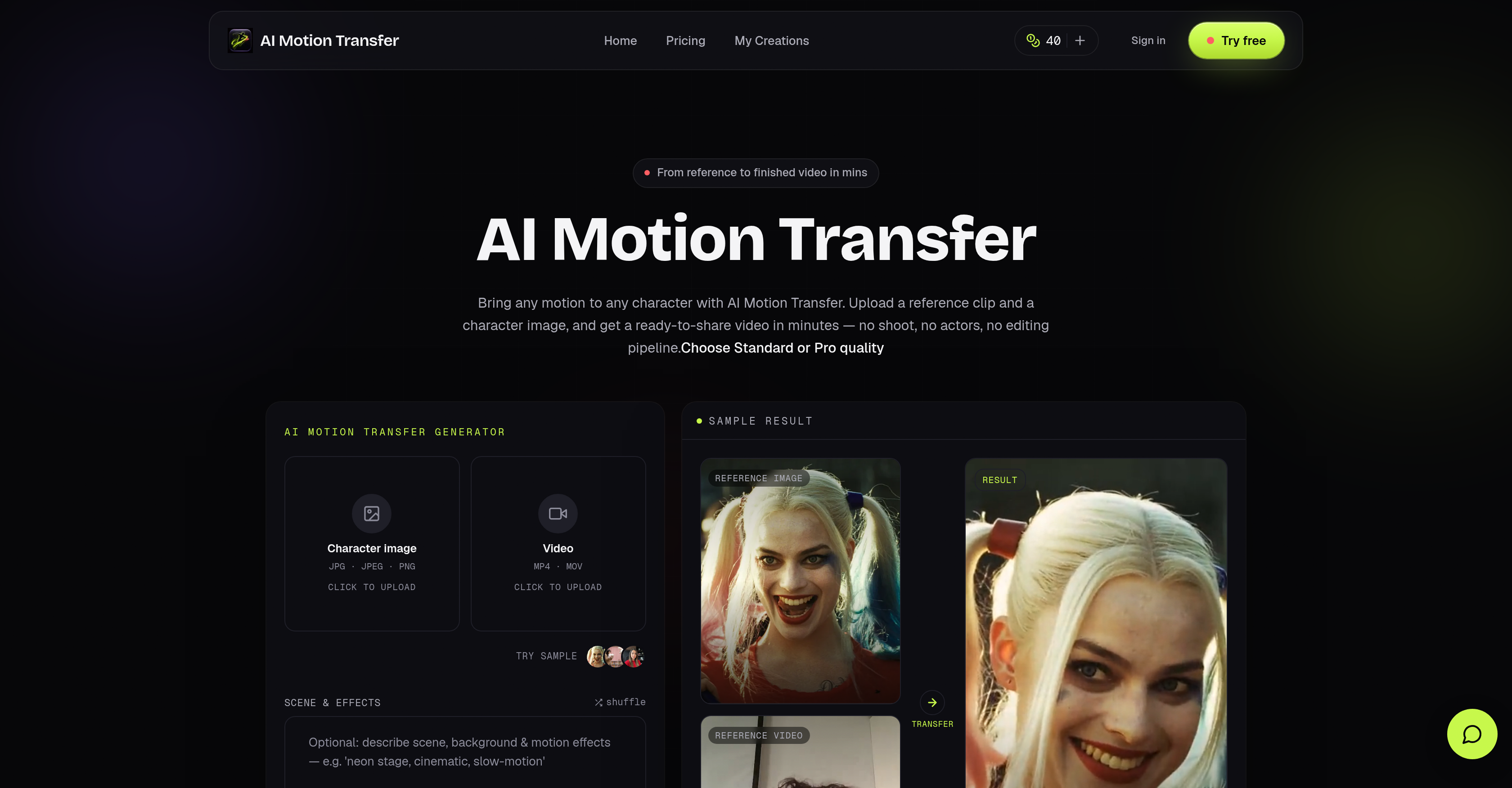
- Launch polished ad campaigns and social media content faster by generating character videos from any motion reference, with no physical shooting or actors required
- Upload a character image and a reference clip, then AI accurately maps the motion onto your character
- Produce ready-to-share videos for TikTok, Instagram Reels, YouTube Shorts, and Meta Ads directly from the tool
- Eliminate budget overruns on video production by seeing the exact credit cost before each generation starts
- Avoid guesswork on delivery times with an upfront render time estimate ranging from 3 to 10 minutes
- Scale your content output by using image inputs for quick 10-second social cuts or video inputs for motion transfers up to 30 seconds
- Secure full commercial use rights on all paid transfers, enabling professional use in ads, campaigns, and client deliverables
- Choose between Standard quality for fast AI social cuts or Pro quality for polished AI transfer deliverables based on project needs
Pros & Cons
Pros
- Supports image, video inputs
- Flexible quality output
- Cost control features
- Video directly for social media
- Commercial use rights
- Offers render time estimate
- No physical shooting required
- Supports input duration restriction
- No actors needed
- Video generation ready in minutes
- Suitable for ads, campaigns
- Resulting video ready-to-share
- Professionally useful
- Character animation capability
- 720p, 1080p output quality
- No rigging, mocap, post-edit
- Visual upfront render time
- Commercial usage rights included
- Format, size, duration check
- Downloadable clean MP4
- Editable quality and cost
- Efficient for TikTok, Reels, Shorts
- Saved transfer history
- No hidden cost
- Variety of credit plans
- API access for agencies
- Credit cost visible before generation
- Watermark free videos
- Private generations security
- 360 day cloud storage
- Any motion to any character
- Supports JPG, JPEG, PNG, MP4, MOV
- Fast, priority and fastest generation queue
- Allows for content re-variation
- Accommodates agency, high-volume client work
- No reshoot required for variations
- Run transfer without card
- Up to 30s video length
- Allows free trial
Cons
- Limited to 30s videos
- Credits required for operation
- Cloud storage duration varies
- Need for pre-upload estimation
- Subscription-based
- Reliant on good quality references
- Doesn't handle format, size checks
- Lack of real-time motion capture
- Doesn't support auto-cropping
- No native integration with social platforms
Reviews
Rate this tool
Loading reviews...
❓ Frequently Asked Questions
AI Motion Transfer is a video generation tool that takes any motion reference and applies it to a new character video. This is done without the need for physical shooting or actors. Users upload a character image and a reference clip, then the motion from the clip is transferred to the user-provided character, creating a new video that's ready to share.
Content that can be produced with AI Motion Transfer includes videos for social media platforms or for advertising campaigns. It is suitable for professional use in ads, campaigns, and client work.
AI Motion Transfer supports JPEG, JPG, and PNG file formats for character image input. For video input, it supports MP4 and MOV file formats.
In AI Motion Transfer, Standard and Pro quality outputs serve different needs. Standard quality is ideal for fast AI social cuts, while Pro quality is suited for polished AI transfer deliverables.
In AI Motion Transfer, character images support motion transfers up to 10 seconds. If the character is uploaded as a video, it unlocks motion references up to 30 seconds.
Yes, all paid transfers generated by AI Motion Transfer come with commercial use rights. This means they can be directly used in ads, campaigns, and client work.
The cost control feature in AI Motion Transfer presents the credit cost before the generation process begins, allowing users to fully understand and control the cost of their video generation.
AI Motion Transfer usually takes between 3 to 10 minutes to render a project. However, the actual time can vary depending on the reference duration, quality mode, and provider load.
Yes, content created with AI Motion Transfer can be directly used on social media platforms including but not limited to TikTok, Instagram Reels, YouTube Shorts, Meta Ads, and Snapchat.
In AI Motion Transfer, the maximum duration for a reference clip is up to 30 seconds when using a video input for the character.
In AI Motion Transfer, the credit cost system works on a per-run basis. Credits scale with reference duration and the chosen AI quality mode, and users see the cost and remaining balance before initiating a transfer.
Yes, AI Motion Transfer supports both image and video inputs for the character. This provides flexibility to users depending on their specific needs.
Yes, on their website, multiple samples of AI Motion Transfer outputs are provided for users to check and understand the AI's capabilities before trying it out themselves.
'No physical shooting required' in the context of AI Motion Transfer means that the tool can create dynamic videos without the need for traditional film production involving actors, locations, and shooting equipment.
AI Motion Transfer uses artificial intelligence technology to accurately map the motion from a reference clip onto a user-provided character image or video, effectively creating a new video with the character performing the motion.
Yes, AI Motion Transfer does provide an upfront estimate of the render time for each project, avoiding uncertain wait times for users.
Yes, commercial use rights are included for all paid transfers with AI Motion Transfer. This makes the tool suitable for use in ads, campaigns, and client work.
Yes, AI Motion Transfer is designed for professional use in advertisements and campaigns. The generated videos come with commercial use rights and can be used directly in these contexts.
AI Motion Transfer transfers motions from the reference clip to the character through AI technology. It accurately maps the motion from a reference clip, which can be any movement or gesture, onto a user-provided character image or video, effectively creating a new video with the character carrying out the motion.
The quality of the AI Motion Transfer output is not affected by whether the user inputs an image or a video. The difference lies in the duration of the motion that can be transferred - character images support up to 10 sec, while video input supports up to 30 sec.
Pricing
Pricing model
Free Trial
Paid options from
$10/month
Billing frequency
Monthly