

Narakeet
Turn existing documents into professional audio instantly by converting Word DOCX and plain text files with realistic text-to-speech technology.
Listing not yet reviewed by our editors · How we check
Overview
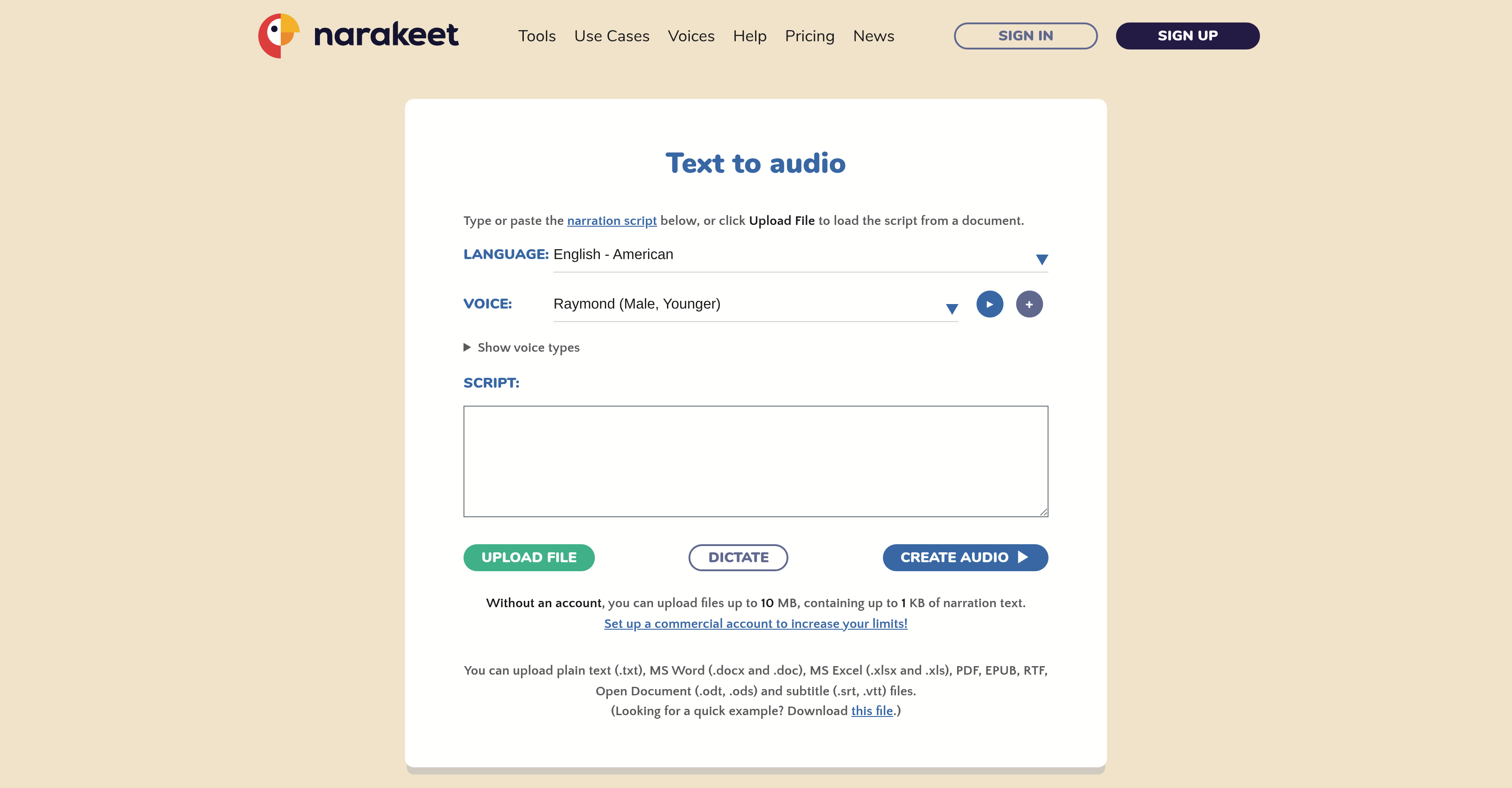
- Turn existing documents into professional audio instantly by converting Word DOCX and plain text files with realistic text-to-speech technology.
- Create engaging narrated videos for training or marketing by building scenes and adding voiceovers directly from your script in a simple interface.
- Customize every audio project by controlling voice type, speed, volume, and adding background music for polished, branded results.
- Scale production seamlessly from a free trial to large commercial projects with on-demand increases to account limits and capacity.
Pros & Cons
From the listing; not yet checked by our editors.
Pros
- Voiceovers and narrated videos
- Realistic text-to-speech
- Word DOCX and plain text
- User-friendly interface
- Accommodates varying project sizes
- Matches needs of commercial users
- Free trial
- Versatile use-cases
- Ideal for content creators
- Ideal for educators
- Email support
- Commercial scalability
- Allows document conversion
- Supports audio file generation
- Aids scene building
- Supports narration recording
- Composing videos help
- Tool leverages for spectrum cases
- Presentation aid
- Suitable for corporate training
- Useful for eLearning
- Convenient for digital marketing
- Easy voiceover creation
- Tool aids in storyboarding
- No recurring costs
- Single payment commercial usage
- Larger plans can cheaper
- Company subscriptions
- Educational discounts
- Supports .docx, .doc, .xlsx, .xls, .pdf, .epub, .rtf, .odt, .ods, .srt, .vtt files
- File upload size increase option
- Adjustable language
- Adjustable voice
- Adjustable volume
- Adjustable speech speed
- Choice of output formats
- Background music options
- Script support for audio creation
- Google, Apple, and Amazon integration
- Password sign in option
- Audio file inclusive of CC/Subtitles
- Provides playback and download options
Cons
- Requires JavaScript
- Free trial limitations
- Requires commercial account for larger files
- Busy periods limit free usage
- Increases for account limits via email only
- Compatibility limited to specific file types
- Session expiration issues
- File upload size restrictions
- Possibly blocked by browser extensions
- Doesn't support all browsers
Alternatives to Narakeet
Tools that share the most tags with Narakeet.
- Speechma
Generate professional voiceovers for social media and presentations instantly with 400+ premium AI voices featuring unique personalities and accents
Freemium · from $9/month
$9/month
Not yet checked
- Revoicer
Create human-sounding voiceovers that capture attention using emotional tones like friendly, cheerful, or excited for more engaging content
Paid · from $47
$47
Not yet checked
- WooTechy VoxDo
Generate realistic voiceovers instantly with AI text-to-speech conversion across 100+ languages and global accents
Free trial · from $15.95/month
$15.95/month
Not yet checked
- Speechactors
Produce studio-quality voiceovers instantly with an online AI voice generator that converts your text into natural, engaging speech
Freemium · from $23/month
$23/month
Not yet checked
- Resemble.ai
Clone your exact voice instantly using just a short audio sample, eliminating the need for lengthy recording sessions
Free trial · from $29/month
$29/month
Not yet checked
- Speechify Studio
Produce studio-quality voiceovers instantly with 200+ natural AI voices across 60+ languages and accents
Freemium · from $7.99
$7.99
Not yet checked
Related Videos

Narakeet: Create Narrated Videos Quickly!
Narakeet · Sep 15, 2020
Reviews
Rate this tool
Loading reviews...
Frequently asked questions
How can I create voiceovers with Narakeet?
Voiceovers can be created with Narakeet by inputting the desired text into Narakeet's user interface. The text can then be converted into speech through the application's text-to-speech functionality, creating a voiceover.
What type of text files can Narakeet convert to speech?
Narakeet is capable of converting Word DOCX and plain text files to speech.
Does Narakeet offer a user-friendly interface?
Yes, Narakeet does offer a user-friendly interface. It is designed to be simple and intuitive for users, providing various aids to assist with the creation process.
How realistic are the text-to-speech conversions?
Narakeet's text-to-speech conversions are characterized as highly realistic. The tool utilizes advanced AI technologies to ensure the generated speech closely mimics human speech.
Can I use Narakeet for commercial purposes?
Yes, Narakeet can indeed be used for commercial purposes. The service provides the possibility to increase account limits for commercial users on demand.
How customizable are the voiceovers with Narakeet?
Narakeet allows for significant customization of voiceovers. This includes control over the voice type, volume, and speed of the speech. The AI also allows for the inclusion of background music, further enhancing the customization options.
Does Narakeet provide any aids for building scenes or composing videos?
Narakeet does provide various aids for building scenes and composing videos. These aids are built into the user-friendly interface, helping to assist users in creating high-quality scenes and compositions.
Is Narakeet suitable for creating narrated videos?
Narakeet is suitable for creating narrated videos. Through its realistic text-to-speech technology, users can generate voiceovers for videos based on their inputted text.