
NoteLyn AI
Capture every lecture and meeting without typing a word: record live or upload an audio file, and get a full transcript plus an AI-generated summary.
Listing not yet reviewed by our editors · How we check
Overview
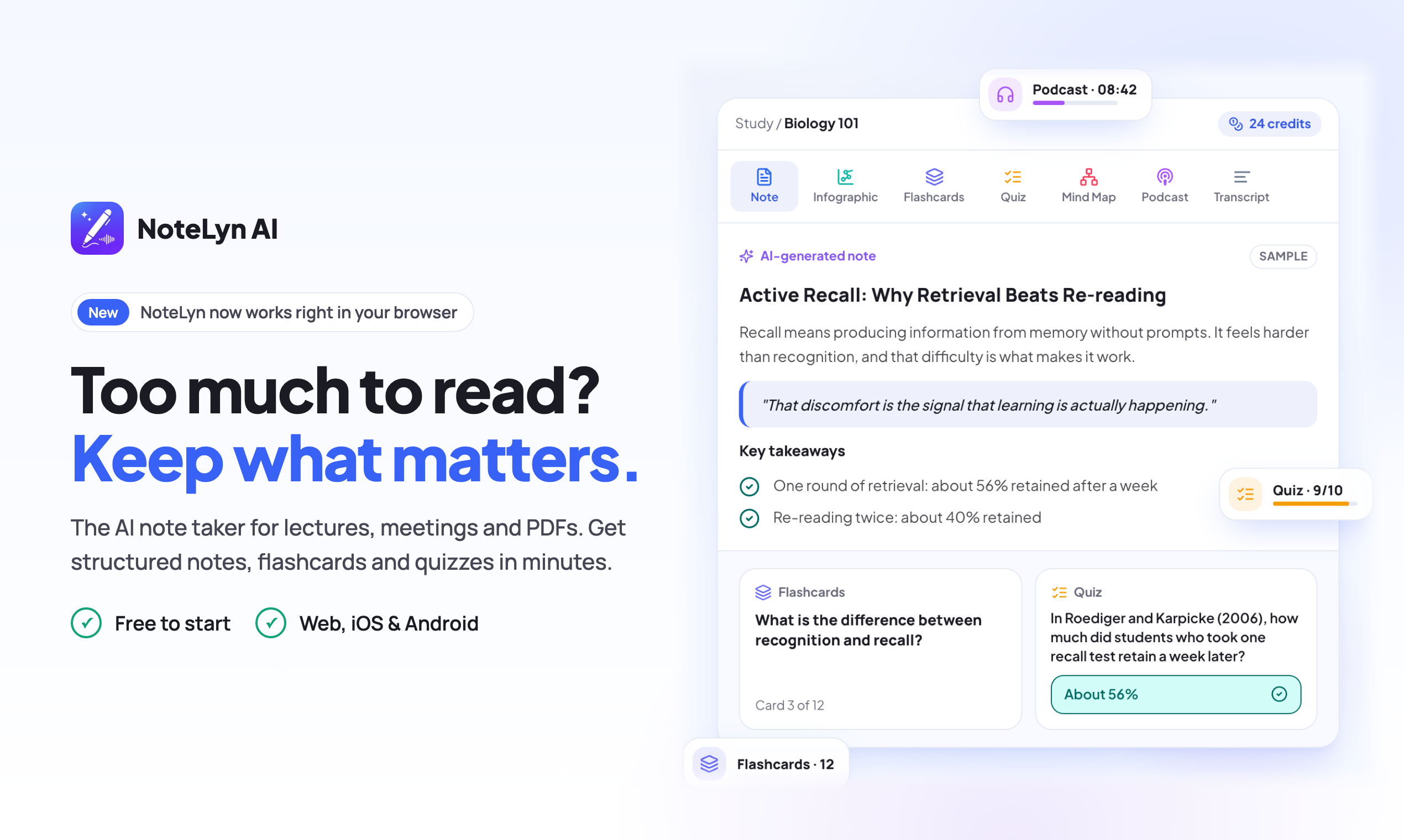
- Capture every lecture and meeting without typing a word: record live or upload an audio file, and get a full transcript plus an AI-generated summary.
- Turn an hour-long lecture into key points in about 30 seconds, so review starts right after class instead of hours later.
- Condense a 40-page PDF, Word document, YouTube video or web link into a readable summary, so you skip the full read or watch.
- Digitize handwritten notes, whiteboards and textbook pages instantly: snap a photo and text recognition converts it into an editable, structured note.
- Find answers fast in any note: headings, key concepts, definitions and takeaways are laid out automatically, with the original source kept alongside for verification.
- Prepare for exams with active recall: the AI flashcard maker and multiple-choice quiz generator with explanations build practice sets from your own course material.
- Grasp how ideas connect at a glance: mind maps and infographics of key ideas download as images for slides, handouts or revision sheets.
- Get explanations that stay on topic: AI chat grounded in a single note answers questions, writes summaries and builds a study plan from that content alone.
- Leave every meeting with a clear next-steps list: action items are extracted and turned into a to-do list from your meeting notes.
- Share lecture notes and meeting minutes with classmates or colleagues through a read-only link that opens without an account.
- Keep every course and project separate: notebooks organize notes by class or topic, so material is easy to find before deadlines.
- Study from any device: notes sync across the browser and the iOS and Android apps, so you can record in the room and review on your laptop.
- Work with lectures and documents in multiple languages, with note-taking and summaries that follow your source content.
- Start free with no credit card required, and test every study tool on your own lectures and documents before committing.
Pros & Cons
From the listing; not yet checked by our editors.
Pros
- Turns one source into notes, flashcards, a quiz and a mind map.
- Works with recordings, audio files, PDFs, photos, YouTube videos and links.
- Shared notes open without an account, flashcards and quizzes included.
- Same account on web, iOS and Android.
- Converts varied content
- Categorised notes/summaries
- Produces infographics
- Produces mind maps
- Produces flashcards and quizzes
- Fast content transformation
- Defines action items
- Multiple content capture options
- Creates study tools
- Transcribes lectures/meetings
- Analyzes PDFs
- Transcribes video content
- Browser based
- Mobile app available
- Content specific recalling
- Auto-structuring
- Generates refined summaries
- Extracts key points
- Usable across platforms
- High-quality audio recording
- Generates structured notes
- Interactive learning tools
- Easy information retrieval
- Facilitates workflow optimization
- Includes key points extraction
- Live transcript in mobile app
- Supports audio upload
- Accepts various audio file formats
- Allows text-based input
- Supports PDFs and Word files
- Supports links and images
- Image and screenshot OCR
- Extracts key content from links
- Fast content summarization
- Auto-generated action items
- Translates video content
- Generates podcasts from notes
- Actionable quizzes included
- Mind Map generation for visualization
- Offers universal access
- Flashcards from notes
- Note sharing and collaboration
- Transcripts saved on device
Cons
- AI-generated notes should be checked against the original source.
- Doesn't join Zoom, Meet or Teams as a bot; record the call or upload it afterwards.
- Exporting notes as files isn't available yet.
- Free plan covers a limited number of AI notes.
- Transcripts accuracy not specified
- Lacks note export feature
- Internet connection mandatory
- Limited free usage
- Charges for podcast feature
- Data privacy details unclear
- Specific language support ambiguous
- Transcription interruption handling unclear
- Requires manual content capture
- No template for content input
Alternatives to NoteLyn AI
Tools that share the most tags with NoteLyn AI.
- remio: Your Personal ChatGPT
Never lose important ideas with one-click auto-capture that saves web highlights and YouTube transcripts instantly
Freemium · from $14/month
$14/month
Not yet checked
- Supernormal
Focus completely on meetings instead of note-taking with automated AI transcription that captures every detail
Freemium · from $10/month
$10/month
Not yet checked
- Qonqur
Solve complex math problems with natural handwriting using your Apple Pencil instead of clunky symbol keyboards
Freemium · from $9.99
$9.99
Not yet checked
- Notedly
Gain back dozens of hours each week from reading assignments with automated note generation from uploaded documents
Free trial · from $4.99/month
$4.99/month
Not yet checked
- NoteX: AI Note Taker, AI Notebook
Never miss important details in lectures or meetings with real-time voice-to-text transcription that captures every word accurately
Freemium · from $12.99/month
$12.99/month
Not yet checked
- Mumble Note: AI Voice Notetaker
Transform spoken thoughts into organized notes instantly with AI that structures your voice inputs
Freemium · from $3/month
$3/month
Not yet checked
Reviews
Rate this tool
Loading reviews...
Frequently asked questions
What is NoteLyn AI?
NoteLyn AI is an artificial intelligence-based note-taking tool designed with a primary focus on enhancing learning and streamlining workflow. It utilizes AI to streamline the process of note-taking from different types of content like lectures, meetings, PDFs, and videos, transforming them into structured, discernible notes for easy retrieval and study.
How does NoteLyn AI convert varying content types into notes?
NoteLyn AI employs AI to dissect long content into organised categories of notes and summaries. It also auto-structures and summarizes content to make notes and information easier to engage and interact with. It converts an hour-long lecture or team meeting into key points and action items in an efficient manner. It applies to various content forms including a 40-page PDF to a YouTube video, resulting in comprehensive summaries and sophisticated notes.
What sort of content can I input into NoteLyn AI?
NoteLyn AI supports a wide range of input formats. Content can be captured via text, voice, audio, PDFs, links, and images. You can also record voice, upload audio or PDFs, import links, images, and text to present in NoteLyn.
What AI features does NoteLyn AI employ in processing content?
NoteLyn AI uses AI to dissect and categorise detailed content into individual notes and summaries. It auto-structures and summarizes content, turning an hour-long lecture or team meetings into key points and action items. It also uses AI chat for user interaction. Content like a 40-page PDF or a YouTube video is processed into extensive summaries and complex notes.
How does NoteLyn AI aid in learning?
In addition to providing the facility to convert a variety of sources to notes, NoteLyn AI also amplifies the learning experience by generating infographics, mind maps, flashcards, and quizzes from the source content. Additionally, it aids in reviewing and defining action items, thereby making it an efficient study aid.
Can I interact with NoteLyn AI using an AI chat?
Yes, NoteLyn AI has an AI chat function that allows users to interact with the tool, enhancing the tool's functionality and user experience.
How fast can NoteLyn AI process an hour-long lecture?
NoteLyn AI transforms an hour-long lecture into key points and action items in a swift and efficient manner. About 30 seconds in average are needed for NoteLyn to do the write-up.
Can NoteLyn AI handle content in multiple languages?
Yes, NoteLyn AI can handle content in multiple languages, significantly expanding its accessibility and usability across different regions.