

Nuclr Commander
Compare and switch between AI coding agents without juggling terminal windows: run Claude Code, Codex, Pi and OpenCode side by side in one window, each in its own chat.
Listing not yet reviewed by our editors · How we check
Overview
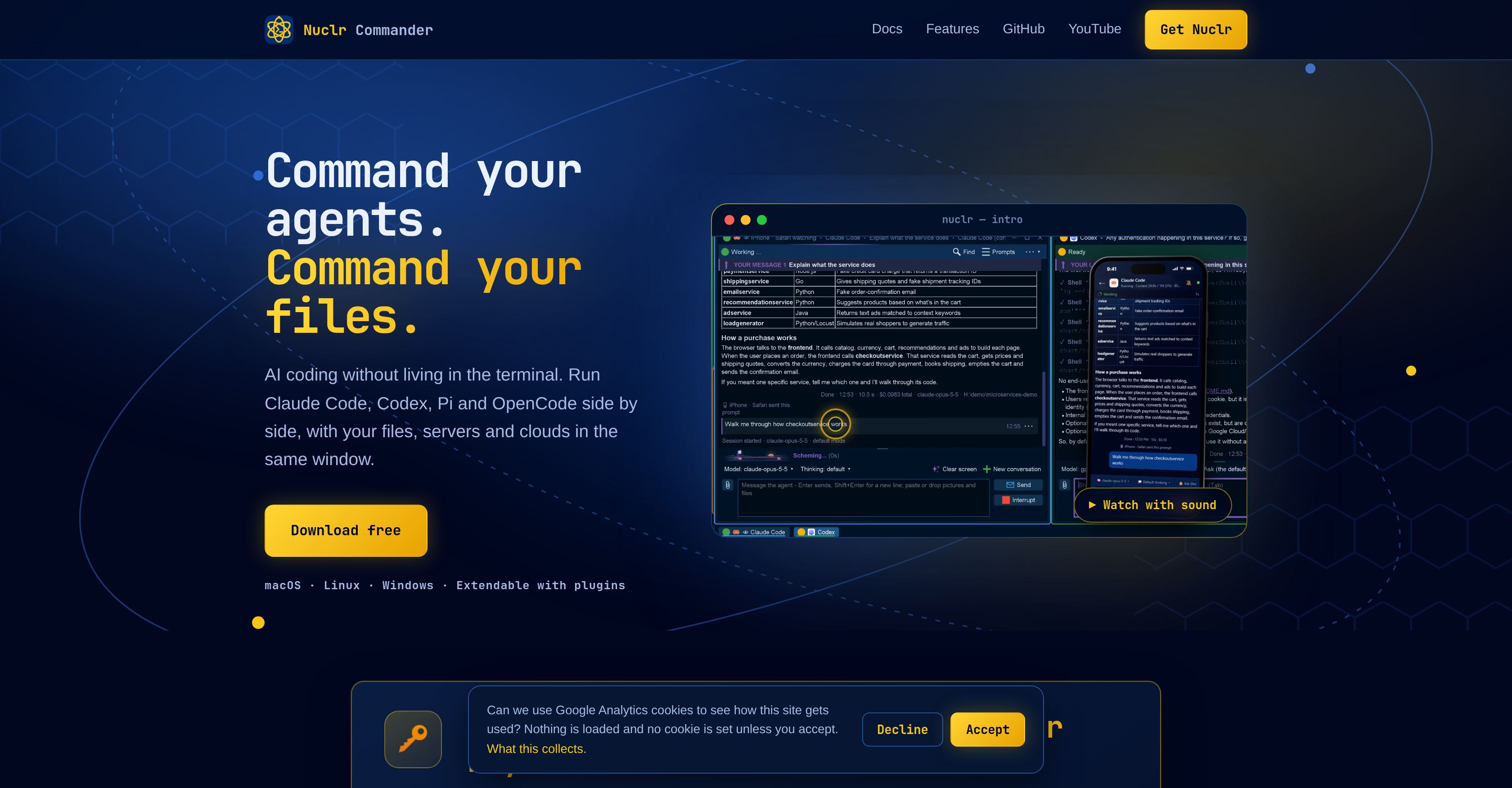
- Compare and switch between AI coding agents without juggling terminal windows: run Claude Code, Codex, Pi and OpenCode side by side in one window, each in its own chat.
- Code with AI at no extra model cost: each agent signs in with its own account, so you can use your existing Claude or ChatGPT subscription, cloud models, or local models through LM Studio.
- Stop risky commands before they hit your system: hold agent commands for your approval, and review every code change as a tracked diff.
- Keep server and database credentials away from AI: Nuclr stores your passwords and never shows them to agents.
- Split complex coding tasks across multiple agents: AI agent teams work together on the same project.
- Keep long-running agent tasks on track when you are away from your desk: watch and steer your agents from your phone.
- Manage remote infrastructure right beside your agents: a dual-pane file manager handles local files, archives, SSH, S3, Docker, GitHub and databases.
- Run commands in the right context without navigating: the built-in terminal opens in the current folder.
- Inspect any file type without leaving your workspace: built-in previews cover code, media, binaries and 3D models.
- Run sensitive sessions without leaving a record: incognito chats save no history.
- Extend your setup without supply-chain risk: every plugin is signed and verified before it loads.
- Keep the same AI coding workflow on every machine: the app runs on Windows, macOS and Linux.
Alternatives to Nuclr Commander
Tools that share the most tags with Nuclr Commander.
- Plasma AI
Scale your AI operations without bottlenecks by running tasks in parallel with clear ownership and explicit handoffs, powered by Plasma AI's coordinated agent network.
Not listed
Not listed
Not yet checked
- Auto Learning Agents
Deploy your own AI agents in minutes using a single Docker image, eliminating complex setup and external cloud dependencies.
Free
Not listed
Not yet checked
- Buda AI
Deploy a complete AI workforce that codes, sells, and markets for you—by recruiting specialized AI agents for coding, sales, marketing, and operations roles.
Freemium · from $20/month
$20/month
Not yet checked
- AIsa
Deploy production-ready AI agents instantly with Foundry's cloud-hosted, pre-configured instances and native nanopayment settlement
Not listed
Not listed
Not yet checked
- Sentrely
Eliminate unauthorized AI agent actions by enforcing granular policies defined in YAML for every AWS action, git repository, and tool each agent can touch.
Free trial · from $199/month
$199/month
Not yet checked
- Future AGI
Ship AI agents that automatically learn from mistakes and improve task accuracy over time, powered by continuous iteration and refinement with the Datasets Agent IDE Experiments framework.
Freemium · from $250/month
$250/month
Not yet checked
Reviews
Rate this tool
Loading reviews...
Frequently asked questions
What is Nuclr Commander?
Nuclr Commander is a software tool designed to streamline AI coding and file management. It allows for running multiple coding platforms concurrently within a single window, handling files, servers, and clouds together for comprehensive task administration.
What are the key features of Nuclr Commander?
Key features of Nuclr Commander include compatibility with multiple coding platforms like Claude Code, Codex, Pi, and OpenCode. It supports multi-platform usage including macOS, Linux, and Windows. It respects user security by not requiring or storing any API keys or tokens. Additionally, it provides a dual-pane interface for handling local files, archives, SSH, S3, Docker, GitHub and databases, and features a terminal built into the current folder.
What coding platforms are compatible with Nuclr Commander?
Nuclr Commander is compatible with multiple coding platforms, including Claude Code, Codex, Pi, and OpenCode.
Does Nuclr Commander support multi-platform usage?
Yes, Nuclr Commander supports multi-platform usage. It is compatible with macOS, Linux, and Windows operating systems.
How does Nuclr Commander ensure user security?
Nuclr Commander ensures user security by not requiring or storing any API keys or tokens. Each 'agent', or individual component of the tool, signs in with its own login, thereby keeping server and database passwords hidden from other agents. It also ensures server and database passwords connected through it are never disclosed to agents.
What does it mean when it says each 'agent' signs in with its own login in Nuclr Commander?
When it says that each 'agent' signs in with its own login in Nuclr Commander, it means that every individual component of the tool, such as Claude Code or Codex, logs in separately. This strategy keeps server and database passwords hidden from other agents, contributing to secure user environment.
What tasks can I manage using Nuclr Commander?
With Nuclr Commander, users can manage a variety of tasks from running cloud or local machine learning models to full coding profiles. It provides extensive control over all active agents, which can enable precise monitoring and management of these tasks.
What kind of files can I handle using Nuclr Commander?
Using Nuclr Commander, you can handle different types of files including local files, archives, and databases. You can also direct files through SSH, S3, Docker, and GitHub.