Auto Learning Agents
Overview
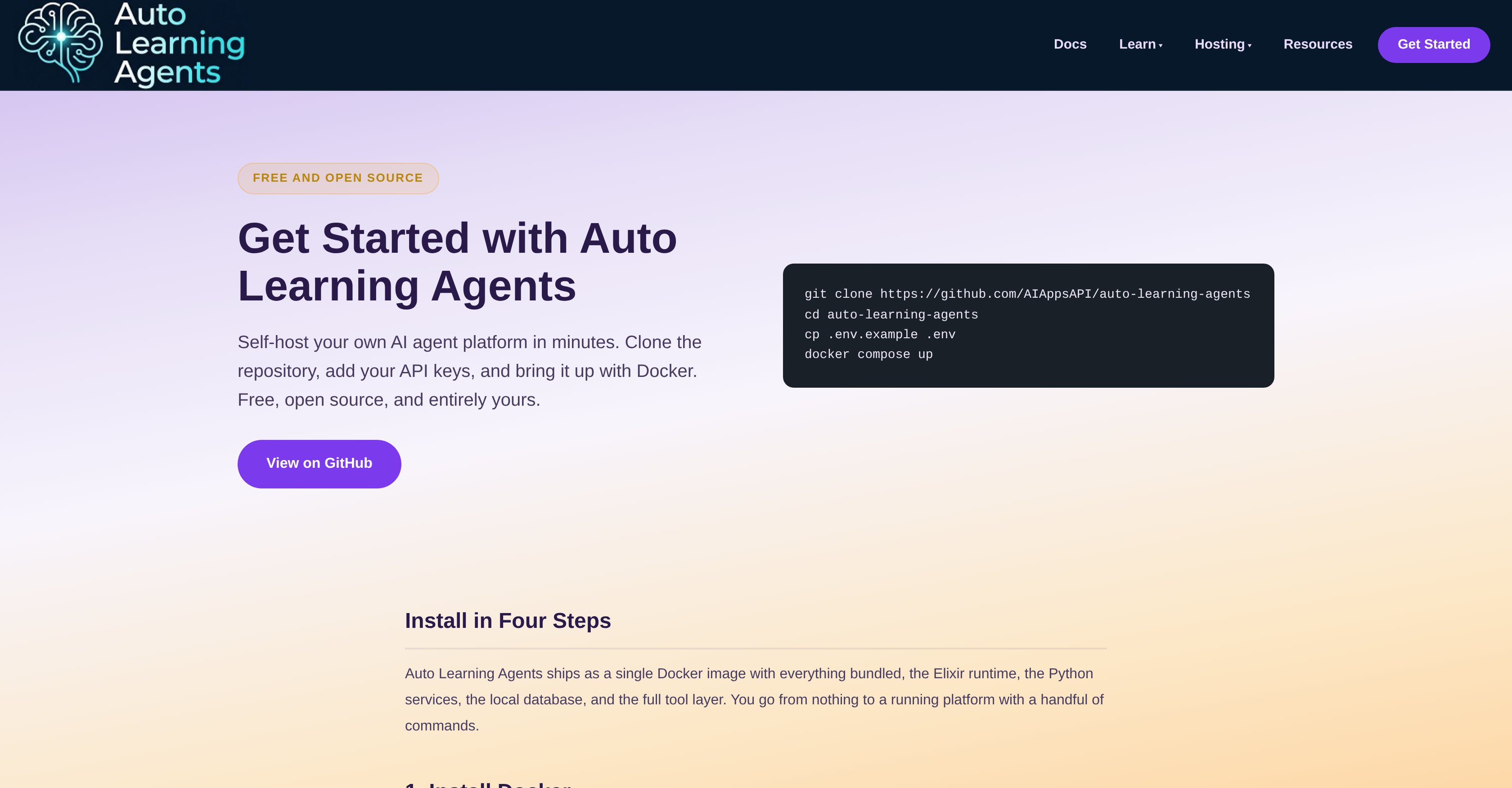
- Deploy your own AI agents in minutes using a single Docker image, eliminating complex setup and external cloud dependencies.
- Mix and match models from Claude, OpenAI, and Gemini within the same workflow, tailoring agent behavior to each task without vendor lock-in.
- Run agents entirely offline using local models through Ollama, ensuring data privacy and zero reliance on external API keys.
- Automate browser tasks, code reviews, and fault tolerance workflows with the built-in tool layer and bundled database for memory and search.
- Skip external database setup entirely—the platform includes a single bundled database for storage and search, streamlining deployment.
- Configure agent memory, model selection, and system settings through comprehensive documentation, enabling deep customization without guesswork.
Pros & Cons
Pros
- Free, open-source platform
- Self-hosting capabilities
- Quick setup with Docker
- Mixing models functionality
- Compatible with various models
- Supports fully local operations
- Encapsulated within single Docker image
- Elixir runtime included
- Python services included
- Local database included
- Full tool layer included
- Light installation requirements
- No cloud account required
- Flexible application range
- Comprehensive documentation
- Browser automation capabilities
- Fault tolerance features
- Code review applications
- Claude and Gemini model support
- Bundled database for storage
- In-depth system understanding
- Ollama tool support
- API keys integration
- Local model served through Ollama
- Easy to clone repository
- No need for external setup
- Docker as only machine requirement
- Supports model selection
- Supports memory backend configuration
- Useful for multi-agent systems
- Dashboard access on localhost
- Light user requirements
- Installation steps documentation
- Supports external model keys
- Self-contained, no external dependencies
- Single command platform start
- Option for fully local run
- Database preparation on first run
- Dashboard for live agents
- Low server requirements
- Scalable solution
- Enhanced security features
- Provides repository README
- Guides on how agents work
- Links for further learning
- Multiple use cases
- Great for research purpose
- Capable of web scraping
- Supports content creation workflow
- Excellent for agent learning architecture
Cons
- Requires Docker knowledge
- Needs API keys
- Limited to provided models
- Interface not mentioned
- Scalability not discussed
- Documentation might be complex
- Database bundled, not selectable
- Assumes command line familiarity
- Reliance on Elixir and Python
- Potential incompatibilities with Docker
Reviews
Rate this tool
Loading reviews...
❓ Frequently Asked Questions
Auto Learning Agents is a free, open-source AI agent platform that allows users to self-host their own AI agents using Docker. Users can customize their agents using their own API keys, and the platform is compatible with a variety of models. It supports fully local operations and does not require any external setup or cloud account.
Auto Learning Agents can be set up in a few minutes. After installing Docker and Docker Compose, users clone the Auto Learning Agents repository, add their API keys, and run a few commands to bring up their own AI agents.
Auto Learning Agents is compatible with a variety of models, including Claude, OpenAI, and Gemini. Users can select and combine these models according to their specific needs.
API keys can be added to Auto Learning Agents by copying the example environment file and adding the keys for the desired models. The environment file is usually named '.env', and the keys can be added directly to this file.
Yes, Auto Learning Agents supports fully local operations without any external keys. Tools like Ollama can be used for this purpose.
The Auto Learning Agents Docker image comes bundled with an Elixir runtime, Python services, a local database, and a full tool layer. All of these components are encapsulated within the single Docker image.
The installation process for Auto Learning Agents involves four steps. First, Docker and Docker Compose must be installed on your machine. Then, the Auto Learning Agents repository is cloned. After this, the API keys for the desired models are added to the environment file. Finally, the platform is started using a single command 'docker compose up'.
Docker is the only system requirement for using Auto Learning Agents. In addition, at least one way for the agents to operate is needed, which can be either an API key from a provider like Anthropic, OpenAI, or Google, or a local model served through Ollama.
No, there are no external setup or cloud requirements for Auto Learning Agents. It uses a single bundled database for storage and search, eliminating the need for any external setup or a cloud account.
Auto Learning Agents can be used for a wide range of applications. These include, but are not limited to, browser automation, fault tolerance, code review, and more.
Yes, comprehensive documentation is provided for Auto Learning Agents. It covers aspects like configuration, model selection, memory backend, and offers an in-depth understanding of the system behind the platform.
Yes, Auto Learning Agents can be used for browser automation. This is one of the various applications the platform supports.
Yes, Auto Learning Agents can be used for implementing fault tolerance. It's among the range of applications supported by the platform.
Yes, Auto Learning Agents can be used for code review. This is one of the various uses that the AI agent platform can be applied for.
Yes, different models can be mixed within Auto Learning Agents. Users can mix models like Claude, OpenAI, or Gemini freely according to their specific needs.
Auto Learning Agents is compatible with machine learning models supplied by providers such as Claude, OpenAI, Gemini, and also supports local models served through Ollama.
You need at least one API key from a provider such as Anthropic, OpenAI, Google, or a local model served through Ollama to operate Auto Learning Agents.
Yes, Auto Learning Agents supports fully local operations without any external keys. It can run fully with local models served through tools like Ollama.
Memory management in Auto Learning Agents is handled through a memory backend. Storage and search run on a single bundled database, embedded within the platform making it simple and streamlined.
Docker is an open-source platform used for developing, shipping, and running applications inside lightweight containers. In relation to Auto Learning Agents, Docker allows for the encapsulation of the Elixir runtime, Python services, local database, and the full tool layer within a single image, thereby simplifying the deployment and operation of Auto Learning Agents on any system with Docker installed.
Pricing
Pricing model
Free
Paid options from
Free