

Osmo.inc
Animate your designs without rebuilding them: Figma integration converts existing Figma files directly into motion graphics and animated content.
Listing not yet reviewed by our editors · How we check
Overview
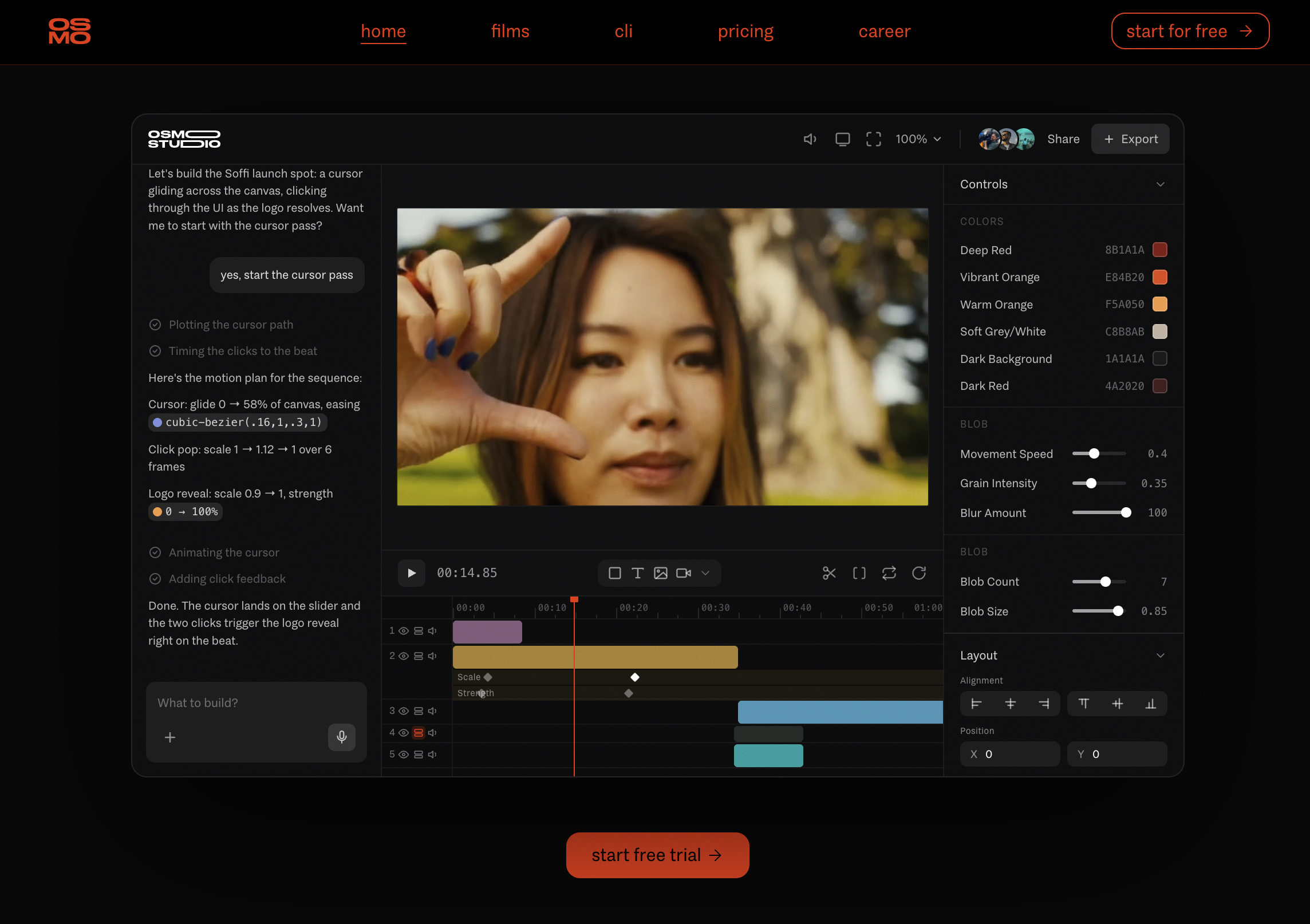
- Animate your designs without rebuilding them: Figma integration converts existing Figma files directly into motion graphics and animated content.
- Ship launch-ready product videos fast: a storytelling engine built for product launch videos turns a single idea into a story-driven video.
- Salvage unpolished recordings: AI video editing transforms raw footage into finished, polished animations.
- Keep every video on-brand: the studio holds visual elements, tone, and style consistent across all your motion graphics and marketing videos.
- Control details that template-based video generation locks down: every output is delivered as editable code, so you adjust animation and design precisely.
- Run the full production workflow in one place: the dedicated Osmo Studio editor handles creation and editing, with built-in guides to get you producing quickly.
Pros & Cons
From the listing; not yet checked by our editors.
Pros
- Transforms ideas into animations
- Creates product launch videos
- Motion graphics capabilities
- Produces editable code
- Deep video customization
- Figma files integration
- User guides resources
- Dedicated editing studio
- Career opportunities
- Support in form of grants
- Focus on brand consistency
- Aids content creation process
- Allows for code-level tweaks
Cons
- Unclear feature specifics
- Requires coding knowledge
- Potentially complex interface
- Limited customer support
- Toolkit resources vague
- Pricing details undisclosed
- Dependent on Figma integration
- Unknown output code format
- Editor learning curve
- Career focused support
Alternatives to Osmo.inc
Tools that share the most tags with Osmo.inc.
- C2Story
Transform any idea or memory into a finished, illustrated story in minutes using AI-powered generation, from a simple prompt to a printable PDF.
Free trial · from $10.99/month
$10.99/month
Not yet checked
- Plot Party
Launch your first AI-generated storyboard in under five minutes using an AI agent that selects the perfect visual models for your creative vision
Paid · from $25/month
$25/month
Not yet checked
- MkAnime AI
Launch a complete anime production from a single story prompt, using AI-generated scripts, storyboards, and visual assets that eliminate manual drafting.
Paid · from $19.90/month
$19.90/month
Not yet checked
- Cinely
Find your next AI film series fast, without endless scrolling: trending titles, new releases, and genre collections for drama, fantasy, action, and horror take you straight to active releases.
Free trial · from $14.99/month
$14.99/month
Not yet checked
- Movmix | AI Story Generator
Go from a plot idea to a finished narrative video in one pass: describe themes, characters, setting, plot, and atmosphere, and the AI story generator builds the script structure, character definitions, scene assets, and storyboard.
Paid · from $12.99/month
$12.99/month
Not yet checked
- Lovable Tales
Watch your child become the hero of every story with interactive character selection that puts them at the center of the adventure
Free
Not listed
Not yet checked
Reviews
Rate this tool
Loading reviews...
Frequently asked questions
What is Osmo?
Osmo is an AI-powered storytelling studio and video editor. It specializes in creating content such as product launch videos and motion graphics.
How does Osmo AI-powered video editor work?
Osmo works by transforming ideas, Figma files and raw footage into polished, on-brand animations. It uses AI to simplify and enhance the process.
What types of content can Osmo produce?
Osmo can produce a wide variety of content including product launch videos, storytelling videos, and motion graphics.
What are the main features of Osmo?
The main features of Osmo include AI-powered video editing, animation creation, Figma integration, customizable content, ability to edit output at the code level, and a wide array of resources including guides and a dedicated editing studio.
Can I customize my video content on Osmo?
Yes, Osmo enables a deeper customization of video content. Users can potentially tweak it at a code level for a more personalized output.
What does it mean when Osmo outputs editable code?
When Osmo outputs editable code, it means that users can manipulate the code behind the video content. This feature offers a greater level of customization for their content.
Who is Osmo designed for?
Osmo is designed for those who work in digital marketing, animation or content creation industries where compelling visuals and brand consistency are critical.
Why might Osmo be beneficial for those in digital marketing or animation?
Osmo might be beneficial for digital marketers and animators because it can transform ideas into compelling visuals while maintaining brand consistency. It also simplifies the creation of product launch videos, making it an efficient tool for these industries.