

PhotoToPhoto
Recover damaged family photos while keeping the faces you remember: AI deep restoration repairs scratches, tears, creases, and faded faces on vintage prints without losing real family likeness.
Listing not yet reviewed by our editors · How we check
Overview
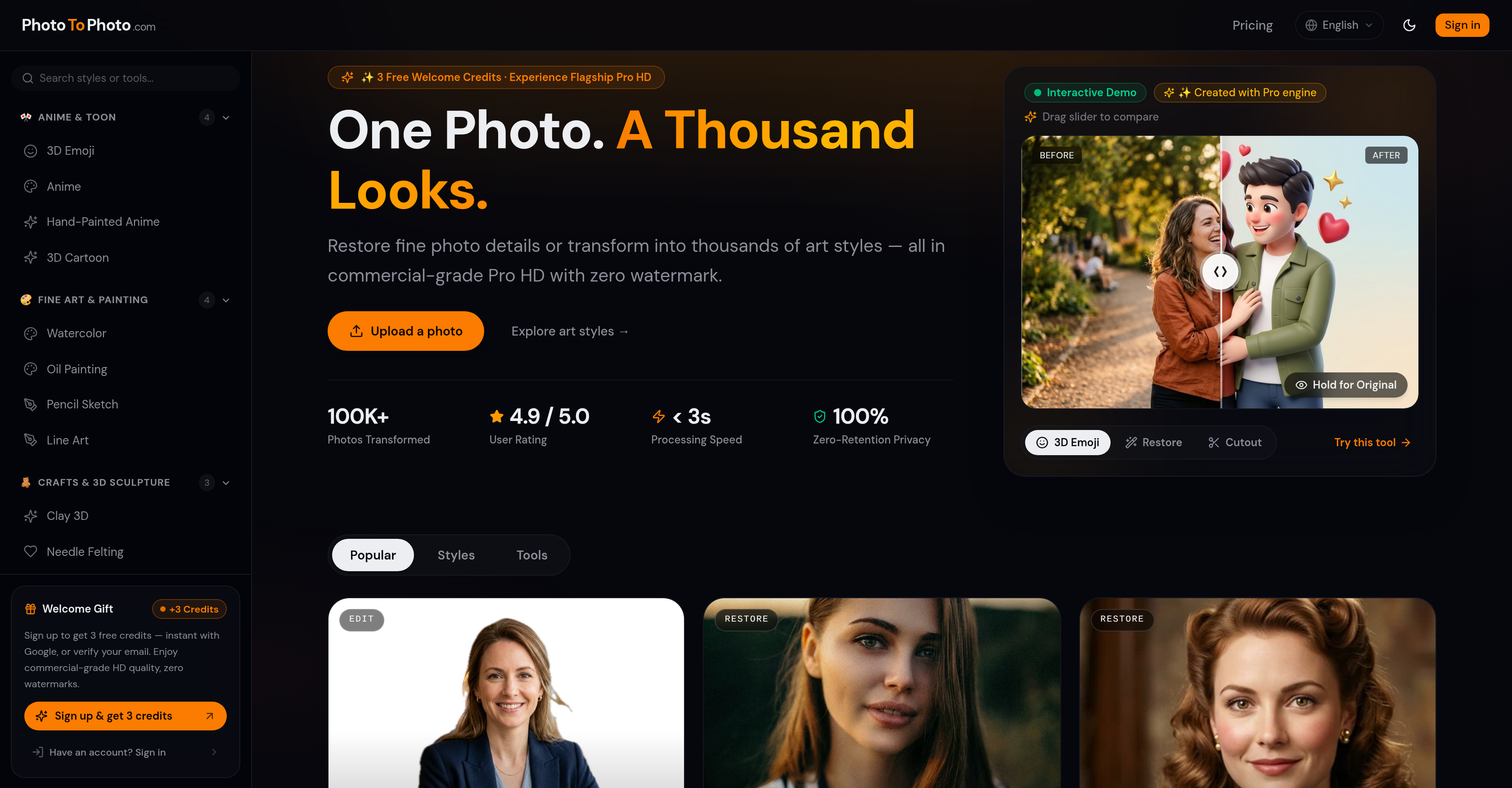
- Recover damaged family photos while keeping the faces you remember: AI deep restoration repairs scratches, tears, creases, and faded faces on vintage prints without losing real family likeness.
- Give black-and-white photos color that looks true to their era: the photo colorizer uses historical context and environmental lighting awareness to apply vivid, realistic tones.
- Use low-resolution and blurry images you would otherwise throw away: image unpixelation and fine-detail restoration sharpen pixelated photos into clean, usable shots.
- Cut product photography costs and list items faster: the AI background remover handles fine hair and leaves clean edges, giving e-commerce sellers studio-style product images without a reshoot.
- Publish, sell, and print your results immediately: every output is commercial-grade Pro HD quality with zero watermarks, ready for client work, storefronts, and social content.
- Produce original artwork from ordinary photos without illustration skills: convert images into thousands of art styles across Anime & Toon, Fine Art & Painting, Crafts & 3D Sculpture, and Retro & Pop Digital.
- Handle restoration, editing, and creative styling in one workspace instead of juggling separate apps: Restoration & Edit tools and style transformation sit side by side for photographers and content creators.
- Pay only for the edits you actually run and test results before committing: three free credits on sign-up via Google or email, one credit per tool, and subscription plans that scale from a monthly Starter tier to VIP/Studio Power for heavy use and teams.
Pros & Cons
From the listing; not yet checked by our editors.
Pros
- Pro HD quality
- No watermarks on output
- Restores fine photo details
- Converts photos to art styles
- Various art styles provided
- Specialized tasks: background removal
- Specialized tasks: unpixelation
- Old photo restoration
- Colorizing black and white photos
- Credit system for tools
- Free credits on sign up
- Subscription options available
- Good for photographers
- Good for content creators
- Good for e-commerce sellers
- Environmental awareness in colorizing
- Anime & Toon style
- Fine Art & Painting style
- Crafts & 3D Sculpture style
- Retro & Pop Digital style
- Interactive demo provided
- High-fidelity facial reconstruction
- Watercolor style available
- Oil Painting style available
- 3 free credits on signup
- Flexible subscription choices
- Immediate Pro HD experience
- Various subscription plans
- Email support provided
- VIP support for heavy users
- Priority queue for VIPs
- Early access to new models
- Commercial license provided
- Simple credits-only payment
- Instant credit delivery
- Trusted by content creators
- Enhances social media engagement
- Image restoration & editing
- Brick art style availability
- Line art style availability
- Vintage Film style availability
- Retro 3D Game style availability
- Pixel Art Neon Sci-Fi style
- 3D Emoji style availability
- User ratings available
- Processing speed mentioned
Cons
- Credit-based system
- Limited free use
- Subscription can be expensive
- Image stylesize unpredictability
- Limited editing capabilities
- No API mentioned
- Lacking batch processing
- Limited file type mention
- Not open-source
- Possibly slow for heavy use
Alternatives to PhotoToPhoto
Tools that share the most tags with PhotoToPhoto.
- Soulmate Drawing AI
See your soulmate's face instantly with AI-generated portraits delivered to your email in about 2 minutes
Paid · from $9.99
$9.99
Not yet checked
- Caricaturer
Get 64 different caricature styles from a single photo with AI face recognition for maximum creative variety
Free
Not listed
Not yet checked
- Caricature Maker
Get a unique, humorous caricature in seconds from your photo with instant AI processing
Paid · from $10
$10
Not yet checked
- CozAIPhoto
Get professional-quality, photorealistic portraits and lifestyle photos without a photoshoot, using AI that applies your chosen theme or style to your uploaded photos.
Free trial · from $15.90/month
$15.90/month
Not yet checked
- AI Headshot Generator
Get professional headshots in seconds instead of hours by uploading just one photo for instant AI transformation
Paid · from $0.22/unit
$0.22/unit
Not yet checked
- GPT Caricature
Create unique, eye-catching profile pictures and posts for all major social platforms in under a minute with a simple three-step upload, style, and generate process.
Free trial · from $9.90/month
$9.90/month
Not yet checked
Reviews
Rate this tool
Loading reviews...
Frequently asked questions
What is the main functionality of PhotoToPhoto?
PhotoToPhoto's main functionality is to enhance and transform digital images into various styles and categories. It also offers tools for restoring fine details of photos, background removal, image unpixelation, old photo restoration, and colorizing black-and-white photos.
Can PhotoToPhoto remove background from photos?
Yes, PhotoToPhoto can remove the background from photos as part of its Restoration & Edit tools.
How does PhotoToPhoto restore old photos?
PhotoToPhoto uses AI deep restoration technology to restore old photos. This high-fidelity process repairs scratches, tears, creases, and faded faces on vintage prints while preserving real family likeness.
How does the credit system on PhotoToPhoto work?
PhotoToPhoto uses a credit system whereby each credit is used against a specific tool. Users get three free credits on sign up. Subscription plans offer varying credit amounts for users with higher usage needs.
What art styles can PhotoToPhoto convert images into?
PhotoToPhoto can convert images into various art styles. These include Anime & Toon, Fine Art & Painting, Crafts & 3D Sculpture, and Retro & Pop Digital.
Does PhotoToPhoto offer a subscription?
Yes, PhotoToPhoto offers subscription options. These range from a monthly Starter plan to a VIP/Studio Power plan for heavy use and teams, each offering a specific number of credits and features.
How can I get free credits on PhotoToPhoto?
Users can get three free credits on PhotoToPhoto by signing up for the platform.
How do I sign up for PhotoToPhoto?
Users can sign up for PhotoToPhoto using Google, or by verifying their email.