

Pixelied
Launch professional social media campaigns instantly using platform-specific templates for Facebook, Instagram, LinkedIn, and Twitter
Listing not yet reviewed by our editors · How we check
Overview
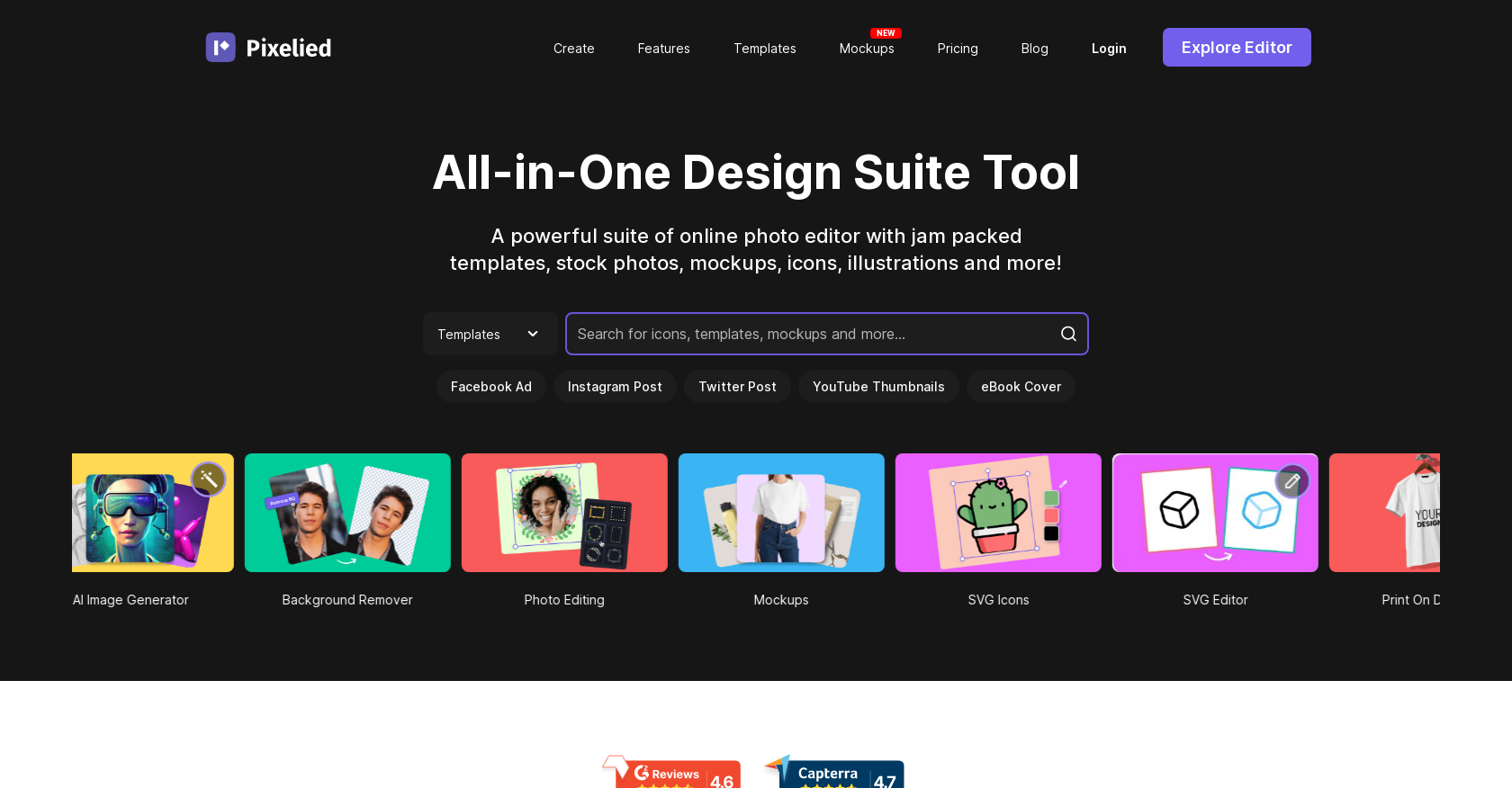
- Launch professional social media campaigns instantly using platform-specific templates for Facebook, Instagram, LinkedIn, and Twitter
- Design compelling YouTube thumbnails and Twitch banners that drive clicks using video-focused templates
- Create custom eBook covers and Wattpad designs that stand out in digital marketplaces
- Enhance product images for e-commerce with professional photo editing tools and filters
- Build consistent brand visuals across all platforms with customizable banners for email, Patreon, and SoundCloud
- Convert image formats seamlessly for any platform requirement using the integrated image converter
- Edit vector graphics directly in your browser with the SVG editor for scalable designs
- Generate custom icons and transparent PNGs for websites and applications using dedicated makers
Pros & Cons
From the listing; not yet checked by our editors.
Pros
- Free online tool
- Ideal for marketing/e-commerce
- Wide range of visuals
- Platforms compatibility
- Image editing features
- Fast photo editor
- Variety of photo effects/filters
- Image converter
- SVG editor
- Icon maker
- PNG maker
- Photo enhancer
- Selection of templates
- Can create professional designs
- Supports various online platforms
- Various photo filter options
- Image adjustment options
- Versatile online graphics editor
- Offers printing on demand
- Offers image background remover
- Enables team collaboration
- Provides product mockups
- Versatile illustrations library
- Vector files editing
- Features comprehensive photo editing
- Supports resizing images
- Multi-channel campaigns support
- Image merging tool
- Crop image tool
- Flip image feature
- Watermarking tool
- Mirror image feature
- Ease of use
- Supports multiple languages
- High user ratings
- Trusted by top brands
- Offers multiple templates
- Allows image rotation
- Logo design capability
- Social media visuals design
- Massive library of icons
- Works with vector files
- Supports email headers design
- Enables Youtube outro creation
Cons
- No mobile app
- No offline version
- Limited photo effects
- No team collaboration features
- No video editing tools
- No 3D model options
- Not all features free
Alternatives to Pixelied
Tools that share the most tags with Pixelied.
- Creative APIs by Picsart
Automate professional image editing workflows without manual intervention using AI-powered background removal, enhancement, and filter application
Paid · from $10/month
$10/month
Not yet checked
- RightBlogger
Generate complete SEO-friendly blog posts in minutes with the Article Writer, from introduction to conclusion
Freemium · from $24.99/month
$24.99/month
Not yet checked
- Fotor AI Kiss
Create viral social media content instantly by transforming any portrait into engaging kissing videos for platforms like TikTok and Instagram
Freemium · from $3.33/month
$3.33/month
Not yet checked
- Leonardo AI
Generate production-quality assets in seconds instead of hours using AI Art Generator that transforms prompts into unique visual content
Freemium · from $15.99
$15.99
Not yet checked
- ASMR-AI.art
Launch your ASMR channel without expensive mics or a studio by generating professional videos from simple text prompts.
Paid · from $19.90
$19.90
Not yet checked
- Auro: AI Social Post Assistant
Eliminate manual posting across multiple social networks with automated scheduling that handles content distribution for you
Freemium · from $9.99
$9.99
Not yet checked
Related Videos

Pixelied How-To on AppSumo
AppSumo · Dec 3, 2020

Pixelied Review - Create Visual Marketing Material | Canvas Alternative
SEO With Phillip Stemann · Feb 28, 2023
Pixelied image designer review Appsumo Lifetime deal
SaaS Master · Dec 4, 2020
Pixelied Review and Tutorial: AppSumo Lifetime Deal
Tech Trends Zone · Dec 4, 2020
Pixelied - An All-in-One Design Suite for Non-Designers
Pixelied · Aug 24, 2021
Reviews
Rate this tool
Loading reviews...
Frequently asked questions
What is Pixelied?
Pixelied is a free online graphic design suite that offers users a versatile image editing and graphic creation tool. It's crafted to enhance creativity and is ideal for an array of purposes which include marketing, e-commerce and social media designs. Users can effortlessly create social media covers, ads, stories, posts, banners, headers, and thumbnails for platforms such as Facebook, Instagram, LinkedIn, Twitter, YouTube, and Twitch. It offers options for creating image quotes, image designing, Pinterest pins, podcast cover art, Kindle covers, eBook covers, and Wattpad covers. Pixelied also provides a variety of photo effects and filters, enabling users to improve their images and offers features like blur, flip, resize, and more.
How can Pixelied be used for social media and marketing visuals design?
Pixelied can be utilized for social media and marketing visual designs in numerous ways. Users can quickly generate a wide array of visuals such as social media covers, ads, posts, and stories for platforms like Facebook, Instagram, LinkedIn, and Twitter. For video platforms like YouTube and Twitch, users can design thumbnails, banners, intros, panels, and offline banners. Users can create banners and headers for Twitter, email, Etsy, Soundcloud, LinkedIn, and Patreon. It also enables users to design image quotes, Pinterest pins, podcast cover art, Kindle covers, eBook covers, and Wattpad covers. There's also a wide array of templates available for creating professional-looking designs for these platforms.
What are the image editing features does Pixelied offer?
Pixelied offers numerous image editing features that include, but are not limited to, blur, flip, rotate, resize, crop, merge and overlay. It is also equipped with photo filters such as vignette effect and tint effect, and enables users to adjust image properties like brightness, sharpness, hue, saturation, tint, and contrast. Pixelied also includes an image converter, SVG editor, icon maker, PNG maker, and a photo enhancer.
Can Pixelied be used to create visuals for LinkedIn and other professional-focused platforms?
Yes, Pixelied can certainly be used for creating visuals for LinkedIn and other professional-focused platforms. It provides users with specially designed templates suitable for LinkedIn posts and banners. It is therefore well-suited for professionals seeking to boost their online presence or branding on professional social media platforms.
Does Pixelied provide templates for YouTube thumbnails and banners?
Yes, Pixelied does offer templates for Youtube thumbnails and banners. These tools assist users in creating video platform-specific visuals, such as thumbnails, banners, intros, panels, outros, and offline banners, which are specifically designed to be used on YouTube and Twitch.
Can Pixelied be used to design covers for eBooks or Wattpad?
Yes, Pixelied can be used to design covers for eBooks and Wattpad. This tool provides templates for not only eBook covers but also Kindle covers which users can easily utilize for their digital books. It further extends its service to provide effective visual tools for stories platform like Wattpad, including Wattpad cover designs.
Can you create banners for Twitter and other platforms with Pixelied?
Yes, with Pixelied, users can create specifically tailored banners for Twitter and several other platforms like email, Etsy, Soundcloud, LinkedIn, and Patreon. The platform provides distinct options and functionalities to design banners and headers that cater for the requirements of these platforms.
What photo effects and filters does Pixelied offer?
Pixelied comes with a plethora of photo effects and filters. Users can adjust the brightness, sharpness, hue, saturation, tint, vignette, and contrast of their images. Also, several effect filters such as black & white, sepia filter, invert filter, vintage filter, grayscale filter, monochrome filter, and technicolor filter are available for enhancing image aesthetics and quality.