

PodText
Transcribe any podcast episode without downloading it first: paste an Apple Podcasts, Spotify, Xiaoyuzhou, podcast.de or public iHeart link, an RSS feed, a direct media URL or a captioned YouTube video, then pick the exact episode to convert to text.
Listing not yet reviewed by our editors · How we check
Overview
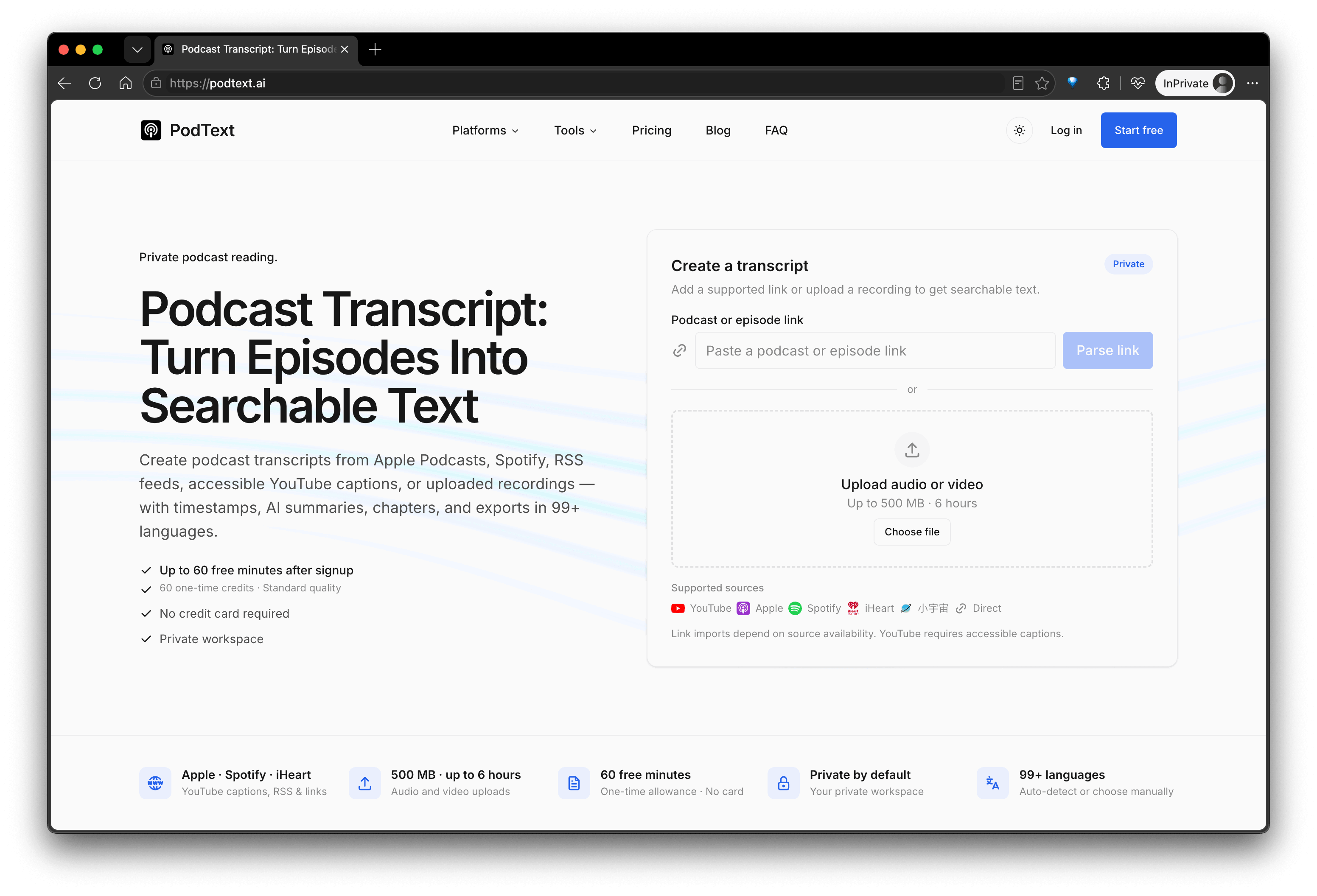
- Transcribe any podcast episode without downloading it first: paste an Apple Podcasts, Spotify, Xiaoyuzhou, podcast.de or public iHeart link, an RSS feed, a direct media URL or a captioned YouTube video, then pick the exact episode to convert to text.
- Turn full-length interviews, lectures and recordings into text in one pass: upload MP3, WAV, M4A, MP4, MOV or WEBM audio and video files up to 1 GB and 6 hours each.
- Transcribe interviews and shows in other languages without configuring anything: speech-to-text covers 99+ languages with automatic language detection or manual selection per job.
- Return to the exact moment someone said something: clickable timestamps jump playback to that point while synced highlighting tracks the transcript as audio plays.
- Locate a quote or research passage in seconds instead of scrubbing through hours of audio: in-transcript search highlights every match.
- Review an episode or draft podcast show notes without relistening: AI summaries, auto-generated chapters with timestamps, key points and notable quotes condense the entire recording.
- Publish subtitles and repurpose content directly: export transcripts as SRT or VTT subtitle files for video players and editors, or as TXT and Markdown for blogs, notes and your own tools.
- Keep unreleased interviews and sensitive recordings confidential: transcripts live in a sign-in-protected workspace and are never published or indexed by search engines.
- Pay only for audio you actually transcribe: 60 free minutes with no credit card, then 1 credit per minute through subscriptions or one-time credit packs, with credits automatically refunded if a job fails.
- Clear a backlog of episodes faster: run 2, 5 or 10 transcription jobs at once depending on plan, with paid audio stored until you choose to delete it.
Pros & Cons
From the listing; not yet checked by our editors.
Pros
- Direct YouTube caption extraction
- Auto language detection 99+ languages
- Built-in synchronized playback view
- Timestamped chapter generation
- Generated episode summaries
- Private workspace by default
- No credit card required
- One-time 60minute free credit
- RSS feed link support
- Xiaoyuzhou platform integration
- Podcast.de link support
- iHeart link import
- Apple Podcasts link import
- Spotify link import
- Upload up to 1GB files
- Supports recordings up to 6hours
- Export to Markdown format
- Export to SRT subtitles
- Export to VTT subtitles
- Export to plain text
- Instant transcript search
- Jump to exact audio timestamp
- Highlight passages in UI
- Processing progress visible
- Creditbased minute billing
- Multiple concurrent tasks
- Permanent audio storage
- Priority queue for premium
- Manual language selection override
- Flexible credit pack purchases
- Automatic chapter segmentation
- Integrated citationready timestamps
- Audio and video upload support
- Seamless link parsing
- Searchable personal transcript archive
- Real-time text navigation sync
- Supports 99+ languages
- Multilanguage transcription without setup
- Generates highlights automatically
- Workspace organizes multiple transcripts
- No hidden fees
- Free trial without payment info
- Batch export multiple formats
- Timestamped quotes for research
Cons
- Up to 1 GB and 6 hours per file
- No live transcription
- YouTube imports require accessible captions
Alternatives to PodText
Tools that share the most tags with PodText.
- Listen411
Get podcast transcripts faster than real-time listening with AI transcription that processes one hour of audio in under a minute
Paid · from $0.06/unit
$0.06/unit
Not yet checked
- Voscribe
Eliminate hours of manual transcription work with AI-powered transcription that delivers results in minutes, not hours
Freemium · from $9/month
$9/month
Not yet checked
- Steno
Instantly find specific quotes and topics across thousands of podcast episodes with AI-powered search through complete transcripts
Not listed
Not listed
Not yet checked
- SpotScribe
Repurpose any podcast into blog posts and SEO content instantly by extracting accurate transcripts with a single URL paste.
Free trial · from $4.99/month
$4.99/month
Not yet checked
- Tapesearch
Jump directly to exact moments in podcast episodes where your keywords are mentioned with timestamped audio links
Freemium · from $15/month
$15/month
Not yet checked
- Spoken
Eliminate manual audio transcription by replacing your entire pipeline with a single API call that returns clean Markdown transcripts.
Paid · from $15/unit
$15/unit
Not yet checked
Reviews
Rate this tool
Loading reviews...
Frequently asked questions
How do I add a Spotify episode to PodText?
Paste the Spotify episode URL into the PodText interface, click the add link button, and then start the transcription; the service will retrieve the audio and generate the transcript in your private workspace.
Can I transcribe a YouTube video with PodText if it doesn't have captions?
No. PodText requires accessible YouTube captions to import a video; without captions you must upload the video file directly.
What’s the maximum file size and length I can upload to PodText?
Uploads are limited to a maximum file size of 1 GB and a maximum duration of 6 hours per audio or video file.
Does PodText automatically detect the language of my audio?
Yes. PodText automatically detects the spoken language of the uploaded or linked recording, though you can also select the language manually.
How many languages does PodText support for transcription?
PodText supports transcription in 99 plus languages, with automatic detection or manual selection for each job.
Will my transcripts stay private in PodText?
Transcripts remain private by default; the workspace is not public, and transcripts are not indexed by search engines.
How do the timestamps work when I’m reading a transcript in PodText?
Each line of the transcript includes a synchronized timestamp; clicking a timestamp jumps the playback to that exact moment in the original recording.
Can I export a PodText transcript as SRT for subtitles?
PodText can export transcripts as SRT subtitle files (as well as VTT), enabling subtitle use in video players and editing tools.