

ReportGPT
Finish research papers and essays without starting from a blank page, because customizable frameworks and form-driven inputs turn your notes and data into a structured first draft.
Listing not yet reviewed by our editors · How we check
Overview
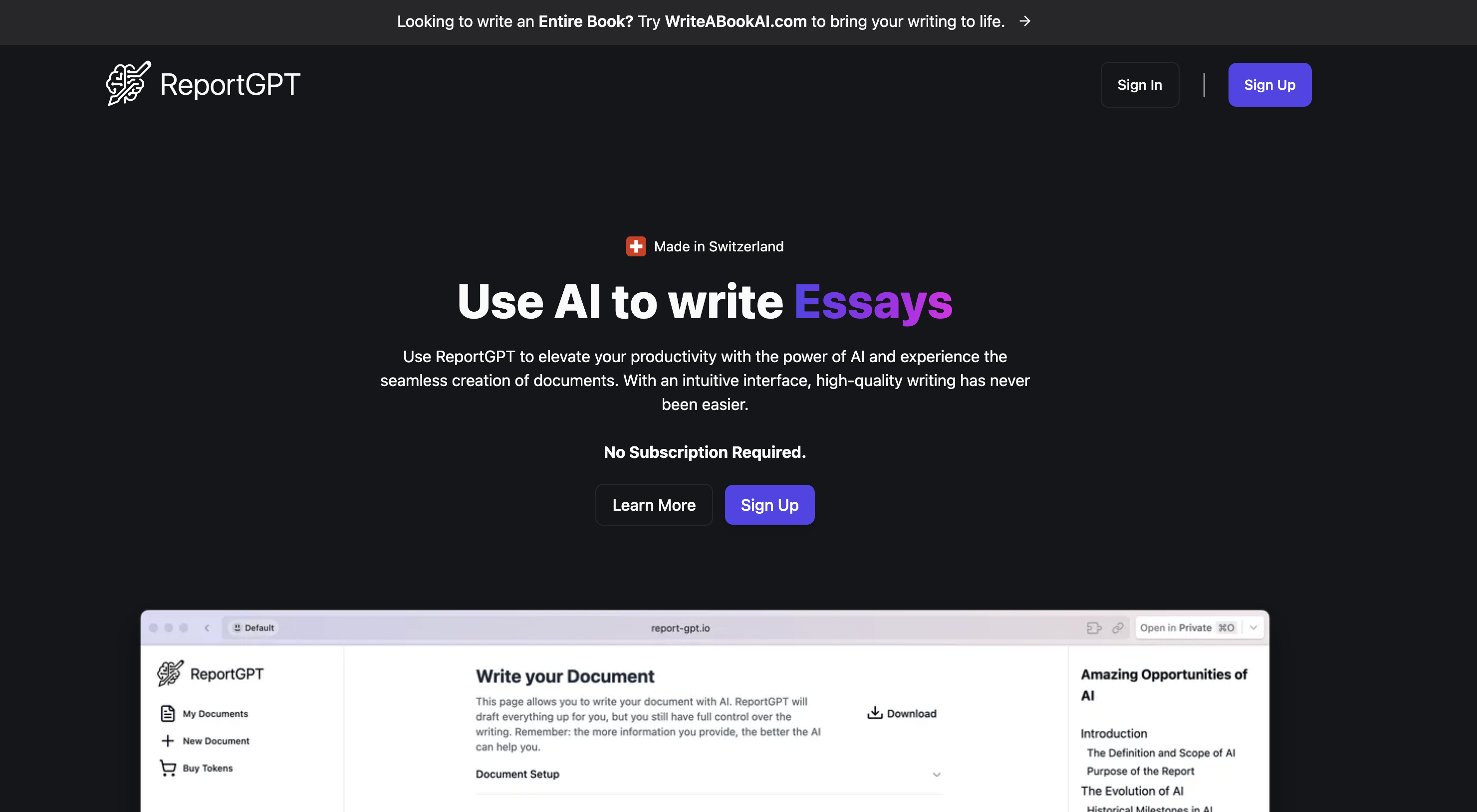
- Finish research papers and essays without starting from a blank page, because customizable frameworks and form-driven inputs turn your notes and data into a structured first draft.
- Shape every report to match exact requirements by adding or removing sections, adjusting headings, and setting your target document length before the AI writer generates a word.
- Meet any submission guideline on the first try with one-click export to PDF, Word, LaTeX, and Markdown, so academic journals, grant portals, and documentation sites all accept your file.
- Keep final control over every claim and paragraph through a step-by-step workflow in which AI drafts, reviews, and refines content that you then revise and edit to your own standards.
- Win funding and approvals with grant proposals and business plans built on tailored templates, organized data inputs, and narrative-focused drafting.
- Ship clearer software manuals and API guides using specialized technical documentation templates and streamlined data integration that improve precision.
- Publish detailed product reviews and comparisons from personalized input forms and analysis tools that produce structured, evidence-based evaluations.
- Write unlimited documents at no platform cost by connecting your own OpenAI API key, or choose token-based plans after a free trial with full access to every feature.
- Spend your time on content, not formatting, with an intuitive editor that combines writing, editing, and styling in one workspace.
Pros & Cons
From the listing; not yet checked by our editors.
Pros
- Intuitive user interface
- Customizable document structures
- Dynamic writing platform
- Supports diverse export formats
- Offers free trial
- Flexible plans available
- Users can bring own API key
- Streamlines document creation process
- High-quality writing tasks
- Supports variety of writing tasks
- Step-by-step workflow
- Option to start a new document
- Generates and customizes outlines
- Customizable structures
- Advanced analysis tools
- Personalized input forms
- Specialized templates
- Form-driven inputs
- Seamless data integration
- Refines and personalizes your text
- Various pricing options
- Detailed platform guide
- Suitable for non-academic tasks
- User-friendly interface
- Options for document length adjustment
- Refines and generates content
- High efficiency writing tasks
- Multiple writing tasks management
- Offers suggestions structure
- Advanced documentation interfaces
- User privacy and data security
- Free trial and subscriptions available
- User can adjust chapter headings
- Helps in organizing data efficiently
Cons
- Expensive token system
- No collaboration feature
- Limited free use
- Blurs original writing style
- API key limit restrictive
- Customization may be complex
- No offline mode
- No multi-language support
- Specific export formats missing
- Customer support not 24/7
Alternatives to ReportGPT
Tools that share the most tags with ReportGPT.
- Creative APIs by Picsart
Automate professional image editing workflows without manual intervention using AI-powered background removal, enhancement, and filter application
Paid · from $10/month
$10/month
Not yet checked
- RightBlogger
Generate complete SEO-friendly blog posts in minutes with the Article Writer, from introduction to conclusion
Freemium · from $24.99/month
$24.99/month
Not yet checked
- Fotor AI Kiss
Create viral social media content instantly by transforming any portrait into engaging kissing videos for platforms like TikTok and Instagram
Freemium · from $3.33/month
$3.33/month
Not yet checked
- Leonardo AI
Generate production-quality assets in seconds instead of hours using AI Art Generator that transforms prompts into unique visual content
Freemium · from $15.99
$15.99
Not yet checked
- ASMR-AI.art
Launch your ASMR channel without expensive mics or a studio by generating professional videos from simple text prompts.
Paid · from $19.90
$19.90
Not yet checked
- Auro: AI Social Post Assistant
Eliminate manual posting across multiple social networks with automated scheduling that handles content distribution for you
Freemium · from $9.99
$9.99
Not yet checked
Reviews
Rate this tool
Loading reviews...
Frequently asked questions
What is ReportGPT?
ReportGPT is an artificial intelligence-powered writing assistant which is designed to enhance document creation and streamline the writing process. Its core capabilities lie in reviewing, refining and generating content. The system supports diverse document structures, multiple export formats and offers an intuitive user interface. ReportGPT also provides a free trial and flexible plans for users, which include an option for them to bring their own API key for free access.
How does ReportGPT streamline the writing process?
ReportGPT streamlines the writing process by employing AI technology to review, refine, and generate content. This results in efficient and high-quality writing tasks. It also provides an intuitive user interface, which simplifies document creation, thereby allowing users to focus more on their content. It also offers step-by-step workflow, which bridges the gap between AI efficiency and human expertise, thereby ensuring quality and customization.
What types of documents can I create with ReportGPT?
With ReportGPT, users can create various types of documents, including but not limited to: research papers, business plans, product reviews and comparisons, technical documentation, grant and proposal drafts, and essays.
Which document formats does ReportGPT support for exporting?
ReportGPT supports diverse export formats such as PDF, Word, LaTeX, and Markdown. These formats cater to different submission guidelines and personal preferences of the users.
What customization options are available in ReportGPT?
In ReportGPT, users can customize their document structures, tailoring their documents to their exact requirements. They can add or remove sections, adjust headings, and set their desired document length. The platform offers a dynamic interface for personalizing the writing, editing, and styling of the content.
Does ReportGPT offer a free trial?
Yes, ReportGPT offers a free trial which gives users full access to its features. This allows users to evaluate the platform and its capabilities before opting for a subscription.
Can I use my own API key for free access to ReportGPT?
Yes, if a user possesses their own OpenAI API key, they have the option to use it on the ReportGPT platform for free access.
What are the use-cases of ReportGPT?
ReportGPT finds its applications in several areas, including: research paper writing, business planning, product reviews and comparisons, technical documentation, grant and proposal writing, and essay writing.