

Overview
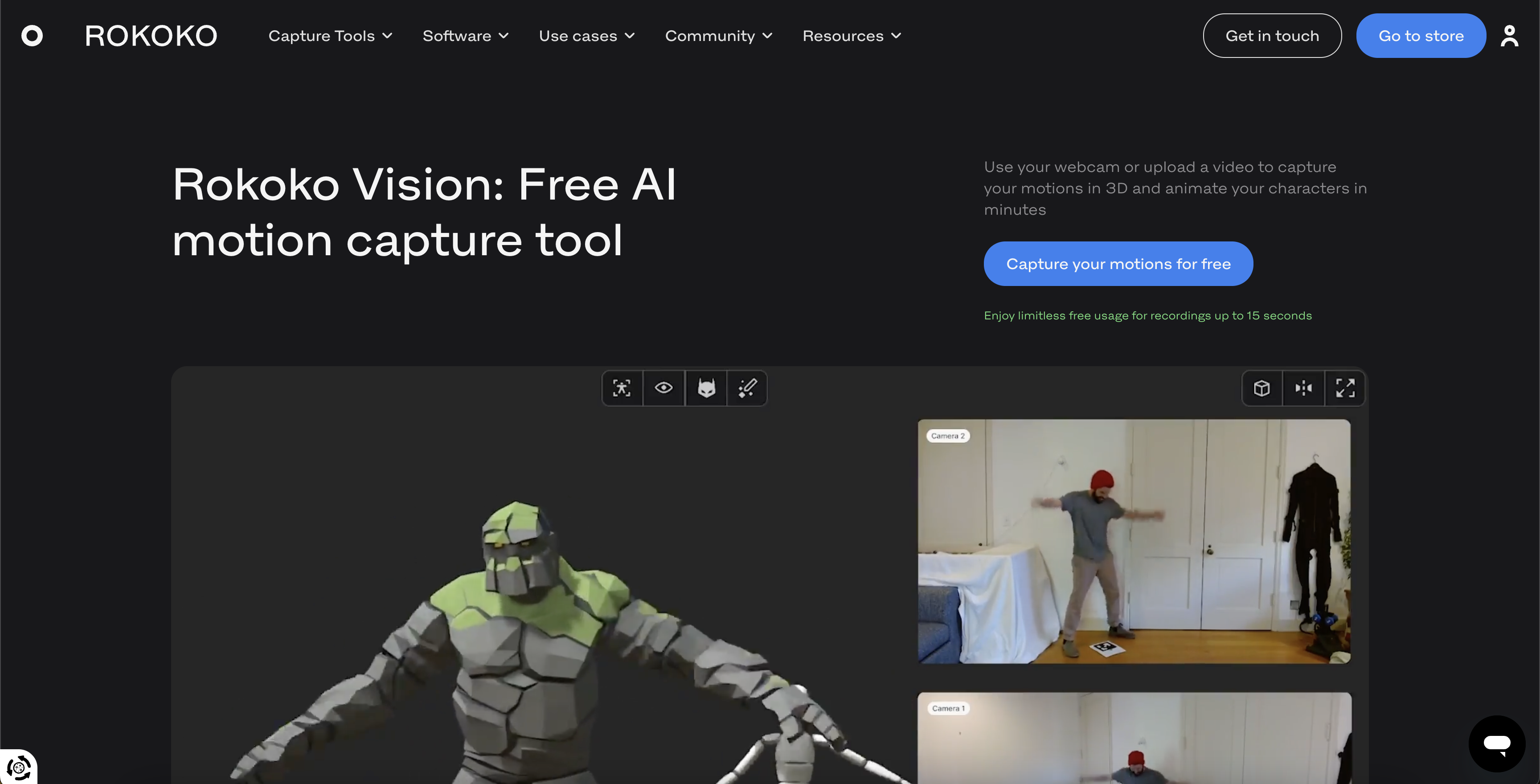
- Create professional 3D animations without expensive equipment using AI that converts webcam footage into motion data
- Refine captured movements with precision using Rokoko Studio's foot-locking filter and drift editor for cleaner results
- Export directly to your preferred 3D workflow with .FBX and .BVH file formats compatible with Blender, Unity, and Unreal Engine
- Achieve higher fidelity motion tracking with dual-camera setup that captures depth and minimizes blind spots
- Generate animation pre-visualizations quickly by recording your own movements for instant concept testing and refinement
- Start motion capturing immediately with completely free access and no usage limits or hidden payments
Pros & Cons
Pros
- Free tool
- For all levels users
- Webcam or video upload
- Video turned into animation
- Rokoko Studio for processing
- Data cleaning filters
- Export in .fbx .bvh
- Quick animation process
- Compatible with 3D software
- Simple 3-step process
- Pre-visualization of animation
- Tutorial videos available
- Can process archive footage
- Accessible from browser
- Option for .FBX or .BVH export
- Community via Discord
- Tips for best capture quality
- Fast data processing
- Real-time data capture
- Allows finger capture
- No usage limits
- Allows multiple performer recordings
Cons
- Requires good lighting
- Requires stable camera
- Less suitable for complex motions
- Can't capture multiple performers
- Not real-time
- No finger tracking
- Limited by camera distance
- Requires clear view of performer
- Affected by occlusion issues
- Lower data quality compared to sensor-based tools
Reviews
Rate this tool
Loading reviews...
❓ Frequently Asked Questions
Rokoko Video is a free AI motion capture tool designed for all creators from beginners to professionals. It enables the recording and transforming of user movements into animations for 3D applications.
Rokoko Video captures movement through a webcam or uploaded videos. The AI studies the movements and transforms them into animation within the Rokoko Studio software. After cleaning up the mocap data (using filters like foot lock and drift editor), users can export the results for further use.
To use Rokoko Video, you need a computer with a webcam for on-the-spot capture or a pre-recorded video of movements, an internet connection and the Rokoko Studio software installed.
The recorded video from Rokoko Video is processed in Rokoko Studio, the free software that accompanies the tool. Within Rokoko Studio, users can view and clean up the mocap data using various filters such as foot lock and drift editor.
With Rokoko Video, you can export your captured data in .fbx or .bvh formats.
Yes, Rokoko Video data can be used in all major 3D software such as Blender, Cinema 4D, Unity, and Unreal Engine.
Yes, Rokoko Video is designed with users of all skill levels in mind, including beginners in motion capture. Its streamlined 3-step process eliminates complex processes, making it a suitable tool for those new to motion capture.
While Rokoko Video offers fast animation and quality data capture, it may not provide the same level of detail and robustness compared to sensor-based mocap tools like the Smartsuit Pro II or Face Capture. It's possible that complex motions and multi-performer capture will not be supported with the same fidelity as sensor-based tools.
Rokoko Video can be used in animation pre-visualization by allowing animators to easily record and convert their own movements into animations, providing a fast and easy way of generating initial concepts and movement sequences for review and further refinement.
To animate characters with Rokoko Video, users start by recording their movements using a webcam or by uploading a pre-recorded video. The data is then cleaned up in Rokoko Studio, then exported in a compatible 3D software format.
Yes, Rokoko Video allows for the recording of movements directly with your webcam. The computer's webcam views your motion and captures it for transformation into animations.
Yes, Rokoko Video can accommodate uploaded videos for motion capturing. As long as there is a clear view on the subject's body motion, the mocap capture will work.
In the Rokoko Video process, Rokoko Studio is used to view and clean up the mocap data recorded or uploaded in Rokoko Video. It provides filters such as foot lock and drift editor to refine the data, preparing it for export and use in third-party 3D applications.
The limitations of Rokoko Video are that it requires a clear, unobstructed view of the subject's body motion for accurate mocap capture. It might not offer the same level of data quality and robustness as sensor-based mocap tools, especially for more complex motions. Moreover, currently it does not support multi-performer mocap.
To optimize capture quality in Rokoko Video, ensure the full body of an individual is in frame at all times. Avoid loose clothing and black clothing. Make sure the camera is always stable and that there's a clear view of the subject's body motion.
Real-time animation is currently not possible with Rokoko Video. It uses AI and heavy post processing to generate the animation file, making it difficult to generate the animation in real-time.
Rokoko Video stands out in its offering of a simple, accessible, and free AI powered solution for mocap. Although it is a well-suited entry point to the world of motion capture and a handy tool for pre-visualization, it does have its limitations compared to robust mocap tools.
No, Rokoko Video is available for use without any trials, hidden payments, or usage limits. It is 100% free.
Rokoko Video offers a range of support and assistance for its users. This includes video tutorial created by their Creative Director, a vibrant Discord community where users can engage directly with the Rokoko team and other users, and a dedicated support team for more specific inquiries.
Pricing
Pricing model
Free Trial
Paid options from
$20/month
Billing frequency
Monthly
Related Videos
Free & Easy Mocap with Rokoko Video & Blender Tutorial
Bad Decisions Studio •141.6K views•Dec 16, 2022


