Overview
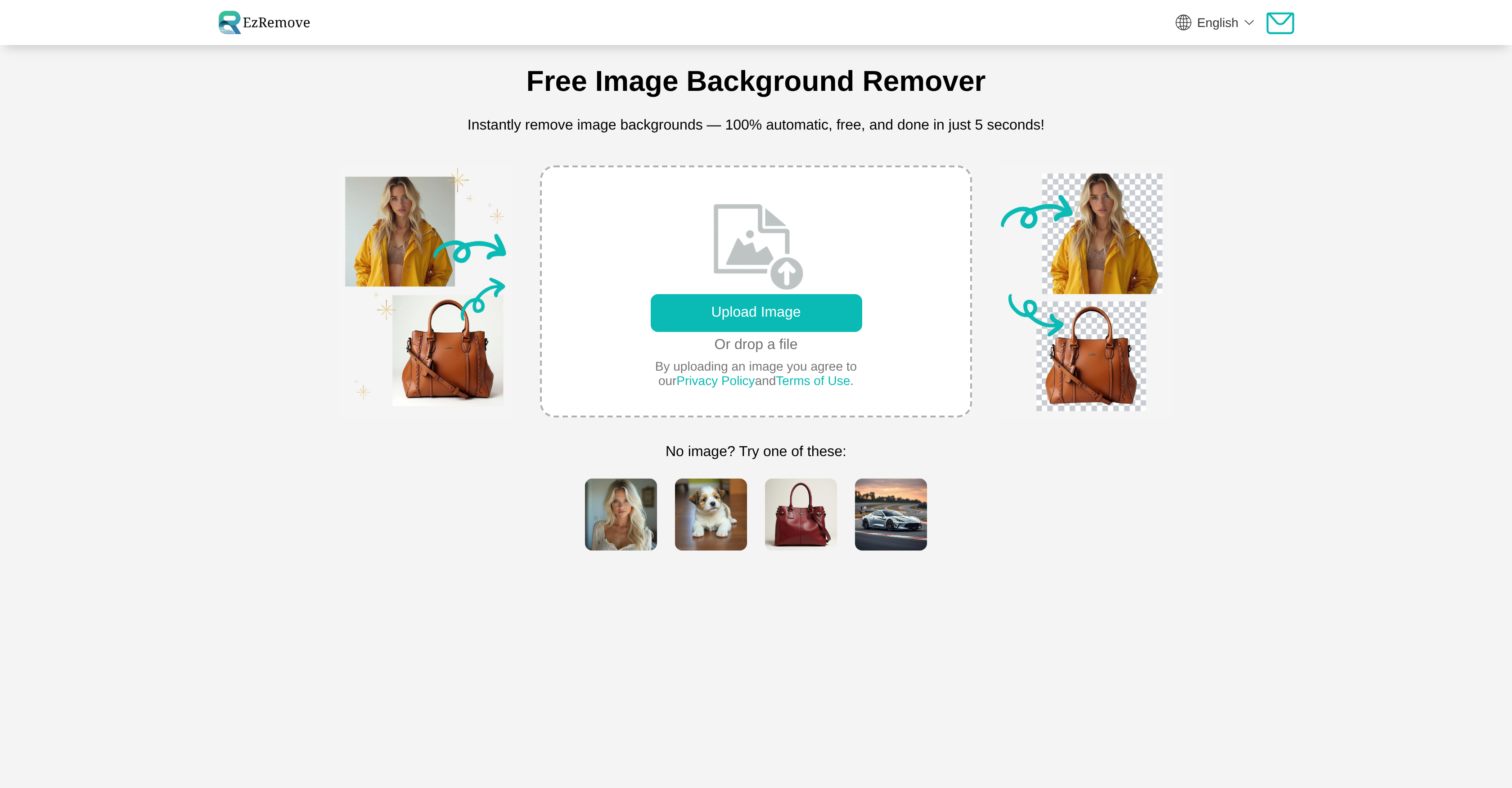
- Get perfectly clean product shots in seconds with AI that handles complex edges and hair strands automatically
- Transform any image into a high-quality transparent PNG file while preserving original clarity and detail
- Process entire image collections at once with batch processing that saves hours of manual editing time
- Replace removed backgrounds with solid colors, white backgrounds, or custom images for complete creative control
- Fine-tune results with built-in editing tools for cropping, rotating and resizing without switching apps
- Create professional eCommerce visuals that make products pop against clean, distraction-free backgrounds
- Work seamlessly across devices while maintaining consistent image quality on laptops, tablets and smartphones
Related Articles
Pros & Cons
Pros
- Quick and accurate image processing
- Background customization for visual appeal
- Transparent PNG image creation
- Batch image processing for efficiency
- Additional editing tools for fine tuning
- Cropping, rotating ,resizing support
- Compatible across multiple devices
- Supports multiple image formats
- Suitable for various users
- No subscription or fees
- High-definition image output
- Online-based and accessible anytime
- Easy to use, no technical skills required
- Time-efficient, processes in seconds
Cons
- Doesn't support GIF format
- Lacks fine-tuning functionality
- No advanced editing options
- Limited customization for bulk uploads
- No desktop app available
- No multi-device synchronization
- No offline use
- No options for reducing file size
- Inability to choose output file format
- No version control or history
Reviews
Rate this tool
Loading reviews...
❓ Frequently Asked Questions
EzRemove uses advanced AI technology to detect and segregate the image subject, thus removing the background with high accuracy. It ensures precise results even for complex edges and fine details like hair strands.
Yes, EzRemove can efficiently handle large image collections with its batch processing feature. This feature allows users to process multiple images simultaneously, thus saving time for those with extensive image collections.
EzRemove does offer basic photo editing tasks such as cropping, rotating, and resizing. This facilitates fine adjustments to the images post background removal, providing a comprehensive editing experience.
EzRemove supports multiple image formats, including popular ones like JPG and PNG. This ensures compatibility with a variety of photographic collections, meeting diverse user needs.
EzRemove is compatible with a wide range of devices. Whether you're using a laptop, tablet, or smartphone, you can access and utilize EzRemove's features irrespective of the device you're working on.
With EzRemove, users have the ability to create a new background after removing the original one. They can choose from various options like solid color, white background, or even a custom image.
Image quality is a top priority for EzRemove. It maintains the clarity and detail of the image during the upload and processing stages, ensuring that the final output is a high-definition image.
EzRemove proves to be quite beneficial for eCommerce sellers and social media influencers. It allows them to swiftly and accurately remove backgrounds from product images, highlighting details and enhancing the visual appeal of their offerings.
The background removal process is incredibly swift with EzRemove. It uses AI technology to automate the process, accomplishing background removal in just a matter of seconds.
Yes, EzRemove can turn any image into a high-quality transparent PNG file. This feature is especially useful for users who require high-definition images for digital projects, and photographers looking to highlight their subjects by removing unwanted backgrounds.
Yes, you can use custom images for creating new backgrounds with EzRemove. This provides you with a great deal of creative flexibility as you can replace the original background with any image of your choice.
Apart from proficient background removal, EzRemove also offers additional editing features. They enable the user to make fine adjustments to the images, enhancing the final result to suit their preferences.
EzRemove improves the visual appeal of an image by permitting users to swiftly and accurately remove undesired backgrounds. This lets the subject of the image standout, thus drastically enhancing the image's overall visual impact.
EzRemove employs advanced AI technology to detect and segregate the image subject. The AI algorithms have been designed to understand the distinction between the foreground (subject) and the background, thus achieving precise background removal.
Absolutely. EzRemove has been designed to be particularly useful for removing backgrounds from product photos. This feature makes it ideal for eCommerce sellers who want to highlight the details and improve the visual appeal of their product images.
EzRemove's AI technology has been developed to handle intricate and complex parts of an image like hair strands and complex edges with ease. It preserves important details while efficiently removing the background.
EzRemove can definitely be used to prepare photos for retail marketing. By removing distracting backgrounds from product images, the tool helps emphasize the product, making the images more professional and appealing for retail promotional purposes.
EzRemove can be an excellent tool to enhance flexibility and spark creativity in your design projects. The ability to swiftly remove backgrounds and replace them with new ones can provide a whole new dimension to your creative process, giving you room to experiment and innovate.
Absolutely! EzRemove is an efficient tool for removing complex backgrounds from images for eCommerce platforms. A clean, transparent background makes products pop, offering a polished visual ready for online stores.
EzRemove has been designed to be user-friendly, making it easy to use even for those inexperienced in image editing. The intuitive and simple interface combined with AI-driven automatic background removal makes the tool accessible to anyone, regardless of their technical skill level.
Pricing
Pricing model
Free
Paid options from
Free
Related Videos
Best Free AI Tool to Remove Backgrounds Instantly 🖼️ EP #217
Everyday AI•21 views•Sep 16, 2025