

Scenaloom
Produce industry-ready screenplay pages without manual formatting: the screenplay editor formats scene headings, action, character cues, and dialogue as you type, with Hollywood and Asian layouts and pagination options.
Listing not yet reviewed by our editors · How we check
Overview
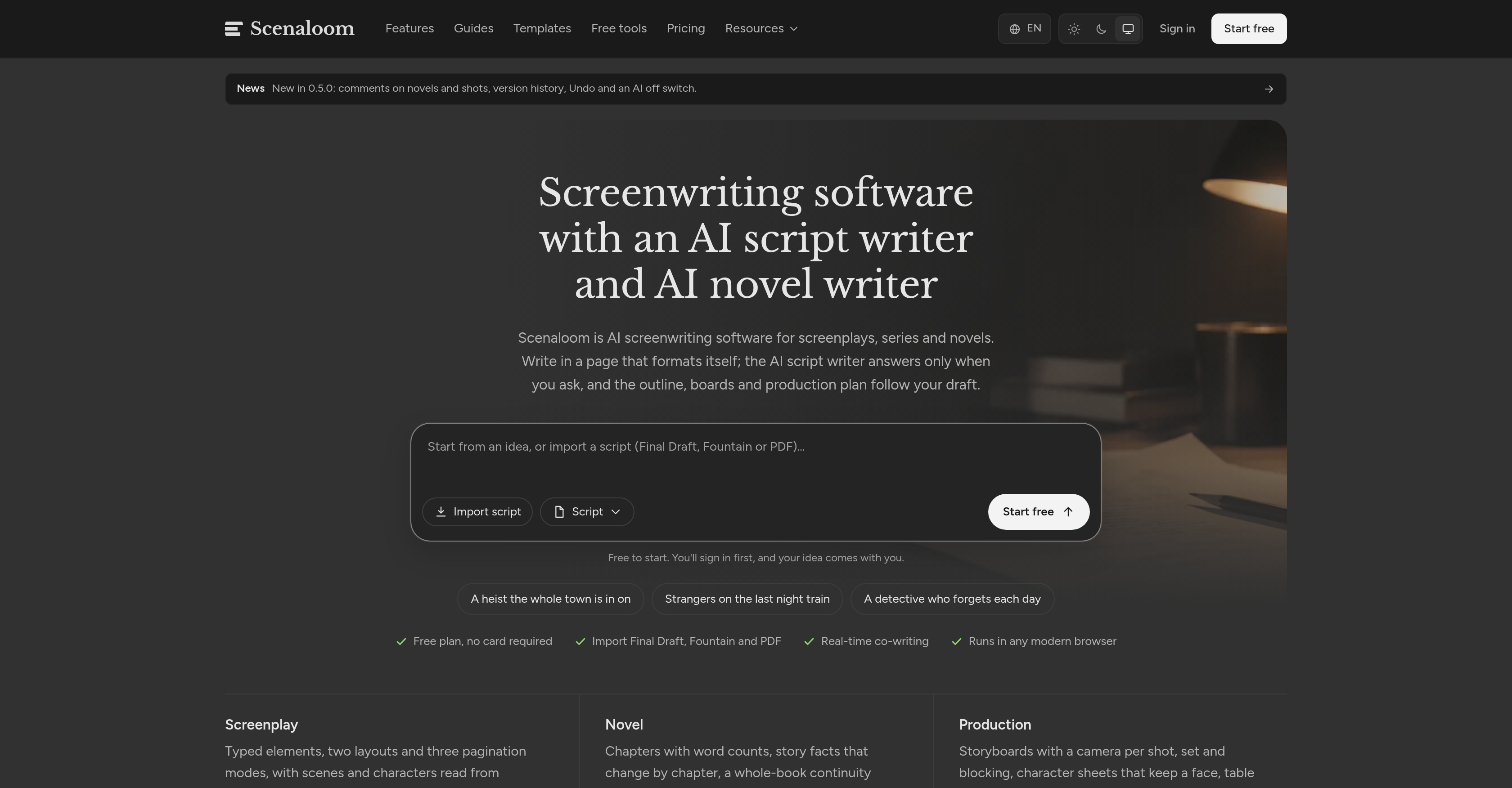
- Produce industry-ready screenplay pages without manual formatting: the screenplay editor formats scene headings, action, character cues, and dialogue as you type, with Hollywood and Asian layouts and pagination options.
- Move existing scripts in and finished drafts out without retyping: import Final Draft (.fdx), Fountain, or PDF scripts and export to Final Draft, Fountain, PDF, Word, EPUB, plain text, Markdown, and CSV sheets.
- Keep your story structure accurate after every rewrite: the outline, beats, scene board, and setup-and-payoff ledger are derived directly from the screenplay, so planning never drifts from the draft.
- Catch character and plot contradictions before readers do: character cues and locations become entities with relationships, casting information, consistency sheets, and scene-based facts, and continuity checks across a novel or series flag conflicting passages.
- Manage long-form fiction chapter by chapter: novel projects track chapters, word counts, and story facts that change by chapter, with optional AI assistance on demand.
- Take a script straight into pre-production: build shot lists with camera details, storyboards, character sheets, table reads, and video takes from the same screenplay.
- Stay in control of every AI edit: choose whether the AI writing assistant reads a line, selection, scene, outline, or full draft, then review rewrites, expansions, and script feedback before applying them, or disable AI tools and generation entirely with one account-level setting.
- Generate posters, images, and clips with no surprise charges: estimated costs in credits and money appear before each job, failed generations are refunded, and monthly spending limits cap your budget.
- Co-write with a team without losing work: real-time collaboration includes owner, admin, editor, and viewer roles, comments, @mentions, and version history to restore any earlier draft.
- Share pages only with the people you choose: projects stay private until you invite collaborators, send a read-only link, or publish to the community library for likes and discussion.
- Submit work with clear proof of authorship: a signed authorship record built from version history and AI use comes with disclosure answers for publishing and professional destinations.
- Keep full ownership of your writing: export at any time, and your projects, prompts, and AI results are never used to train Scenaloom's models.
- Write from any device with a browser, including iPads, tablets, and Chromebooks, with built-in guides and sample scripts covering screenplay formatting, structure, outlining, and revision.
Pros & Cons
From the listing; not yet checked by our editors.
Pros
- Hollywood and Asian screenplay layouts
- Three screenplay pagination modes
- Autoformats typed screenplay elements
- Imports FDX, Fountain, and PDF
- Exports FDX, Fountain, PDF, Word
- Exports EPUB and plain text
- Exports Markdown and CSV sheets
- Draft-linked outlines, beats, and boards
- Setup-and-payoff tracking ledger
- Character entities from screenplay cues
- Location entities from screenplay
- Scene-based character facts
- Character relationships and casting details
- Character consistency sheets
- Chapter word counts
- Chapter-specific story facts
- Whole-book continuity checks
- Per-shot camera details
- Lens and movement per shot
- Shot size and angle details
- Video takes from screenplay
- Script-based table reads
- Scene-based poster and clip generation
- Generation cost estimates upfront
- Failed jobs automatically refunded
- Monthly spending limits
- Real-time co-writing
- Role-based team permissions
- Comments on novels and shots
- Restorable version history
- Private until explicitly shared
- Read-only project links
- Four granular access roles
- Community project copying
- Community likes and discussion
- Authorship records from version history
- Destination-specific disclosure answers
- Free in-app writing guides
- Six original sample screenplays
- Runs in modern browsers
- Free plan requires no card
- Export anytime on every plan
Cons
- Generation consumes credits
- Imports limited to FDX, Fountain, PDF
- Authorship records are not detectors
- Novel writing tools target fiction
Alternatives to Scenaloom
Tools that share the most tags with Scenaloom.
- Short Film Script Doctor
Eliminate structural rot before you hit record with a rule-based analysis that enforces tight pacing and escalates stakes for short films.
Freemium · from $7/month
$7/month
Not yet checked
- Better Draft
Turn your initial concept into a structurally sound screenplay by breaking down ideas into acts and mapping sequences with guided story development tools.
Free trial · from $15/month
$15/month
Not yet checked
- Inkwell
Write screenplays and long-form documents without losing creative momentum using Inkwell's structured editor and AI-native environment.
Freemium · from $19/month
$19/month
Not yet checked
- FIRSTVERSE
Draft screenplay pages that sound like you, not generic AI, using writing style analysis that learns your rhythm, dialogue and tone from your uploaded scripts or pre-selected styles.
Free trial · from $24/month
$24/month
Not yet checked
- Flawless
Eliminate language barriers for global distribution with perfectly lip-synced performances in any language using Visual Dubbing technology
Not listed
Not listed
Not yet checked
- Veo
Create high-definition 1080p videos that run longer than a minute from simple text descriptions
Paid · from $49.90/month
$49.90/month
Not yet checked
Reviews
Rate this tool
Loading reviews...
Frequently asked questions
How does Scenaloom format scene headings, action, character cues, and dialogue as I type?
Scenaloom recognizes typed screenplay elements—scene headings, action, character cues, and dialogue—and places them in the screenplay format as you type.
Can I switch Scenaloom between Hollywood and Asian screenplay layouts?
Yes. Scenaloom offers Hollywood and Asian screenplay layouts.
Can I import a Final Draft, Fountain, or PDF script into Scenaloom?
Yes. Scenaloom imports Final Draft (.fdx), Fountain, and PDF scripts.
Which file formats can I export from Scenaloom?
Scenaloom exports Final Draft (FDX), Fountain, PDF, Word, and EPUB. It also lists plain text, Markdown, and CSV sheets as export options.
How do I choose what part of my draft Scenaloom’s AI assistant can read?
Choose a scope for the AI assistant: a line, selection, scene, outline, or full draft. It reads only the scope you select.
Does Scenaloom change my screenplay automatically, or can I review AI suggestions first?
Scenaloom returns suggestions for you to review and accept or reject. It does not change your screenplay until you apply a suggestion.
Can I turn off all AI features in Scenaloom?
Yes. An account-level setting turns off AI tools and generation.
How does Scenaloom keep outlines, beats, and scene boards in sync with my draft?
Scenaloom derives the outline, beats, scene board, and setup-and-payoff ledger from the screenplay, keeping planning linked to the draft.