

Overview
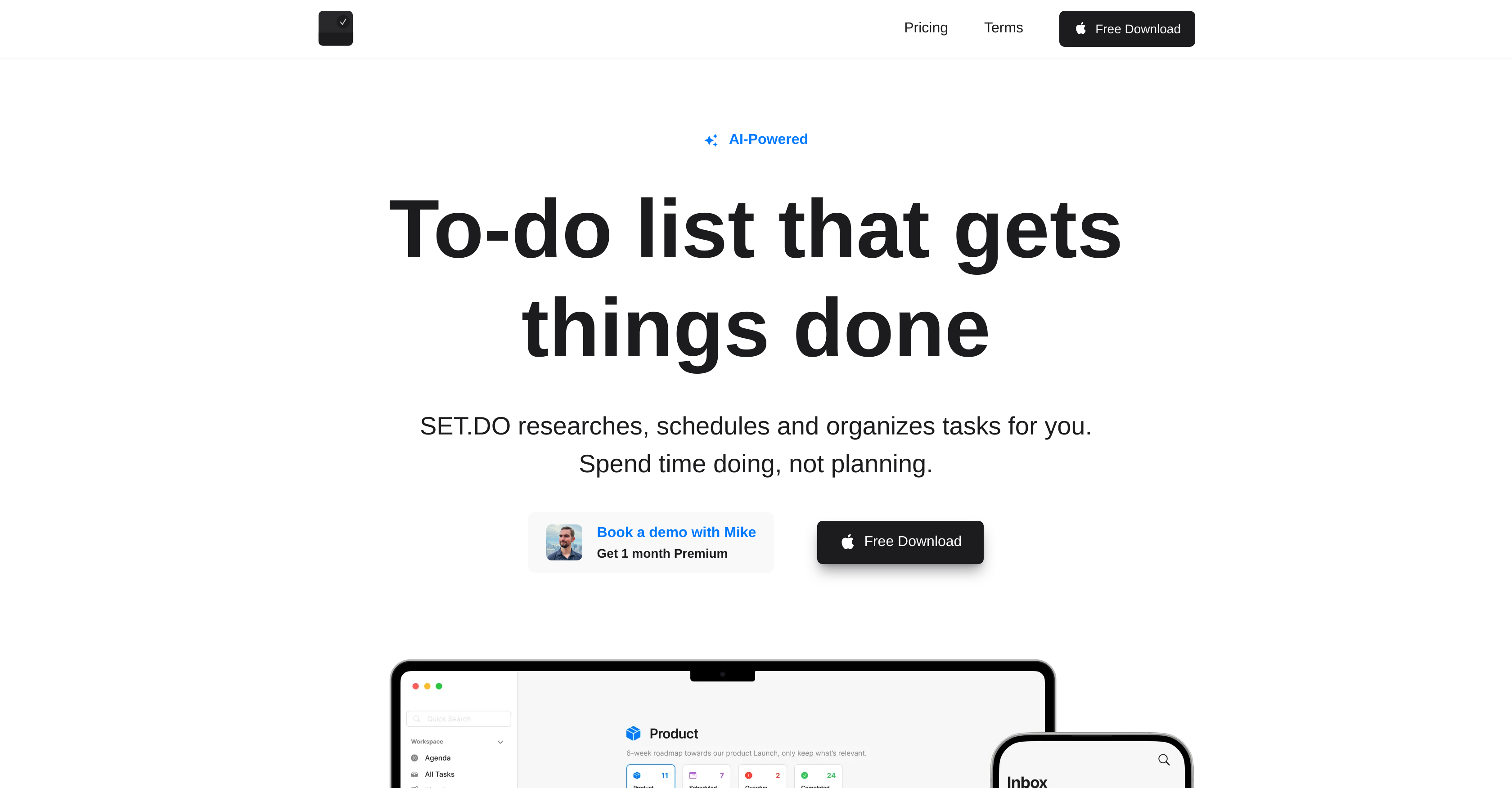
- Start every task with relevant resources already gathered using AI task research that automates your initial information gathering
- Break down complex projects instantly into manageable steps with AI subtask generation that handles the decomposition for you
- See your entire workload at a glance and manage time effectively using a visual timeline that organizes tasks chronologically
- Never manually schedule tasks again with automatic scheduling and AI duration estimation that structures your time optimally
- Keep your task inbox permanently organized and relevant through AI-driven cleaning that sorts by priority and deadlines
- Create a truly personalized task management system by grouping tasks into custom projects and adding dates, attachments, and reminders
- Customize your planner's appearance to match your preferences with theme options including dark, light, and custom creations
Pros & Cons
Pros
- Task research automation
- Generates subtasks
- Automatic scheduling
- Duration estimation
- Task sorting and organization
- Personalizable workflow
- Visual timeline of tasks
- Group tasks into projects
- Task add-ons: Date, Time, Duration
- Task add-ons: Attachments, Recurrence, Reminders
- Theme customization
- Available on iPhone and Mac
- Free and premium plans
- Generates task descriptions
- Split complex tasks
- Relevant task inbox
- Timeline view
- Personalized projects
- Switchable themes
- Customizable themes
- Insights and analytics
- Personalizable projects
- Unlimited timeline (Premium)
- Unlimited reminders (Premium)
- In-app task history (Premium)
- Scheduled tasks reminder
- Advanced task features
- Early access features (Premium)
- Organize tasks in projects
- Flexible pricing options
- Task recurrence option
- Automatic task cleaning and organization
Cons
- Limited platform availability
- No Android support
- Limited task research
- Limited subtask splitting
- No Windows support
- Pricey premium plan
- Limited personal projects in free version
- Single user focus
- Lacks collaboration features
Reviews
Rate this tool
Loading reviews...
❓ Frequently Asked Questions
SET.DO is an artificial intelligence-based task management application. It employs AI technology to assist in planning, organizing, and also researching different projects. SET.DO includes a broad array of features that aid in task simplification, such as auto scheduling, duration estimation, subtask generation, task add-ons, and theme customization.
SET.DO incorporates artificial intelligence to streamline various aspects of task management. The application uses AI to conduct crucial research associated with assigned tasks, thereby saving users the trouble of starting tasks from scratch. In addition, the AI capability in SET.DO helps in automatic scheduling, estimating task durations, and generating subtasks.
AI research related to tasks in SET.DO means that the application deploys its AI component to gather useful resources and information related to the tasks. This feature prevents users from having to start every task from scratch and provides them with all the necessary resources required for the successful execution of the task.
SET.DO employs artificial intelligence to break down complex tasks into smaller, more manageable subtasks, a process called subtask generation. This automated decomposition of tasks facilitates easier handling, comprehension, and implementation. So, rather than dealing with one large, cumbersome task, users deal with numerous smaller tasks, enhancing their productivity.
SET.DO offers automatic scheduling and duration estimation as part of its task management capabilities. The AI in SET.DO helps to analyze and understand tasks, assigning a scheduled time frame and estimated duration to them. This feature assists in effectively structuring tasks over time, supporting users in task planning and execution.
SET.DO organizes tasks by automatically sorting and arranging them in a manner that keeps your task inbox relevant and clean. The AI-driven cleaning and organization feature sort tasks based on parameters such as priority, deadlines, and project type, providing a more orderly and streamlined task inbox.
SET.DO offers a variety of customization features. Users have the option to personalize their workflow and visualize their tasks in a timeline. The application allows grouping of tasks into personalized projects. There are also task add-ons, including Date, Time, Duration, Attachments, Recurrence, and Reminders. In addition, SET.DO allows theme customization, letting users to choose or create themes for their AI planner.
With SET.DO, users can personalize their workflow by making use of the customization features the application offers. This includes the ability to visualise tasks in a timeline view, add relevant details and context to tasks with the task add-ons, organize tasks into personalized projects and customize the theme of the planner based on personal preference.
Yes, SET.DO lets users group their tasks into personalized projects. This feature allows for more effective organization and tracking of tasks according to the specific projects they belong to. It allows users to structure tasks in a logical order under individualized project categories, enhancing overall task management efficiency.
The visual timeline feature in SET.DO works by organizing your tasks chronologically in a visual representation. It enables you to schedule and view your tasks in a timeline view, giving you a clear overall picture of your planned activities over a specific period. This feature assists users in understanding their workload and managing their time efficiently.
With SET.DO, users can incorporate a host of add-ons into their tasks. Such add-ons include the ability to add Date, Time, Duration, and Attachments. There's also the option to set tasks to Recur at specified intervals and to set Reminders for tasks. These add-ons provide added context to tasks, making them more comprehensive.
Indeed, SET.DO offers theme customization. Users can choose between various themes like dark, light, grey, moon, or even create their own custom theme from scratch. This feature allows users to customize the appearance of their AI planner to their preference, offering a more personalized user experience.
Yes, SET.DO is available for both iPhone and Mac. Users can download the SET.DO application from the Apple App Store for use on their iPhone or Mac device. This ensures that you can access and manage your tasks on the go and on different devices.
Free and Premium are the two types of plans available with SET.DO. The Free plan includes features like 20 AI Task Research, 20 AI Subtask Split, and 5 Personal Projects. The Premium plan, on the other hand, offers features such as 150 AI Task Research, 100 AI Subtask Split, and 100 Personal Projects along with unlimited reminders, unlimited timeline, insights, analytics, AI-Estimate Duration, early access features, customizable themes, and 30 days history.
SET.DO's AI-Powered to-do list functions by using artificial intelligence to conduct research related to tasks, generate subtasks from complex tasks, and estimate the duration of these tasks. The AI also aids in task scheduling and organizing, ensuring tasks are completed in the most efficient order. The AI component of SET.DO is designed to make task management simpler and more efficient for users.
SET.DO assists in task research automation by deploying its AI component to gather useful resources and data associated with each task. This not only saves users the time and effort of manual research but also ensures that the most relevant and precise information is available for each task at hand.
The benefits of using SET.DO for project management include the capability to better plan, organize, and research different projects with the help of AI. The tool can effectively structure tasks over time with automatic scheduling and duration estimation. It also offers task automation, subtasks generation, and a visual timeline for a more organized and effective project management experience.
Yes, SET.DO allows users to add date, time, duration, attachments, occurrence, and reminders to tasks. These add-ons provide more context to tasks, enabling you to comprehensively define each task. They also serve to remind you of key details of tasks and to keep track of their upcoming occurrences.
SET.DO keeps your task inbox organized through its AI-enabled cleaning and organization feature. The application sorts tasks ensuring relevance and tidiness in the task inbox. Tasks can be organized based on different parameters such as due dates, task size, project type among others, making it easy for users to focus on key activities without being overwhelmed by disorderly arrangements.
With SET.DO, users have various options for customizing their AI planner. They can personalize their workflow by adapting the visual timeline representation of tasks, group tasks into personalized projects, and apply task add-ons to offer more context to tasks. Additionally, users can modify the look of their AI planner by selecting or creating themes of their choice.
Pricing
Pricing model
Freemium
Paid options from
$4/month
Billing frequency
Monthly


