Overview
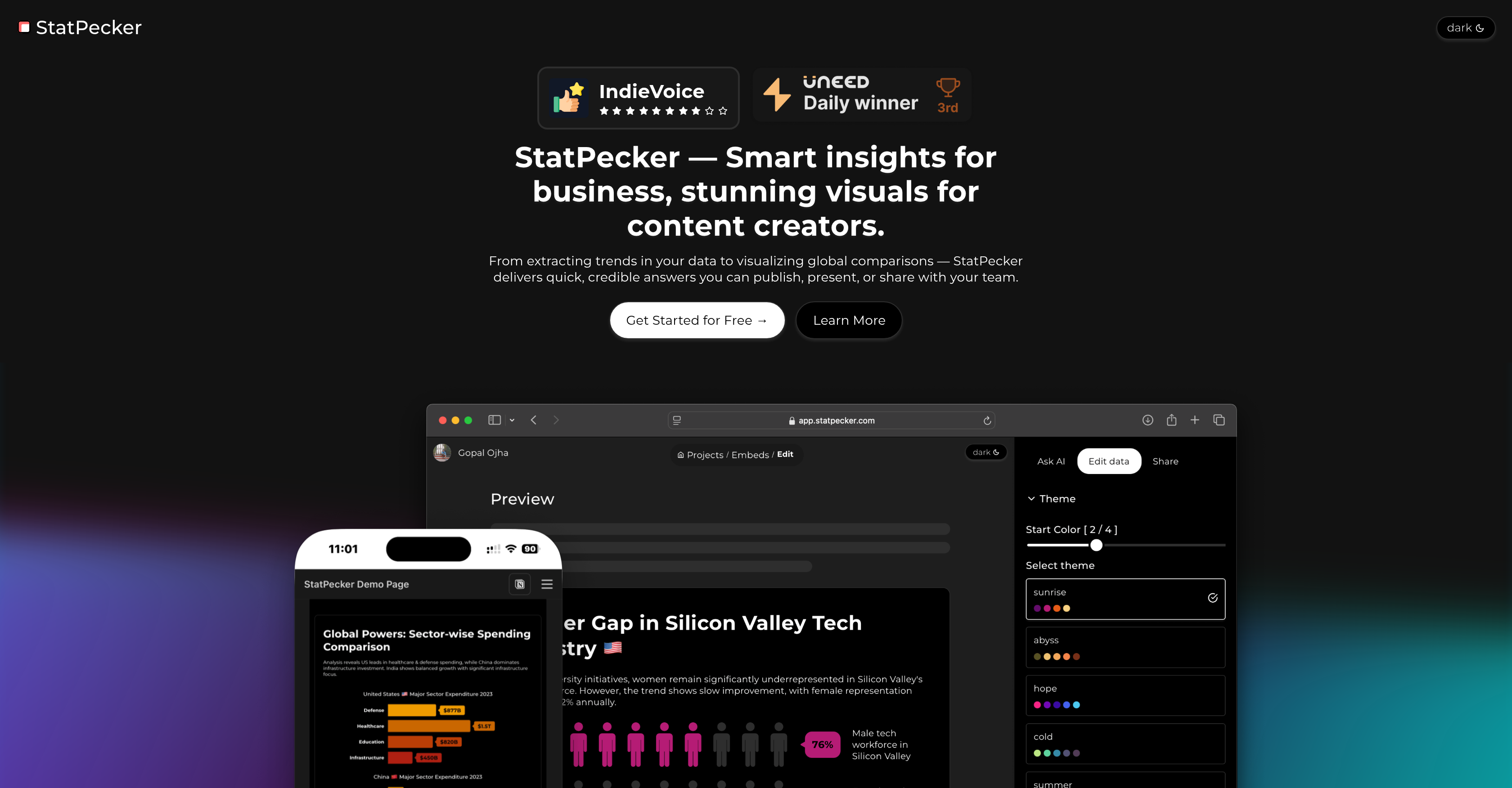
- Get instant answers from your data without spreadsheet expertise by typing questions that AI analyzes for immediate insights
- Create professional data visuals for presentations and reports by exporting infographics as ready-to-use images
- Embed interactive charts directly into websites and blogs with seamless publishing that enhances your content
- Transform raw CSV files into clear business intelligence using AI that interprets complex data into actionable narratives
- Make informed strategic decisions faster by eliminating complex analysis tools with an intuitive, user-friendly interface
Pros & Cons
Pros
- Instant insights from queries
- Analyzes CSV files
- Publishes and embeds visuals
- Integrated with blogs, websites
- Exports infographics as images
- Data storytelling
- Easy-to-use interface
- Business intelligence capabilities
- Data exporting
- Data uploading
- Presentation tools
- Reporting tools
- Data interpretation
- Data integration
- Seamless visual integrations
- Transforms data to narratives
Cons
- Only analyzes CSV files
- No real-time analytics
- Limited data source integration
- No API access
- Requires internet connection
- Not built for mobile platforms
- Limited visualization options
- No multi-user collaboration
- No offline mode
- Unable to handle large datasets
Reviews
Rate this tool
Loading reviews...
❓ Frequently Asked Questions
StatPecker is a powerful online tool that employs artificial intelligence to provide instant insights from validated sources. The platform eliminates the need for complex analysis tools and creates an easy-to-use interface. Users have the ability to upload and analyze CSV files, extract insights from local files, as well as publish and embed interactive visuals on various platforms.
StatPecker harnesses the power of AI to analyze data from validated sources upon a query's initiation. The AI technology simplifies the complexity of data interpretation and delivers instant insights directly to the user.
Users can upload CSV files to StatPecker for analysis.
StatPecker uses AI to analyze CSV files uploaded by users. The AI technology is capable of extracting key insights from these files without the need for spreadsheets or complex tools, providing a streamlined experience for users.
Yes, users can easily publish and embed visuals created with StatPecker. The platform enables users to seamlessly integrate their interactive visuals into blogs, articles, and websites.
StatPecker visuals can be seamlessly integrated into a user's website or blog. The intuitive design of the platform allows users to easily publish and embed their interactive visuals, enhancing their online content.
Yes, the visuals created using StatPecker can be downloaded for various applications such as reports and presentations.
Visuals created through StatPecker can be exported as images. This function allows users to integrate their infographics into a variety of formats for different applications.
The main advantage of using StatPecker for data storytelling is its powerful AI technology, which transforms complex data sets into easy-to-understand visual narratives. It offers features such as data visualization, interactive visuals, and exporting infographics as images, making it ideal for professional presentations and reports.
StatPecker transforms data into easy-to-understand narratives by turning it into visual insights. Using artificial intelligence, it analyzes the data and interprets it into a more digestible format that can be easily understood by the audience.
StatPecker uses AI for data visualization by processing and analyzing data to generate instant visual insights. Leveraging AI, it can translate complex data sets into interactive visuals and aesthetically pleasing infographics.
Yes, StatPecker offers business intelligence solutions by turning raw data into valuable insights. Using artificial intelligence, it simplifies data analysis and helps businesses make informed strategic decisions.
Users can leverage StatPecker’s reporting tools to download and use exportable infographics as images, which can be incorporated into reports and presentations, enhancing the ease of data interpretation.
Yes, you can use StatPecker for creating presentations. The platform allows users to download and use exportable infographics as images, making it easy to incorporate data visuals into presentations.
Yes, StatPecker's interface is user-friendly. It eliminates the need for complex tools and focuses on ease-of-use, making it accessible even to those without an in-depth understanding of data analysis.
While it is not explicitly mentioned on their website, given the power of AI technology and its ability to process complex calculations, it can be inferred that StatPecker is capable of processing large data sets.
Some main features of StatPecker include the ability to generate instant insights using AI, the capability to upload and analyze CSV files, the function to publish and embed interactive visuals, and the convenience of exporting infographics as images.
StatPecker was created by Gopal and Akash, two developers with diverse backgrounds in AI, full-stack development, and product management at various tech companies.
StatPecker uses artificial intelligence to analyze data and provide insights from validated sources. However, their website does not explicitly describe the process of source validation.
Their website declares the tool is available with no costs and no hassle. However, it doesn't mention if there are any advanced features or services that could be subject to additional charges.
Pricing
Pricing model
Freemium
Paid options from
$180
Related Videos
Create Infographics in seconds with StatPecker | App Walkthrough
Team Statpecker•20 views•Feb 10, 2025