

StoreToAds
Launch product ads straight from the store you already run: paste a store or product link and StoreToAds pulls product details, prices, sale prices, reviews and images from Shopify, WooCommerce, Wix, Squarespace and PrestaShop, plus individual Etsy and Amazon listings.
Listing not yet reviewed by our editors · How we check
Overview
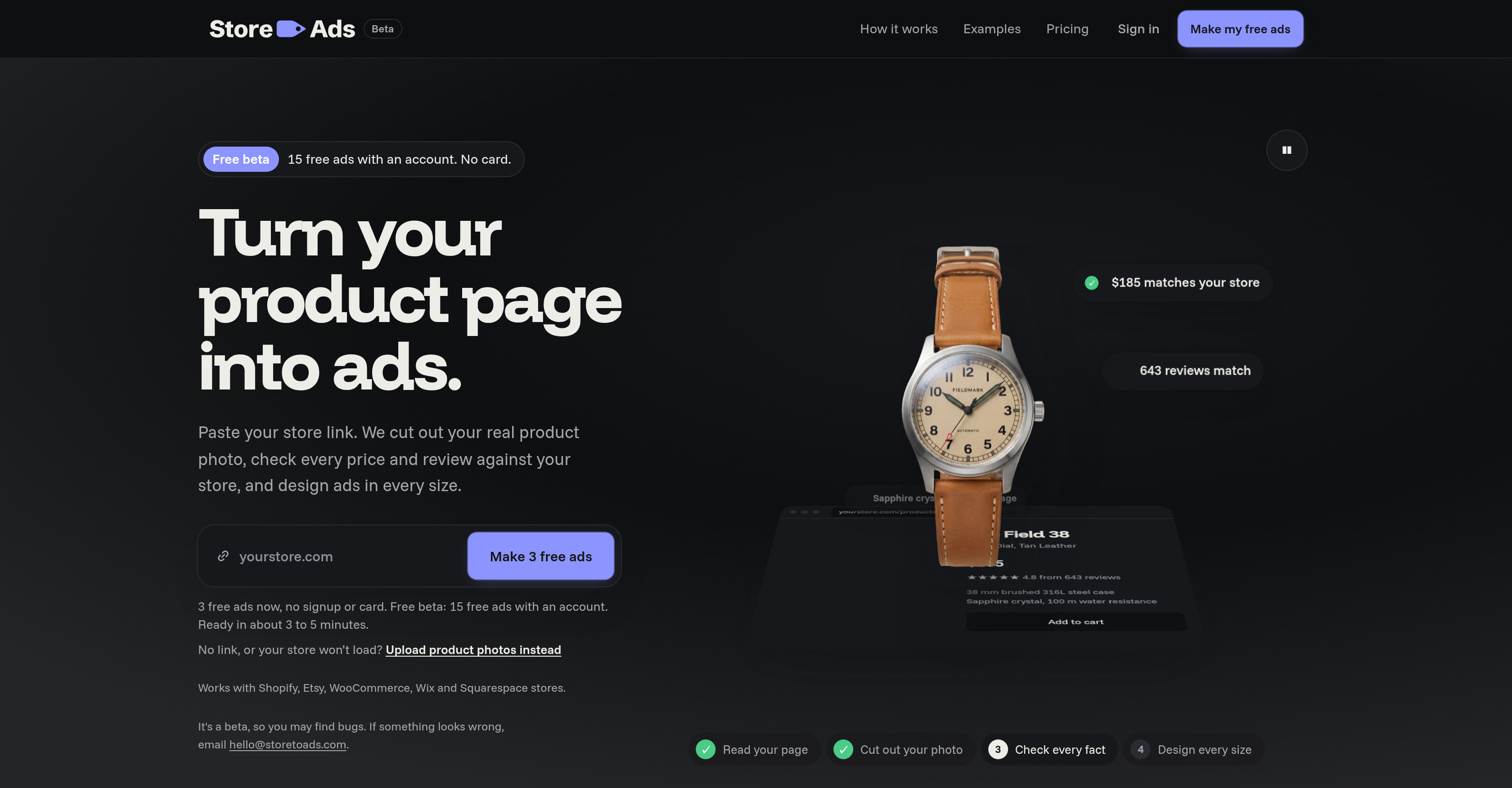
- Launch product ads straight from the store you already run: paste a store or product link and StoreToAds pulls product details, prices, sale prices, reviews and images from Shopify, WooCommerce, Wix, Squarespace and PrestaShop, plus individual Etsy and Amazon listings.
- Keep ad creation moving when a page won't load: upload product photos or page screenshots to fill in details automatically, or enter product information manually.
- Show shoppers the exact item they will receive: the AI ad generator cuts out your existing product photo and designs around it instead of generating new product pixels.
- Run ads without false price or review claims: every price and review claim is checked against the source product page before delivery, and anything unverifiable is left out.
- Perfect headlines and offers in seconds: edit headlines, prices, badges and call-to-action buttons directly in the browser with changes applied immediately.
- Cover every ad placement from one design: each paid design exports in all five ad sizes, ready for crop, scale and label checks per format.
- Control every advertising dollar: static product ads go to Facebook and Instagram as paused ads, so nothing publishes or spends until you approve it.
- Strengthen the campaign tools you already use: drop finished creative assets into Meta Advantage+ campaigns or alongside Shopify Campaign Autopilot without replacing your targeting setup.
- Keep a steady supply of fresh ecommerce creative: ads are ready in about 3 to 5 minutes on demand, with scheduled delivery available on select plans.
- Test results before paying: get 3 free feed-size (4:5) ad previews with no signup or credit card, 15 free ads with a beta account, then scale from Lite at $29/month for 9 ads or Starter at $49/month for 20.
Pros & Cons
From the listing; not yet checked by our editors.
Pros
- Uses original product photos
- Never redraws product pixels
- Cutout-based product image compositing
- Checks prices against storefronts
- Checks reviews against storefronts
- Omits unverifiable ad claims
- Extracts sale prices
- Finds products from store links
- Select products before generation
- Choose a visual style
- Upload photos when links fail
- Use screenshots when links fail
- Enter product details manually
- Supports Shopify store links
- Supports WooCommerce store links
- Supports Wix store links
- Supports Squarespace store links
- Supports PrestaShop store links
- Accepts individual Etsy listings
- Accepts individual Amazon listings
- Five sizes per paid design
- Instant browser-based text edits
- Editable headlines, prices, badges
- Downloadable static ad assets
- Facebook and Instagram paused delivery
- Ads never publish automatically
- No ad spend until activated
- Three previews without signup
- Previews require no payment card
- Ready in about five minutes
- Optional scheduled ad delivery
- Logo and colors on ads
Cons
- Static ads only
- No new product pixels
- Free previews feed-size only
- Etsy/Amazon require individual links
- Blocked stores need manual input
- Source imagery requires crop review
- Unverified claims are omitted
- No campaign optimization or targeting
- Facebook/Instagram exports remain paused
- Beta may contain bugs
Alternatives to StoreToAds
Tools that share the most tags with StoreToAds.
- Amanda AI
Maximize your marketing ROI by automatically allocating budget to the highest-performing channels with dynamic cross-channel budget decisions
Paid · from $650/month
$650/month
Not yet checked
- LensAi
Monetize previously unused in-image and in-video spaces that capture maximum user attention with innovative AI-powered ad slots
Not listed
Not listed
Not yet checked
- OtisAI
Launch cross-channel ad campaigns in minutes across Facebook, Instagram, Google, and TikTok, saving hours of manual setup and management
Paid · from $42.50/month
$42.50/month
Not yet checked
- ADXL
Launch campaigns across Google, Facebook, LinkedIn, TikTok, Instagram and Twitter from one dashboard without technical skills or certifications
Free trial · from $49/month
$49/month
Not yet checked
- Lexi AI
Maximize your return on ad spend through AI-optimized Meta campaigns that automatically adjust for better performance
Paid · from $109/month
$109/month
Not yet checked
- CloudX
Maximize revenue from every ad impression by accessing a liquid marketplace that combines SDK and non-SDK programmatic buyers, creating wider demand competition.
Not listed
Not listed
Not yet checked
Reviews
Rate this tool
Loading reviews...
Frequently asked questions
How do I use StoreToAds to turn a product page into an ad?
Paste a store or product link. StoreToAds finds product details, prices, reviews, and photos; select products, optionally choose a style, then generate the ads. If it can’t read the page, upload screenshots or photos, or enter details manually.
Which online store platforms can StoreToAds read automatically?
StoreToAds can read Shopify, WooCommerce, Wix, Squarespace, and PrestaShop stores from a store link.
Can I use StoreToAds with an Etsy or Amazon product listing?
Yes. For Etsy or Amazon, provide an individual product listing link.
What can I do if StoreToAds can’t read my store link?
Upload screenshots of the product page so StoreToAds can fill in the details, or enter the details manually. You can check everything before an ad uses it.
Can StoreToAds create ads from uploaded product photos instead of a store link?
Yes. You can upload product photos instead of providing a store link.
Does StoreToAds generate new product images or use my existing photos?
StoreToAds uses your existing product photo rather than generating new product pixels. It cuts out the photo and designs around it.
How does StoreToAds verify prices and review claims in its ads?
StoreToAds checks prices and review claims against the source page before delivering ads. Unverified information is omitted.
Can I edit headlines, prices, badges, and buttons in StoreToAds?
Yes. Headlines, prices, badges, and buttons can be edited in the browser, with changes applied immediately.