

Suppa
Launch a working AI chatbot without hiring developers: the no-code canvas lets you design and deploy conversation flows visually, with no programming skills required.
Listing not yet reviewed by our editors · How we check
Overview
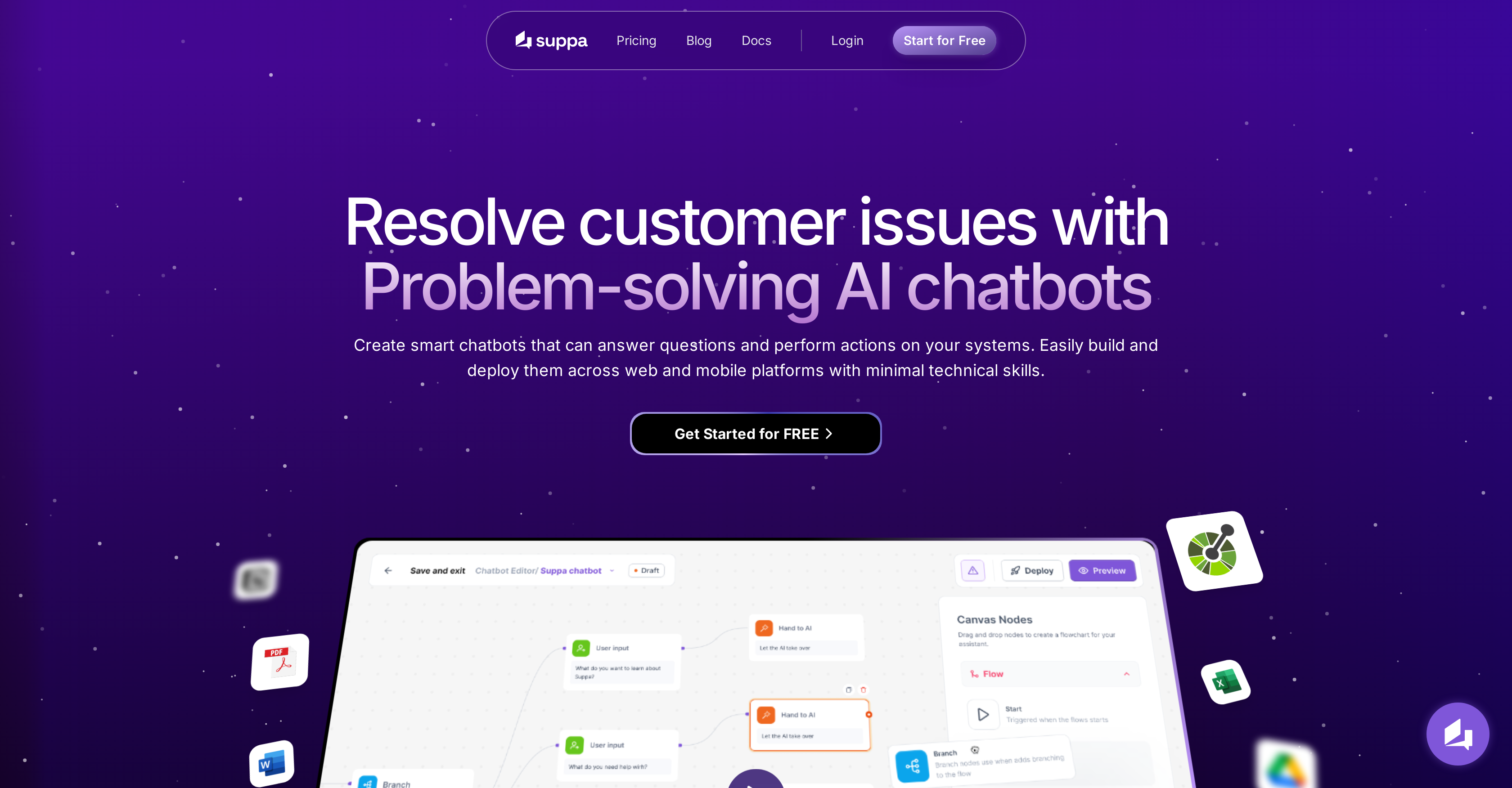
- Launch a working AI chatbot without hiring developers: the no-code canvas lets you design and deploy conversation flows visually, with no programming skills required.
- Resolve customer requests inside the chat instead of just answering them: API actions let your chatbot call external APIs and act directly on your business systems.
- Give users accurate answers based on your own content: knowledgebase retrieval and multi-source data pull responses from the information you control.
- Guide every conversation to the outcome you want: conditional triggers, pre-set messages, user input collection, and AI responses shape each step of the chatbot workflow.
- Connect the chatbot to the tools you already run: custom API endpoint support links your chatbot to third-party services and internal systems.
- Add conversational AI to your mobile app without building it from scratch: the mobile SDK embeds Suppa chatbots into iOS and Android experiences.
- Match chatbot capacity to your business size: Starter, Pro, and Business plans grow from 1 to 10 chatbots, 1,000 to 10,000 monthly chat sessions, and 5 to 100 API actions.
Pros & Cons
From the listing; not yet checked by our editors.
Pros
- Creates and deploys chatbots
- Web and mobile platforms
- Minimal technical skills
- No-code basis
- Use data from multiple sources
- Conversational flows creation
- Robust API actions
- No-code canvas feature
- Handles vast range of tasks
- Integrates with third-party services
- Allows own API endpoints
- Mobile SDK availability
- Suits all business sizes
- User-friendly design
- Controls with various sourced information
- Solution to customer issues
- Building conversational flows without coding
- Powerful API actions
- Control with multi-source data
- Chatbots without writing code
- Flow trigger with user consent
- Flow control with conditional logic
- Sends predefined messages
- Accepts and stores user input
- Calls external API
- Information retrieval from knowledgebase
- Multiple available plans
- 14-day free trial
- Plans designed for different business needs
- Chat sessions per month
- Knowledgebase item limits
- API actions limits
- No credit card required for trial
- Customization options for chatbots
- Addresses common customer inquiries
Cons
- Limited Knowledgebase items
- Limited API actions
- Charges per chat session
- No custom pricing options
- Lack of codability flexibility
- Limited chatbot numbers
- No free unlimited use
- No clear troubleshooting guide
- No advanced plans for larger corporations
- No mention of updates or upgrades
Alternatives to Suppa
Tools that share the most tags with Suppa.
- HotBot
Get instant AI-powered answers to any question without creating an account through free ChatGPT technology
Freemium · from $19.95/month
$19.95/month
Not yet checked
- Proficientai
Deploy customer service chatbots in just 3 minutes using pre-built interaction APIs and SDKs for rapid integration
Paid · from $1/unit
$1/unit
Not yet checked
- Quickchat AI
Launch custom AI assistants in hours without technical teams using our no-code platform that eliminates coding requirements
Free trial · from $82/month
$82/month
Not yet checked
- FastBots
Launch a custom AI assistant in minutes without technical expertise using our no-code platform
Freemium · from $24/month
$24/month
Not yet checked
- Botdistrikt
Launch custom chatbots instantly without coding skills using the intuitive visual builder and pre-built templates
Not listed
Not listed
Not yet checked
- Ora.ai
Launch custom chatbots in seconds instead of hours by simply describing what you need with the one-click creation feature
Freemium
Not listed
Not yet checked
Reviews
Rate this tool
Loading reviews...
Frequently asked questions
What does Suppa exactly do?
Suppa is a no-code AI tool designed to create and deploy intelligent chatbots. These chatbots have the ability to answer questions and perform actions on various systems. Suppa allows you to build and implement these bots across both web and mobile platforms with minimal technical prowess needed.
How does Suppa use data from multiple sources for chatbot creation?
Suppa uses data from multiple sources to create conversational flows. With Suppa, controlling your AI assistant becomes easier as you can utilize information obtained from various sources and connect your systems with robust API actions. Therefore, your chatbot gets equipped to answer a wide range of queries and can act on your business systems using collected data.
How does the 'no-code canvas' of Suppa work?
Suppa features a 'no-code canvas' which simplifies the process of designing and deploying AI chatbots. This canvas allows conditional triggers for the conversation flow, message sending, user input collection, external API calls, knowledgebase retrieval, and AI responses without writing a single line of code. It is essentially a user-friendly interface designed to make AI chatbot creation as uncomplicated as possible.
How can I integrate my own API endpoints with Suppa?
Yes, you can integrate your own API endpoints with Suppa. Suppa supports the integration with third-party services using your own API endpoints. Suppa's robust API actions are designed to connect your systems or integrate with external services conveniently.
Can I add Suppa's AI to my mobile app? If yes, how?
Yes, Suppa offers a mobile SDK that enables you to add AI to your mobile app easily and quickly. The specifics of how you can add Suppa's AI to your mobile app are likely detailed in their documentation. The overall process involves using the mobile SDK provided by Suppa, allowing you to incorporate AI capabilities in your mobile application.
What different types of business plans does Suppa offer?
Suppa offers three types of business plans: Starter, Pro, and Business. The Starter plan, designed for individuals and small businesses, offers 1 chatbot, 1,000 chat sessions per month, 5 knowledgebase items, and 5 API actions among other features. The Pro plan offers 3 chatbots, 3,000 chat sessions per month, 20 knowledgebase items, and 20 API actions while the Business plan, designed for established businesses, offers 10 chatbots, 10,000 chat sessions per month, 50 knowledgebase items, and 100 API actions.
How user-friendly is Suppa?
Suppa is designed to be extremely user-friendly. It operates on a no-code basis, which means you do not need any coding skills to create and deploy powerful AI-driven chatbots. Suppa's 'no-code canvas' simplifies the design and deployment process, making it adaptable to the user's needs and providing them with substantial control over their AI venture.
What tasks can the AI chatbots developed using Suppa handle?
The AI chatbots developed using Suppa can handle a wide range of tasks. These tasks can vary from performing an API call to act on business systems to retrieving information from the knowledgebase. With the help of Suppa's 'no-code canvas', you can design and deploy AI chatbots capable of handling several tasks based on your requirements.