Overview
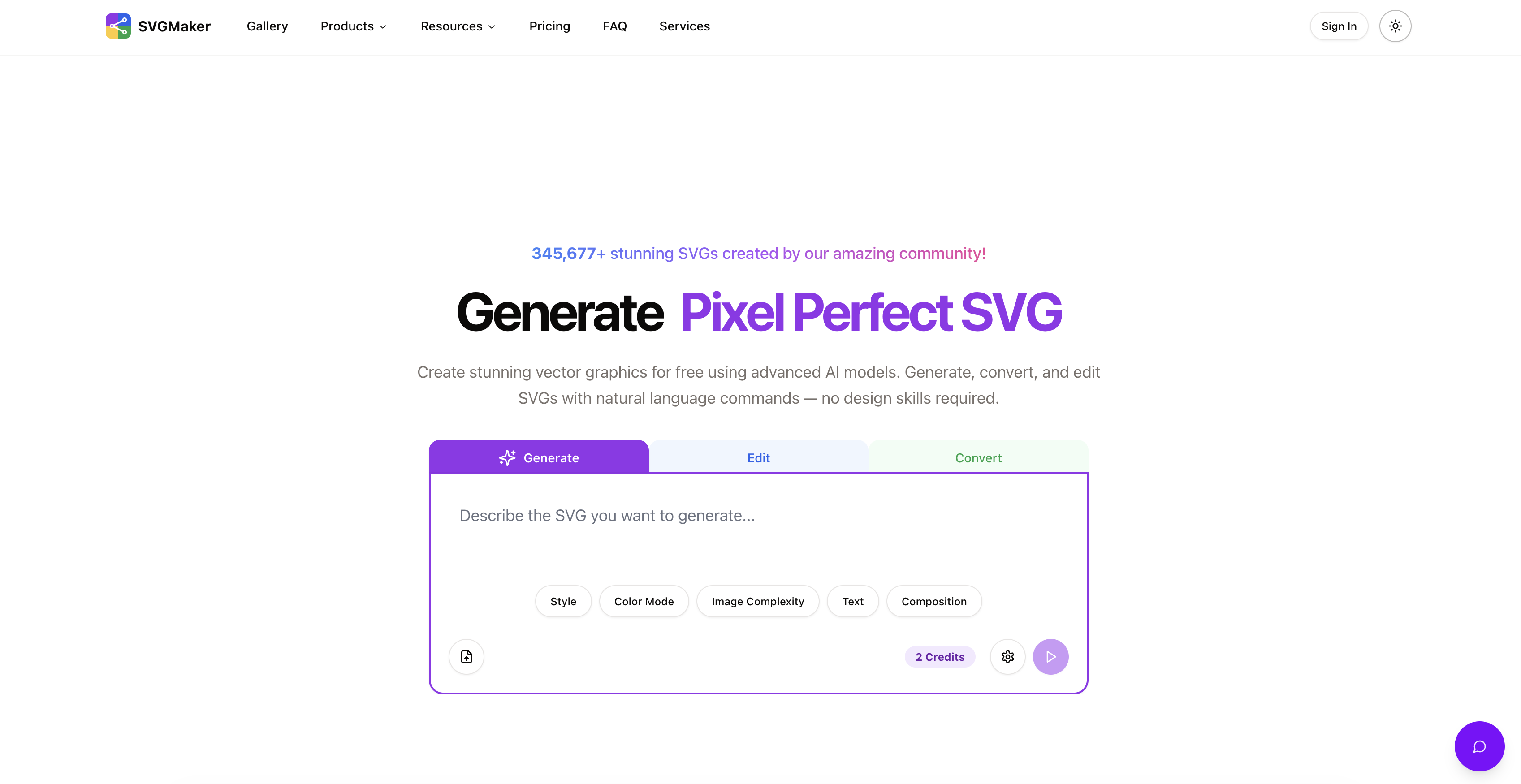
- Generate unique SVG icons and logos from simple text descriptions using AI-powered natural language commands
- Convert any image or photo into crisp, scalable vector graphics optimized for web, social media, and user interfaces
- Edit vector artwork with precision using the built-in editor featuring free draw, brush controls, and advanced color selection
- Share finished designs instantly with teams or clients using a single, shareable link for seamless collaboration
- Integrate SVG generation and editing directly into your applications with the developer API for custom workflows
- Transform photos into vector art and illustrations suitable for print projects, merchandise, and branding materials
- Customize SVG styles with presets and effects like flat, minimalist, or isometric looks for modern design trends
Pros & Cons
Pros
- Generates SVGs using commands
- SVG editing capability
- Free draw integrated
- Advanced color selection
- Sharing option for designs
- File converter for images
- Customization via style presets
- Option to transform photos
- API integration available
- Optimizes SVGs for web
- Suitable for custom workflows
- Natural language commands
- Complete control over designs
- Efficient team collaboration
- Suitable for classrooms
- Optimizes SVGs for social
- Creates pixel perfect illustrations
- Transforms regular images to SVG
- Efficiency in creative processes
- Can be used for UI designs
- The tool improves prompts
- Creates vector art
- Platform can be used by developers
- Integrated SVG editor
- Includes brush controls
- SVG customization
- Integration with applications
- MCP support for SVG
- Supports design-sharing and collaboration
- Converts images to SVG
- Hosts user interface design tools
- Provides photo-to-vector transformations
- Built for modern design and branding
- Offers design-ready SVG styles
- Comprehensive API support
- Supports rapid image to SVG conversion
- Generated vectors are high-quality
- Supports various color schemes
- Enhances pixel quality in custom designs
- Preserves image details in vectorization
- Minimalist and isometric styles support
- Facilitates API for custom workflows
Cons
- No multi-language support
- Lacks live customer support
- Visual customization limitations
- No offline version
- Limited art style presets
Reviews
Rate this tool
Loading reviews...
❓ Frequently Asked Questions
SVGMaker.io is an advanced tool that uses AI technology to generate, convert, and edit vector graphics. It is specifically designed for creating SVG icons, designs, and logos without requiring extensive design skills. Users can generate and modify SVGs using natural language commands. It also boasts of an SVG editor with features like free draw, advanced color selection, and brush controls. This tool also allows the conversion of regular images into scalable SVGs, optimizing them for web, social, and user interface usage. SVGMaker also has an AI Prompt Enhancement feature and provides API integration for custom workflow creation, automation tools design, and applications development.
SVGMaker uses artificial intelligence to interpret natural language commands given by users to generate, modify, and convert vector graphics into SVGs. Its AI models ensure the SVGs are pixel perfect. It also has an AI Prompt Enhancement feature that improves the prompts given by users for better result accuracy. This leads to more accurate and high-quality vector graphics.
Yes, SVGMaker can convert normal images into SVG format. It houses an image format converter that swiftly turns regular images into crisp, scalable SVGs. Its advanced vectorization technology preserves image pixel details, and delivers optimized SVG images ready for web design, social media, or user interfaces.
SVGMaker optimizes images for web, social, and user interface uses using its image format converter. This converter turns regular images into crisp, scalable SVGs. By reducing the file size and preserving details, images are optimized for a variety of uses including web design, social media graphics, and user interfaces.
The AI Prompt Enhancement feature in SVGMaker helps to improve prompts given by users for better result accuracy. It employs AI to hone the prompts, thereby acquiring more accurate, high-quality SVGs with less effort. This feature is particularly useful for creating icons, logos, and graphics.
Yes, with SVGMaker, users can create custom SVG styles. The platform offers innovative features that allow users to customize SVGs with style presets and effects. It allows application of effects like flat, minimalist, or isometric looks, making it perfect for modern design and branding.
Yes, SVGMaker offers API integration. This means developers can integrate SVGMaker into their applications to generate, edit, and convert SVGs. This feature makes SVGMaker suitable for creating custom workflows, designing automation tools, or building applications.
Yes, SVGMaker is an excellent tool for designing logos. Its AI-based generation capabilities enable users to create unique and scalable vector logos without requiring extensive design skills. Combined with its advanced customization tools, users can craft logos that match modern design trends and brand aesthetics.
Teams and agencies can greatly benefit from using SVGMaker. The tool provides a simple sharing option where users can showcase their designs to others using a single link. This feature facilitates efficiency in collaborative creative processes, making SVGMaker an ideal choice for various creative scenarios in teams, agencies, or classrooms. Also, the API integration allows for a custom workflow, suited to teamwork and agency settings.
Absolutely, SVGMaker is designed to be user-friendly and doesn't require extensive design skills to generate SVG icons, logos, or designs. The AI technology interprets natural language commands to create and modify vector graphics, making it easy for non-designers.
The SVG editor integrated into SVGMaker offers a variety of controls. It integrates features like free draw, brush controls, and advanced color selection. These features provide users with complete control over their SVG artwork, enabling creation, modification, and perfection of vector graphics with precision tools within a modern interface.
You can share your designs from SVGMaker using a simple link that the platform provides. You can instantly showcase your designs to others for viewing, making it an ideal feature for teams, agencies, and classrooms looking for efficient creative workflow.
Yes, SVGMaker has the ability to transform any photo or screenshot into stunning vector art and illustrations. This feature is particularly useful for digital and print projects, logos, posters, t-shirt designs, and merchandising.
Yes, SVGMaker provides API integration which makes it possible to generate, edit, and convert SVGs within your application. This is particularly ideal for developers building custom workflows, automation tools, or applications.
The image format converter in SVGMaker allows you to convert images into crisp, scalable SVGs in seconds. By reducing the file size and preserving image details, it readies your image for web, social, or UI use. That means your design remains clear and shipment-ready, whether it's for a small-screen social media post, a user interface element, or a billboard-sized advertisement.
Key features of SVGMaker include AI-based generation, conversion, and editing of SVGs, an integrated SVG editor with free draw, brush controls, and advanced color selection, image format converter, AI prompt enhancement, sharing capabilities, API integration and ability to customize SVGs with style presets and effects.
Generating and editing SVGs with SVGMaker is quite easy due to its AI-powered simplification of the process. Users input natural language commands to generate, convert, and modify SVGs, and they can also take advantage of its integrated SVG editor to create custom SVGs using precision tools and a user-friendly interface.
The built-in editor in SVGMaker plays a critical role by providing users complete control over their SVG artwork. Users can create, modify, and perfect their vector graphics using the precision tools within the editor. It integrates features such as free draw, brush controls, and advanced color selection to facilitate the editing process.
Yes, thanks to its API integration feature, SVGMaker can be integrated into custom workflow creation and automation tools design. Developers can leverage the API to generate, edit, and convert SVGs directly within their apps, providing a seamless development experience.
Absolutely, SVGMaker supports design sharing for collaborative creative processes. It provides users with a simple link that can be used to showcase their designs to others. This feature brings efficiency to collaborative processes in teams, agencies, and classrooms, providing an effortless way to share and innovate together.
Pricing
Pricing model
Freemium
Paid options from
$10
Billing frequency
One-time
Refund policy
No Refunds