

Tabloy AI
Skip the draft-and-fix cycle and receive finished deliverables: describe the task in plain words and the Tabloy AI agent works until the result is ready, checking it before you see it.
Listing not yet reviewed by our editors · How we check
Overview
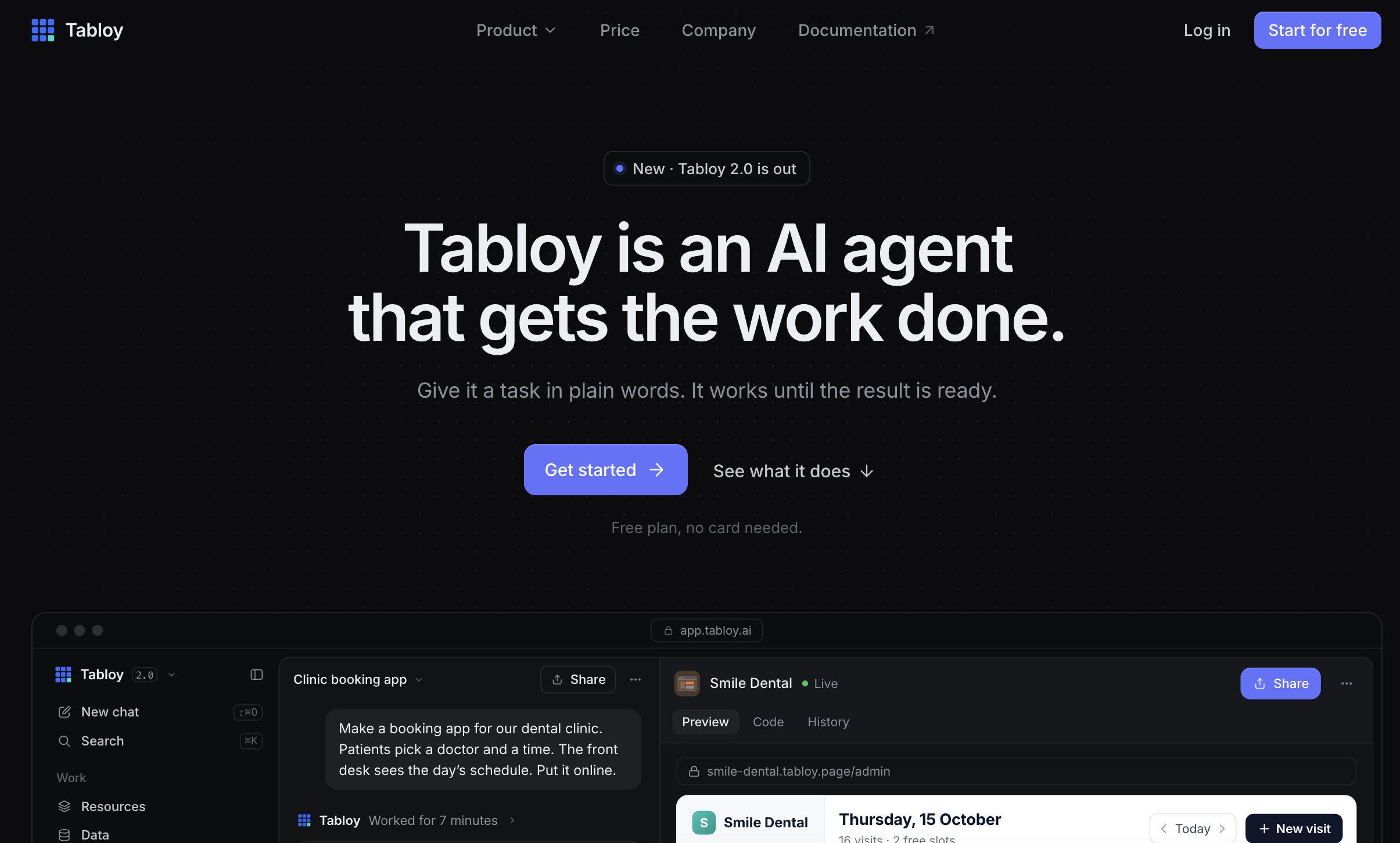
- Skip the draft-and-fix cycle and receive finished deliverables: describe the task in plain words and the Tabloy AI agent works until the result is ready, checking it before you see it.
- Present your numbers in a deck you fully own: get a real PPTX presentation that opens and edits in PowerPoint, with charts built from your own data.
- Trust every figure in your Excel reports: each total is a live formula you can audit, not a pasted number.
- Launch a working web app without assembling a backend: the AI app builder creates the app with its own server and database, then tests it on laptop and phone layouts.
- Go live on your own brand: publish apps and their databases to a .tabloy.page address or connect your custom domain for always-on hosting.
- Track every launch from one place: a single Deploy page lists all published apps with their visits and release history.
- Turn raw spreadsheets into decisions: data analysis reads every row of your spreadsheet or database, matches records by your parameters, and builds a data visualization dashboard.
- Build documents grounded in real sources: slide decks, reports, and spreadsheets draw on both your internal files and online research.
- Ship booking tools for real businesses: build scheduling apps, such as a dental clinic system where patients pick a doctor and appointment time, and publish them live.
- Create interactive media beyond documents: produce short films with sound and 3D games that play directly in the browser.
- Keep control over anything public: Tabloy asks for confirmation before it publishes, shares, or deletes, and admins set which features team members use.
- Collaborate with private workspaces: Pro supports up to 5 people and Pro+ up to 15, with no member able to read another's chats.
- Work on local files without a connection: the Desktop version operates inside your computer's folders and runs offline with its own model.
- Start at zero cost and scale cheaply: the free plan needs no card and includes 300 requests a month, and Pro is $10 a month with unlimited Auto requests.
Pros & Cons
From the listing; not yet checked by our editors.
Pros
- Browser-based tool
- Assists in app creation
- Works on game deployment
- Performs data analysis
- Data visualization capabilities
- Automates business documents creation
- Uses internal files
- Can use online resources
- Deploys applications to custom domains
- Supports domain management
- Features for scheduling applications
- Database management
- Dashboard development
- Report generation
- Slide deck creation
- Not powered by GPT
- Analyzes row-level data
- Matches data by parameters
- App publishing to live domain
- Writes applications
- Natural language input
- Free plan available
- Automates app/game deployment
- Customizable dashboards
- Domain-specific deployment
- Capability to inspect/access online resources
- Builds out application databases
- Multiple file format support
- Detailed task evaluation
- Online, real-time results
- Supports spreadsheet/database connection
- Robust channel and month analytics
- Specific domain deployment
- Quick certificate issuance for domains
- Films video from photo
- Builds 3D games
- Offers domain aliasing
- Drives in-app tasks
- Scheduled task execution
- Cloud and desktop versions
- Team collaboration features
- App version roll-back feature
- Consents prior to publishing
- Managed automated runs
- Preserves every application release
- Provisions web search publishing
- Workflow rule configuration for team
- Custom build-out, wage, equipment calculations
- Photo-to-video capabilities
- Game building and testing
- Proactive task initiation and execution
- Multi-platform support (Windows, Mac)
Cons
- Browser-based tool only
- Limited to users domain
- Doesn't use GPT technology
- Unclear offline capabilities
- Requires domain connection
- Limited automation parameters
- Uncertain data security measures
- Unclear rollback provisions
- Unspecified game development capabilities
- Tedious approval process
Alternatives to Tabloy AI
Tools that share the most tags with Tabloy AI.
- Tendem
Eliminate the need to hire and manage freelancers for administrative work by using a hybrid system where AI handles execution and human experts provide oversight and validation.
Paid
Not listed
Not yet checked
- Levity
Eliminate manual data entry by automatically extracting critical information from emails and attachments directly into your Transportation Management System
Not listed
Not listed
Not yet checked
- Manus
Create personalized travel itineraries and custom handbooks instantly through comprehensive travel information integration
Freemium · from $16/month
$16/month
Not yet checked
- Raccoon AI
Launch production-ready web apps from a simple prompt, with full ownership of the code written in real-time and deployed in clicks.
Freemium · from $19/month
$19/month
Not yet checked
- Barie AI
Execute entire projects from a single prompt by breaking down complex tasks into parallel subtasks
Freemium · from $10/month
$10/month
Not yet checked
- Aident AI
Build reliable workflows without coding or technical help using natural language descriptions converted into working Playbooks
Freemium · from $12/month
$12/month
Not yet checked
Reviews
Rate this tool
Loading reviews...
Frequently asked questions
What can I do with Tabloy AI Agent?
With Tabloy AI Agent, you can perform a variety of tasks such as creating and deploying apps and games, analyzing data, creating business documents, deploying applications to user-specific domains, and developing dashboards for data visualization. The tool is also equipped to perform tasks involving database management and domain handling.
How does Tabloy AI Agent assist in creating and deploying apps?
Tabloy AI Agent assists in creating and deploying apps by building them based on user instructions. For instance, it can build a scheduling app for a dental clinic where patients can select a doctor and an appointment time. Moreover, it can also write and publish the app and its database to a live domain specified by the user.
Can Tabloy AI Agent analyze data?
Yes, Tabloy AI Agent possesses the ability to analyze data. It can read each row of a spreadsheet or a database, match data by designated parameters, and develop a dashboard for data visualization.
Is Tabloy AI Agent capable of creating business documents?
Yes, Tabloy AI Agent can create business documents such as slide decks, reports, and spreadsheets. It does this by examining both internal files and online resources.
What kind of databases can Tabloy AI Agent read and publish?
Tabloy AI Agent is designed to read and publish a wide variety of databases. The exact types aren't specified on their website, but it seems to read any database or spreadsheet format, taking into account each row of data to perform comprehensive analysis.
Does Tabloy AI Agent facilitate domain deployment?
Yes, successful domain deployment is one of the primary features of Tabloy AI Agent. The tool facilitates deploying applications to user-specified domains, ensuring apps are always live online.
How does Tabloy AI Agent handle game deployment?
Their website doesn't provide explicit information about Tabloy AI Agent's capabilities regarding game deployment, but it does mention that the tool can build and deploy applications, which could feasibly include games.
Can Tabloy AI Agent develop dashboards for data visualization?
Yes, Tabloy AI Agent can develop dashboards for data visualization. It reads each row of a database or spreadsheet, matches data based on designated parameters, and then uses this information to develop a comprehensive dashboard.