
Overview
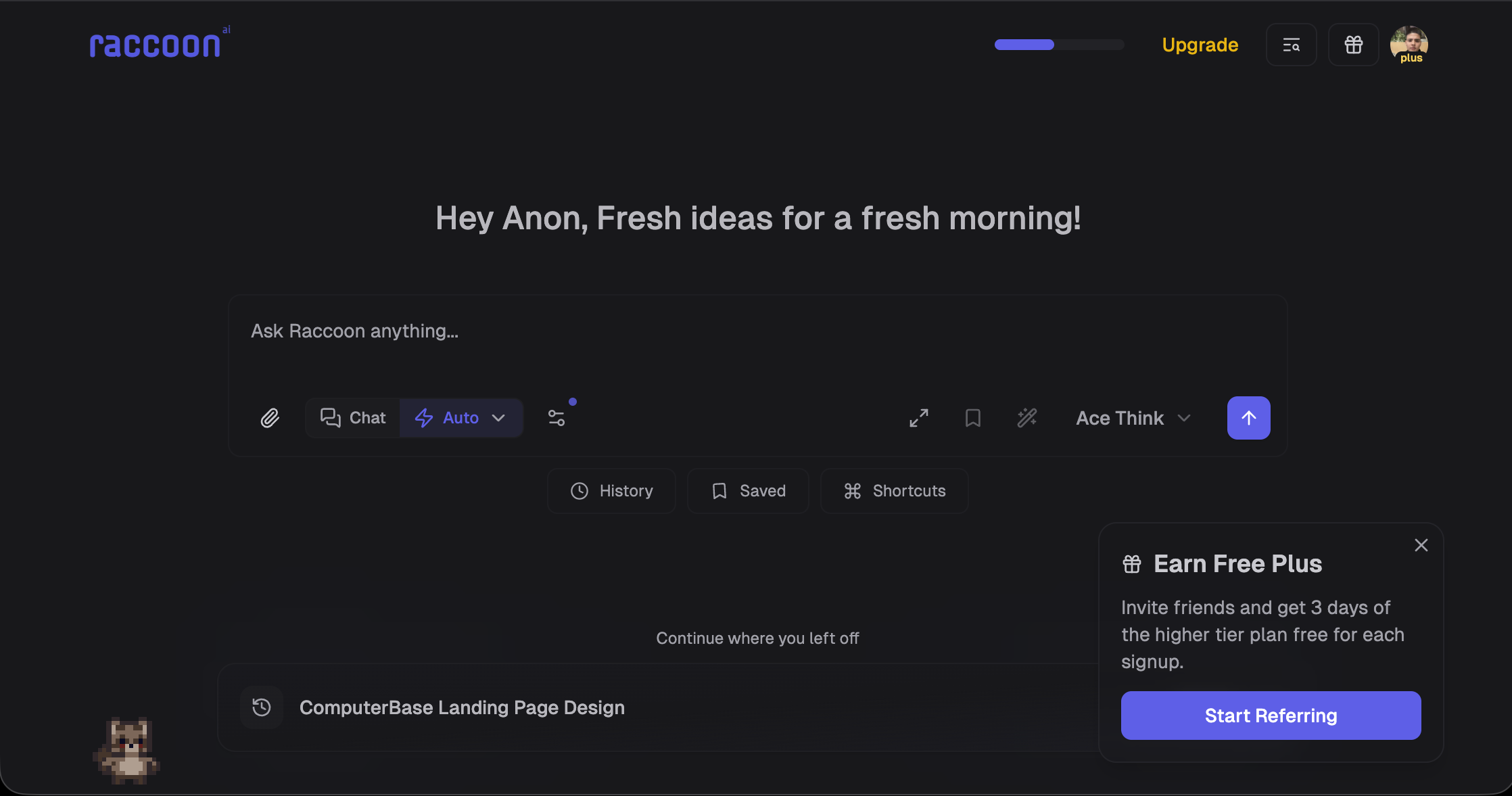
- Launch production-ready web apps from a simple prompt, with full ownership of the code written in real-time and deployed in clicks.
- Present polished pitch decks with substantive research, not template filler, by uploading your notes for AI-powered slide creation.
- Transform messy spreadsheets into stakeholder-ready reports with clear charts, insights, and actionable recommendations.
- Design marketing assets and visual content without needing design software, using AI to generate one-pagers and graphics.
- Automate multi-step workflows that cross tool boundaries by connecting Google Drive, Gmail, Calendar, and GitHub in a unified workspace.
- Watch every file being created in a dedicated agent workspace, with the ability to download anything and continue the work yourself.
Pros & Cons
Pros
- Builds and deploys full stack web apps
- Generous free tier
- Generates presentations and pitch decks
- Multi Agent System
- Advanced coding capabilities
- Analyzes and organizes data
- Generates detailed reports
- Designs marketing assets
- Creates visual content (image and video)
- Interacts with Google Drive
- Interacts with Gmail
- Interacts with Calendar
- Interacts with GitHub
- Executes multi-step end to end workflows
- Access to all files
- Custom download option
- No credit card required
- One-shot deliverables
- Embeds presentations in docs
- Analyzes complex data sets
- Writes, debugs, refactors code
- Creates formatted Word docs
- Writes PDFs
- Cleans up data
- Deep research capabilities
- Creates channel analysis workbooks
- Board meeting presentation builder
- Fashion outfit concept generator
- Integration with various platforms
- Report generation abilities
- Visual design conceptualization
- Real-time file browsing
- Workspace for each task
- Agent modes for tasks
- Unified interface design
- Pricing suits variety of users
- Easily downloadable outputs
- Simplifies complex data
- Generates interactive dashboards
- Natural language prompt operation
- Functions across multiple contexts
- Priority processing for power users
- Early access to new features
- Email and Slack support
- Creates SEO enriched content
- Generates business intelligence data
- Workspace unification and intelligence
- Generates, converts, deploys many formats
- 10x higher usage in Plus
- Research Use Case
Cons
- Limited platform integrations
- No dedicated mobile app
- No multi-user collaborative features
- Requires constant internet connectivity
- Doesn't work offline
Reviews
Rate this tool
Loading reviews...
❓ Frequently Asked Questions
Raccoon AI is a collaborative artificial intelligence platform. It can perform analytical tasks and create complete solutions using AI. Creating presentations, analyzing data, scripting code, managing workflows to developing and deploying full-stack web applications are among its capabilities. It can handle various specific tasks proficiently with its distinct feature of specialized agent modes.
Raccoon AI is equipped with advanced AI tools that simplify creating presentations and analyzing data. For presentations, it focuses on organizing and processing data into neatly organized decks. With regard to data analysis, Raccoon AI applies machine learning algorithms to unveil hidden patterns, correlations and insights, thereby simplifying the process.
Indeed, Raccoon AI does have the ability to script code and manage workflows. It can interact with your development environment, run code, debug and eventually deploy the application. Alongside, it can manage diverse workflows, ensuring the smooth operation of your entire project from start to finish.
Shubh Saras
🛠️ 1 tool
🙏 11 karma
wrote:Raccoon AI can develop and deploy, given its proficiency in coding and managing workflows, it can develop a wide range of full-stack web applications. It may range from small business websites and dashboards to complex applications.
In Raccoon AI, 'specialized agent modes' denote a unique feature that enables the AI to become proficient at specific tasks. This could be anything from handling slides, to coding, to deep searching capabilities, allowing the platform to provide more focused and efficient function and performance.
Integration between Raccoon AI and tools like Gmail, Calendar, Drive, Sheets, GitHub, and MCPs allows for a unified workspace. Raccoon AI can interface directly with these apps, enabling it to drive complex workflows, manage your resources efficiently, and streamline your work processes from within one unified platform.
Raccoon AI accomplishes comprehensive workflows through its ability to automate, coordinate, and optimize tasks. Its integration with Gmail, Calendar, Drive, Sheets, GitHub, and MCPs makes it capable of unifying your whole workspace, creating a productive and efficient workflow.
Raccoon AI boasts of comprehensive research capabilities, enabling it to extract key insights from various sources. This could include anything from web scraping for data collection to analysing academic research papers for relevant points. These capabilities make it an effective tool for conducting rigorous, in-depth research.
By leveraging its AI capabilities, Raccoon AI can synthesize information from a variety of sources to construct comprehensive reports and documents. It employs machine learning algorithms to organize, summarize, and present the data in a clear, concise, and easily interpretable format.
Raccoon AI designs images and visuals by understanding the context and requirements provided. Then, it generates appropriate graphical representations such as charts, diagrams, or infographics. The platform's algorithms enable it to create relevant and visually appealing designs that enhance comprehension of the data or concepts being presented.
Raccoon AI generates assets by interpreting the given commands or descriptions, then conceptualizing and crafting the necessary components. This could comprise a wide range of elements, such as graphs, application code, slide decks, or even email drafts. The generated assets are then compiled into complete deliverable files, ready for use.
One-shot deliverables by Raccoon AI refer to complete, final files produced in just one attempt. These could include comprehensive presentation decks, polished excel files with analyzed data, publication-ready documentation, and other visuals which are ready to be used immediately.
Yes, Raccoon AI is capable of providing channel analytics. As part of its data analysis capabilities, it can evaluate different channels, measure their performance, provide valuable insights and thus assist in digital marketing and content strategy formulation.
Raccoon AI can provide insights on various content strategies by analyzing their performance. It examines user engagement, traffic sources, and other metrics. Based on these insights, it can suggest modifications for improved performance. Its aim is to underpin strategies that can engage the audience effectively and achieve the desired results.
Raccoon AI enhances productivity through its task automation, presentation creation, data analysis, coding, and workflow management capabilities. It efficiently reduces manual intervention in these tasks, thereby saving time and letting users focus on higher-order tasks. Moreover, its comprehensive capability to unify the entire workspace results in better collaboration and streamlined processes.
Raccoon AI contributes to business intelligence by enhancing data-driven decision-making. It achieves this by converting raw data into understandable patterns and insights. Analysts can use these findings to understand customer behavior, build scoring models, forecast trends, thereby enabling the development of efficient business strategies.
Raccoon AI interacts with your existing workspace by integrating with various services like Gmail, Calendar, Drive, Sheets, and GitHub. This unified workspace allows for more efficient collaboration and workflow management, as tasks get automated and information flows seamlessly between different applications.
Yes, Raccoon AI has capabilities to create comprehensive documentation. For instance, it can review PRs, write code, and assist with tasks ranging from architecture design to debugging and comprehensively documenting the entire process.
Raccoon AI assists in constructing data-driven frameworks by using its machine learning algorithms to process and analyze data. It can build scoring models that convert customer behavior into actionable insights, thereby aiding in effective decision making.
Indeed, Raccoon AI is equipped with tools to assist in coding. It can run, debug and even design architecture as required. It can review PRs, write code and do anything from architecture design to debugging, thereby providing a comprehensive coding assistance.
Raccoon AI is a collaborative artificial intelligence agent that is designed to assist with various tasks encompassing a diverse range of use cases. Its essential functions encompass creating applications, presenting data in slide format, data analysis, and coding. Raccoon AI was developed to manage end-to-end workflows, thereby serving as a unifying interface for an array of workspace applications.
Yes, Raccoon AI can indeed craft full stack web applications. It achieves this by first taking a prompt, from which it plans an approach. It then writes the code, a process user can watch in real-time. Later, the AI provides a live preview of the app, which users can deploy into production with just a few clicks. The code is available for users to own and modify as required.
Raccoon AI engages in data analysis by handling messy spreadsheets and then supplying formatted reports. These reports often contain visual representations like charts, insightful interpretations of the data, and recommendations that users can present to stakeholders. The finalized reports can be downloaded and presented, or further manipulated by the users themselves.
Raccoon AI can execute a multitude of design tasks. These include but aren't limited to, the creation of marketing assets and one-pagers. It can also design visual content without the user having to interact with design tools such as Figma. Its design capabilities can cater to a variety of fields including fashion, where it can assist with fashion outfit try-ons.
Absolutely, Raccoon AI is built to streamline multi-step workflows that cut across different platforms. A user can connect their platforms like Google Drive, Gmail, Calendar, and GitHub to Raccoon AI. Once these platforms are connected, Raccoon AI can run tasks that normally require shifting between different tools, thereby saving time and promoting efficient workflow management.
Key platforms that Raccoon AI can integrate with include systems like Google's Gmail, Calendar, and Drive, as well as GitHub. These integrations allow Raccoon AI to access information stored in these platforms when it carries out tasks, making it an intelligent and knowledgeable assistant. This integration capability is one of the features that enhances the tool's versatility in workflow management.
In the context of Raccoon AI, an agent-run computer refers to the dedicated workspace where Raccoon AI executes tasks. Each task runs in this workspace like a discrete conversation, with every file created being visible to the user in real-time. The user is offered the ability to download any file or continue the work themselves if they wish.
No, users don't have to pay to start using Raccoon AI. It offers a free start, with no requirement for a credit card. Pricing, however, does exist for different levels of use, such as 'Personal' and 'Enterprise' levels, each having distinct benefits and capabilities for users choosing to upgrade.
Shubh Saras
🛠️ 1 tool
🙏 11 karma
wrote:Raccoon AI generates PowerPoint pitch decks by first taking in user-provided information and performing extensive web research on the topic to create an outline. From this outline, Raccoon AI then constructs polished slides complete with meaningful research. As a result, users obtain professional-looking presentation decks that do not bear the generic look of templated presentations.
The special agent modes in Raccoon AI serve the purpose of transforming the AI into an expert in a specific task. By adopting these modes, the AI specializes in executing the selected task, thereby producing high-quality results. These modes encompass a variety of tasks from different fields such as coding, data analysis, and slide presentations.
'One-shot deliverables' in Raccoon AI refer to the finalized output that the AI produces from an executed task. These deliverables can range from comprehensive outlines for presentations to extensively analyzed data for spreadsheets. They are finished products that can be delivered instantaneously for use in meetings, presentations, or further processing.
Yes, Raccoon AI does offer live file system views. This feature complements the user experience by allowing users to see every file created by the AI as it’s being developed. They can then download these files instantaneously and continue working on them if they so choose.
Yes, Raccoon AI does have capabilities to create reports and documents. It creates these by analyzing the provided information and then formatting it into a comprehensive report or document. The results are highly refined, with features like charts, insights, and recommendations typically incorporated, all ready for presentation or further manipulation by the user.
Raccoon AI handles web application creation starting from a simple prompt given by the user. The AI then plans the best approach to take, writes the code, and allows the user to observe the code being written in real time. It then provides live previews and the option to swiftly deploy the app into production. The user is granted full ownership of the code produced.
Regarding coding, Raccoon AI is able to write, debug, and refactor code. This means that in addition to building web applications, it can review PRs, perform tasks from architecture design to debugging, and even create comprehensive documentation. It's capable of assisting with a wide range of coding tasks, making it useful for both novice coders and expert developers.
Raccoon AI is highly efficient in creating presentations. It performs tasks commencing from the analysis of user notes through to the creation of fully formed and polished slide decks. These decks come complete with well-researched content, ensuring that the slides produced do not merely fill space, but actually convey substantive and relevant information.
Raccoon AI serves several functions in handling data. The primary ones include the analysis of messy spreadsheets, transforming them into well formatted reports with intuitive charts, bringing to light underlying insights in the data, and providing actionable recommendations. These functions are all part of its comprehensive suite of data analysis capabilities.
Raccoon AI's integration with Github is extensive. It brings about an improved approach to workflow management as it can access information stored in Github during its task execution. Additionally, it exhibits functionalities such as PR reviews, code writing, debugging, and it even extends to performing tasks from architecture design to comprehensive documentation.
Raccoon AI can significantly aid in the creation and consolidation of channel analysis workbooks. It analyzes various datasets to deliver insights and recommendations through charts, and formatted reports. Given instructions, Raccoon AI use its processing prowess to transform raw data into comprehensive channel analyses, aiding in strategic decision-making processes.
Raccoon AI can be utilized for fashion-related visual presentations. Its capabilities allow users to view realistic outfit try-ons instantly. Given specific information related to the fashion item or style, Raccoon AI can provide a representation of the final look. This functionality, combined with its design capabilities, make it a versatile tool in the fashion industry.
Pricing
Pricing model
Freemium
Paid options from
$19/month
Billing frequency
Monthly
Refund policy
No Refunds