

Tapemoon
Get a release-ready music video without building a timeline in an editor: upload an MP3, WAV or M4A file (up to 95 MB and 8 minutes), paste a Suno share link, or bring a downloaded Udio track, and the AI music video generator plans the scenes and edit points for you.
Listing not yet reviewed by our editors · How we check
Overview
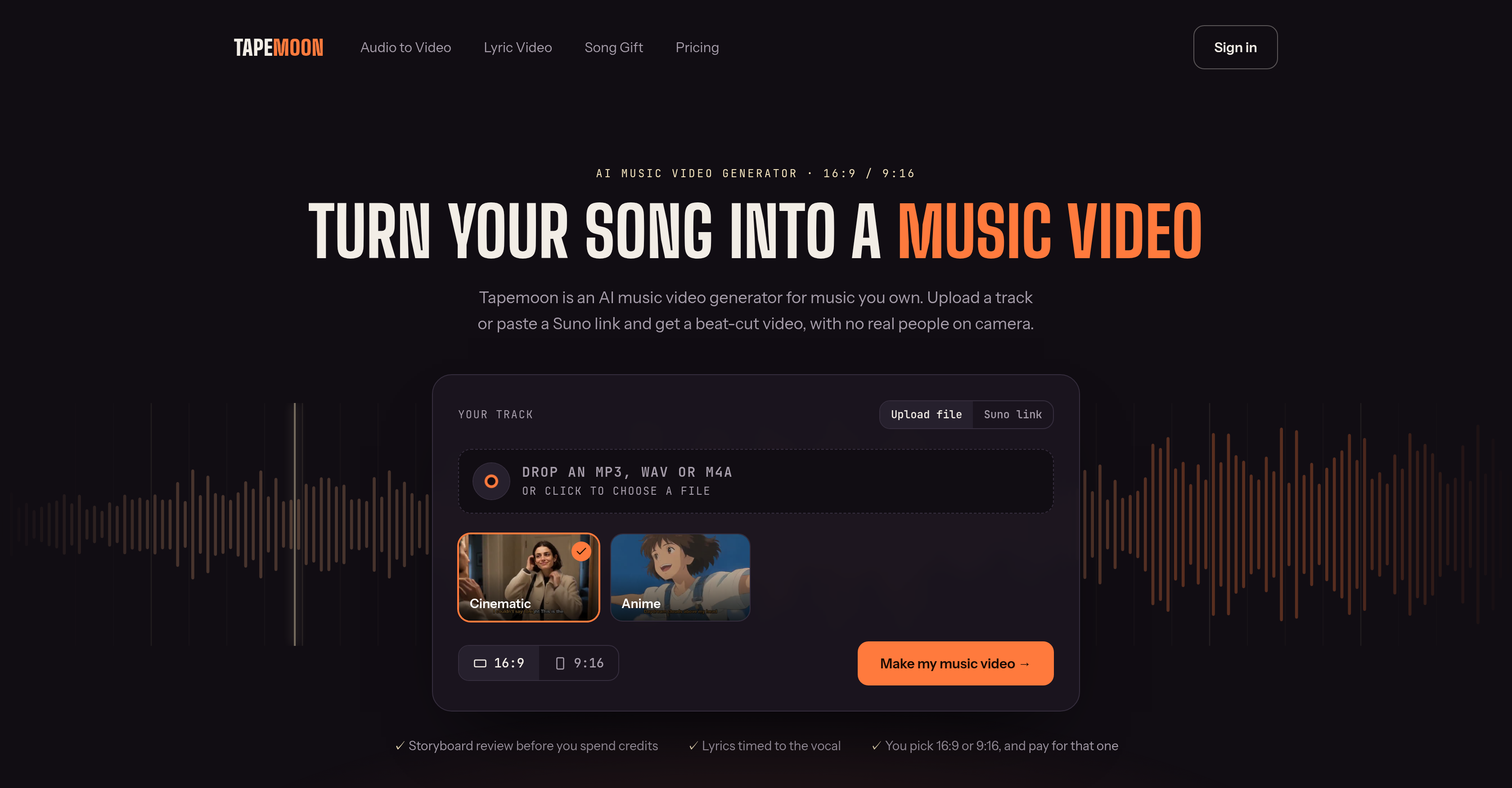
- Get a release-ready music video without building a timeline in an editor: upload an MP3, WAV or M4A file (up to 95 MB and 8 minutes), paste a Suno share link, or bring a downloaded Udio track, and the AI music video generator plans the scenes and edit points for you.
- Watch visuals hit every beat: Tapemoon maps tempo, beats, song sections and energy, so cuts and camera motion land on the beat, verses, choruses and drops open new scenes, and high-energy passages get faster edits.
- Ship a lyric video without hand-placing subtitles: lyrics are timed to the vocals as captions, you correct any line before rendering, and the meaning of the words shapes the scene imagery.
- Spend credits only on a render you approve: the editable storyboard lets you change visual style, mood, scenes and lyrics before any video is generated.
- Fix one weak moment without redoing the whole video: regenerate a single storyboard scene while every other scene stays intact.
- Cover the full release and the promo push from one song: export full-length music videos or short chorus clips in 16:9 landscape for video platforms or 9:16 vertical for social feeds.
- Match output quality to your budget on every render: choose Seedance 2.0 Mini, the lower-cost model at 480p upscaled to 720p, or Kling 3.0 for more realistic visuals at 720p or 1080p.
- Upload straight to any platform with your mix untouched: every render is an MP4 at your chosen dimensions with the original audio retained.
- Keep unreleased tracks yours: uploaded audio and generated videos are not used to train AI models.
- Judge the result before you pay: the free tryout delivers a full storyboard plus a 15-second watermarked chorus preview, with watermark-free exports from $19 per month or through credit packs with no subscription.
- Start a video from whatever computer you are on: Tapemoon runs entirely in a web browser, with no software to install.
Pros & Cons
From the listing; not yet checked by our editors.
Pros
- Suno share-link ingestion
- MP3, WAV, M4A uploads
- Tracks up to eight minutes
- Uploads up to 95 MB
- Tempo and beat mapping
- Song-section scene planning
- Energy-responsive edit pacing
- Beat-aligned camera motion
- Vocal-timed lyric captions
- Correct lyrics before rendering
- Lyrics inform scene imagery
- Editable storyboard before credits
- Regenerate individual scenes
- Change visual style and mood
- Choose a model per render
- Seedance 2.0 Mini option
- Kling 3.0 option
- Landscape or vertical output
- 16:9 and 9:16 formats
- MP4 export with original audio
- Full-length and chorus videos
- Short promotional clip creation
- Per-scene editing in storyboard
- No editing software required
- Runs in a web browser
- No installation required
- Files excluded from model training
- Free storyboard before rendering
- Watermarked chorus preview
- Free lyric-only video option
- 720p lyric-video export
- Render-failure credits refunded
- Video remains in account history
- Paid plans include commercial use
- No subscription credit packs
- Independent model resolution choices
Cons
- Tracks capped at eight minutes
- Uploads capped at 95 MB
- Seedance renders at 480p, upscaled
- Free preview limited to 15 seconds
- Free preview is watermarked
- One free trial per person
- Requires rights to use music
- No shot-by-shot control
- No concert or rehearsal footage
- No real people or lip sync
Alternatives to Tapemoon
Tools that share the most tags with Tapemoon.
- yesTool | AI Music Video
Create professional animated music videos from any song and image with automatic lip-sync accuracy using Wan S2V AI technology
Freemium · from $14.90/month
$14.90/month
Not yet checked
- Plazmapunk
Transform your music into professional videos in minutes with fast generation that eliminates long rendering times
Freemium · from $5.78/month
$5.78/month
Not yet checked
- AirMusic - AI Music Video Generator
Instantly produce a complete, multi-scene music video from any song with one click using Director Mode for fast, professional results.
Paid · from $11.90/month
$11.90/month
Not yet checked
- 1MoreShot
Create professional music videos from your tracks in minutes using automated AI generation
Freemium · from $8.25/month
$8.25/month
Not yet checked
- LABEL IQ AI
Transform images, lyrics, and keywords into professional music and videos using AI creation tools
Free trial · from $5
$5
Not yet checked
- BeatViz AI
Transform any audio track into professional music videos with perfect beat synchronization using AI-powered audio-visual analysis
Free trial · from $13.90/month
$13.90/month
Not yet checked
Reviews
Rate this tool
Loading reviews...
Frequently asked questions
How do I make a music video with Tapemoon?
Upload an audio file or paste a Suno share link. Tapemoon analyzes the track and drafts a storyboard. Review and edit the scenes, style, mood, or lyrics, choose a video format and model, then render an MP4 with the original audio.
What audio formats can I upload to Tapemoon?
Tapemoon accepts MP3, WAV, and M4A uploads. The site lists a maximum file size of 95 MB and a track length of 8 minutes.
Can I make a Tapemoon video from a Suno share link?
Yes. Paste a Suno share link to make a video from the track.
Can I use Tapemoon with tracks I made in Udio?
Yes. Tapemoon supports tracks made with Udio; upload the downloaded audio file. You must have the rights to use the track.
How does Tapemoon sync video cuts to the beat?
Tapemoon analyzes the track’s tempo, beats, sections, and energy, then places cuts and camera motion to match the beat. Song sections can start new scenes, and faster or more energetic passages get quicker edits.
Can I review and edit the Tapemoon storyboard before rendering?
Yes. You can review the storyboard and change the style, mood, scenes, or lyrics before rendering or spending credits.
Can I regenerate just one scene in Tapemoon?
Yes. Tapemoon lets you regenerate one scene at a time in the storyboard.
Does Tapemoon add lyrics as timed captions?
Yes. Tapemoon times lyrics to the vocals for captions, and you can correct lyric lines before rendering.