
AirMusic - AI Music Video Generator
Overview
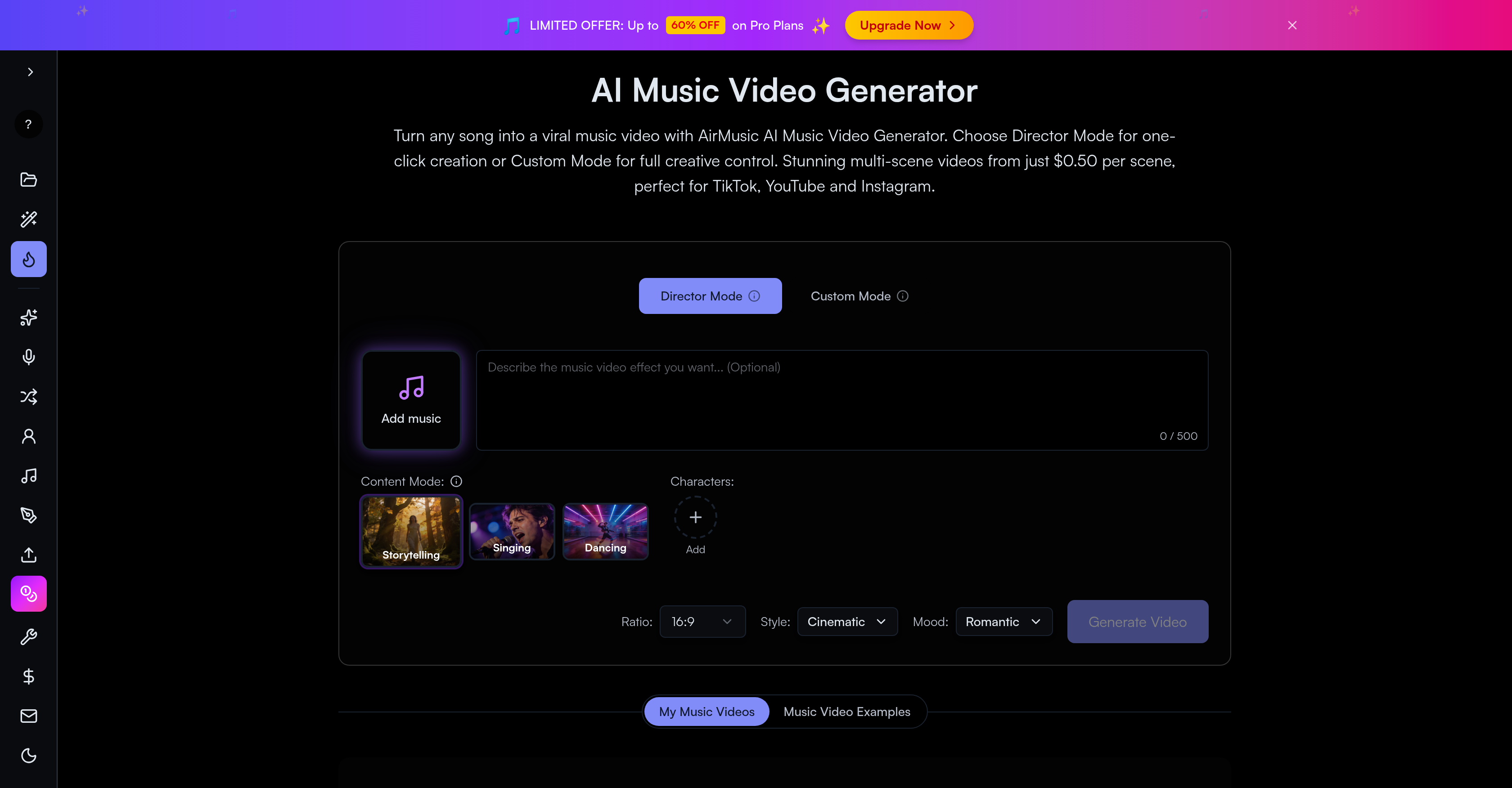
- Instantly produce a complete, multi-scene music video from any song with one click using Director Mode for fast, professional results.
- Craft a unique narrative video with full creative control in Custom Mode, tailoring every scene to your vision.
- Generate a coherent storyboard automatically where scene descriptions, transitions, and camera angles match your song's mood and lyrics.
- Integrate custom characters consistently throughout your video by uploading photos and descriptions for the AI to follow.
- Achieve any visual aesthetic from anime to cinematic realism by selecting from over 10 distinct AI video generation models.
- Edit your final video precisely by trimming clips, reordering sections, and merging everything into a single MP4 file using the Track Editor & Timeline.
- Protect your original music and video content with encrypted processing and automatic file deletion after 30 days for security.
- Create platform-optimized, engaging content designed to boost your presence on TikTok, YouTube, Instagram, and Spotify.
Pros & Cons
Pros
- Director and Custom Modes
- Automatic storyboard generation
- Scene descriptors based on music
- Characters incorporation
- Variety of visual styles
- 10+ video generation models
- Track Editor & Timeline tool
- Secure, encrypted user content
- Content tailored for social media
- Turns songs into music videos
- Narrative-driven videos
- Cutting-edge choreography
- Scene transitions
- Clip trimming, arrangement
- Section reordering
- Produces single MP4 file
- 30-day automatic content deletion
- Visual styles customization
- Multiple video generation models
- Precise scene arrangement
- Cost as low as $0.50 per scene
- Ideal for multiple music genres
- Export in high-quality HD
- Promotional video creation
- Looping video content for streaming platforms
- Mutation of static images into dynamic scenes
- No scripting skills needed
- Consistent character appearance
- 8 unique visual styles
- Quality, speed, style options
- Download or share directly
- Suitable for various video modes
- User-friendly interface
- Lyric and beat matching visuals
- Quick turnaround time
- Affordable cinematic quality
- Multiple visual style switching
- Rapid output generation
- Vocals and instrumentals isolation
- Voice cloning feature
- Mood-capturing music from images
- Royalty-free background music
- Online audio editing
- Creative song lyrics generation
- Detailed song analysis
- Audio file to MIDI conversion
Cons
- Requires internet connection
- Can't work offline
- No ownership of models
- Limited visual style options
- Music database not included
- Content deleted after 30 days
- Limited character consistency
- Storyboard alteration challenges
- Single MP4 file export only
Reviews
Rate this tool
Loading reviews...
❓ Frequently Asked Questions
AirMusic AI Music Video Generator is a potent tool designed to transform any song into a visually captivating multi-scene music video. The program is designed to enable narrative-driven music videos complete with plot, scene transitions, dramatic storytelling, choreographed dance sequences and more. AirMusic achieves this by generating storyboards based on the uploaded songs, specifying scene descriptions, transitions, and camera angles according to the song's mood and lyrics.
Director Mode in the AirMusic AI Music Video Generator is a convenient and swift feature that allows for one-click creation of a music video. It's designed for seamless operation and does not require much user intervention.
The difference between Director Mode and Custom Mode in AirMusic hinges on the level of user control and customization. Director Mode offers a one-click creation of the music video, which means it simplifies the process and offers less customization. On the other hand, Custom Mode allows for full creative control over the project, enabling users to tailor the final output more precisely to their liking.
In AirMusic, the AI generates storyboards by analyzing the uploaded songs and tailoring scene descriptions, transitions, and camera angles according to the musical mood and lyrics of the song.
Yes, users can indeed add character photos and descriptions in AirMusic. The added characters are consistently incorporated into the video by the AI.
AirMusic AI Music Video Generator offers a variety of visual styles, such as anime, cinematic, realistic, and many other styles to cater to different artistic visions.
AirMusic includes over 10 different video generation models, each offering unique qualities, speed, and style options to accommodate various artistic and production needs.
Yes, AirMusic provides a Track Editor & Timeline tool that allows users to carry out precise scene arrangement, clip trimming, and section reordering.
User content on the AirMusic platform is secure with encryption techniques during processing. It ensures the confidentiality and security of user content.
AirMusic is optimized for creating engaging content for platforms like TikTok, YouTube, Instagram, Spotify, and other popular streaming media platforms.
AirMusic AI Music Video Generator outputs in MP4 video file format, a widely accepted and accessible format across various devices and platforms.
Yes, the AI in AirMusic is equipped with an intelligent mechanism that tailors scene descriptions and transitions based on the mood and lyrics of the uploaded songs.
AirMusic incorporates user-added character photos and descriptions into the video by consistently incorporating them throughout various scenes, ensuring streamlined character integration.
The AI Music Video Generator offers diverse visual styles like anime, cinematic, realistic, and many others providing a breadth of visual expression for users.
In AirMusic, selecting unique qualities, speed, and style options is made possible through the choice of over 10 different video generation models that each offer a distinct set of features.
Yes, AirMusic does provide users the ability to do precise scene arrangement, clip trimming, section reordering, and final merging into a single MP4 file using its Track Editor & Timeline tool.
In AirMusic, user's music and videos are encrypted during processing to ensure their security. The platform maintains a high standard of confidentiality and security.
Videos on the AirMusic platform are stored for up to 30 days. After this period, they are automatically deleted as part of the platform's privacy protocol.
Absolutely, AirMusic is ideal for content creators seeking to improve their social media presence. It's optimized for platforms like TikTok, YouTube, Instagram, Spotify, and other streaming services, enabling creators to eagerly engage their audience with visually stunning music videos.
AirMusic applies different video generation models based on the user's selection. It includes over 10 different models each offering distinct qualities, speed, and style options. These models can be chosen according to the user's preferences and creative requirements.
Pricing
Pricing model
Paid
Paid options from
$11.90/month
Billing frequency
Monthly
Refund policy
Refunds only within 7 days of purchase if it is your first refund request, you have used no more than 50 credits and generated no more than 10 songs/outputs.