

Tasklet
Keep work moving overnight and on weekends without adding headcount: AI agents run 24x7 and take on delegated tasks end to end.
Listing not yet reviewed by our editors · How we check
Overview
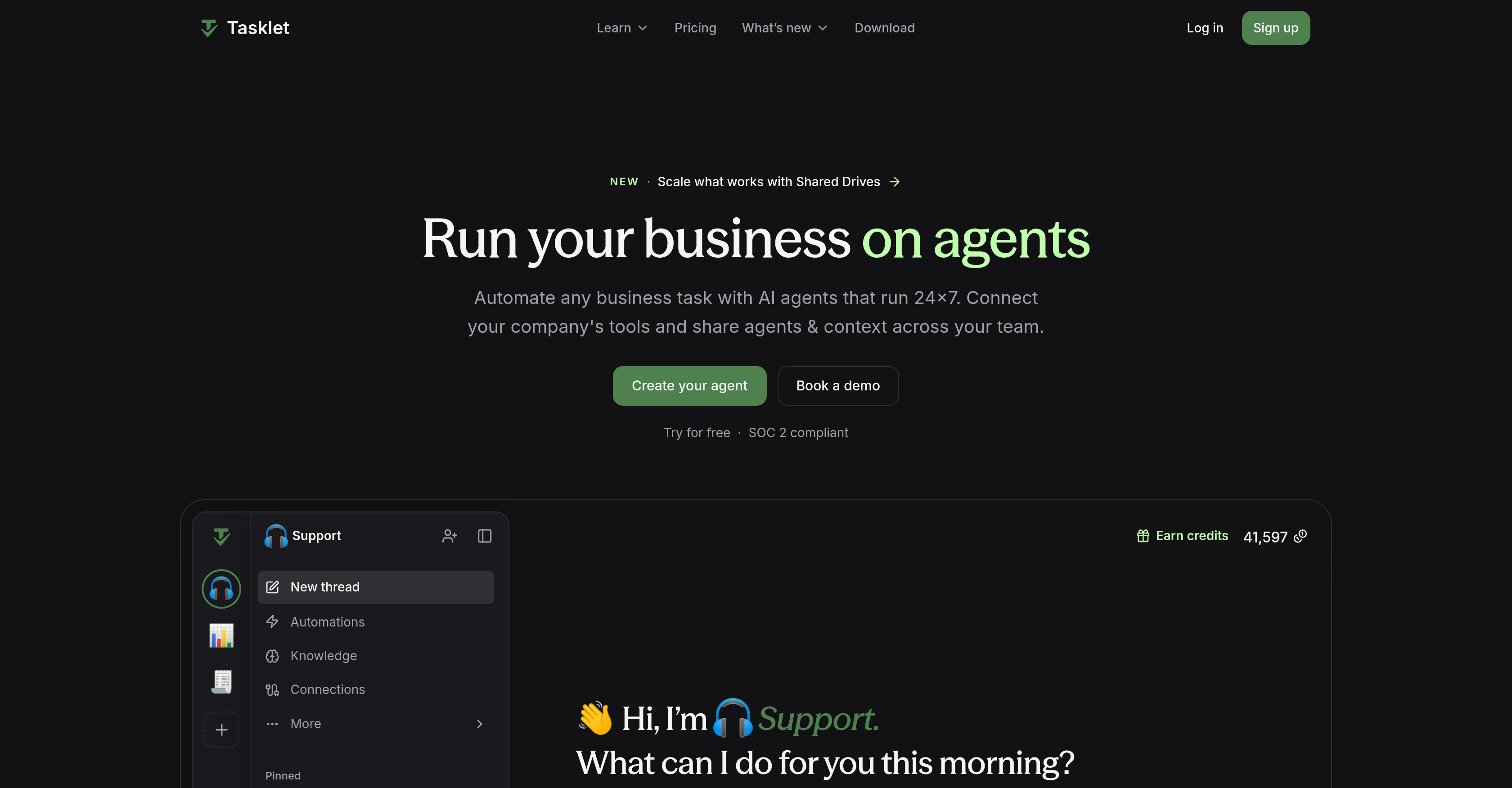
- Keep work moving overnight and on weekends without adding headcount: AI agents run 24x7 and take on delegated tasks end to end.
- Clear your support inbox faster: agents draft support email responses and summarize unread emails so customers get prompt replies.
- Walk into every sales conversation with complete lead data: automated lead enrichment logs details straight into your CRM, keeping records current without manual entry.
- Close the books with fewer errors: financial reconciliation automation matches Stripe payouts to QuickBooks invoices and flags every mismatch.
- Maintain a consistent LinkedIn presence without writing from scratch: agents turn industry news into ready-to-publish LinkedIn posts for social media automation.
- Resolve customer problems sooner: agents read incoming tickets and match them to the relevant issues, cutting manual triage.
- Hit recurring deadlines on time, every time: scheduled workflow automation runs tasks like drafting email replies at a set time each weekday.
- Automate inside the systems you already use: integrations connect agents to your company's existing tools, with no need to replace your stack.
- Give every department the same automation advantage: share agents and their context across sales, marketing, operations, finance, and admin teams.
- Keep sensitive workflows under control: role-based permissions ensure only authorized users access each agent.
- Find information when you need it: agents summarize and categorize notes and manage schedules, turning scattered admin work into organized knowledge.
Pros & Cons
From the listing; not yet checked by our editors.
Pros
- 24x7 operation
- Task drafting emails
- Email inbox summarizing
- Notes organization
- Scheduling management
- Company's tools integration
- Agent sharing across team
- Task scheduling
- Permissioned access
- Role-based usage
- Leads enrichment
- CRM updating
- Industry news into posts
- Ticket-issue matching
- Financial transaction reconciliation
- Email automation
- Sales automation
- Marketing automation
- Operations automation
- Financial management automation
- Administrative tasks automation
- Efficiency enhancement
- Business scaling
- Knowledge sharing
- SOC 2 compliant
- Trusted by industry giants
- Supports multiple job functions
- Email drafting
- Marketing posts drafting
- Tasks-Time matching
- Transaction mismatches flagging
- Pre-meeting briefing automation
- Workflow sharing
- API access sharing
- Delegation of real work
- Prices overview
- Real work delegation
- Productivity enhancement
- Tool permission management
- Teams and agents collaboration
- Access to thousands of tools
- Works with SaaS tools
- Works with MCP servers
- Works with private APIs
- Lead management automation
- Supports sales, marketing, and admin roles
- Automates repetitive tasks
- Scalable to any size business
- Agent context sharing
- Seamless tool integration
- Individual and team role automation
Cons
- Limited customizability
- May need extensive setup
- No multilingual support
- Depends heavily on integrations
- Lacks granular permission settings
- Potential security risks
- No offline functionality
- No mobile version
- Possibly expensive
- Limited customer support
Alternatives to Tasklet
Tools that share the most tags with Tasklet.
- Tendem
Eliminate the need to hire and manage freelancers for administrative work by using a hybrid system where AI handles execution and human experts provide oversight and validation.
Paid
Not listed
Not yet checked
- Levity
Eliminate manual data entry by automatically extracting critical information from emails and attachments directly into your Transportation Management System
Not listed
Not listed
Not yet checked
- Manus
Create personalized travel itineraries and custom handbooks instantly through comprehensive travel information integration
Freemium · from $16/month
$16/month
Not yet checked
- Raccoon AI
Launch production-ready web apps from a simple prompt, with full ownership of the code written in real-time and deployed in clicks.
Freemium · from $19/month
$19/month
Not yet checked
- Barie AI
Execute entire projects from a single prompt by breaking down complex tasks into parallel subtasks
Freemium · from $10/month
$10/month
Not yet checked
- Aident AI
Build reliable workflows without coding or technical help using natural language descriptions converted into working Playbooks
Freemium · from $12/month
$12/month
Not yet checked
Reviews
Rate this tool
Loading reviews...
Frequently asked questions
What kind of tasks can Tasklet agents automate?
Tasklet agents can automate a wide variety of tasks including drafting support email responses, summarizing unread emails, organizing notes, managing schedules, enriching new leads, updating CRMs, drafting replies, turning industry news into LinkedIn posts, matching tickets to issues, and reconciling financial transactions.
Can Tasklet agents work around the clock?
Yes, Tasklet's agents are designed to operate 24x7, providing uninterrupted service and maintaining constant workflows.
How does Tasklet connect to a company's existing tools?
Tasklet provides a feature to connect these AI agents with the company's tools. This allows for seamless integration and automation, enabling teams to leverage their existing platforms and tools effectively.
Can Tasklet agents be shared across different teams?
Absolutely. Tasklet allows teams to share agents and relevant context across the organization. This facilitates collaborative work and ensures that teams can leverage the power and efficiency of the AI agents.
What kind of permissions do Tasklet agents have?
Tasklet agents come with specified permissions. These permissions ensure that only authorized users have access to the agents thereby maintaining security and process integrity.
How does Tasklet support scheduling specific tasks?
Tasklet supports scheduling specific tasks such as drafting email replies at a specified time each weekday. This helps in maintaining consistency and ensures that tasks are done on time each day.
In what business areas can Tasklet provide automation?
Tasklet can provide automation in various business operational areas, including sales, marketing, operations, finance, and administrative tasks. This makes it a versatile tool for businesses.
How does Tasklet facilitate sales automation?
In terms of sales automation, Tasklet facilitates tasks like enriching new leads, updating the CRM, and drafting replies. It ensures timely and efficient management of sales related tasks.