

TeeDIY
Turn any idea into a wearable design instantly, even with zero design skills, by uploading a photo, typing a prompt, or starting from a themed template.
Listing not yet reviewed by our editors · How we check
Overview
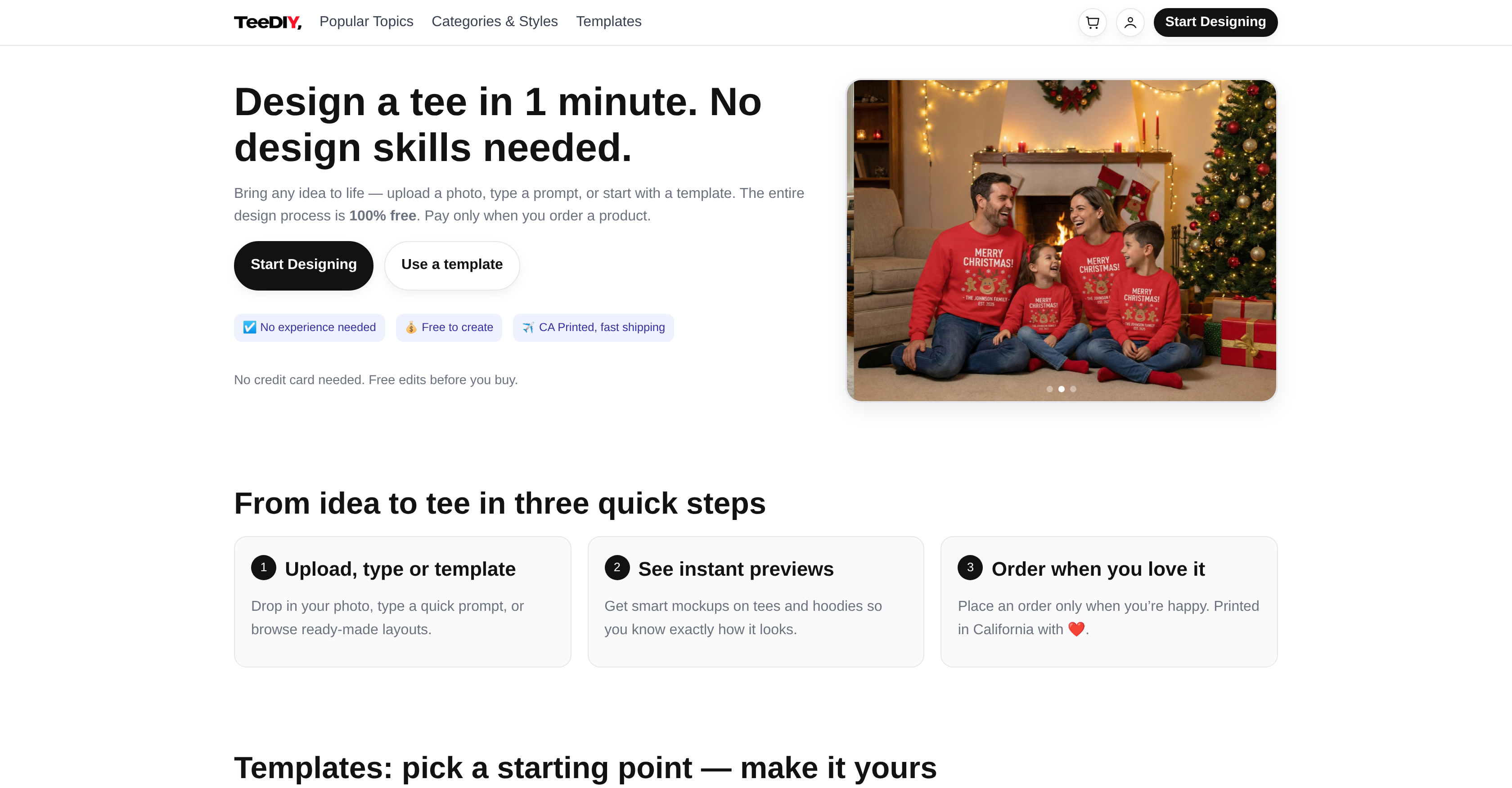
- Turn any idea into a wearable design instantly, even with zero design skills, by uploading a photo, typing a prompt, or starting from a themed template.
- See exactly how your design will look before you buy with real-time previews on tees, hoodies, and other apparel.
- Get professional, print-ready designs automatically with smart AI tools for background removal, style adjustments, layout, and precise edits.
- Customize a wide range of products beyond T-shirts, including sweatshirts, tank tops, bottoms, and unique pet apparel.
- Explore and shop from a curated collection of unique, on-trend apparel if you don't want to start from scratch.
Pros & Cons
From the listing; not yet checked by our editors.
Pros
- Real-time design previews
- Smart design tools
- Automated alignment and spacing
- Platform usable by beginners
- Design flexibility: upload or type
- Direct order placement
- Unique on-trend apparels
- Wide style and category options
- Variety of apparel templates
- Customization for multiple themes
- Supports pet's apparels customization
- Processes precise element changes
- Offers print-on-demand services
- Allows quick content creation
- Multiple apparel types supported
- Popular topics for designs
- Quick clothing design process
- Enables detailed element changes
- Supports large image uploads
- Apparel style customization
- Automated mockup creation
- No prior experience required
- Free to design
- California-based print, fast shipping
- Adapts to various design input
- Step-by-step guided design process
- Reflects live design alterations
- One-off and bulk ordering
- Auto-cleanup of background
- Choice of finish style
- Community-generated design ideas
- Wide content arrangement options
- High-frequency design refresh
- User-friendly layout and tools
- Wide range of T-shirt styles
- Men's and Women's options
- Plus size apparels
- Role-based design templates
- Child-friendly design topics
- Multiple layout and format choices
Cons
- No mobile app available
- Lacks advanced design tools
- Possibly long delivery times
- No bulk discount options
- Limited product offerings
- No 3D preview option
- No returns on customized items
- Print-on-demand might be slow
- Interface not beginner-friendly
- No offline design capabilities
Alternatives to TeeDIY
Tools that share the most tags with TeeDIY.
- This Shirt Exists
Wear completely unique AI-generated artwork that nobody else owns using Stable Diffusion technology that transforms text descriptions into custom t-shirt designs
Paid · from $32.45
$32.45
Not yet checked
- Bohita
Transform your clothing ideas into professional designs instantly without artistic skills using AI-powered Stable Diffusion technology
Not listed
Not listed
Not yet checked
- T-Shirt Design AI
Launch a POD catalog faster by generating multiple print-ready designs in one batch using Batch mode.
Free trial · from $19/month
$19/month
Not yet checked
- Caistom
Turn an idea into print-ready custom merch from a single text description: AI image generation creates your artwork and places it on your chosen t-shirt, hoodie, poster, mug, or tote with a transparent background.
Free trial · from $10/unit
$10/unit
Not yet checked
- TattooCoverUp.AI
See exactly how your cover-up will look before getting inked with real-time previews applied directly to your uploaded tattoo photo
Freemium · from $19/month
$19/month
Not yet checked
- Tattoo AI Generator & Design
Get unique tattoo designs generated instantly based on your preferences with the AI Tattoo Generator
Freemium · from $10/month
$10/month
Not yet checked
Reviews
Rate this tool
Loading reviews...
Frequently asked questions
What is TeeDIY?
TeeDIY is an online design platform which allows users to create personalized apparel. This platform primarily focuses on T-shirts and it strives to make the design process accessible for everyone, regardless of their design abilities.
How does TeeDIY work?
TeeDIY lets users bring any idea to life by uploading a photo, typing a prompt, or starting with a template. It offers real-time previews to show exactly how the designs would appear on clothing. The platform also includes smart tools such as Magic Cleanup, Style Assist, Auto Layout, and Smart Edit for tasks like background removal, style adjustments, alignment and element changes. When users are happy with their design, they can place an order.
What can I design with TeeDIY?
With TeeDIY, users can design a wide array of apparels including men's and women's T-shirts of different types, sweatshirts, tank tops, bottoms, and pet's apparels. User can use their own photos or start with one of the available templates for their designs.
How can I see a real-time preview of my design on TeeDIY?
TeeDIY offers an interface where users can upload their design, make adjustments, and then get an instant, real-time preview of how their idea would look on clothing items such as tees or hoodies.
What smart tools does TeeDIY offer for apparel design?
TeeDIY provides a set of smart tools for apparel design. These include Magic Cleanup for automatic background removal and refining edges, Style Assist for trying different style looks without manual tweaking, Auto Layout for automatic spacing and alignment, and Smart Edit for a precise element change based on the user´s description.
Which apparel options does TeeDIY provide for customization?
TeeDIY provides a wide array of apparel options for customization. These include different styles of men's and women's T-shirts, sweatshirts, tank tops, and bottoms. Pet's apparels are also offered for personalization.
Can I use my own photos or ideas on TeeDIY?
Yes, TeeDIY allows users to work with their own photos or ideas. Users have the option of uploading a picture, typing a quick prompt, or starting with a ready-made template.
What types of templates are available on TeeDIY?
TeeDIY offers a variety of templates based on different themes such as Holidays, Collages, Memorials, Fun Pets, and ethnic designs. Users can use these templates to start their design process.