

Tesseract
Walk away with finished work, not just chat replies: describe the task and Tesseract delivers usable PowerPoint presentations, PDFs, images, videos and website files.
Listing not yet reviewed by our editors · How we check
Overview
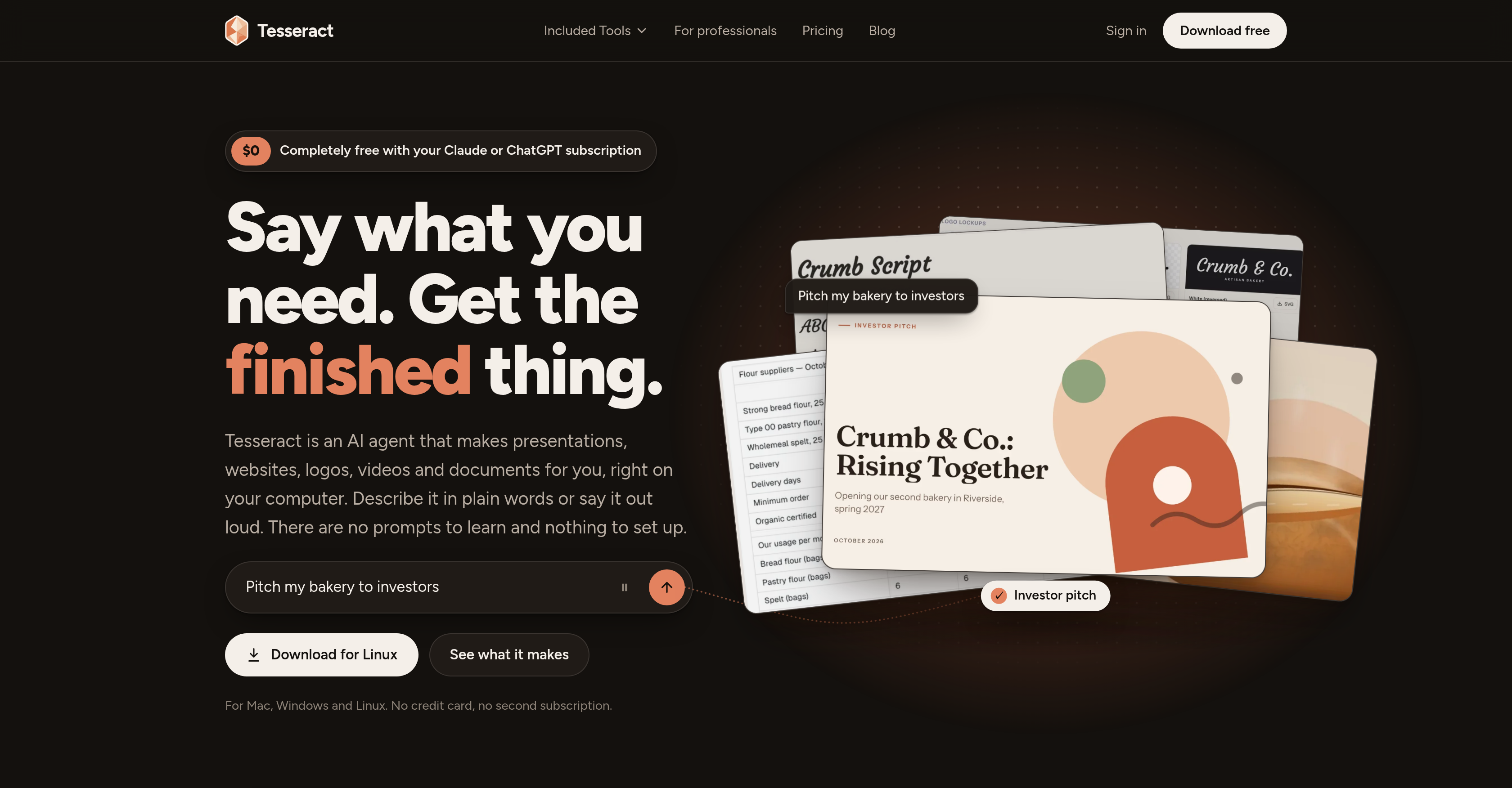
- Walk away with finished work, not just chat replies: describe the task and Tesseract delivers usable PowerPoint presentations, PDFs, images, videos and website files.
- Keep full creative control over every result: every output opens in your usual editors, so you refine slides, documents and designs by hand.
- Produce professional logos, fonts and videos without design software skills: type one sentence, speak through the microphone or start from a suggested task or guided maker.
- Launch a website faster: the AI website builder shows a live preview and hands you publish-ready files.
- Finish office paperwork in one place: built-in document tools handle word-processing files, spreadsheet formulas and charts, PDF editing, signing, markup and file conversion.
- Automate repetitive work inside any desktop application: a keyboard shortcut opens the agent over your current app with a screenshot attached, and it operates the mouse and keyboard by reading on-screen control labels.
- Stay in charge of every important action: the agent shows its plan and live progress, pauses for your approval, stops at logins for you to take over, and follows the permission level you set.
- Pay nothing extra for execution: connect your existing Claude or ChatGPT subscription or a Gemini API key with no separate subscription or usage credits, or start on the free allowance with no AI account.
- Let long jobs finish without babysitting: tasks keep running after you close the window and transfer to another connected computer, followed by a report of the decisions made.
- Keep sensitive material on your own hardware: your files stay on your computers, and the Companion password manager encrypts passwords on your device with a master password.
- Reach all your machines and your team from one workspace: remote desktop access, the private Mesh device network and Atrium team chat come built in.
- Make better business decisions with less legwork: the agent compares suppliers, reviews websites and plans your work across Mac, Windows and Linux.
Pros & Cons
From the listing; not yet checked by our editors.
Pros
- Finished editable files, not chat-only
- Exports PowerPoint, PDF, images, video
- Creates publishable website files
- Outputs open in editors
- Word document writing and layout
- Spreadsheet formulas, charts, every tab
- PDF filling, signing, markup, conversion
- Document review and editing
- Live website previews
- Logo kits with matching palettes
- Create custom fonts
- Edit videos
- Compare suppliers
- Review websites
- Plan multi-step work
- Search across 131 engines
- Deep web research
- Access stock photos
- Start requests by voice
- Suggested task starters
- Shortcut access over any app
- Automatically attach current-screen screenshot
- Mouse and keyboard across apps
- Find controls by labels
- Show actions with visual arrows
- Hand logins back to users
- Set independent-action permission levels
- Plan approval before execution
- Visible step-by-step progress
- Pause before important actions
- Continue work after closing
- Hand jobs to connected computers
- Reports of decisions made
- Remote access to personal computers
- Private network for devices
- Team chat with channels and threads
- Browser password manager included
- Switch providers per conversation
- Automatically switch accounts at limits
- No separate subscription or credits
- Available for Mac, Windows, Linux
- Remote Desktop, Mesh, Atrium apps included
Cons
- Provider usage limits still apply
- Login steps require user takeover
- Important actions require approval
- No-subscription use has a free allowance
- Gemini access requires an API key
- Available for Mac, Windows, and Linux
- Handoffs require another connected computer
Alternatives to Tesseract
Tools that share the most tags with Tesseract.
- Tendem
Eliminate the need to hire and manage freelancers for administrative work by using a hybrid system where AI handles execution and human experts provide oversight and validation.
Paid
Not listed
Not yet checked
- Levity
Eliminate manual data entry by automatically extracting critical information from emails and attachments directly into your Transportation Management System
Not listed
Not listed
Not yet checked
- Manus
Create personalized travel itineraries and custom handbooks instantly through comprehensive travel information integration
Freemium · from $16/month
$16/month
Not yet checked
- Raccoon AI
Launch production-ready web apps from a simple prompt, with full ownership of the code written in real-time and deployed in clicks.
Freemium · from $19/month
$19/month
Not yet checked
- Barie AI
Execute entire projects from a single prompt by breaking down complex tasks into parallel subtasks
Freemium · from $10/month
$10/month
Not yet checked
- Aident AI
Build reliable workflows without coding or technical help using natural language descriptions converted into working Playbooks
Freemium · from $12/month
$12/month
Not yet checked
Reviews
Rate this tool
Loading reviews...
Frequently asked questions
What kinds of finished files can Tesseract create?
Tesseract can create PowerPoint presentations, PDFs, images, videos, website files, word-processing documents, spreadsheets, logos and fonts.
Can Tesseract turn a plain-language request into an editable PowerPoint presentation?
Yes. Describe the presentation you want in plain language; Tesseract can create an editable PowerPoint file, as well as PDF or animated web-page versions.
Can Tesseract build a website that I can preview and publish?
Yes. Tesseract can build a website with a live preview and provide files ready to publish.
Does Tesseract create logos, fonts, and videos as well as documents?
Yes. Tesseract can create logos, fonts and videos, as well as documents.
Can Tesseract edit spreadsheets, add formulas, and make charts?
Yes. Its spreadsheet tools support formulas and charts, and it can edit spreadsheet files.
How does Tesseract ask for approval before taking important actions?
Tesseract shows a plan first, then opens the tools it needs and displays its progress. It pauses to ask before important actions. You can choose how much it may do without asking.
Can I let Tesseract use my mouse and keyboard in other desktop apps?
Yes. Open Tesseract over the current app with a keyboard shortcut, then it can use the mouse and keyboard to work in other desktop applications.
Will Tesseract stop and let me handle logins or sensitive steps?
Yes. Tesseract stops at logins so you can take over.