

TimeTo
Win back uninterrupted maker time for the whole team: intelligent time blocking schedules tasks by priority and deadline and marks calendars busy during critical work.
Listing not yet reviewed by our editors · How we check
Overview
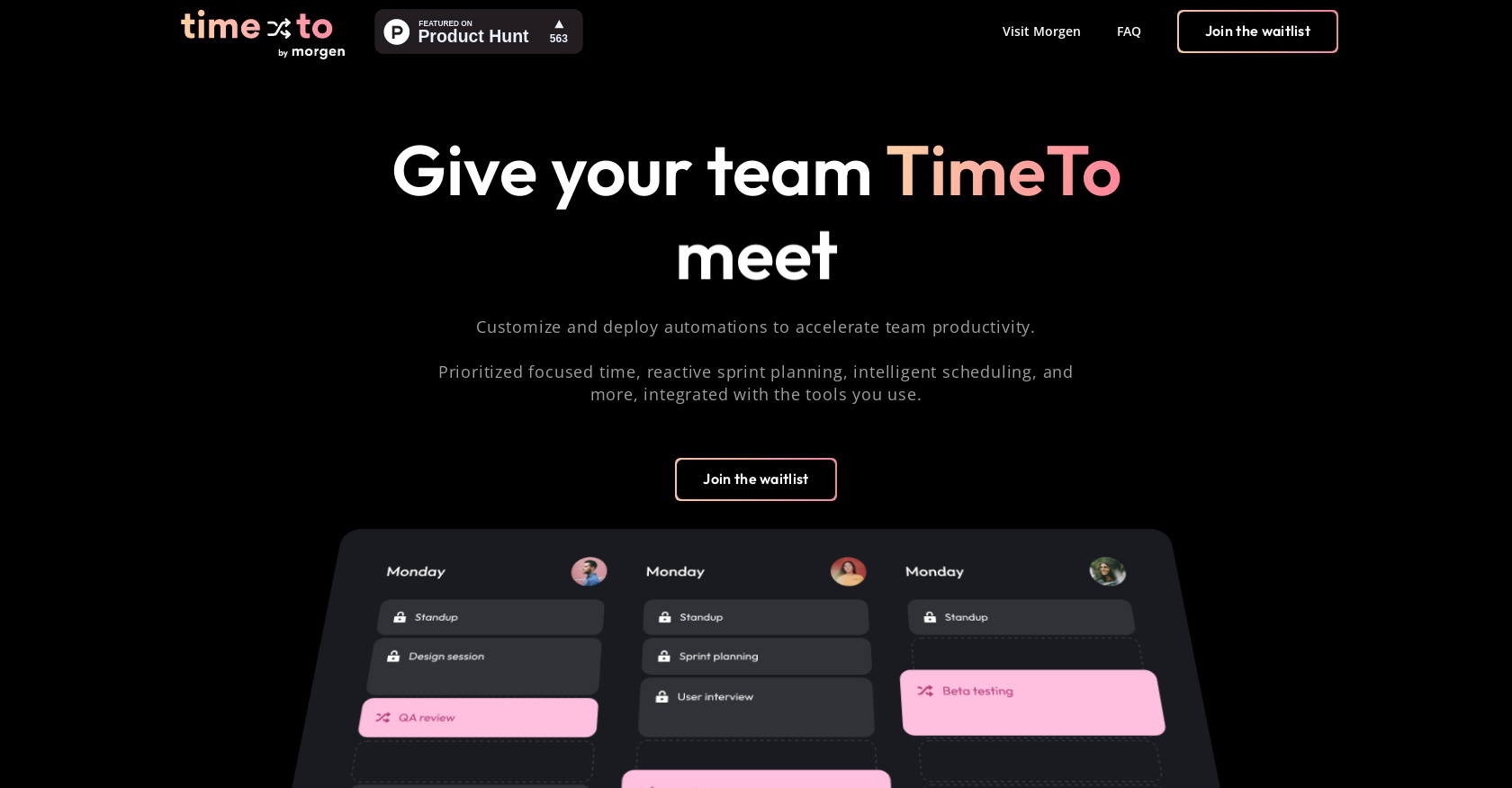
- Win back uninterrupted maker time for the whole team: intelligent time blocking schedules tasks by priority and deadline and marks calendars busy during critical work.
- Keep the week on track when plans change: reactive scheduling reshuffles team calendars in real time around new priorities, last-minute meetings, and scope changes.
- Stop meetings from fragmenting the day: smart scheduling places flexible meetings and runs dynamic calendar optimizations that consolidate focus time.
- Silence interruptions during deep work: integrations with team communication tools switch members into DND and focus modes automatically.
- Catch burnout before it costs you people: schedule intensity tracking sends break reminders after high-intensity stretches and alerts managers when someone hasn't had a recent day off or holiday.
- Build sustainable work habits into the calendar: personalized rules reserve lunch breaks and buffer time between commitments.
- Know exactly where team hours go: a time analytics dashboard breaks down meetings, fractured unproductive time, and deep work so you fix the right bottlenecks.
- Automate team workflows your way: a hackable platform with an expressive API and cron jobs lets you deploy off-the-shelf automations or your own custom code.
- Adopt time management automation without replacing your stack: TimeTo connects to existing calendars and task managers, backed by Morgen AG's privacy-first data security standards.
Pros & Cons
From the listing; not yet checked by our editors.
Pros
- Cloud-based platform
- Calendar and task manager integration
- Optimizes productivity
- Hackable platform
- Expressive API
- Allows custom code
- Reactive scheduling
- Real-time calendar reactions
- Smart scheduling
- Flexible meetings
- Dynamic optimization
- Provides actionable data
- Identifies optimization areas
- Supports burnout prevention
- Measures schedule intensity
- Alerts for no recent rest
- Team communication tool integration
- DND and focused modes
- Data security and privacy
- Integrates with team's tools
- Prioritizes high-quality work
- Time blocking support
- Automatic task scheduling
- Priorities and deadlines consideration
- Automated reminders
- Personalized rules setting
Cons
- Limited integrations with calendars
- Overreliance on user rules
- Too extensible, confusing for beginners
- High-intensity management might overwhelm
- Potential privacy issues with calendar syncing
- Lacks offline usability
- Reactive scheduling may disrupt workflow
- Difficult to understand analytics
- No designated mobile app
- Excessive notifications could distract
Alternatives to TimeTo
Tools that share the most tags with TimeTo.
- Tendem
Eliminate the need to hire and manage freelancers for administrative work by using a hybrid system where AI handles execution and human experts provide oversight and validation.
Paid
Not listed
Not yet checked
- Levity
Eliminate manual data entry by automatically extracting critical information from emails and attachments directly into your Transportation Management System
Not listed
Not listed
Not yet checked
- Manus
Create personalized travel itineraries and custom handbooks instantly through comprehensive travel information integration
Freemium · from $16/month
$16/month
Not yet checked
- Raccoon AI
Launch production-ready web apps from a simple prompt, with full ownership of the code written in real-time and deployed in clicks.
Freemium · from $19/month
$19/month
Not yet checked
- Barie AI
Execute entire projects from a single prompt by breaking down complex tasks into parallel subtasks
Freemium · from $10/month
$10/month
Not yet checked
- Aident AI
Build reliable workflows without coding or technical help using natural language descriptions converted into working Playbooks
Freemium · from $12/month
$12/month
Not yet checked
Reviews
Rate this tool
Loading reviews...
Frequently asked questions
What is TimeTo?
TimeTo is a cloud-based platform specializing in automated team time management. Its primary function is to help teams optimize productivity through AI-powered automation that connects with team calendars and task managers. This tool prioritizes focus and deep work, enabling reactive scheduling to address new priorities, last-minute meetings, and scope changes on the fly. Additionally, TimeTo integrates with a variety of team communication tools and is designed with data security and privacy in mind
How does TimeTo automate team time management?
TimeTo automates team time management by linking with team calendars and task managers. It deploys tailored AI-powered automations that help optimize productivity. Through reactive scheduling, the tool recalibrates the schedule in real-time based on new priorities or unexpected alterations, including last-minute meetings or changes in scope. Using smart scheduling, TimeTo empowers teams with the flexibly to organise meetings and carry out dynamic optimizations that increase focus and amplify productivity.
What is the role of AI in TimeTo?
AI in TimeTo plays a pivotal role in managing and optimizing team time. Utilizing AI-powered automation, the platform connects with the team's calendars and task managers, offering custom-made solutions to boost productivity. Furthermore, AI is implemented in the smart scheduling feature, allowing for adjustments to be made in real time according to shifting priorities, unexpected meetings, or changes in project scope.
How does TimeTo connect with team calendars and task managers?
TimeTo connects with team calendars and task managers through its AI-powered automation. It integrates the data from these platforms, prioritizing tasks and scheduling work and meetings accordingly. The tool adapts in real-time to new priority tasks, last-minute meetings and changes in project scope, providing a seamless connection between team's schedules and their task managers.
What is a hackable platform in the context of TimeTo?
In the context of TimeTo, a hackable platform refers to its immense flexibility and adaptability. The platform provides expressive APIs and allows users to choose from off-the-shelf automations or extensible custom code. This means teams can adjust, customise, and tweak the platform's features to best suit their specific requirements, thus maximizing productivity and efficiency.
Can TimeTo automate custom code?
Yes, TimeTo is designed to automate custom code. The hackable nature of the platform, enabled by expressive APIs and cron jobs, caters to extensible custom code. This means users can deploy their own specific automations to boost productivity.
How does reactive scheduling work in TimeTo?
Reactive scheduling in TimeTo refers to the platform's ability to adapt in real-time to new priorities, last-minute meetings, and scope changes. This feature ensures that the schedule is constantly updated and optimized, accommodating unexpected changes dynamically and maintaining the rhythm of work without interruption.
What is smart scheduling in TimeTo?
Smart scheduling in TimeTo facilitates the efficient allocation of time for team members. This dynamic feature, powered by AI, schedules meetings flexibly and carries out optimizations that significantly increase focus and productivity. It adjusts automatically to new priorities and changes, ensuring an organized, flexible, and optimized work schedule.