

TINTY
Compare staging options before spending a cent: upload an empty room photo and get three free virtual staging previews in about 30 seconds, with up to six previews per photo.
Listing not yet reviewed by our editors · How we check
Overview
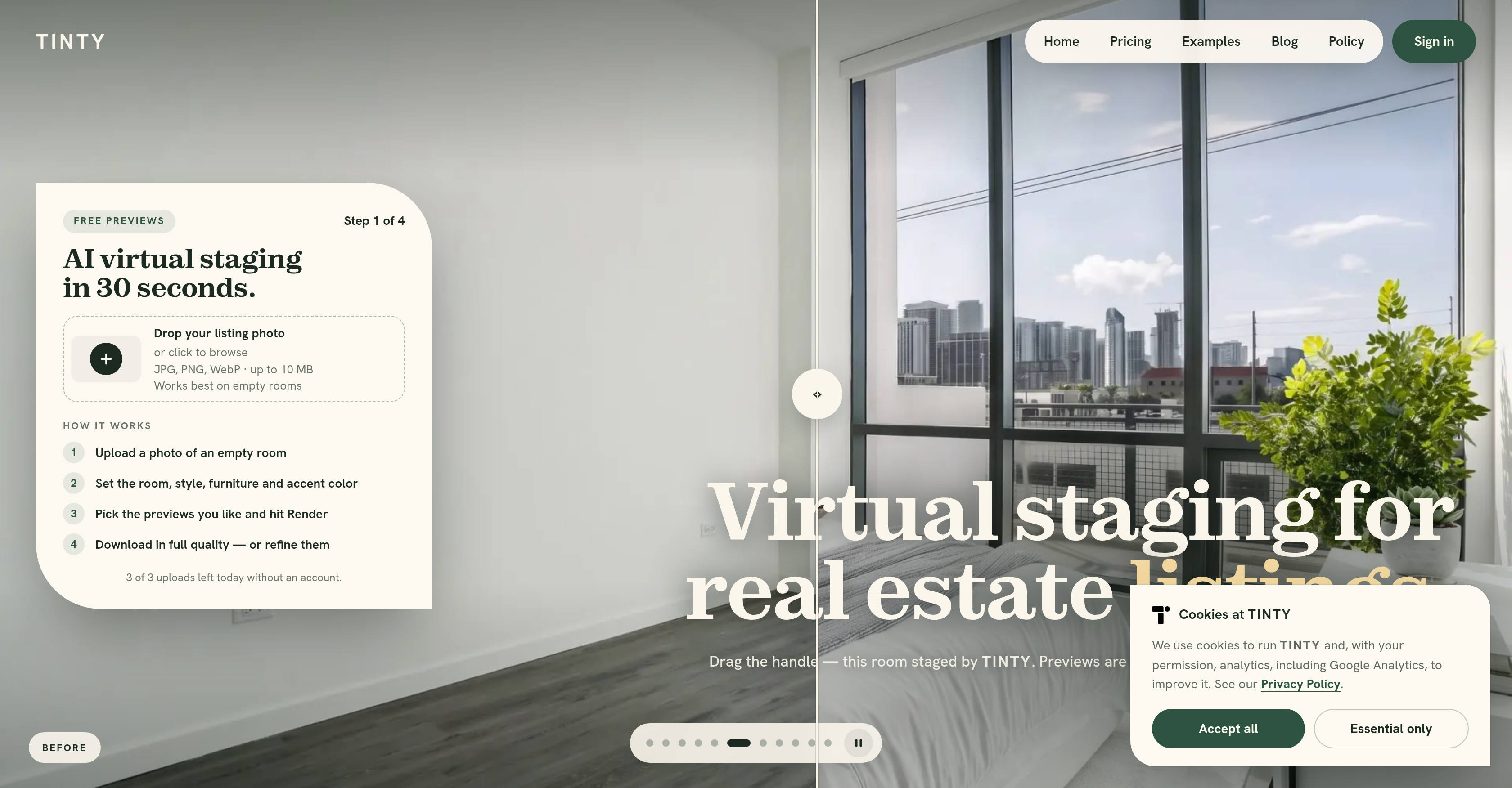
- Compare staging options before spending a cent: upload an empty room photo and get three free virtual staging previews in about 30 seconds, with up to six previews per photo.
- Market each property to its ideal buyer: stage 9 room types, including bedroom, nursery, living-dining, studio, home office and terrace, in 6 interior design styles such as Scandinavian, Japandi and Minimalist, with 7 accent colors.
- Show rooms that look spacious and uncluttered: furniture control lets you switch individual pieces on or off in each staged room.
- Publish one image everywhere a listing appears: 2K renders (about 2,500 pixels on the long side) fit MLS listings, real estate portals and letter-size print flyers, from JPG, PNG or WebP uploads up to 10 MB.
- Disclose virtual staging without extra editing: add an optional "Virtually Staged" label automatically when you download.
- Get faster sign-off from sellers and clients: shareable project links display the original empty room next to the staged version as a before-and-after comparison.
- Keep property photos confidential: your uploaded images are never used to train AI models.
- Offload staging when your schedule is full: email empty-room photos to TINTY Studio and receive AI-staged, hand-finished images within 2 to 24 hours.
- Replace physical home staging costs with predictable per-photo pricing: start on a free plan with 3 watermarked finished photos and no credit card, then pay from $9 per month or from $1.32 per 2K photo.
Pros & Cons
From the listing; not yet checked by our editors.
Pros
- Photos are not used for AI training
- Pay only for finished photos
- 2K files for MLS and print flyers
- Switch furniture pieces on or off
- 9 room types and 6 styles
- No card needed for the free plan
- Free previews in about 30 seconds
Cons
- Free finished photos carry a watermark
- 2K output, no 4K
- No furniture removal yet
- No kitchens, bathrooms or exteriors
- Empty rooms only
Alternatives to TINTY
Tools that share the most tags with TINTY.
- DeHome.ai
Visualize your perfect room in seconds, not weeks, by uploading a photo and instantly receiving multiple AI-generated design variations.
Free trial
Not listed
Not yet checked
- REimagineHome
Sell properties faster with instantly staged empty rooms using virtual staging that creates appealing spaces for potential buyers
Paid · from $14/month
$14/month
Not yet checked
- AI Kitchen Design
See your renovation ideas in photorealistic detail before spending a dollar, using AI that automatically handles lighting and composition for a true-to-life preview.
Paid · from $14/month
$14/month
Not yet checked
- Home Design AI
Visualize professional interior designs in seconds without hiring a designer using our AI-powered room transformation
Paid · from $49.99/year
$49.99/year
Not yet checked
- Interior AI
Visualize redesigns instantly by uploading room photos that AI transforms into detailed interior designs in seconds
Paid · from $17/month
$17/month
Not yet checked
- Decory AI
Visualize your dream room instantly without guesswork by generating professional designs from a simple photo, description, or room dimensions
Freemium · from $49.99/month
$49.99/month
Not yet checked
Reviews
Rate this tool
Loading reviews...
Frequently asked questions
What is Tinty Home Virtual Staging AI?
Tinty Home Virtual Staging AI is a specialized tool for virtual staging of real estate listings. It enriches user-uploaded images of empty rooms with virtual furnishings, enhancing the room's aesthetics. The application makes professional property presentations possible without the need for physical staging.
How does Tinty Home Virtual Staging AI work?
Tinty Home Virtual Staging AI operates by allowing users to upload a photo of an empty room. Then users set the room type, desired style, furniture, and accent color. The platform generates a preview of the virtually staged room in real-time.
What is the process to virtually stage a room using Tinty Home Virtual Staging AI?
To virtually stage a room using Tinty Home Virtual Staging AI, start by uploading a picture of an empty room. Next, set the room's type, the style you desire, the furniture, and an accent color. Once you've selected these settings, the platform will offer a free preview of the room. You can either download the virtually staged image in high resolution or refine it further.
Does Tinty Home Virtual Staging AI allow you to choose the room's style and furniture?
Yes, Tinty Home Virtual Staging AI allows users to set and choose the style and furniture they desire for a room. This feature enables users to customize room aesthetics according to preference.
Are there any limitations on the number of uploads per day on Tinty Home Virtual Staging AI?
Yes, Tinty Home Virtual Staging AI imposes a limitation on the number of uploads per day for users who do not have an account.
What is the cost associated with Tinty Home Virtual Staging AI?
Tinty Home Virtual Staging AI provides free previews of virtually staged rooms. However, there are costs associated with rendering and refining high-quality final images. The price for 2K final image starts from $1.32 per photo.
Does Tinty Home Virtual Staging AI work in real-time?
Yes, Tinty Home Virtual Staging AI works in real-time. It offers free previews of the virtually staged room within approximately 30 seconds.
Can Tinty Home Virtual Staging AI be used on any room?
Tinty Home Virtual Staging AI is designed to work best with empty rooms. The platform may not offer the same quality results with filled rooms.