

Tinywow
Generate compelling content instantly with AI writing tools that suggest text and structure based on your specific requirements
Listing not yet reviewed by our editors · How we check
Overview

- Generate compelling content instantly with AI writing tools that suggest text and structure based on your specific requirements
- Modify and annotate PDF documents directly in your browser without expensive software or complex installations
- Enhance and transform images using AI-powered editing tools for cropping, resizing, and applying filters
- Maintain control over your personal data with customizable privacy settings that let you manage cookie preferences
- Access all tools completely free without hidden costs or premium tiers for AI writing, PDF editing, and image enhancement
Pros & Cons
From the listing; not yet checked by our editors.
Pros
- Free to use
- Content generation
- PDF editing
- Image editing
- Personalized ads
- Personalization control
- Content impact measurement
- Data-driven audience insights
- Product development based on data
- Customizable privacy preferences
- Text suggestion
- Content relevance generation
- PDF manipulation
- PDF annotation
- Image enhancement
- Image transformation
- Filters for image editing
- Cropping images
- Resizing images
- Secure data usage
- Data usage transparency
- User IP tracked
- Device detection for optimization
- Credit card transactions facilitated
- Stripe.com integration
- Data used for website optimization
- Google Analytics integration
- Statistical data usage
- Geolocation data usage
- Device scanning for identification
- Data for ad selection
- Data for personalized ads
- Personalized content profile
- Ad performance measurement
- Content performance measurement
- Market research data application
- Offline data source linking
- Cross-device data linkage
- Automated device identification
- IP-based ad/content delivery
- Data for product development
Cons
- Uses personal data
- Data used for ads
- Unknown accuracy of content generation
- Limited PDF editing tools
- Limited image editing tools
- Personalized data based on cookies
- Lack of offline access
- Issues with IP tracking
Alternatives to Tinywow
Tools that share the most tags with Tinywow.
- Creative APIs by Picsart
Automate professional image editing workflows without manual intervention using AI-powered background removal, enhancement, and filter application
Paid · from $10/month
$10/month
Not yet checked
- RightBlogger
Generate complete SEO-friendly blog posts in minutes with the Article Writer, from introduction to conclusion
Freemium · from $24.99/month
$24.99/month
Not yet checked
- Fotor AI Kiss
Create viral social media content instantly by transforming any portrait into engaging kissing videos for platforms like TikTok and Instagram
Freemium · from $3.33/month
$3.33/month
Not yet checked
- Leonardo AI
Generate production-quality assets in seconds instead of hours using AI Art Generator that transforms prompts into unique visual content
Freemium · from $15.99
$15.99
Not yet checked
- ASMR-AI.art
Launch your ASMR channel without expensive mics or a studio by generating professional videos from simple text prompts.
Paid · from $19.90
$19.90
Not yet checked
- Auro: AI Social Post Assistant
Eliminate manual posting across multiple social networks with automated scheduling that handles content distribution for you
Freemium · from $9.99
$9.99
Not yet checked
Related Videos
TinyWow: FREE AI Tools for PDFs, Videos, & Images! 🔥
AI Mastermind · Mar 23, 2025

TinyWow - AI Writing Tools - Free Online Content Words and Sentences Creation
Imran Siddiq - Web Squadron · Jan 11, 2023
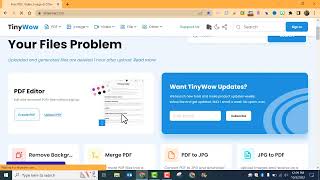

The Best FREE Tools Website EVER! 🤩 TinyWow Tutorial 🔥 Razovy Revived
Razovy · Jun 4, 2023

All Your Converting Tools In One Place - TinyWow.
Digital Solution · Jun 18, 2023
Reviews
Rate this tool
Loading reviews...
Frequently asked questions
What is TinyWow?
TinyWow is an online platform offering various AI-powered features including AI writing, PDF editing, and image editing. These tools are accessible for free to users.
How does the AI writing tool in TinyWow work?
The AI writing tool in TinyWow works by suggesting text and generating relevant content based on specific user requirements. It assists users by providing suggested structures, sentences, and phrasing options for their content needs. The specifics of the AI's training data and process are not specified.
How can I edit PDF files using TinyWow?
TinyWow's PDF editing tools allow users to modify and manipulate PDF documents. Users can make changes and annotations to their PDF files as required. Unfortunately, details about the exact process or features for PDF editing aren't given.
What features are provided for image editing in TinyWow?
The image editing features in TinyWow leverage AI technology, enabling users to enhance and transform their images. Users can utilise various tools such as filters, cropping, and resizing, although the specific functionalities are not detailed.
How does TinyWow protect my personal data?
TinyWow ensures personal data protection through the implementation of cookies to store and access information on users' devices. The platform also allows users to manage their cookie preferences and withdraw their consent at any time.
Where can I access the preference settings in TinyWow?
Users can access and manage their preference settings in TinyWow through the details section of their personal account on the website. However, the exact location of these settings is not specified.
How does TinyWow use cookies?
TinyWow uses cookies to personalize content and ads, provide social media features, and analyze traffic. The platform also shares information about the usage of their site with their social media, advertising, and analytics partners.
Is it possible to withdraw my consent for data use in TinyWow?
Yes, users have the right to manage their cookie preferences in TinyWow at any time and can withdraw their consent for data usage whenever they wish. The process for such action is not, however, detailed in the available information.