

TokLab
Stop paying for failed generations: TokLab bills only successful API requests, so failed tasks, timeouts, filtered prompts, and empty renders cost nothing while you retry and experiment.
Listing not yet reviewed by our editors · How we check
Overview
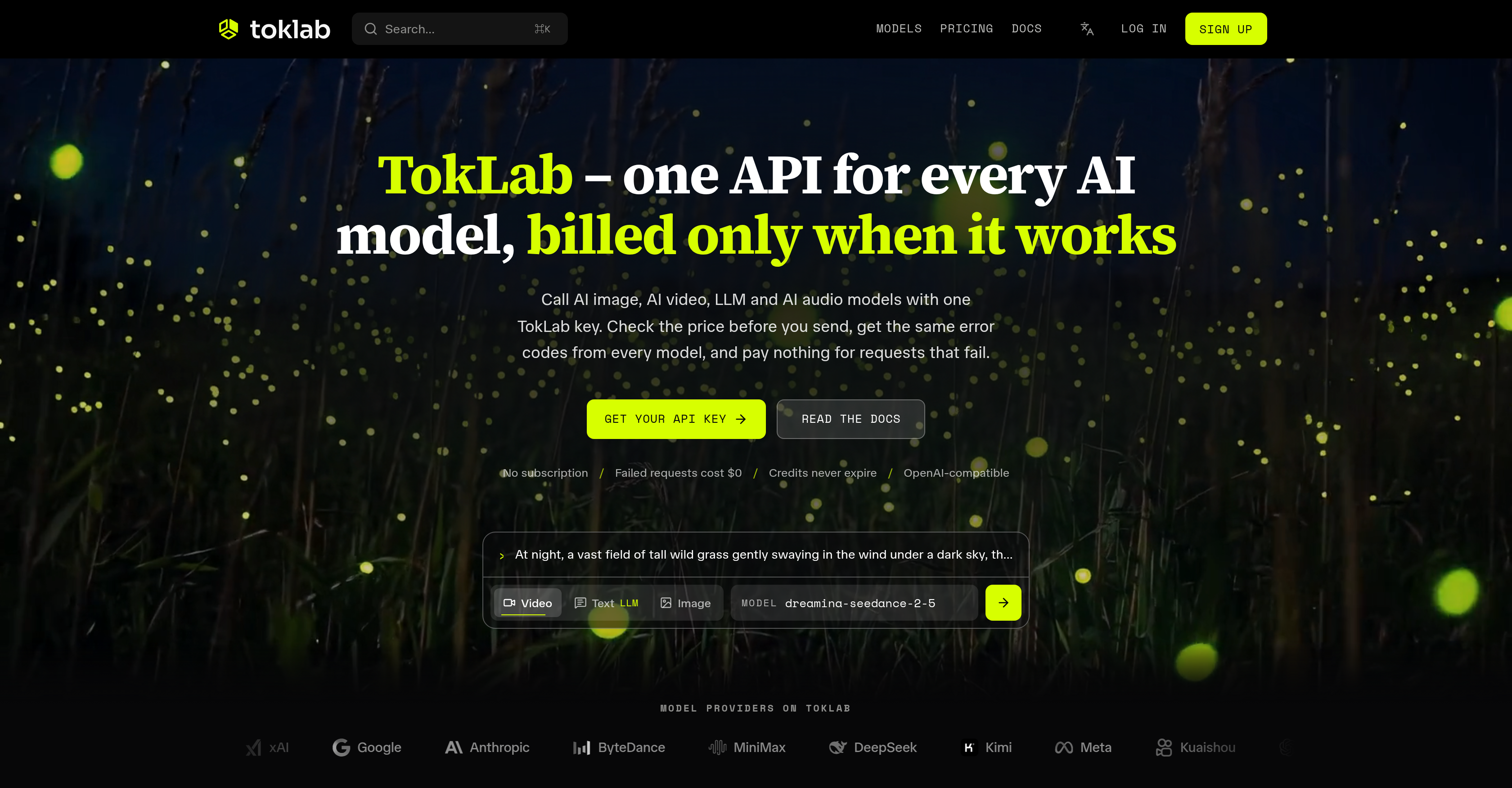
- Stop paying for failed generations: TokLab bills only successful API requests, so failed tasks, timeouts, filtered prompts, and empty renders cost nothing while you retry and experiment.
- Migrate without rewriting code: change the base URL and API key in your existing OpenAI SDK. TokLab accepts OpenAI Chat Completions and Responses, Anthropic Messages, and Gemini request formats.
- Swap AI models in seconds: change one model field to move between OpenAI, xAI, Google, Anthropic, ByteDance, MiniMax, DeepSeek, Kimi, Meta, and Kuaishou models under one account and one API key.
- Budget without subscriptions: prepaid USD credits never expire, have no monthly reset, and work across every model. Top up by card, PayPal, or cryptocurrency, with a 2% bonus on crypto.
- Know the cost before every call: each model lists its price per token, image, video second, or audio minute, plus its parameters and accepted formats. Selectable price tiers never switch automatically.
- Produce and edit visuals from one endpoint: generate images from text prompts or edit them with reference images and plain-language instructions, with outputs stored for retrieval.
- Ship video features at scale: create clips from text prompts or still images, with audio on supported models. The async task API returns a task ID you poll for status and output.
- Turn speech into ready-to-use subtitles: Whisper transcribes audio or translates it into English and returns JSON, SRT, or VTT files.
- Power chatbots, coding tools, and AI agents: language models cover chat, reasoning, code generation, and agent workflows through the same API key.
- Resolve errors faster: consistent error codes across all models come with documented next steps such as adding credits, backing off and retrying, or revising a prompt.
- Isolate and secure each application: create separate API keys per app and revoke any key instantly from the dashboard.
- Audit every dollar spent: usage history shows per-request charges alongside task logs and language-model logs with token usage.
- Run generation from your coding agent: Claude Code, Codex, and MCP clients list models, check pricing, and submit jobs directly.
Pros & Cons
From the listing; not yet checked by our editors.
Pros
- One key across providers
- Shared credits across models
- Image, video, language, audio
- 44 models across categories
- Browse models by output type
- Prices shown before requests
- Parameters shown before requests
- Request formats shown upfront
- Pay only for successful requests
- Failed tasks cost nothing
- Timeouts are not billed
- Filtered prompts are not billed
- Empty renders are not billed
- Retry without failure charges
- Prepaid USD credits
- Credits never expire
- No subscription or monthly reset
- Card, PayPal, or crypto
- Anthropic Messages support
- Gemini request format support
- Existing SDKs need URL changes
- Media jobs share one task API
- Poll media tasks by identifier
- Media files stored by TokLab
- Consistent cross-model error codes
- Documented error next steps
- Selectable model price tiers
- No automatic tier switching
- Separate keys per application
- Revoke keys in dashboard
- Request charges visible in dashboard
- Task and language logs
- Usage history for charge audits
- MCP clients can submit jobs
- Claude Code and Codex support
- Speech output as JSON, SRT, VTT
- Whisper transcription and English translation
- Edit images with reference images
- Generate video from still images
- Audio on supported video models
Cons
- Audio uses Whisper-1 only
- Translation is English-only
- Media jobs require polling
- Media files use TokLab storage
- Video audio is model-dependent
- Price tiers require manual selection
- No automatic tier switching
- Credits require prepaid top-ups
- No subscription option
Alternatives to TokLab
Tools that share the most tags with TokLab.
- CometAPI
Eliminate multiple API integrations and reduce development time with unified access to 500+ AI models through a single endpoint
Freemium
Not listed
Not yet checked
- LiteAPI
Cut LLM API costs by up to 40% through preferred contracts secured with major providers
Freemium
Not listed
Not yet checked
- Text to API
Build production-ready AI APIs in seconds instead of days with rapid construction and deployment
Not listed
Not listed
Not yet checked
- APIMart
Cut AI API costs by up to 70% compared to direct providers and platforms like Fal.ai with a unified, pay-as-you-go platform that eliminates separate billing and accounts.
Not listed
Not listed
Not yet checked
- ZEGOCLOUD
Launch communication features faster with 20+ pre-built UIKits that eliminate building from scratch
Freemium · from $0.39/unit
$0.39/unit
Not yet checked
- PoYo.ai
Access dozens of premium AI models through a single unified API without managing multiple vendor integrations
Not listed
Not listed
Not yet checked
Reviews
Rate this tool
Loading reviews...
Frequently asked questions
What is TokLab, and how does its shared API work?
TokLab is an API service for image, video, language, and audio models. A shared account, API key, and base URL provide access to models from providers including OpenAI, Anthropic, Google, ByteDance, and xAI, with common billing and request handling.
Which image, video, language, and audio models can I use through TokLab?
TokLab offers image models such as GPT Image 2.5, Nano Banana, Midjourney, and FLUX; video models such as Seedance 2.5, Veo 3.1, and Kling 4.0; language models such as GPT-6, Claude, Gemini, Kimi, and DeepSeek; and Whisper-1 for audio transcription and English translation. Its catalog lists the available models.
How do TokLab's prices compare with calling each model provider directly?
IDK
Does TokLab charge for failed requests, timeouts, or filtered prompts?
No. TokLab charges only for successful requests; failed tasks, timeouts, filtered prompts, and empty renders are not billed.
How do I estimate a TokLab request's cost before sending it?
Check the model’s price, parameters, and accepted request format in TokLab before sending a request. Prices are listed in the model’s billing unit, such as per token, image, video second, or audio minute. Some models have selectable price tiers.
Do TokLab credits expire, and is there a monthly subscription?
TokLab credits do not expire and have no monthly reset. TokLab has no subscription.
Can I top up my TokLab balance with a card, PayPal, or cryptocurrency?
Yes. You can top up in USD by card, PayPal, or cryptocurrency. Crypto top-ups receive a 2% bonus.
How do I connect an existing OpenAI SDK to TokLab?
Set the OpenAI SDK’s base URL to `https://api.toklab.ai/v1` and use your TokLab API key. You can keep the SDK and select a TokLab model in the request.