Overview
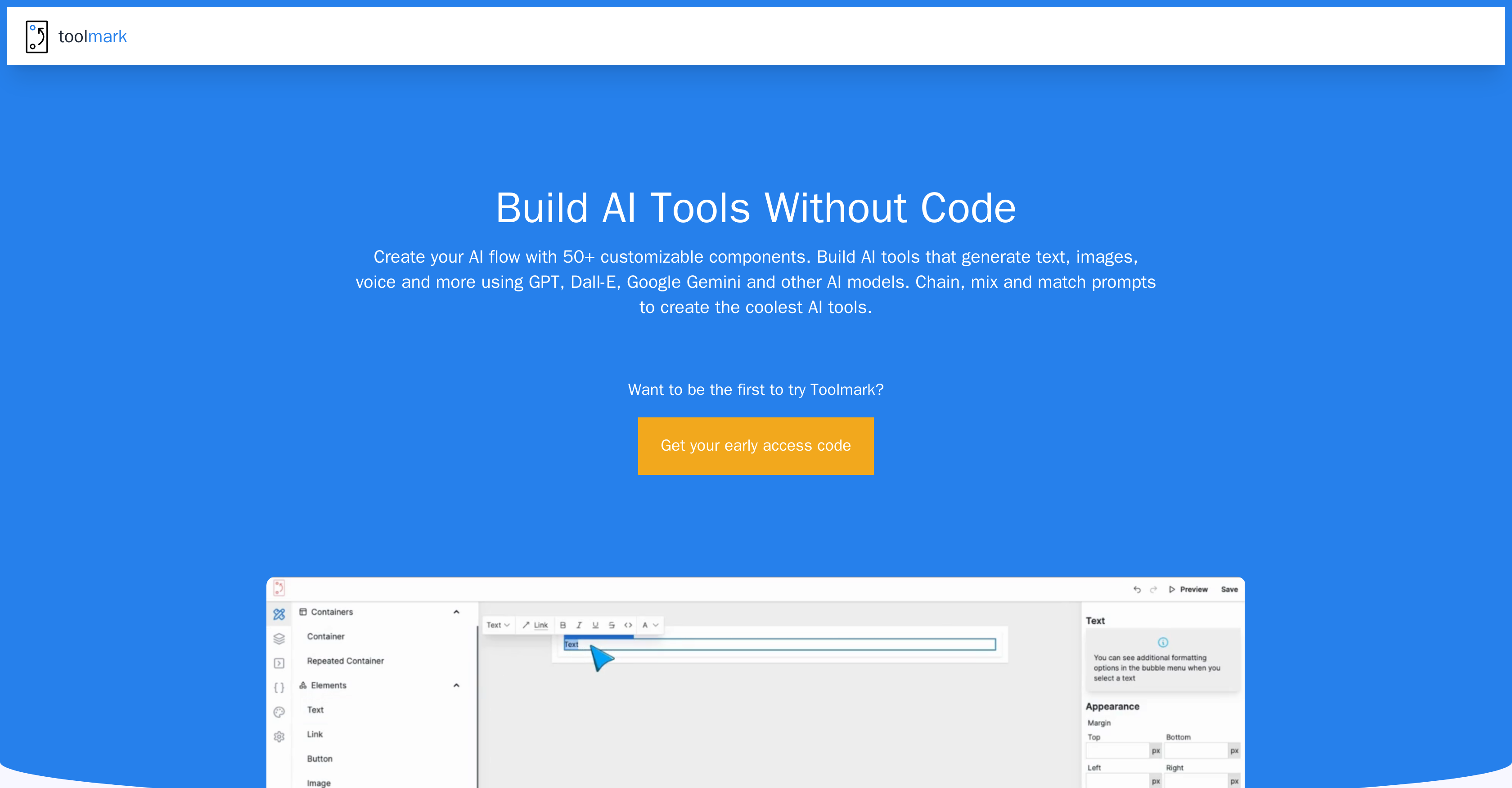
- Build custom AI tools in minutes without writing code using the intuitive drag-and-drop interface
- Generate text, images, and voice content using multiple AI models including GPT, DALL-E, and Google Gemini
- Automate complex business workflows by chaining AI prompts together for sophisticated interactions
- Embed fully functional AI tools directly on your website to enhance user engagement
- Monetize your AI expertise by selling custom tools in the built-in marketplace
- Switch between different AI models instantly with one click for optimal performance
- Customize tool appearance with themes, colors, and border radius to match your brand identity
- Create advanced AI workflows with 50+ customizable components for experienced users
Pros & Cons
Pros
- Generates text, images, voice
- Drag-and-drop interface
- No coding knowledge required
- Swift model changing
- Creator marketplace
- Tool embedding capabilities
- Customization of themes, colors
- Ideal for workflow automation
- Accessible to non-technical users
- Advanced features for experienced users
- Brand identity matching
- User-friendly tool design
- Avenue for monetization
- Supports Google Gemini
- Various business workflows automation
- Data-driven decisions enhancement
- Border radius customization
- Dynamic tool personalization
- Ideal for businesses and individuals
- Suitable for non-technical users
Cons
- No offline access
- No mobile app
- Dependent on internet speed
- Potential security concerns
- Steep learning curve for complex features
- No information about data privacy
- No parallel processing
Reviews
Rate this tool
Loading reviews...
❓ Frequently Asked Questions
Toolmark.ai is a versatile no-code AI tool builder that lets individuals and companies effortlessly create and integrate AI tools into their workflows. With a user-friendly drag-and-drop interface, advanced AI models can be used to generate content in the form of text, images, and voice without any prerequisite coding knowledge.
To create AI tools with Toolmark.ai, you can utilise the platform's user-friendly drag-and-drop interface. It doesn't require any coding knowledge and enables you to define your own AI prompts. These prompts can be chained together to facilitate complex AI interactions.
You can integrate Toolmark.ai tools into your workflows by building AI tools on the platform and embedding them on your website. This capability enhances your web presence with AI functionalities and brings sophisticated AI interactions directly to your audience.
Yes, with Toolmark.ai you can generate text, images, and voice content. The platform employs advanced AI models like GPT, Dall-E, Google Gemini and more, and allows the creation of these diverse content types.
The drag-and-drop interface in Toolmark.ai serves to dramatically simplify the process of creating AI tools. It removes the need for users to have coding knowledge, making it easily accessible for everyone, including non-technical users.
Yes, Toolmark.ai allows for the chaining of AI prompts to enable complex interactions. This feature gives users the flexibility to define their own artificial intelligence behaviors for a more dynamic and personalized experience.
Yes, Toolmark.ai includes a comprehensive selection of AI models. It does not limit users to OpenAI, but also includes models such as Google Gemini among others.
Yes, with Toolmark.ai you can switch between AI models swiftly with just a click. This provides flexibility and variety in the creation of your AI tools.
Yes, Toolmark.ai has a marketplace feature. This feature enables users to design, sell, and monetize the AI tools that they create using the platform.
You can utilize the marketplace on Toolmark.ai to design, sell, and monetize your AI tools. You can create your AI tools using the platform's drag-and-drop builder and then list them for sale on the marketplace to monetize your efforts.
Yes, you can easily embed the AI tools you create with Toolmark.ai on your website. This enhances your website with AI capabilities and brings sophisticated AI interactions directly to your audience.
Yes, Toolmark.ai offers extensive customization options for your AI tools. You can adjust the themes, colors, border radius, and more to match your brand identity.
Yes, Toolmark.ai is ideal for automating various business workflows. By creating AI tools that can perform various tasks, businesses can streamline processes, enhance productivity, and make data-driven decisions.
Yes, both businesses and individuals can use Toolmark.ai. The platform is accessible for everyone, and with its advanced features, it caters to both non-technical users and tech-savvy ones.
Toolmark.ai is accessible and user-friendly for everyone, including non-technical users. Its drag-and-drop interface makes creating AI tools a simple process.
Yes, although Toolmark.ai is designed for simplicity, it does offer advanced features for experienced users. While making it easy for beginners, the platform also caters to the needs of expert users seeking more advanced functionalities.
To use the AI flow builder in Toolmark.ai, you can start by utilizing the 50+ customizable components provided. Using the platform's drag-and-drop builder, you can create AI tools that generate text, images, voice and more. You can also chain, mix and match prompts to create more complex AI tools.
Yes, in Toolmark.ai you have the ability to tweak and change the themes, colors, and border radius. These customization options are provided to help you match your AI tools with your brand identity.
You can get early access to Toolmark.ai by signing up for it. There is a sign-up section on their website where users can get their early access code.
Yes, to reach out to the support team of Toolmark.ai for additional questions, you can send an email to [email protected]. The support team is committed to responding to queries, explaining features, and solving any issues that users might encounter.
Pricing
Pricing model
Free Trial
Paid options from
$29/month
Billing frequency
Monthly
Related Videos
Unlock the Power of AI on Any Website | Toolmark AI Chrome Extension
Toolmark AI•370 views•May 21, 2024