

TranscriptX.AI | X Spaces Transcript
Get the full text of any recorded X Space without signing in or saving audio files: paste the public x.com Space replay link and the audio is retrieved and transcribed for you, with no X account or local download.
Listing not yet reviewed by our editors · How we check
Overview
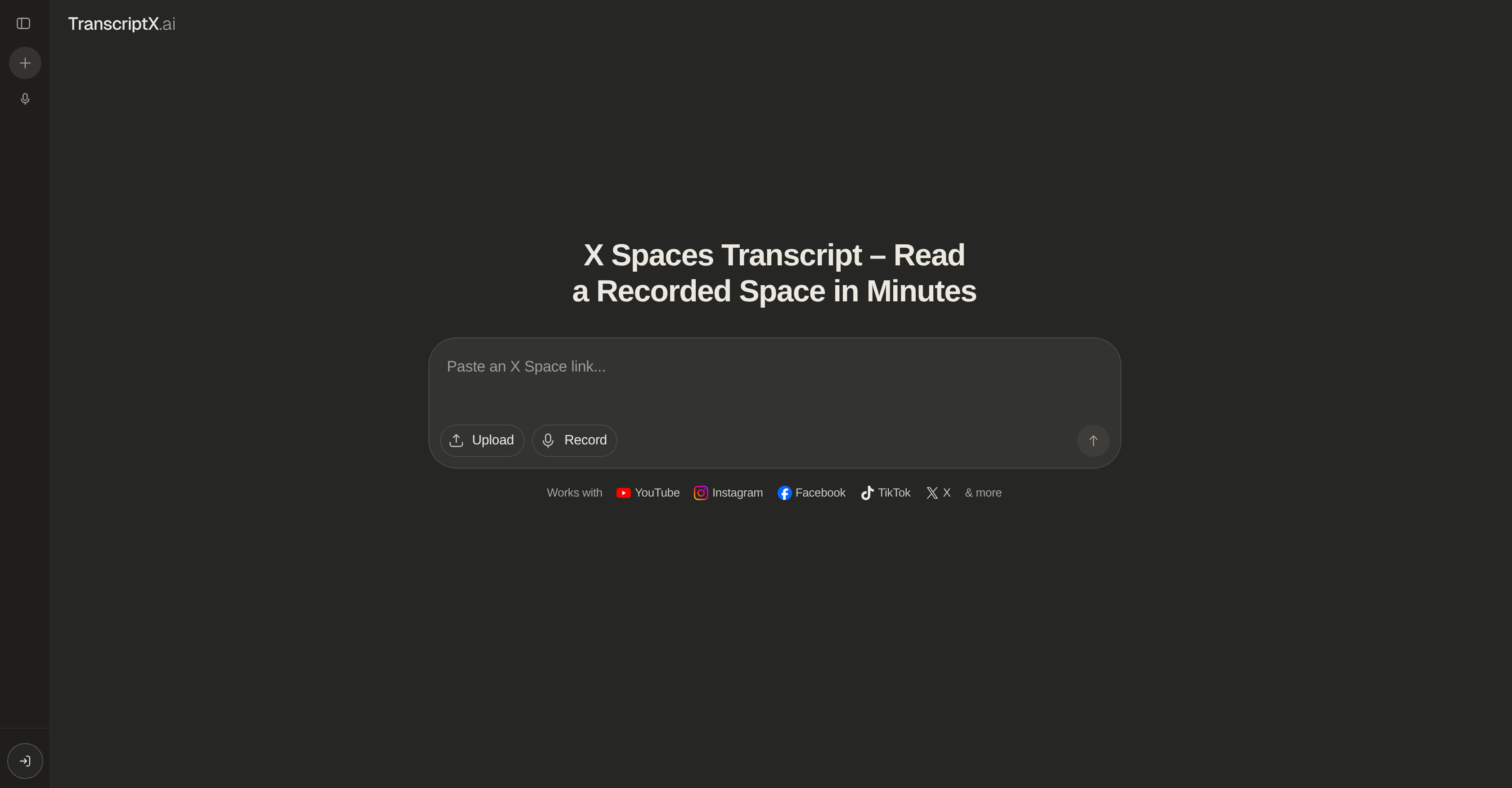
- Get the full text of any recorded X Space without signing in or saving audio files: paste the public x.com Space replay link and the audio is retrieved and transcribed for you, with no X account or local download.
- Attribute every quote to the right person in multi-host discussions: speaker labels mark each host, co-host, and guest throughout long, crowded X Spaces conversations.
- Verify any statement against the original recording: optional timestamps align with the Space replay so you jump straight to the exact moment a claim, announcement, or figure was spoken.
- Pull one topic out of a multi-hour replay in seconds: read the transcript online and search it for keywords, project names, dates, or numbers instead of re-listening.
- Publish captions and documents straight from your Space: export to SRT or VTT subtitle files ready for YouTube and accessibility workflows, or to TXT, DOCX, and PDF for recaps, show notes, and archives.
- Document international and mixed-language Spaces accurately: automatic language detection transcribes speech in over 100 languages and handles conversations that switch languages mid-discussion.
- Transcribe marathon sessions in one pass: hours of audio process without splitting, with an hour-long Space typically finished in 1–2 minutes and 10-hour recordings in roughly 10 minutes on paid plans with no daily cap.
- Start transcribing X Spaces at zero cost: a 5-hour daily free allowance requires no account or payment card and resets each day on Pacific Time.
- Keep sensitive community and roadmap discussions private: submitted audio and transcripts are automatically deleted after a few days and are never used to train AI models.
Pros & Cons
From the listing; not yet checked by our editors.
Pros
- No login required
- Direct audio retrieval via URL
- Full-length processing without splitting
- Speaker diarization with persistent labels
- Optional replay-synced timestamps
- Automatic language detection 100+ languages
- Multiple export formats supported
- Searchable online transcript interface
- Fast processing 12 min/hour
- Daily free quota 5 hours
- Unlimited length on paid plan
- Data retained only few days
- Content never used for training
- Privacy-focused deletion policy
- Handles many simultaneous speakers
- Caption generation for accessibility
- Export includes speaker IDs
- Supports subtitle formats
- Cloud-based, no local install
- No file upload needed
- URL-based audio download
- Multi-language transcription auto-detect
- Batch export of multiple formats
- Timestamp precision matching replay
- Search by term, date, figure
- Unlimited size on paid
- Handles 10-hour recordings tested
- No account for free
- Simple copy-paste interface
- Consistent speaker attribution throughout
- Supports long-form audio analysis
- No hour-cutoff limitations
- Real-time status progress indicator
- Integrated mini-game during processing
- Export ready for subtitle editors
- Compatible with media editing pipelines
- Direct integration for journalist workflow
- Accurate quote extraction with source
- No reliance on third-party storage
- Secure HTTPS retrieval
- Limited retention reduces breach risk
- Multi-speaker labeling persists across hours
- Free tier resets daily PT
Cons
- Cannot transcribe private Spaces
- Live Spaces unavailable
- Daily free limit 5 hours
- Retention only few days
- No API for automation
- URL format changes break service
- Cannot batch multiple links
- No custom speaker labeling
- Processing slows under high demand
- Export formats lack JSON output
Alternatives to TranscriptX.AI | X Spaces Transcript
Tools that share the most tags with TranscriptX.AI | X Spaces Transcript.
- SpacesRecorder
Catch Twitter Spaces you never knew were happening: SpacesRecorder watches the hosts, shows, journalists, and market commentators you follow and checks each account every two minutes, so unannounced live Spaces are recorded automatically.
Freemium · from $10/month
$10/month
Not yet checked
- DeVoice X Transcript Generator
Get a Twitter video transcript in one step without saving files: paste a public X post or Space URL and generate text directly from the link, with no download or conversion.
Freemium · from $7.99/unit
$7.99/unit
Not yet checked
Reviews
Rate this tool
Loading reviews...
Frequently asked questions
How do I get a transcript of a public X Space with TranscriptX?
On their website, you copy the public X Space replay link, paste it into the TranscriptX input box, and the service downloads the audio, processes it, and returns a full, searchable transcript with speaker labels and optional timestamps.
Can TranscriptX transcribe a live X Space before it ends?
No, TranscriptX cannot transcribe a live X Space; it only works after the Space ends and a public replay is available.
What’s the maximum length of a Space I can transcribe for free?
The free allowance is up to 5 hours of audio per day.
Do I need an X account or login to use TranscriptX?
No X account or login is required; a public link is sufficient.
How long does it take to transcribe an hour‑long Space?
An hour‑long Space is typically transcribed in about 1–2 minutes.
Are speaker labels accurate for multiple hosts and guests?
Speaker labels are applied to every voice throughout the recording, distinguishing hosts, co‑hosts, and guests across long, multi‑person discussions.
Can I download the transcript as a subtitle file for YouTube?
Yes, you can export the transcript as SRT or VTT, which are standard subtitle formats compatible with YouTube.
Which export formats does TranscriptX support?
TranscriptX supports TXT, DOCX, PDF, SRT, and VTT export formats.