
ttsMP3
Create accessible content and e-learning materials instantly by converting website text into natural-sounding speech in 28 languages and accents.
Listing not yet reviewed by our editors · How we check
Overview
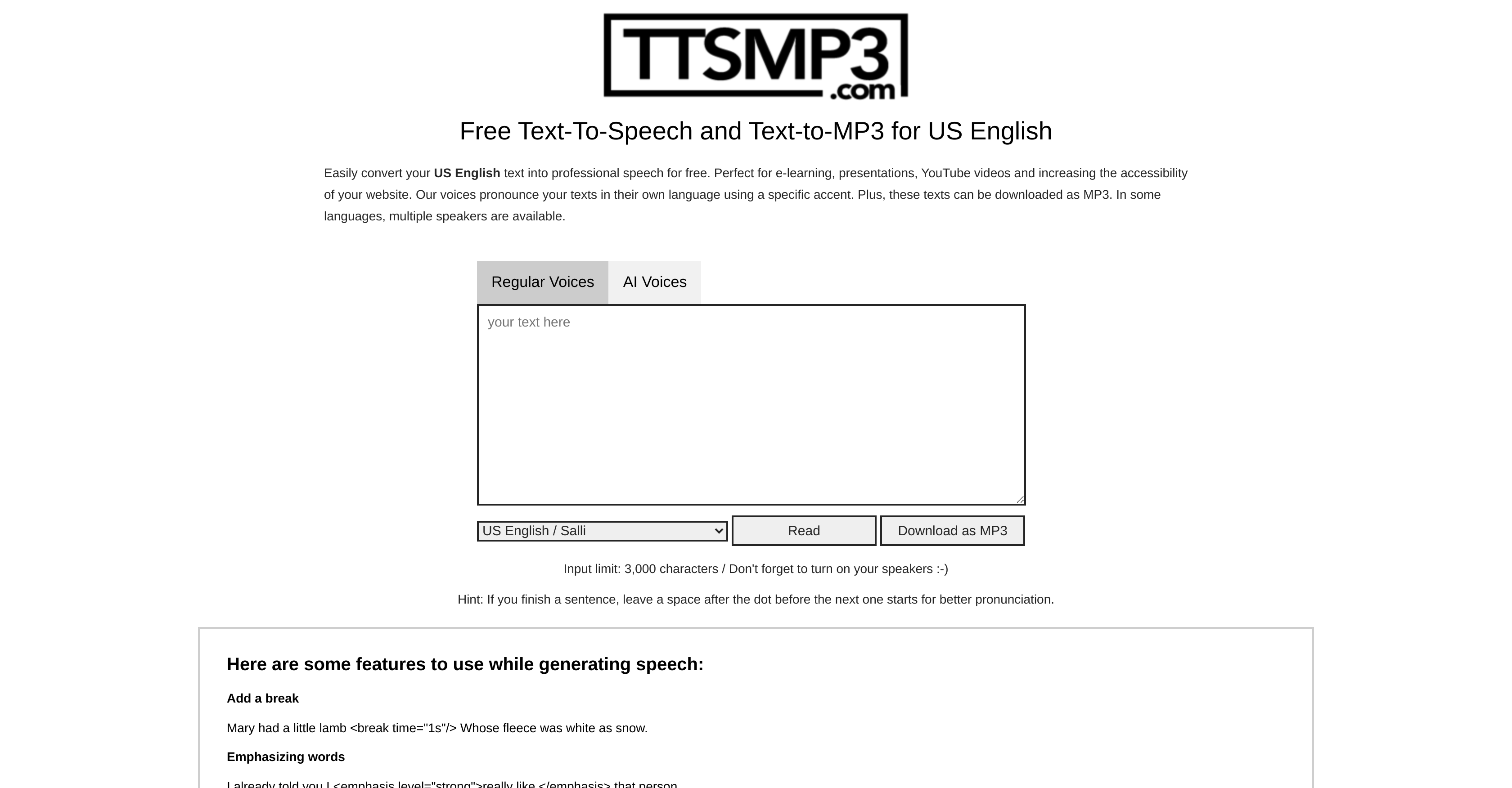
- Create accessible content and e-learning materials instantly by converting website text into natural-sounding speech in 28 languages and accents.
- Produce professional voiceovers for YouTube videos and tutorials by downloading your converted text as a ready-to-use MP3 file.
- Add dramatic effect and clarity to any audio with advanced customization like word emphasis, speech rate control, pitch adjustment, and whispering effects.
- Craft dynamic, multi-speaker audio narratives for presentations or stories by switching between different voices within a single text block.
Pros & Cons
From the listing; not yet checked by our editors.
Pros
- Free use
- 28 languages supported
- Multiple accents available
- Online listening available
- Converts speech to MP3
- Enhances website accessibility
- Can be used for e-learning
- Supports YouTube video creation
- Wide range of voices available
- Customizable speech rate
- Adds emphasized words
- Can switch speakers
- Multiple voices per language
- Can change pitch
- Supports whisper effect
- Allows for conversation simulation
- Stress-free text to speech
- Useful for various industries
- Converts long texts
- Step-by-step user instructions
- Support for Amazon Polly
- Customizable speech
- Instructions for pronunciation enhancements
- Interactive conversion process
- Provides language facts
- Supports Polished and non-polished English
- Adjustable speaking speed
- Hints for better pronunciation
- Availability of premium access
- Contains API documentation
- Maintains privacy policies
- Enforces terms of service
- Downloadable audio files
- Character limit of 3,000
- Suitable for presentations
- Helps in language learning
- Includes AWS Polly
Cons
- Limited to 3000 characters
- No offline functionality
- Limited language accents
- Choppy voice transitions
- Speech rate adjustment limitations
- Potential text formatting issues
- Limited number of voices
- Cannot handle complex pronunciations
- Requires speaker name adjustments
- Additional features require learning
Alternatives to ttsMP3
Tools that share the most tags with ttsMP3.
- Speechma
Generate professional voiceovers for social media and presentations instantly with 400+ premium AI voices featuring unique personalities and accents
Freemium · from $9/month
$9/month
Not yet checked
- Revoicer
Create human-sounding voiceovers that capture attention using emotional tones like friendly, cheerful, or excited for more engaging content
Paid · from $47
$47
Not yet checked
- WooTechy VoxDo
Generate realistic voiceovers instantly with AI text-to-speech conversion across 100+ languages and global accents
Free trial · from $15.95/month
$15.95/month
Not yet checked
- Speechactors
Produce studio-quality voiceovers instantly with an online AI voice generator that converts your text into natural, engaging speech
Freemium · from $23/month
$23/month
Not yet checked
- Resemble.ai
Clone your exact voice instantly using just a short audio sample, eliminating the need for lengthy recording sessions
Free trial · from $29/month
$29/month
Not yet checked
- Speechify Studio
Produce studio-quality voiceovers instantly with 200+ natural AI voices across 60+ languages and accents
Freemium · from $7.99
$7.99
Not yet checked
Related Videos
Text to Speech Online Free Unlimited MP3 | TTSMP3.com Full Guide
ITeePK · Jun 27, 2025
Weird voice made with ttsmp3
Shadow the werewolf ._. · Jan 4, 2019

Comparing Accents Using TTSMP3.com: Artificial Intelligence Text to Voice Transformed 2023 #shorts
Pavels Fedulovs · Jul 24, 2023
Converting Text to Speech on TTSMP3.com
Juan Pablo Zúñiga · May 27, 2022

TTSMP3 AI Review – Still Good?
HelperMan · Dec 26, 2025
Reviews
Rate this tool
Loading reviews...
Frequently asked questions
What languages does ttsMP3 support for text to speech conversion?
ttsMP3 supports 28 different languages for text to speech conversion, which include Arabic, Australian English, Brazilian Portuguese, British English, Canadian French, Castilian Spanish, Chinese Mandarin, Danish, Dutch, French, German, Icelandic, Indian English, Italian, Japanese, Korean, Mexican Spanish, Norwegian, Polish, Portuguese, Romanian, Russian, Swedish, Turkish, US English, US Spanish, Welsh and Welsh English.
Can I adjust the speech rate on ttsMP3?
Yes, ttsMP3 allows users to adjust the speech rate as a customization feature.
Is ttsMP3 a free tool?
ttsMP3 is indeed a free text-to-speech tool.
Is there an option to save my ttsMP3 speech conversion as an MP3 aside from listening online?
Yes, ttsMP3 provides users the option to download their speech conversion as an MP3 file aside from being able to listen to it online.
What are the uses of ttsMP3 as described on its website?
On ttsMP3's website, it is described as suitable for enhancing website accessibility, for use in e-learning materials, and aiding the creation of YouTube videos.
Can ttsMP3 accommodate multiple speakers in a single conversion?
Yes, users can switch between multiple speakers within a single text using ttsMP3's conversion tool.
What are the various accents available on ttsMP3?
The available accents on ttsMP3 are based on the languages it supports. Each language corresponds to its regional accent.
Is there a word limit to the text I can convert on ttsMP3?
Yes, there's a character limit to the text that can be converted on ttsMP3. It is up to 3000 characters or approximately 375 words per day.