
TypeGenius
Write faster with text predictions that learn your unique style, tone, and vocabulary across every app you use
Listing not yet reviewed by our editors · How we check
Overview
- Write faster with text predictions that learn your unique style, tone, and vocabulary across every app you use
- Eliminate grammar mistakes and typos automatically while typing in emails, messages, and social media apps
- Translate languages instantly within any conversation or document without switching between apps
- Rephrase sentences and find better synonyms to improve your writing clarity and avoid repetition
- Maintain complete privacy with a keyboard that adapts to your writing patterns without collecting your data
Pros & Cons
From the listing; not yet checked by our editors.
Pros
- Available on App Store
- For iPhone, iPad, iPod
- Text prediction functionality
- Adapts to user's style
- Suggests suitable content
- Efficient typing
- Seamly integrates with device
- Supports personal, education, professional use
- Improves writing experience
- Created for broad user base
- Enhances digital content drafting
- Handles vocabulary and tone
- Multilingual support
- Contextually aware
- Helps with typo correction
- Features a paraphrasing tool
- Works across different apps
- Easy installation and setup
- Supported by Andrew Lee Ventures LLC
- Maintains privacy, doesn't collect data
Cons
- Only available for iOS
- Language limited to English
- Lacks advanced features
- No offline use
- No explicit data privacy
- Limited user customization
- No multi-device syncing
- No version history
- Integration limited to iPhone apps
Alternatives to TypeGenius
Tools that share the most tags with TypeGenius.
- WebNovel AI
Transform initial concepts into fully structured web novels with guided story planning from theme definition to chapter completion
Freemium · from $50/month
$50/month
Not yet checked
- AI Book Writer
Generate complete manuscripts from concepts in under 30 minutes using multi-AI model support including OpenAI, Groq, and local engines
Paid · from $34.20
$34.20
Not yet checked
- Lovable Tales
Watch your child become the hero of every story with interactive character selection that puts them at the center of the adventure
Free
Not listed
Not yet checked
- AI Comic Factory
Transform text descriptions into complete comic panels instantly without any artistic ability required
Freemium · from $9.99/month
$9.99/month
Not yet checked
- RewriteBar
Eliminate app switching and write polished content instantly with AI text enhancement that works directly in any macOS application
Free trial · from $29
$29
Not yet checked
- SafeSpelling
Present perfectly polished documents by eliminating spelling and typographical errors with AI-powered analysis
Freemium · from $7.99/unit
$7.99/unit
Not yet checked
Reviews
Rate this tool
Loading reviews...
Frequently asked questions
How to install TypeGenius on my device?
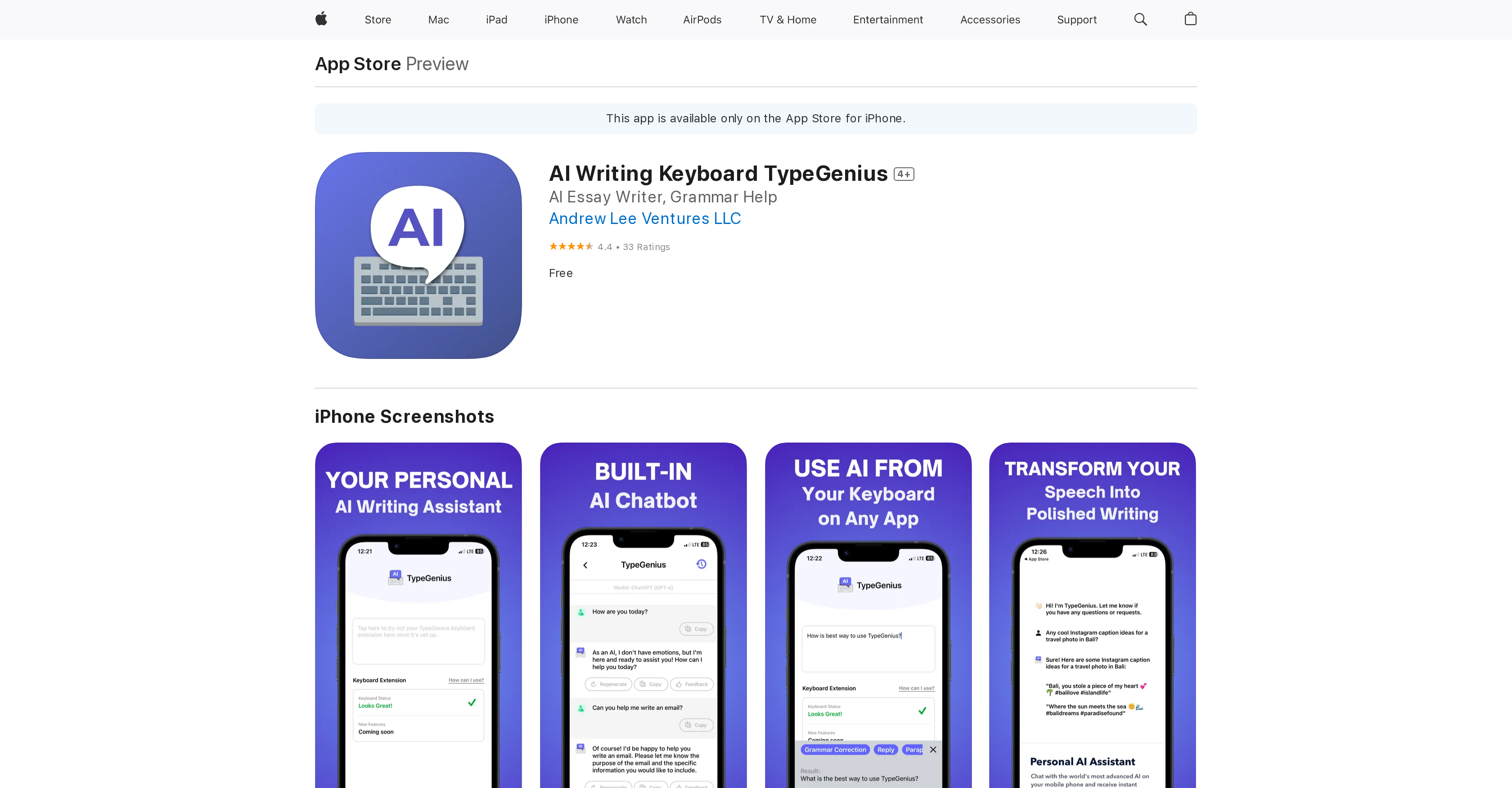
To install TypeGenius on your iPhone, navigate to your iPhone Settings, select TypeGenius, then Keyboards, and tap 'On' for TypeGenius. Now, you can use TypeGenius as a personal writing assistant in any app on your iPhone.
Is TypeGenius compatible with all iOS devices?
TypeGenius is designed for iOS devices. However, it requires iOS 16.0 or later to function. It can be installed and used on devices like the iPhone, iPad, and iPod touch that meet this requirement.
How does TypeGenius use AI to enhance the writing experience?
TypeGenius uses AI technology to improve the writing experience by incorporating advanced text prediction capabilities. It analyzes the user's writing style, tone, and vocabulary to provide accurate and contextually suitable suggestions. This helps to speed up the writing process and ensures consistency in the user's content.
What specific functions does TypeGenius offer to improve writing?
TypeGenius offers several functions to enhance user's writing. These include: fixing grammar and typos in any app, translating any language, providing complete text, paraphrasing, and finding synonyms for words. It can work perfectly in various iPhone apps including Instagram, Twitter, Gmail, iMessage, WhatsApp, Tinder, Hinge among others.
How does TypeGenius predict text based on my writing style, tone, and vocabulary?
TypeGenius uses AI-driven algorithms to predict user's text. The system analyzes the user's pattern of writing including style, tone, and vocabulary. Using this data, it provides text suggestions that match user's unique writing characteristics thus enabling a more personalized and accurate prediction.
What are the benefits of using TypeGenius for writing digital content?
Using TypeGenius for writing digital content offers significant benefits. It speeds up the writing process by providing accurate and contextually suitable suggestions. It helps in fixing grammatical errors and typos, paraphrasing text, translating languages, and finding synonyms for words. It can be used in any iPhone app enhancing consistency and productivity while saving time.
Is TypeGenius easy to integrate with other functions of my device?
Yes, TypeGenius is designed to integrate seamlessly with user's device. It essentially replaces the device's keyboard, extending its functionally with additional AI-driven features. This allows it to work in any iPhone app, making it easy for users to write emails, prepare documents, or communicate on social platforms.
Is TypeGenius suitable for educational purposes?
Absolutely, TypeGenius can be effectively used for educational purposes. Its functions like text prediction, paraphrasing, grammar, and typo correction can assist students in drafting digital content. Additionally, it can translate languages, which can be useful for language learning or understanding foreign text.