

UnfoldAI
Stop hunting for the cause of a crash: Automatic Errors Detection watches your VS Code terminal and delivers a fix the moment an error appears.
Listing not yet reviewed by our editors · How we check
Overview
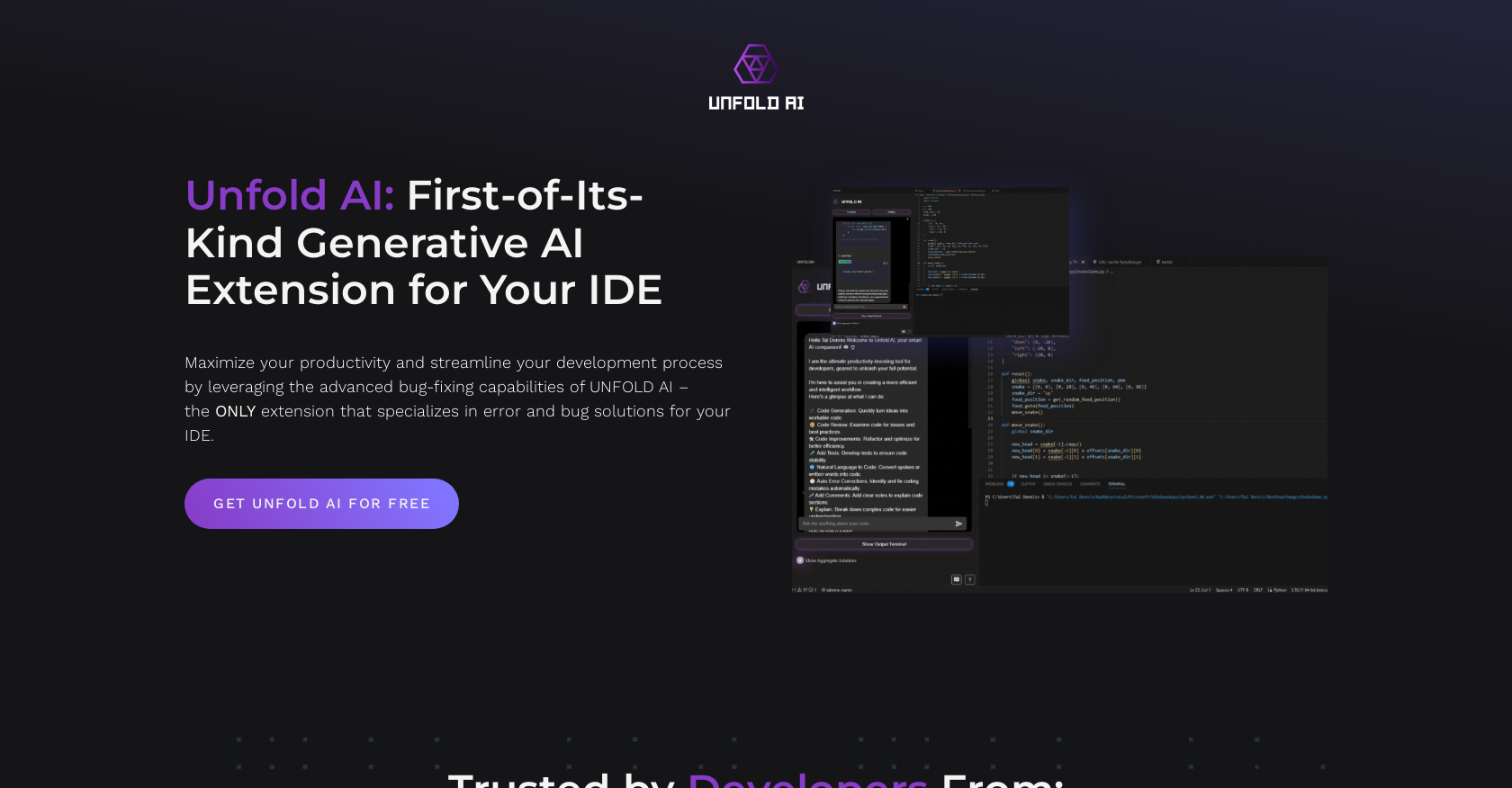
- Stop hunting for the cause of a crash: Automatic Errors Detection watches your VS Code terminal and delivers a fix the moment an error appears.
- Resolve terminal errors in a single click: the Unfold Bug Solution button gathers the error context, runs it through the AI model, and shows the solution directly in the UI terminal.
- Get precise bug fixes instead of generic guesses: Attach Code sends the suspect snippet with the error so the debugging answer targets your actual code.
- Fix errors your terminal never caught: Manual Error Solution accepts errors from external sources or ones that slipped past detection.
- Spot recurring bugs across sessions: Show Aggregate Solutions compiles error solutions from your log history into one view.
- Clean up code issues before they break your build: Find Problems scans your code and resolves issues in place.
- Write code faster with fewer keystrokes: Complete Code supplies intelligent code completion as you type in Visual Studio Code.
- Understand unfamiliar code and write better code: Ask The Model In Your Own Words lets you question the AI coding assistant in plain language.
- Pay once and own it for life: the Pro version unlocks a code-specific trained AI, advanced QA features, and a 10x faster algorithm with no OpenAI account required.
- Start debugging at no cost: the free version includes automatic error detection, manual error solutions, code attachment, aggregated solutions, and plain-language questions.
- Reclaim an average of 2 hours of coding time, as measured in beta testing, by focusing exclusively on bug and error solutions inside the IDE.
- Get unblocked any hour of the day: 24/7 support is available by email and across major social channels.
- Be first in line for your IDE: join the waiting list for upcoming PyCharm, IntelliJ, Android Studio, Visual Studio, and Eclipse support, plus Linux and macOS.
Pros & Cons
From the listing; not yet checked by our editors.
Pros
- Real-time bug solutions
- Automatic errors detection
- Intelligent code completion
- Focus on error solutions
- Time-saving tool
- Available free version
- Pro version with advanced features
- Supports Visual Studio Code
- Coming soon to Linux, macOS
- In development for major IDEs
- Waiting list for new IDEs
- Advanced QA features
- Unfold Manual Error Solution
- Ask Model In Own Words
- Show Aggregate Solutions
- Attach Code feature
- Pro version x10 faster
Cons
- Only supports Visual Studio Code
- Limited to Windows OS
- Limited platform compatibility
- Doesn't support PyCharm, IntelliJ
- Not yet available for Linux, macOS
- Requires waiting list for new IDEs
- Advanced features only in pro version
- Potential risk of not functioning perfectly
- Gathers user metadata
Alternatives to UnfoldAI
Tools that share the most tags with UnfoldAI.
- Explain by Whybug
Understand complex error messages instantly with AI analysis trained on StackExchange data
Free
Not listed
Not yet checked
- Multiplayer.app
Eliminate guesswork in bug reports by capturing the entire application stack—frontend screens, backend traces, logs, and API calls—all correlated in a single replay.
Free trial · from $20/month
$20/month
Not yet checked
- Anycode AI
Fix 6x more code vulnerabilities within the same timeframe through automated detection and rapid remediation
Not listed
Not listed
Not yet checked
- Raygun
Fix software errors in minutes instead of hours with AI-powered error resolution that analyzes patterns and recommends specific solutions
Free trial · from $40/year
$40/year
Not yet checked
- Grit.io
Complete code migrations 10x faster than manual efforts with automated pull request generation for technical debt cleanup
Freemium · from $39/month
$39/month
Not yet checked
- DevLensPro
Fix UI bugs instantly by clicking problematic elements, with real-time WebSocket delivery to Claude Code for immediate AI analysis and correction
Freemium · from $11.95/month
$11.95/month
Not yet checked
Reviews
Rate this tool
Loading reviews...
Frequently asked questions
What is the primary function of Unfold AI?
Unfold AI's primary function is to enhance productivity and streamline the development process for developers by providing real-time bug and error solutions within the Visual Studio Code IDE. It offers features like automatic error detection, problem finding, and intelligent code completion.
How does Unfold AI detect and solve errors in my code?
Unfold AI makes use of two features to identify and resolve errors. The 'Automatic Errors Detection' feature monitors your terminal and offers automated solutions when it detects errors. The 'Unfold Bug Solution' button, when clicked after an error occurs in the terminal, collects necessary information and parameters, processes them with the AI model, and presents a solution in the UI Terminal.
What features does the Unfold AI free version offer?
The free version of Unfold AI offers automatic detection of errors, a manual error solution feature, an option to ask the AI model in your own words, a feature to show aggregated solutions, and an ability to attach code.
What advanced features are available in the Unfold AI pro version?
The pro version of Unfold AI brings more advanced features, including a code-specific trained AI, lifetime access after a one-time payment, no need for OpenAI registration, advanced QA features, and an algorithm that is ten times faster and smarter than the free version.
How can Unfold AI improve my coding speed?
Unfold AI can enhance your coding speed through its 'Complete Code' feature. This feature provides intelligent code completion, allowing for a more seamless programming experience.
Does Unfold AI support IDEs other than Visual Studio Code?
Currently, Unfold AI supports only the Visual Studio Code IDE. However, its availability for other major IDEs like PyCharm, Visual Studio, Android Studio, IntelliJ, and Eclipse is under development.
Can I use Unfold AI on Android Studio, PyCharm, or Eclipse?
Support for Android Studio, PyCharm, and Eclipse is in the pipeline as Unfold AI is in development for these IDEs. Developers interested can join the waiting list to receive notifications when their preferred IDE becomes available.
How does the 'Find Problems' feature in Unfold AI work?
'Find Problems' is a feature in Unfold AI that aids developers to detect and solve code issues seamlessly.