

VibeMV
Get a music video that moves with your track, not against it: song analysis reads beat, sections, vocals, rhythm changes, and mood to build a shot plan and cinematic visual direction.
Listing not yet reviewed by our editors · How we check
Overview
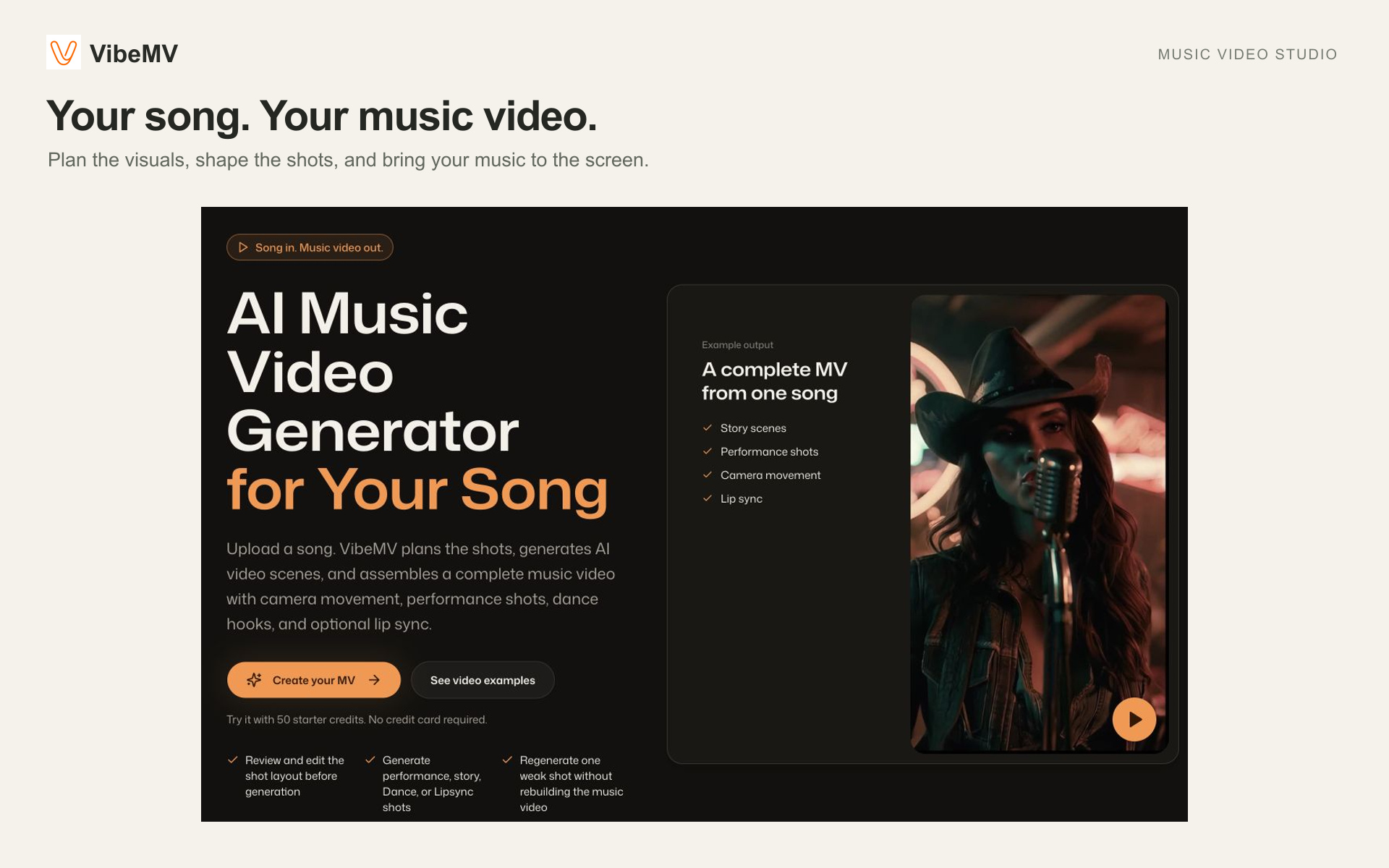
- Get a music video that moves with your track, not against it: song analysis reads beat, sections, vocals, rhythm changes, and mood to build a shot plan and cinematic visual direction.
- Release a full multi-scene music video instead of a looping visualizer or isolated clips: performance, story, dance, and lip-sync shots are generated and assembled into one complete video with your original audio.
- Lock in the creative direction before spending credits: the shot layout and Creative plan let you review shot order, timing, and visual prompts, then edit the image or video prompt for any individual shot.
- Fix a weak moment without starting over: regenerate a single start frame or shot video while keeping every shot that already works.
- Put your artist on screen delivering the vocals: lip-sync shots match mouth and head movement to a singer's or rapper's vocal line while keeping the microphone, studio lighting, and performer composition intact.
- Publish to YouTube and vertical platforms like Reels, Shorts, and TikTok from one project: MP4 export in landscape 16:9 or vertical 9:16, at 720p standard or optional 2K.
- Start with the audio file you already have: upload MP3, WAV, AAC, M4A, FLAC, or AIFF tracks from 3 seconds to 7 minutes, up to 100MB.
- Test the full workflow at no cost: 50 one-time starter credits with no credit card required, and commercial use of your music videos with an active paid subscription.
Pros & Cons
From the listing; not yet checked by our editors.
Pros
- Transforms audio to video
- Plans video shots
- Complete music video generation
- Supports beat, section, vocal analysis
- Mood analysis capability
- Supports multiple audio formats
- Flexible output styles
- Performance, story, dance, lip-sync clips creation
- Beat-aware scene creation
- Optional lip-sync support
- 4-step video creation process
- Multiple genres of video assembly
- Supports commercial use
- Assembles cohesive music video
- Optimized for song lengths
- Generates cinematic visual direction
- Automated video editing
- Subscription for commercial use
- Stands out from simple music visualizers
- 16:9 or 9:16 output
- Distinguishes song sections for treatment
- Option for multi-scene videos
- Works with queue load
- Features despite model behavior
- Song-based video generation pipeline
- Adjusts for different song modes
- Supports various song dynamics
- Intact performer composition in output
- Creates videos fit for multiple platforms
- Audio file conversion to video
- Creates polished music-video mood
- Accommodates vocalist-driven videos
- Generates short-form hook videos
- Builds up on single song file
- Possibility for longer music video creation
- Visual direction choice in generation
- Video reviews before export
- Optimized for short waveform visuals
- Supports mic performance visuals
- Commercial use on paid plans
- Visualization supports teaser or cover-art visuals
- Includes credit system for video generation
- Supports video generation retries
Cons
- Long generation times
- Commercial use requires subscription
- No API
- Limited audio file size
- No single use commercial option
- Dependent on queue load
- Fixed aspect ratios
- Output style might vary
- Generation cost unclear
- Quota on song length
Alternatives to VibeMV
Tools that share the most tags with VibeMV.
- yesTool | AI Music Video
Create professional animated music videos from any song and image with automatic lip-sync accuracy using Wan S2V AI technology
Freemium · from $14.90/month
$14.90/month
Not yet checked
- Plazmapunk
Transform your music into professional videos in minutes with fast generation that eliminates long rendering times
Freemium · from $5.78/month
$5.78/month
Not yet checked
- AirMusic - AI Music Video Generator
Instantly produce a complete, multi-scene music video from any song with one click using Director Mode for fast, professional results.
Paid · from $11.90/month
$11.90/month
Not yet checked
- 1MoreShot
Create professional music videos from your tracks in minutes using automated AI generation
Freemium · from $8.25/month
$8.25/month
Not yet checked
- LABEL IQ AI
Transform images, lyrics, and keywords into professional music and videos using AI creation tools
Free trial · from $5
$5
Not yet checked
- BeatViz AI
Transform any audio track into professional music videos with perfect beat synchronization using AI-powered audio-visual analysis
Free trial · from $13.90/month
$13.90/month
Not yet checked
Reviews
Rate this tool
Loading reviews...
Frequently asked questions
What is VibeMV?
VibeMV is an AI-powered tool designed to transform audio files into visually appealing music videos. The user uploads a song and VibeMV takes care of the rest - planning the shots, creating AI video scenes, and compiling a complete music video, with camera movement and optional lip sync.
How does VibeMV work?
VibeMV works in four steps: analyzing the song, planning the shots, generating the scenes, and assembling the music video. It reads the beat, sections, vocals, and mood of the song to create a cinematic visual direction.
What kinds of videos can VibeMV create?
VibeMV can create a variety of videos, including performance, story, dance or lip-sync clips. These clips can be assembled into a cohesive music video.
Does VibeMV support all audio formats?
VibeMV supports a variety of audio file formats including MP3, WAV, AAC, M4A, FLAC, and AIFF.
How long does it take to create a music video with VibeMV?
The duration for generating a video from audio on VibeMV varies. It depends on multiple factors such as song length, selected mode, queue load, and model behavior.
Can I use VibeMV for commercial purposes?
Yes, commercial use for the videos generated by VibeMV is available but is only included with subscriptions.
How does VibeMV analyze a song?
VibeMV analyzes a song by reading the beat, sections, vocals, and mood. This analysis is used to create a cinematic visual direction for the music video.
What kind of scenes can VibeMV generate?
VibeMV can generate a variety of scenes. It creates performance, story, dance or lip-sync clips, based on the analysis of the song.