

VidFlux - Image to Video AI
Overview
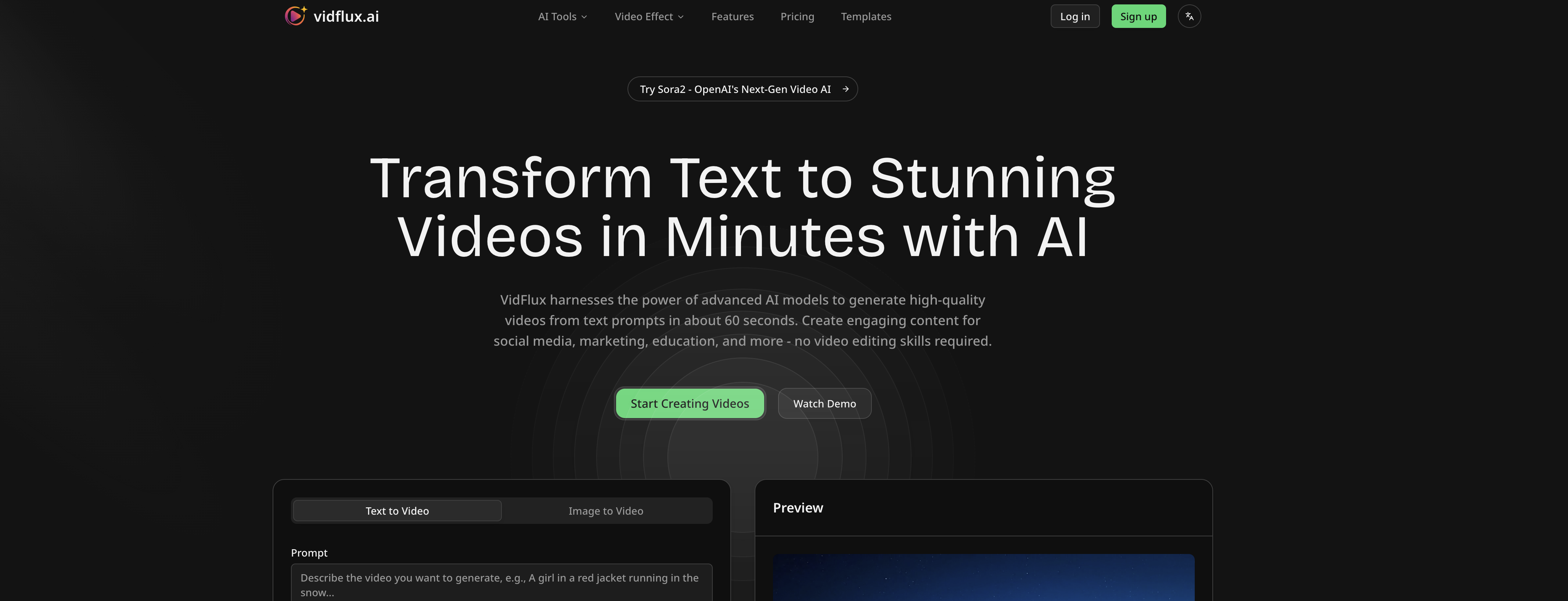
- Create professional-grade videos from images without switching between multiple tools using our all-in-one platform with integrated AI models
- Achieve precise frame-to-frame control for detailed video editing and professional finishing
- Generate videos rapidly while maintaining visual consistency across all frames for coherent output
- Preview your video results before full generation to ensure perfect outcomes every time
- Access multiple advanced AI models including Google Veo 3.1, Sora 2, and Kling AI in one platform
- Estimate credit requirements before creating videos to manage your resources effectively
- Upload images in JPG, PNG, or WEBP formats with flexible size options up to 10MB
- Create videos in both 16:9 and 9:16 aspect ratios for different platforms and requirements
Pros & Cons
Pros
- Supports various image formats
- Frame to frame control
- Allows rapid video generation
- Ensures visual consistency
- Supports different aspect ratios
- Provides credit estimation
- Allows for video preview
- Streamlined workflow
- Produces professional-grade videos
- Transforms any image
- No need to switch tools
- Google Veo 3.1 integration
- Sora 2 integration
- Multi-image reference feature
- Fast video generation
- All-in-one platform
- Single-platform access to 6+ models
- Efficient solution for video needs
- Preview end result
- Easy to upload images
- Supports images up to 10MB
- User-friendly interface
- Allows optional prompts for generation
- Charges as per credits used
- Toggle sidebar menu for ease
- Multi-language support
- Generates MP4 videos
- Create videos in about a minute
- Compatible with Chrome Extension
- Detailed product and pricing info
- Compliant with legal standards
- Unified platform for top-tier models
- Seamless video creation from images
Cons
- Limited image size upload
- Credits required for video generation
- No direct API mentioned
- Possibly expensive
- No Chrome extension for images
- No other language support mentioned
- No free trial mentioned
Reviews
Rate this tool
Loading reviews...
❓ Frequently Asked Questions
VidFlux.ai is an all-in-one image to video platform that uses artificial intelligence to transform images into videos.
VidFlux.ai uses artificial intelligence by applying multiple advanced AI models such as Google Veo 3.1, Sora 2, Kling AI, Runway, Seedance, and Wan AI to enhance the transformation of the uploaded images into videos that offer professional-grade quality.
Users can upload images on VidFlux.ai by clicking on the 'upload image' button or option provided on their website. The accepted file formats are JPG, PNG, and WEBP.
VidFlux.ai uses several AI models, including Google Veo 3.1, Sora 2, Kling AI, Runway, Seedance, and Wan AI. These models enhance the transformation of uploaded images into professional-grade videos.
Yes, users can switch between different AI models in VidFlux.ai. All these models are integrated into a single platform, allowing for a more seamless experience and the possibility to change models without having to use different tools.
Having frame to frame control in VidFlux.ai refers to the user's capability to control each individual frame of their video. This allows for a higher level of precision in editing, resulting in a more professionally finished video.
Rapid generation with visual consistency in VidFlux.ai pertains to the platform's ability to quickly generate videos while maintaining a smooth, visually coherent output from frame to frame, providing a more professional finished product.
The supported aspect ratios on VidFlux.ai are 16:9 and 9:16. Having these options accommodates a wider range of video standards and user requirements.
VidFlux.ai offers a feature where users can see an estimation of the credits required to create a video. This information is made available when uploading an image and choosing the desired settings for video creation.
Yes, VidFlux.ai provides a preview feature. Users can get a glimpse of the end result of their video before the full generation.
VidFlux.ai supports various image formats, including JPG, PNG, and WEBP. These diverse options ensure the platform is adaptable and accessible for various user needs.
Yes, there are size limitations for the images you can upload on VidFlux.ai. The maximum size allowed is up to 10MB, and the minimum pixel requirement is 300px.
VidFlux.ai transforms images to videos through the application of several AI models which analyse the given image and generate the corresponding video. The transformation is enhanced to the point where the output is akin to a professional-grade video.
Using VidFlux.ai, users can create videos that offer professional-grade quality. While the exact type or style of video would differ based on the parameters set by the user and the images used, the output invariably results in a high quality, aesthetically coherent video.
There are different AI models in VidFlux.ai because each AI model has its own unique capabilities and strengths in converting images to videos. The variety allows users to take advantage of the specific benefits each model provides for an optimized video creation experience.
'All-in-one platform' in VidFlux.ai refers to the integration of multiple AI models into a single interface or platform. This simplifies and streamlines the user experience, since users can access several high-performing image-to-video AI models without needing to switch between different tools or platforms.
VidFlux.ai provides professional-grade video creation from images through the advanced AI models it utilizes, allowing for frame-to-frame control, rapid generation with visual consistency, and the integration of multiple models for versatile image-to-video transformations.
The role of the AI models - Google Veo 3.1, Sora 2, Kling AI, Runway, Seedance, and Wan AI in VidFlux.ai is to convert the uploaded images into videos. Each AI model offers its unique capabilities that enhance the video generation process and overall output, hence improving the quality and visual credibility of videos created on the platform.
VidFlux.ai is called an 'Image to Video AI' because it leverages AI models to transform images into videos, streamlining the video creation process through automation and enhancing the quality of output.
From VidFlux's streamlined workflow, users can expect a seamless and efficient process of transforming images into videos. It integrates multiple AI models into one platform, enabling easy switching between models, precise frame-by-frame control, rapid generation of outputs and a consistent, high-quality end product.
Pricing
Pricing model
Paid
Paid options from
$9/month
Billing frequency
Monthly
Related Videos
Create stunning videos in minutes! #video #aitrendingshorts #trendingvideos #socialvideos
ProfitHmm•4 views•Sep 19, 2025









