

Viducer
Publish complete long-form YouTube videos up to 60 minutes from one voiceover, with full video generation that plans, edits, and subtitles the whole video instead of producing short clips.
Listing not yet reviewed by our editors · How we check
Overview
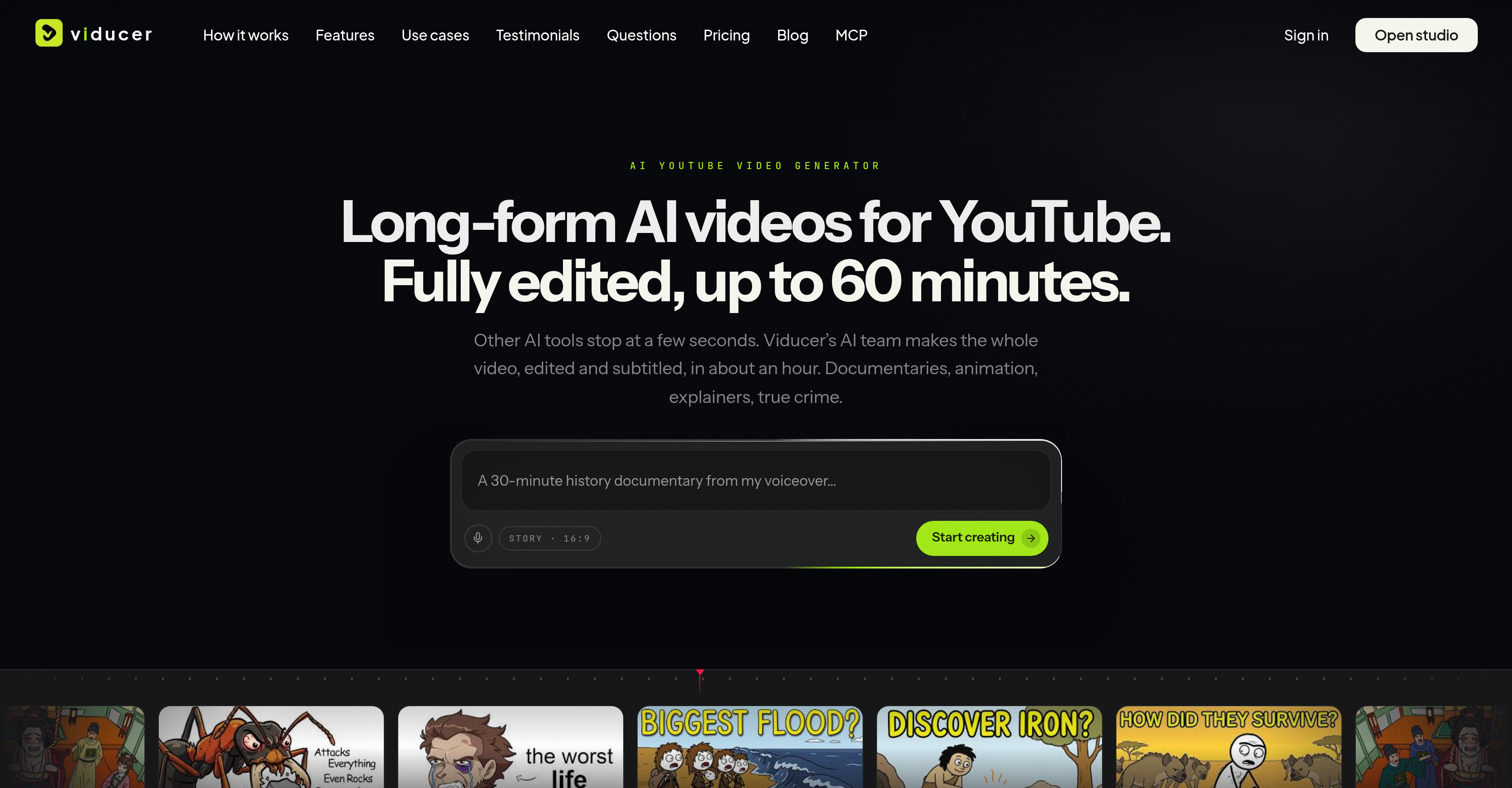
- Publish complete long-form YouTube videos up to 60 minutes from one voiceover, with full video generation that plans, edits, and subtitles the whole video instead of producing short clips.
- Keep a structured, well-paced story across an hour of content, because automatic chapter detection splits your voiceover into sections and plans every scene independently.
- Give viewers a consistent animated world from first frame to last, as the director function designs characters and locations from your script and locks one visual style for the entire video.
- Match the rhythm your niche expects, with visuals and pacing that adjust automatically for animated documentaries, explainers, true crime, mythology, and top 10 videos.
- Approve your budget before spending anything, with an upfront cost estimate shown on one card alongside your cast and locked style, and nothing renders until you confirm.
- Pay only for successful renders, because a failed render triggers an automatic refund of the exact cost to your balance with no request needed.
- Make a revision once and see it everywhere, since every change you request is applied across the entire video project.
- Reach viewers who watch without sound at no extra cost, with free subtitles that are auto-generated from your voiceover, synced to the audio, and burned into the final video.
Pros & Cons
From the listing; not yet checked by our editors.
Pros
- Long-form YouTube videos
- Full video creation
- Animated content proficiency
- Chapters isolation
- Independent scene planning
- Cost estimation upfront
- Director function included
- Visual style consistency
- Handles diverse content formats
- Accommodates user input
- Automatic failed render refund
- Automatically synced subtitles
- Video rendering capability
- Supports 'top 10' videos
- Supports documentaries
- Supports explainers
- Supports true crime stories
- Supports mythologies
- Auto subtitles inclusion
- Locked visual style
- Characters and locations design
- Entire project amendments
- Auto-refund for failed renders
- Pacing changes per format
- Art re-renders for changes
- Film re-cuts for free
- Implements changes across all frames
- Failed render auto-refunds
- Subtitles generated, synced, and cut for free
- Supports varied YouTube niches
- Accommodates complex content like space, science, tech, finance
- Provides constant characters for consistency
- Enables high upload frequency
- Reduces video creation time
- Cost effective compared to traditional methods
- Outputs consistent visual style across videos
- Accepts and actually implements user feedback
- One brief accommodates multiple output cuts
Cons
- Reliant on voiceover quality
- Limited visual style locking
- Unspecified render failure conditions
- Re-rendering may be slow
- No multi-lingual subtitle support
- Limited to YouTube format
- Limited content formats
- Unable to create short clips
- Cannot edit generated subtitles
- Inflexibility in scene planning
Alternatives to Viducer
Tools that share the most tags with Viducer.
- Common Sense Machines (CSM)
Transform text, images, or sketches into game-engine ready 3D worlds instantly using AI-powered conversion
Freemium · from $20/month
$20/month
Not yet checked
- Kaiber
Transform text descriptions into captivating video sequences instantly using advanced AI algorithms that interpret your input for contextually accurate results
Free trial · from $5/month
$5/month
Not yet checked
- Freepik AI Video Generator
Transform text scripts into complete videos with custom shot types and transitions for coherent storytelling
Freemium · from $5/month
$5/month
Not yet checked
- LitVideo: AI Video Generator
Web app that generates video, images and music from text or images, using several third-party video models in one place.
Freemium · from $7.50/month
$7.50/month
Nov 24, 2026
- MagicLight
Transform written scripts into complete animated videos automatically with story-to-video generation
Freemium · from $7.5/month
$7.5/month
Not yet checked
- MyHeritage Deep Nostalgia
See your ancestors come to life with realistic facial movements using deep learning technology
Freemium
Not listed
Not yet checked
Reviews
Rate this tool
Loading reviews...
Frequently asked questions
What is Viducer?
Viducer is an advanced AI tool designed with the purpose of creating long-form videos for YouTube. The heavyweight of this platform is its capacity to produce fully edited videos that can last up to 60 minutes. Instead of merely working with clips, Viducer allows for the generation of complete video content, inclusive of animated formats. It accepts a voiceover from users and subsequently employs this to plan, edit, and subtitle the video.
How does Viducer utilize voiceovers in video creation?
In Viducer's process, the user's voiceover plays a foundational role. This crucial piece of input is read by the AI, which enables it to detect different chapters and methodically plan every scene of the user's long-form video. This step incurs no cost for the reading process.
How does Viducer accommodate different content types such as documentaries, explainers, true crime stories, and more?
Viducer integrates several content formats, making it a versatile AI utility. With the capability to manage animated content types such as documentaries and explainers, it also efficiently handles genres like true crime stories, mythology, and 'top 10' videos. The AI seamlessly adjusts the visual composition and pacing of the content according to the format.
How does Viducer 'isolate' chapters from a voiceover?
Viducer isolates chapters from a voiceover through an AI-powered process. After receiving a user's input voiceover, Viducer's technology reads and divides it into separate chapters. This allows for each segment of the video to be independently planned and edited.
What does the 'director' function in Viducer do?
Viducer's 'director' function performs the role of a creative overseer. It designs characters and locations based on the script of the video. This feature is capable of locking onto a specific visual style, then ensuring this uniform look is maintained throughout the entire video, from start to finish.
How is Viducer capable of maintaining a consistent visual style throughout the video?
To maintain a consistent visual style throughout the video, Viducer employs its 'director' function. This feature latches onto one visual style based on the script and design consensus, and upholds it consistently across the entire video. Whether it involves character design, location settings, or overall aesthetic, Viducer ensures the chosen style echoes throughout all the scenes.
How does Viducer accommodate user input and make necessary changes?
When a user wishes to input changes or adjustments, Viducer facilitates this input and integrates it into the project. Any correction or modification suggested by the user is applied across the entire project. This process aids in the creation of a consistent, unified final product.
How does Viducer handle failed video renders?
In the event of a failed video render, Viducer provides an automatic refund. This means that if the render of a video project fails, the cost for that process is immediately refunded to the user, without the need for specific requests or lengthy procedures.