

Overview
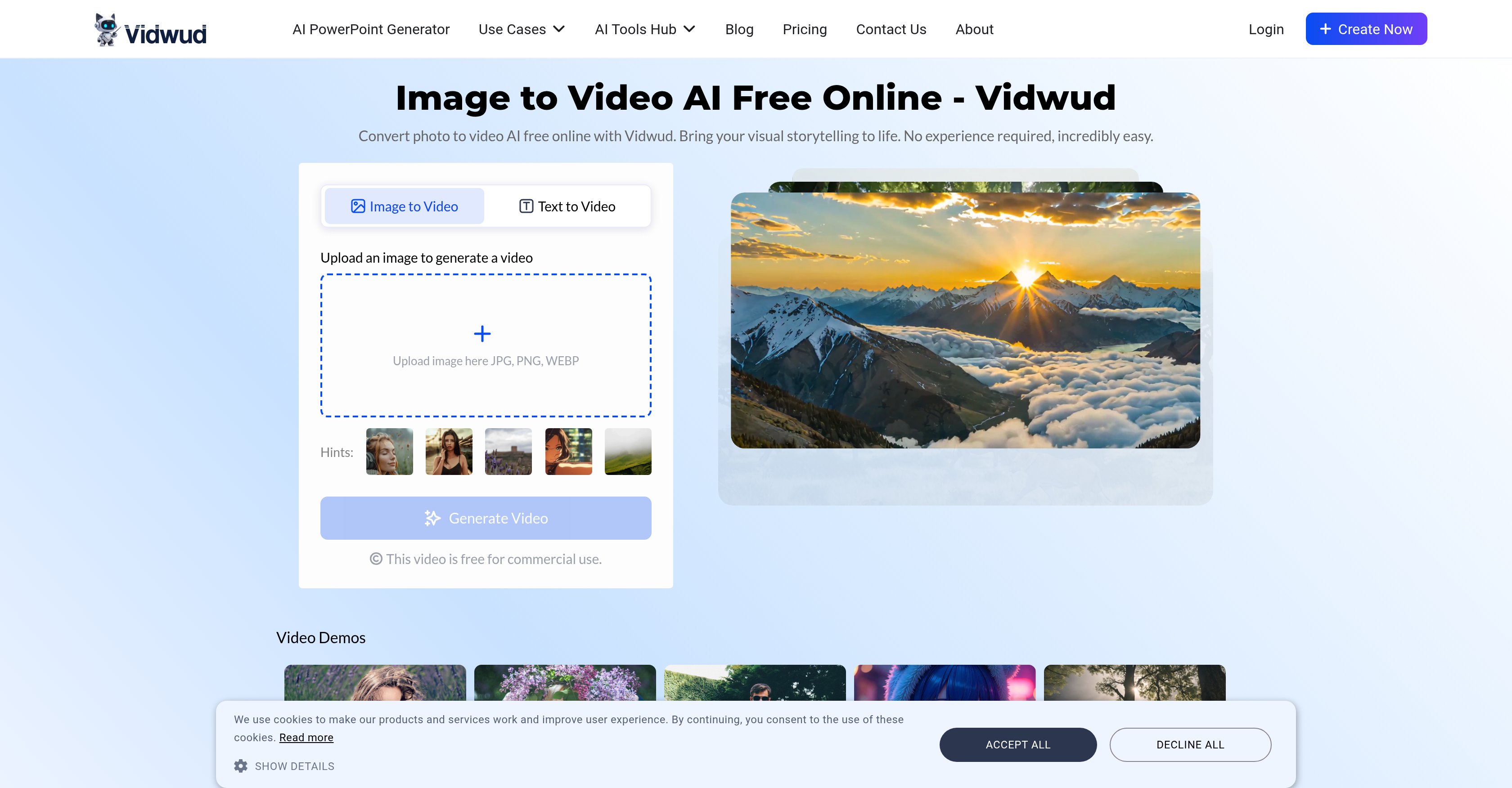
- Create professional videos from photos without editing skills using one-click AI transformation
- Generate engaging advertising content by converting static product images into dynamic demonstration videos
- Produce tutorial videos quickly by transforming step-by-step images and text descriptions into compelling guides
- Build dynamic art portfolios by animating artwork images with smooth motion and vibrant color reproduction
- Share videos directly to social media platforms immediately after creation with built-in sharing features
- Access video creation on any device without downloads since it works on both mobile and desktop browsers
- Own all commercial rights to videos you create for business or personal projects without hidden costs
- Convert multiple image formats including JPG, PNG, and WEBP into high-quality video outputs
Pros & Cons
Pros
- High-quality video outputs
- Smooth motion in videos
- Vibrant color reproduction
- Fast conversion speed
- One-click transformation
- No technical skill required
- No editing experience needed
- Suitable for creating ads
- Can transform descriptions to videos
- Creates product demonstration videos
- Facilitates creating personal projects
- Helps in social media posts creation
- Converts images of artwork to videos
- User-friendly interface
- Enables text to video conversion
- Suitable for tutorial video creation
- Facilitates e-commerce product demonstrations
- Supports personal project video creation
- User-oriented video editing
- Supports JPG, PNG, WEBP formats
- Integrates smart motion prediction
- Free online service
- Images and text can be uploaded
- Facilitates streamlining video production
- Creates captivating content fast
- Perfect for all skill levels
- Free for commercial use
- Supports sharing and downloading
- Quality videos with smooth transitions
- Cost-free tool
- Produces stunning visual effects
- Optimized for superior outputs
- No steep learning curve
- Allows ownership of generated videos
Cons
- Limited customization options
- Limited audio options
- No offline availability
- Unsupported other file formats
- Conversion time inconsistencies
- No direct integration with social media
- Requires credit purchase for premium features
- No option for manual editing
- No multi-language support
Reviews
Rate this tool
Loading reviews...
❓ Frequently Asked Questions
Vidwud Image to Video is an AI-powered tool that transforms static images and texts into dynamic, high-quality videos. It is designed to be simple and convenient, requiring no technical skill or editing experience. With this tool, users can easily convert their images and texts into vibrant and compelling videos.
Vidwud Image to Video works by using AI technology to analyze the uploaded images or typed texts. It then uses the analysis to create a compelling video output with smooth motion and vibrant color reproduction. The user simply needs to upload their images or texts and then the tool takes care of the rest.
Yes, Vidwud Image to Video can convert both images and texts into videos. Users can upload their images or type in their texts into the tool, which will then use its AI technology to turn the inputs into dynamic and vibrant videos.
Absolutely. Vidwud Image to Video is designed to be user-friendly and easy to use. It provides a one-click transformation process that makes video creation and editing incredibly accessible. No technical skills or editing experience are required to use the tool, making it a great choice for non-tech savvy users.
Yes, Vidwud Image to Video can be utilized to create more engaging visuals for advertising purposes. By converting static images into dynamic videos, it assists in creating compelling advertising content.
Indeed, Vidwud Image to Video is a suitable tool for creating tutorial videos. It has the capacity to transform descriptions or step-by-step images into engaging tutorial videos, which could be a great aid for educational purposes.
Yes, Vidwud Image to Video can be used to create social media posts. The tool allows for the creation of vibrant and captivating videos, making it an excellent choice for developing engaging social media content.
Certainly, Vidwud Image to Video can be used to create videos for e-commerce product demonstrations. It can transform static images and detailed descriptions of products into dynamic, high-quality videos that effectively showcase product features and benefits.
Yes, Vidwud Image to Video ensures high-quality outputs characterized by smooth motion and vibrant color reproduction. This is made possible by the advanced AI technology that underlies the tool's operation.
Vidwud Image to Video is notable for its fast conversion speed and high output quality which sets it apart from traditional image to video converters. Unlike traditional converters that often have a low speed generation and produce poor quality basics image splices, Vidwud provides high quality video outputs with smooth transitions and fast conversion from static images to videos.
The One-Click Transformation feature in Vidwud Image to Video simplifies the video creation process. Users simply need to upload their images or type in their texts, and with one click, the tool uses AI technology to convert the input into a vibrant video.
Yes, artwork can indeed be turned into dynamic videos using Vidwud Image to Video. Users can upload images of artwork to the tool, which will then transform them into dynamic and visually engaging videos.
Yes, Vidwud Image to Video supports the upload of different image formats. The supported formats include JPG, PNG, and WEBP.
Indeed, videos created with Vidwud Image to Video can be directly shared to social media platforms. The tool includes a Share feature that makes it easy to share your compelling videos with others via platforms like Facebook and Twitter.
Vidwud Image to Video is accessible both on mobile devices and desktop. This online tool is device-agnostic and doesn't require downloading any third-party software for access.
Vidwud Image to Video is free to use. There are no hidden costs, making it a cost-effective solution for converting photos to videos.
Yes, personal projects such as birthday party videos or travel montages can be created using Vidwud Image to Video. Users can use the tool to compile photos and turn them into compelling videos perfect for sharing with friends or family.
Yes, Vidwud Image to Video utilizes advanced AI technology in the video creation process. This AI technology is the backbone of the tool's capacity to transform static images and texts into dynamic, high-quality videos.
The conversion speed of images to videos in Vidwud Image to Video is notably fast. This is thanks to the advanced AI technology underlying the tool which allows it to swiftly analyze and convert inputs into engaging video outputs.
Yes, users retain the rights to the videos they create using Vidwud Image to Video. The tool allows for commercial usage of the videos, granting users full ownership of their generated content.
Pricing
Pricing model
Paid
Paid options from
$12.99
Billing frequency
One-time
Refund policy
Refunds are available for unused credits caused by service errors and for forgotten cancellations if no credits are used. Half-yearly and annual plans allow refunds within 7 days, with amounts depending on credit usage.










