

Xona AI
See your room redesigned before moving a single piece of furniture: upload a photo of your space, choose a style, and the AI interior design generator renders a complete room makeover.
Listing not yet reviewed by our editors · How we check
Overview
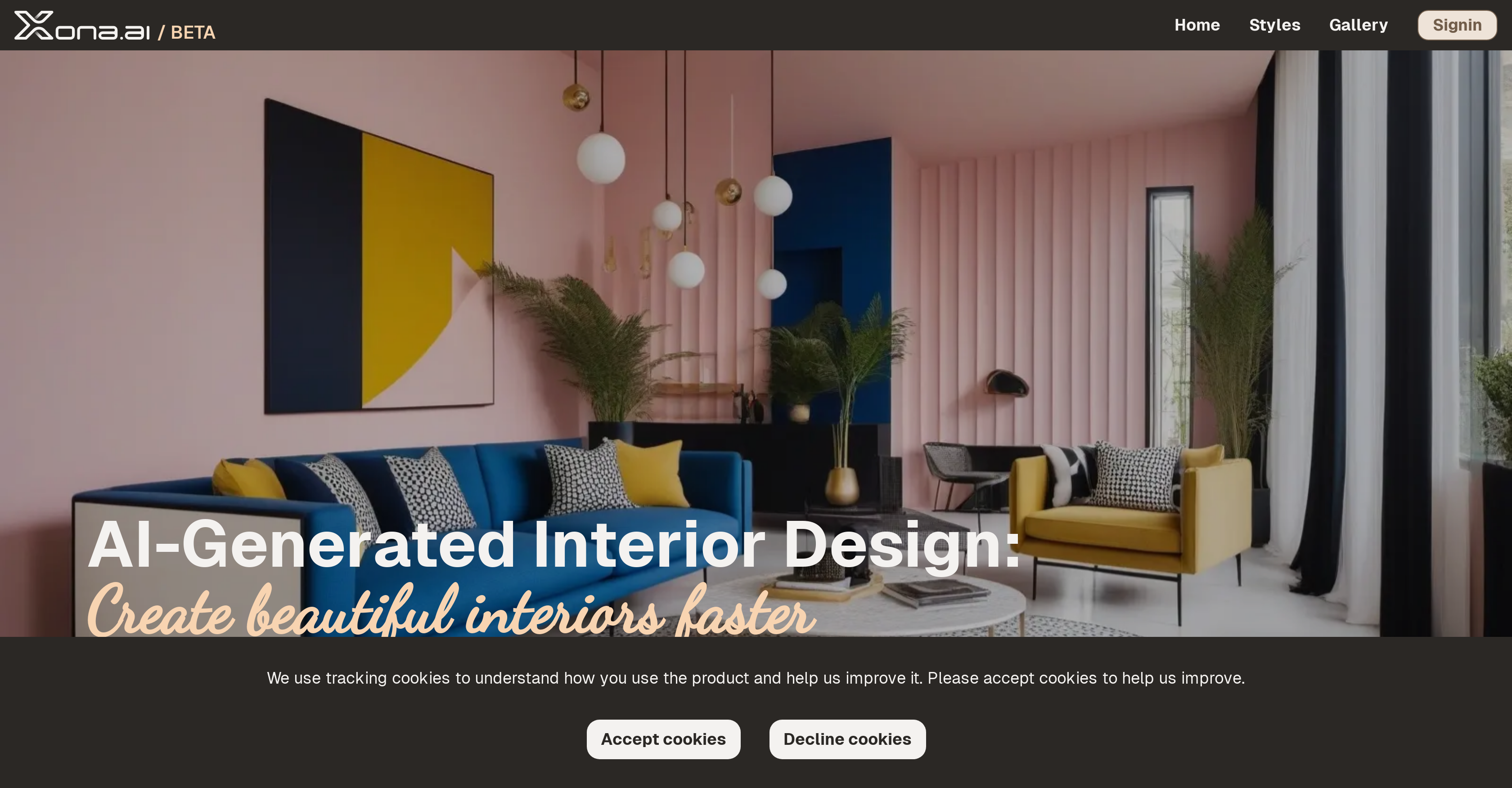
- See your room redesigned before moving a single piece of furniture: upload a photo of your space, choose a style, and the AI interior design generator renders a complete room makeover.
- Turn rough ideas into realistic room visualizations without rendering software: the built-in drawing tool converts hand-drawn sketches into lifelike AI-generated interior designs.
- Start your redesign from any material you already have: 3D models, photos, sketches, and drawings all produce high-quality results, with PNG, JPG, and JPEG uploads under 10MB.
- Get on-trend, functional interiors without hiring a designer: a curated style library built with top interior designers reflects current aesthetic and functional design trends.
- Deliver cleaner, distraction-free images for listings, portfolios, and shoots: Magic Eraser removes unwanted objects and fixes photo imperfections for a natural finish.
- Refine design concepts quickly before committing to one direction: test multiple styles on the same room or sketch and compare realistic results to settle on the right interior design concept.
Pros & Cons
From the listing; not yet checked by our editors.
Pros
- Instant interior transformations
- Integration of technology and creativity
- Magic Eraser for editing
- Benefits professional photographers and hobbyists
- Drawing tool for sketching ideas
- Transforms drawings into visualizations
- Interior design concepts exploration
- Curated styles selection
- Collaboration with top designers
- Follows latest aesthetic trends
- Follows latest functional design trends
- Simple image generation process
- Supports popular formats (PNG, JPG, JPEG)
- Applicable to various mediums
- Produces high-quality results
- Effortless space elevation
- Seamless fusion of technology and aesthetics
- Effortless image enhancement
- Transforms sketches into realistic images
- Prompts creativity
- Streamlines design process
- Aids in refinement of concepts
- Facilitates post-decoration visualization
- Supports photographs, hand-drawn sketches
- Supports digital masterpieces
- Swift uploading
- Styles from best in interior industry
- Remarkable image makeover
- Various mediums for interior redesign
- 3D models transformation
- Picture redesign
- Sketch redesign
- Drawing redesign
- Affordable pricing plans
- Free credits on sign up
- Google Lens integration
- No watermark on images
- Commercial use allowed
- Safe data handling
Cons
- Limited image format support
- No options for mid-edit
- 10MB upload limit
- Style options may limit creativity
- Dependent on user's drawing abilities
- No native integration with design softwares
- Could lack nuanced human touch
- Limited range in curated styles
- No free tier pricing
Alternatives to Xona AI
Tools that share the most tags with Xona AI.
- DeHome.ai
Visualize your perfect room in seconds, not weeks, by uploading a photo and instantly receiving multiple AI-generated design variations.
Free trial
Not listed
Not yet checked
- REimagineHome
Sell properties faster with instantly staged empty rooms using virtual staging that creates appealing spaces for potential buyers
Paid · from $14/month
$14/month
Not yet checked
- AI Kitchen Design
See your renovation ideas in photorealistic detail before spending a dollar, using AI that automatically handles lighting and composition for a true-to-life preview.
Paid · from $14/month
$14/month
Not yet checked
- Home Design AI
Visualize professional interior designs in seconds without hiring a designer using our AI-powered room transformation
Paid · from $49.99/year
$49.99/year
Not yet checked
- Interior AI
Visualize redesigns instantly by uploading room photos that AI transforms into detailed interior designs in seconds
Paid · from $17/month
$17/month
Not yet checked
- Decory AI
Visualize your dream room instantly without guesswork by generating professional designs from a simple photo, description, or room dimensions
Freemium · from $49.99/month
$49.99/month
Not yet checked
Reviews
Rate this tool
Loading reviews...
Frequently asked questions
What is Xona.ai?
Xona.ai is an AI-generated interior design tool that instantly transforms indoor spaces. Users upload an image of their room, choose their preferred style, and let Xona.ai generate the new interior design, merging technology with creativity for precise and beautiful redesigns.
How does Xona.ai work?
Xona.ai operates by having users submit an image of their interior space, select their preferred design style, and then allowing the AI to generate the design. It works with popular image formats and can function with various mediums such as 3D models, sketches, and pictures. Users can leverage a selection of curated styles to shape the design outcomes.
What is the 'Magic Eraser' feature of Xona.ai?
The 'Magic Eraser' is an advanced digital editing tool offered by Xona.ai that can remove undesired elements or correct imperfections in images. It works through sophisticated algorithms for seamless edits, ensuring a natural and flawless finish in the final image.
Can Xona.ai transform sketches into realistic visualizations?
Yes, Xona.ai can transform sketches into realistic AI-generated visualizations. Users are able to sketch their design ideas and watch as Xona.ai turns those sketches into tangible representations, streamlining the design process.
What styles can I choose from in Xona.ai?
Xona.ai offers a curated selection of styles developed in collaboration with top interior designers. These styles are designed to reflect the latest trends in both aesthetic and functional design, allowing users to shape their interior designs to suit their preferences.
Which image formats does Xona.ai support?
Xona.ai supports common image formats such as PNG, JPG, and JPEG for the uploading process of the image design. The file size is recommended to be kept under 10MB for swift uploading.
Can I use Xona.ai for 3D models?
Yes, Xona.ai can be used for 3D models. The tool is designed to work with a variety of mediums for interior redesign and delivers high-quality results, even when starting with a 3D model format.
What is the image generation process of Xona.ai?
The image generation process in Xona.ai starts with the user uploading an image in a supported format, then selecting their desired style. The AI then takes over, transforming the image according to the selected style in a process seamless to the user.