
EzRemove AI Tool Review: Free Background Removal for eCommerce and Product Photography
What Is EzRemove?
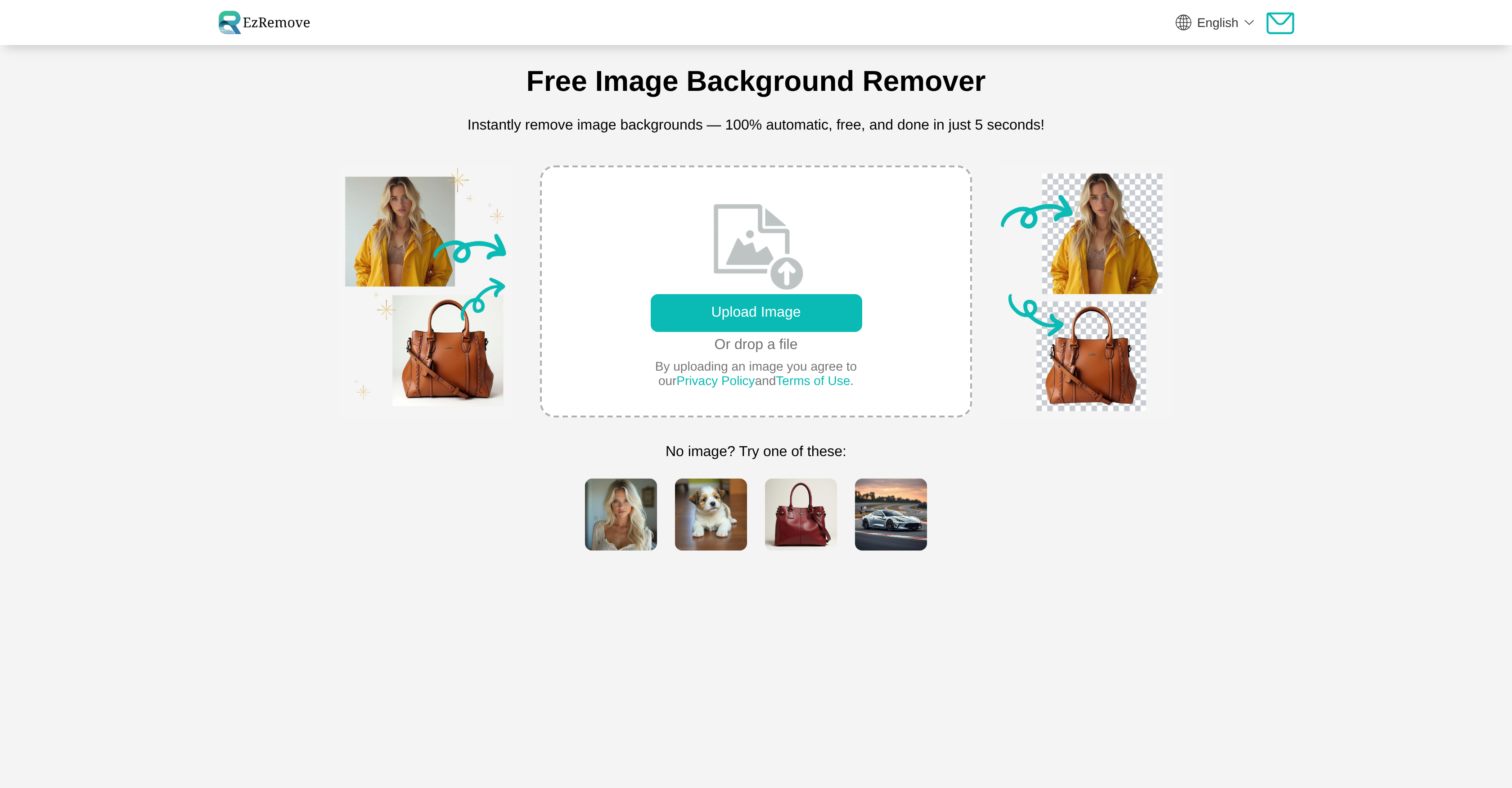
EzRemove is an AI-powered image background removal tool designed to help users create professional product shots and clean visuals without requiring advanced editing skills. The tool automatically removes backgrounds from images in 3-5 seconds, producing transparent PNG files while preserving original image clarity and detail.

The platform targets eCommerce sellers, social media influencers, graphic designers, photographers, marketers, and individuals who need to process product images quickly. EzRemove operates as a free, online-based tool that eliminates the need for expensive software subscriptions or complex photo editing applications.
Core Background Removal Features
EzRemove's primary function centers on AI-powered automatic background removal that handles complex edges and fine details like hair strands. The tool processes images to create transparent PNG files suitable for product listings, marketing materials, and social media content.
The platform offers multiple processing modes to accommodate different image types:
- General mode: Standard background removal for most images
- Logo mode: Optimized for removing backgrounds from logo files
- Text mode: Specialized processing for images containing text elements
- Anime mode: Tailored for anime-style illustrations and graphics
- Custom mode: Available in Model V1 and V2 versions with text prompts to remove specific objects
The custom mode functionality extends beyond simple background removal, allowing users to input text prompts that specify particular objects or elements to remove from images. This feature provides greater control over the editing process without requiring manual selection tools.
Batch Processing and Workflow Efficiency
For users managing large image collections, EzRemove includes batch background removal capabilities that process multiple images simultaneously. This feature addresses a common pain point for eCommerce sellers and marketers who need to maintain consistent visual standards across extensive product catalogs.
The batch processing functionality saves hours of manual editing time compared to processing images individually. Users can upload entire image collections and apply background removal across all files in a single operation, making it practical for businesses with hundreds or thousands of product images.
One user review noted a desire for more customization options for bulk uploads, suggesting that while the batch processing works effectively, some users may want additional control over processing parameters when handling large image sets.
Background Replacement and Editing Tools
Beyond removing backgrounds, EzRemove provides options for replacing removed backgrounds with alternative visuals. Users can choose from solid colors, white backgrounds, or custom images to create complete creative compositions without switching to separate editing applications.
The platform includes an AI Background Generator feature that creates new scenes and environments for products. This capability extends the tool's utility beyond simple background removal into creative image composition for marketing and advertising purposes.
Built-in editing tools allow users to crop, rotate, and resize images within the same interface. These integrated features streamline the workflow by eliminating the need to export files to other applications for basic adjustments. The Magic Eraser tool provides additional functionality for removing unwanted objects and photobombers from images.
Image Quality and Format Support
EzRemove maintains high-quality output that preserves the original clarity and detail of source images. The tool supports JPG, PNG, and HEIC formats, covering the most common image file types used in eCommerce and digital marketing.
Processed images download without watermarks, providing immediately usable files for commercial applications. The platform works seamlessly across devices, maintaining consistent image quality on laptops, tablets, and smartphones. This mobile-friendly design accommodates users who need to process images while away from desktop workstations.
However, results can vary for complex items with fine hair, transparent or semi-transparent materials, and heavy reflections. Some edge cases may require manual touch-up for perfect cutout quality, particularly when dealing with challenging materials or lighting conditions.
Use Cases and Applications
EzRemove serves multiple practical applications across different industries and user types:
eCommerce and Product Photography: Online sellers use the tool to create clean product shots for listings and catalogs. The ability to quickly remove backgrounds and replace them with consistent white or colored backgrounds helps maintain professional visual standards across product lines.
Social Media Content Creation: Influencers and content creators process profile pictures, portraits, and promotional images. The fast processing time of 3-5 seconds per image supports the rapid content production schedules common in social media marketing.
Marketing Graphics and Ad Creatives: Marketers create advertising visuals by removing backgrounds from product images and compositing them into custom scenes. The AI Background Generator feature supports this use case by providing new environmental contexts for products.
Real Estate Photography: Real estate professionals can remove distracting backgrounds from property images or create consistent visual presentations across listing photos.
Logo and Branding Work: Designers use the logo mode to create transparent versions of brand assets suitable for placement on various backgrounds and materials.
Pricing and Accessibility
EzRemove operates as a free, online-based tool with 100% automatic processing available at no cost. This pricing structure removes financial barriers for individuals and small businesses that cannot afford expensive photo editing software subscriptions.
The free access model makes the tool particularly attractive for eCommerce sellers operating on tight margins, freelance designers building portfolios, and small marketing teams with limited software budgets. Users can process images without credit card requirements or subscription commitments.
Comparison with Alternative Tools
The background removal market includes several alternatives to EzRemove, including Photoroom, Pixelcut, Adobe Photoshop's background removal features, Canva Pro's Background Remover, Mokker, Fotor, BgRemove, Sider AI, and remove.bg. Each tool offers different feature sets, pricing models, and processing capabilities.
EzRemove distinguishes itself through its combination of free access, batch processing capabilities, and integrated editing tools. The multiple processing modes (General, Logo, Text, Anime, Custom) provide specialized handling for different image types that some competitors may not offer in a single platform.
Limitations and Considerations
While EzRemove handles most background removal tasks effectively, users should be aware of certain limitations. Complex items with fine hair, transparent or semi-transparent materials, and heavy reflections may produce variable results. These challenging scenarios sometimes require manual touch-up work to achieve perfect cutout quality.
The tool's automatic processing approach prioritizes speed and ease of use over granular control. Users who need precise manual selection tools or advanced masking capabilities may find the automatic approach limiting for specialized editing tasks.
One user review mentioned wishing for more customization options for bulk uploads, indicating that power users processing large image sets may want additional parameter controls that the current interface does not provide.
Target User Profile
EzRemove best serves users who prioritize speed and simplicity over advanced editing capabilities. eCommerce sellers managing product catalogs, social media content creators producing high volumes of images, and marketers creating promotional materials will find the tool's automatic processing and batch capabilities particularly valuable.
The free pricing model makes EzRemove accessible to individuals, freelancers, and small businesses that need professional-looking results without investing in expensive software. Developers and enterprise users may also find applications for the tool in automated workflows and content management systems.
Users who regularly work with challenging materials like fine hair, transparent objects, or complex reflections should test the tool with representative images to determine whether the automatic processing meets their quality standards or whether manual touch-up will be required.
Practical Workflow Integration
EzRemove's online-based operation means users can access the tool from any device with internet connectivity without installing software. This accessibility supports flexible workflows where team members may need to process images from different locations or devices.
The built-in editing tools for cropping, rotating, and resizing reduce the need to switch between multiple applications during the image preparation process. Users can complete the entire workflow from background removal through final adjustments within a single interface.
For businesses creating consistent visual standards across image sets, the batch processing feature combined with background replacement options enables rapid standardization of product photography. This capability proves particularly valuable when updating existing catalogs or maintaining brand consistency across multiple sales channels.
Final Assessment
EzRemove delivers on its core promise of fast, automatic background removal with processing times of 3-5 seconds per image. The tool's free pricing, batch processing capabilities, and integrated editing features make it a practical option for eCommerce sellers, marketers, and content creators who need to process large volumes of images efficiently.
The multiple processing modes accommodate different image types, while the AI Background Generator and Magic Eraser extend functionality beyond basic background removal. The platform's mobile-friendly design and cross-device compatibility support flexible workflows.
Users should consider the tool's limitations with complex materials and the automatic processing approach when evaluating whether it meets their specific quality requirements. For most standard product photography and social media content creation tasks, EzRemove provides sufficient capability without the cost and complexity of professional photo editing software.