AI Line Art
Overview
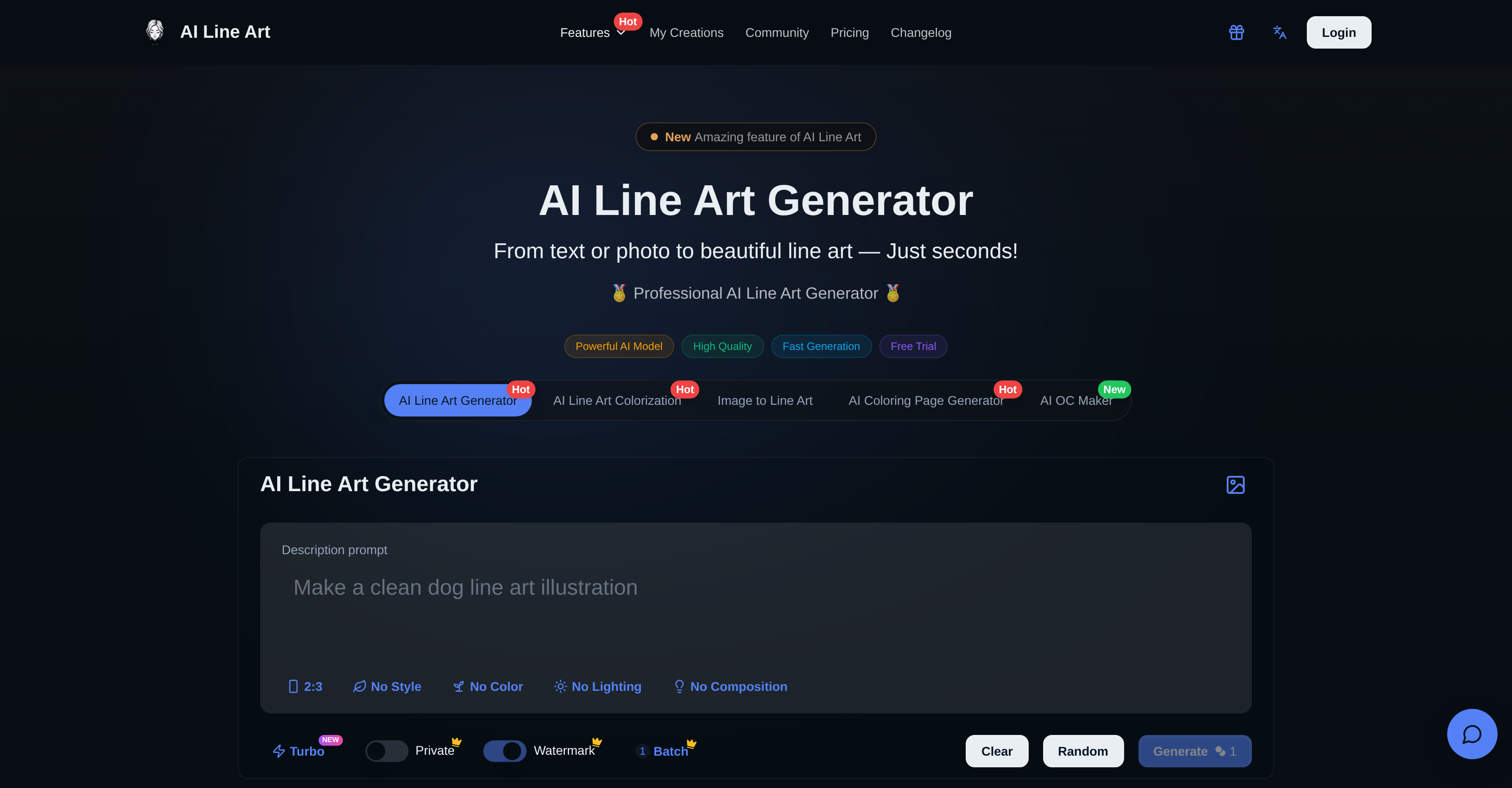
- Turn any photo into clean, professional line art for logos, tattoos, or fashion sketches using AI that extracts precise outlines instantly.
- Refine messy sketches into polished, printable line art with AI Sketch Simplification that removes clutter and smooths lines.
- Generate custom coloring pages and 3D line art from your images for unique printable projects or stunning visual content.
- Download high-resolution line art files ready for professional printing, digital projects, or social media sharing.
- Customize results with specific prompts and control over style, aspect ratio, composition, and lighting for tailored outcomes.
Pros & Cons
Pros
- Professional line art
- Various styles
- Supports image uploads
- Fast generation process
- Enter prompt feature
- Supports high-resolution exports
- Line art colorization
- 3D Line Art available
- Advanced customization options
- Accurate outline extraction
- Transforms photos into line art
- User-friendly interface
- Supports aspect ratios settings
- Composition settings
- Lighting options
- Optimized for quick processing
- Generates printable coloring pages
- Simplifies complex sketches
- One-click generation
- Batch generation available
- Generates minimalist art
- Produces woodcut style
- Supports image-to-art conversion
- Suitable for logo sketching
- Ideal for character generation
- Tool for fashion design
- Supports architectural drawing
- Useful for tattoo design
- Offers a free trial
- Custom prompts for fine-tuning
- Ideal for artists and designers
- Produces clean line art
- No tracing or manual cleanup required
- Optimized for print-ready results
- Cloud storage available
- Private generation for members
- Instantly creates original characters
- Transforms images into 3D line art
- Generates high-contrast line drawings
- Accurately captures garment outlines & folds
- Produces line art with fine details
- Privacy features for uploaded content
- Offers membership for commercial usage
- Provides a commercial usage rights plan
- Quickly refines sketches
- Provides watermark-free downloads for members
- API access on business plan
Cons
- Limited to line art styles
- Doesn't support vector outputs
- No mention of mobile optimized
- No offline mode
- No real-time editing feature
- Free version includes watermarks
- Privacy not ensured for free users
- Multiple features require separate tools
- No free commercial use
- Pricing can be expensive
Reviews
Rate this tool
Loading reviews...
❓ Frequently Asked Questions
The AI Line Art Generator is an AI-powered tool that transforms images into professional quality line art. It interprets image uploads to produce visually appealing line art drawings.
To use the AI Line Art Generator, users need to upload their chosen photo or image. They can put specific modification descriptions in the 'Enter Prompt' feature for advanced customization. Once done, they click the generate button and after a quick process, their high-quality line art is ready for download.
The AI Line Art Generator offers a variety of styles for its users. These include sketching, pencil, woodcut, watercolor, and minimalist.
The 'Enter Prompt' feature of the AI Line Art Generator allows users to describe what they want to modify in the image. It provides a simple way for users to instruct the AI and achieve highly customized results.
The AI Line Art Generator boasts quick image processing capabilities, producing high-quality results within seconds.
The AI Line Art Generator supports the upload of any images that users wish to turn into unique line art representations. There are no specific restrictions mentioned on their website regarding the type or quality of images suitable for upload.
Yes, the AI Line Art Generator supports high-resolution exports. This means users can download their creations in high quality, making it apt for professional printing, digital projects, or social media sharing.
Yes, line art colorization is part of the features that the AI Line Art Generator offers. Users can add color to their line art drawings apart from sketching outlines.
Beyond just line art generation, the AI Line Art Generator has other additional features. These include AI Sketch Simplification, AI Coloring Page Generator, and the ability to create 3D Line Art.
Absolutely, the AI Line Art Generator can transform photos into clean line art drawings. It works by extracting accurate outlines from a given photo to create high-contrast line art.
The AI Line Art Generator is especially useful to professionals from various fields that involve visual art and design. These include graphic designers, illustrators, and fashion designers who find the tool highly effective in their work.
Yes, the AI Line Art Generator supports social media sharing. The high-resolution exports that the tool provides make it suitable for users to share their line art creations on social platforms.
Yes, the AI Line Art Generator supports the creation of 3D Line Art. This extended feature allows users to transform standard images into stunning 3D line art visuals.
The AI Line Art Generator assists in creating professional drawings by transforming uploaded images into line art. It leverages various styles such as sketching, pencil, woodcut, watercolor, and minimalist to offer a diverse range of aesthetic outputs. It also supports high-resolution exports for professional use.
AI Sketch Simplification is a separate feature in the AI Line Art Generator that refines messy sketches into polished line art. It helps remove clutter, smooth out lines, and create professional results in a matter of seconds.
The AI Coloring Page Generator is another feature included in the AI Line Art Generator package. It's designed to transform any image into printable coloring pages, allowing users to create custom coloring books with multiple style options.
The AI Line Art Generator is capable of creating various styles such as woodcut, watercolor, and minimalist. These generated styles can capture a wide range of artistic representations, giving users far-reaching customization options.
Yes, the AI Line Art Generator can be used for fashion design. Its ability to accurately outline details makes it an effective tool for generating fashion sketches, especially for capturing garment outlines and folds.
The AI Line Art Generator does provide an option for advanced customization. Through the 'Enter Prompt' feature, users can describe specific changes they want to make in their images, allowing for personalized control over the final output.
The AI Line Art Generator supports image uploads and processes them swiftly. It transforms the uploaded images into professional-looking line art drawings within seconds. The tool is designed for ease of use and fast, high-quality results.
X is an AI-powered tool designed to convert images into professional line art drawings instantly. It generates a variety of styles from minimalist to 3D line art. It's also capable of simplifying complex sketches into clean and polished line arts effectively.
Key features of X include the ability to convert images to a range of line art styles, advanced customizations with optional prompts, and high-speed processing. It offers high-resolution exports, supports image uploading for conversion, and is able to create printable coloring pages and characters. It also features additional capabilities like AI Sketch Simplification and line art colorization.
X uses advanced AI technology to convert images into line art. When users upload their images, the AI extracts key image features, then transforms and represents these features into smooth, clean lines. The entire process is conducted with the goal of abstracting the essential elements and details while discarding the irrelevant ones.
Yes, X has the capability to produce 3D line art representations. This is one of the many style options offered by X, along with others like sketching, pencil, watercolor and minimalist.
X offers multiple style options for line art generation such as sketching, pencil, woodcut, watercolor, and minimalist. It can also produce 3D line art and colorize the line art based on user preferences.
The 'Enter Prompt' feature in X allows users to specify custom modification instructions to tailor the output. This feature aids in advanced customization according to the user's needs. The changes could be related to style, composition, lighting etc.
Yes, in X, style and aspect ratios can be customized. Users can choose from various styles including sketching, pencil, woodcut, watercolor, and minimalist. They can also modify aspect ratios to better suit their requirements. These advanced customization settings allow users to fine-tune their results to their liking.
The AI Sketch Simplification feature in X refines messy sketches into polished line art. It removes clutter, smooths lines, and helps create professional-grade results quickly and effortlessly.
Yes, X is suitable for professional printing. It supports high-resolution exports of the generated line art, making them suitable for professional printing, digital projects, or sharing on social media platforms.
Yes, X is suitable for use by graphic designers and illustrators. It generates high-quality line art quickly and allows for numerous customizations, making it a versatile tool for these professionals. It can cater to a range of style preferences for different projects and is particularly well-suited for logo sketching, character generation, and other illustrative needs.
X is optimized for high-speed processing. As such, it generates line art images within a few seconds, minimizing waiting time for users.
Yes, X supports image upload. Users can upload their own images as a reference and X will transform these into line art or inspire new creations with the same composition.
Yes, X offers high-resolution exports. The line art drawn using X can be downloaded in high resolution, suitable for professional-grade printing, digital projects, and social media sharing.
Yes, X has the ability to colorize the line art it produces. This feature, along with the other stand-alone features like AI Sketch Simplification and 3D Line Art, provides the users with a diverse range of style options.
X uses its AI capabilities to handle complex sketches. It simplifies these sketches by reducing unwanted details and textures to create clean and polished line art. This allows for precise and refined images for use in a variety of applications.
Yes, X is very user-friendly for beginners. Its simple process only requires one click to generate line art from an image. Additionally, the 'Enter Prompt' feature guides users with specific modifications, making it intuitively easy to use for users with no extensive technical knowledge.
Yes, X can generate character lines from images. It's an excellent tool for character generation, making it useful for illustrators, cartoonists, and graphic designers.
The composition settings and lighting options in X are part of the advanced customization options. Users can tailor these settings according to their specific needs, modifying the composition or adjusting the lighting to achieve the desired output.
Yes, X does offer a free trial. New users can get started for free, allowing them to experiment with the AI's capabilities and become familiar with its wide range of features.
X can be used in various fields including fashion design, logo sketching, and architectural drawing. Its AI technology efficiently extracts details and creates precise line art which can be used to generate fashion sketches, logo outlines, and architectural line drawings. Its high-quality output and customization options make it an indispensable tool for these professions.
Pricing
Pricing model
Paid
Paid options from
$9.99/month
Billing frequency
Monthly