

AirCaption
Keep confidential depositions, hearings, and source interviews off third-party servers: all speech-to-text transcription runs locally on your Mac or Windows computer, so your media and captions stay on your machine.
Listing not yet reviewed by our editors · How we check
Overview
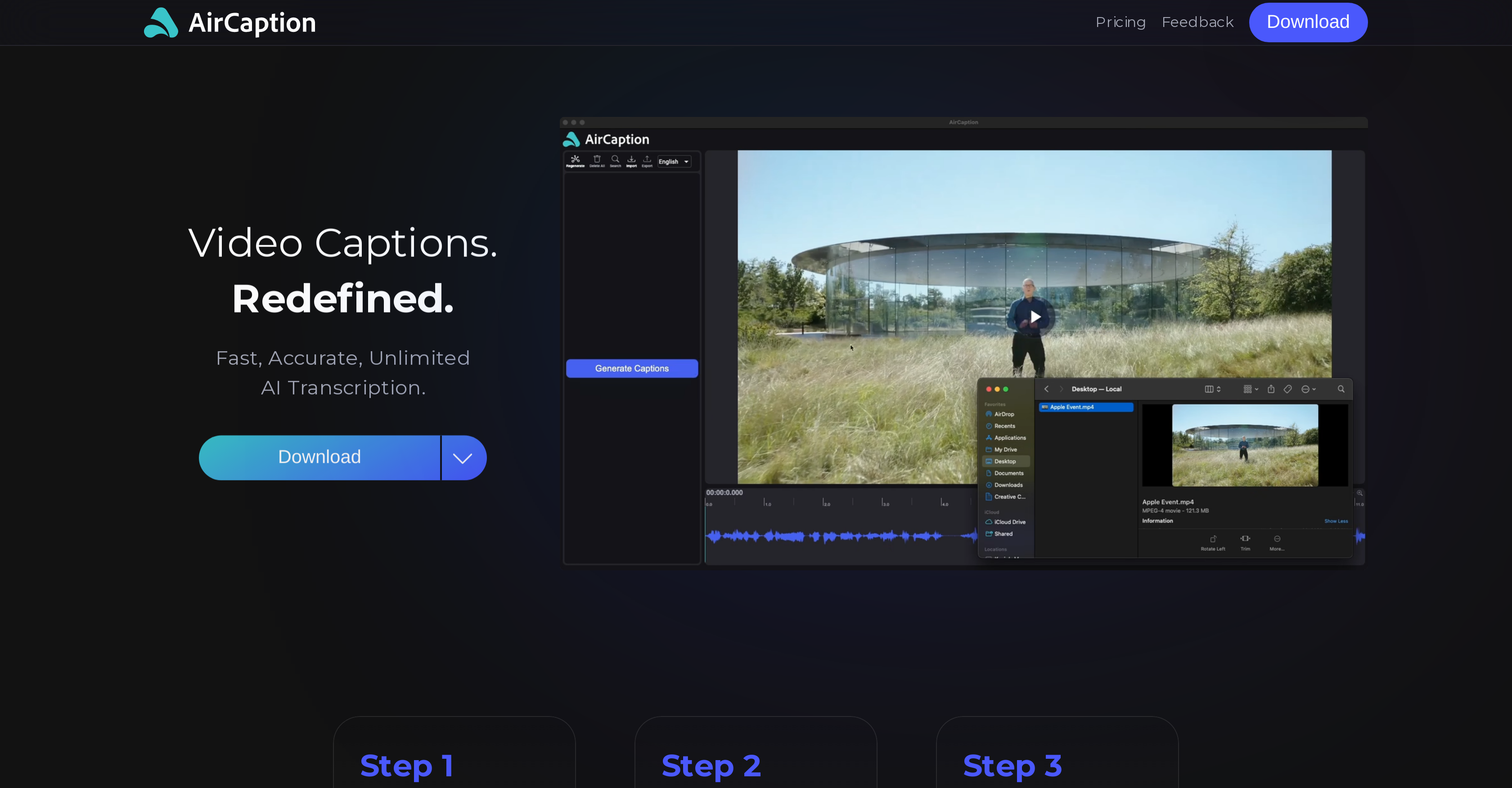
- Keep confidential depositions, hearings, and source interviews off third-party servers: all speech-to-text transcription runs locally on your Mac or Windows computer, so your media and captions stay on your machine.
- Transcribe entire archives of raw footage, podcast episodes, and lectures at no cost: the free plan includes unlimited audio and video transcription with no caps.
- Start transcribing large video files immediately, with or without an internet connection: offline processing removes slow uploads, and a transcription queue handles many files in one batch.
- Publish accurate, perfectly synced subtitles: review the OpenAI-powered transcript and adjust both caption text and timing, using hotkeys for fast subtitle editing.
- Reach international audiences and support language learners with subtitles in their language: multilingual caption generation covers up to 60 languages.
- Deliver captions ready for YouTube, course platforms, video editors, or blog posts: export subtitle files as SRT, VTT, or TXT, or burn captions directly onto the video.
- Fix and update subtitles you already have without starting over: import existing caption files and edit them in the same workspace.
Pros & Cons
From the listing; not yet checked by our editors.
Pros
- Mac and Windows compatibility
- Generates captions, transcripts, subtitles
- Allows timing and text editing
- Exports in SRT, VTT, TXT
- Exports directly onto video
- Offline functionality
- Privacy assurance
- Supports existing caption files editing
- Efficiency hotkeys
- Supports up to 60 languages
- Useful for various professions
- Fast transcription
- Accurate transcription
- Connects wider audience
- Supports subtitling
- Review option after transcription
- Enhances audio and video content
- Increases accessibility
- Useful for language learners
- Legal transcription support
- Advertising tool for marketers
- Ideal for researchers and journalists
- Effectively aids e-education
- Facilitates event organization
- Multi-language support
Cons
- No live transcription
- Manual review and editing required
- No support for mobile devices
- No cloud-based functionality
- No multi-user support
- Limited export formats
- Doesn't specify accuracy level
- No integration with video/audio platforms
Alternatives to AirCaption
Tools that share the most tags with AirCaption.
- Soundwise.ai
Get instant transcriptions without signing up or paying, enabled by a completely free and unlimited-use web tool
Freemium · from $10/month
$10/month
Not yet checked
- AssemblyAI
Achieve up to 23% more accurate call transcription with AI models trained on 12.5M hours of multilingual audio data
Freemium
Not listed
Not yet checked
- Apptek
Convert audio to precise text transcripts across dozens of languages and dialects using neural network speech recognition
Not listed
Not listed
Not yet checked
- Zeemo
Create accurate video captions instantly with AI-powered generation that achieves over 98% accuracy
Free trial
Not listed
Not yet checked
- Voicetype AI
Write emails and documents entirely hands-free using advanced voice dictation that captures your natural speaking style
Free trial · from $13.59/month
$13.59/month
Not yet checked
- Speechy
Instantly create organized to-do lists and action items by speaking instead of typing, eliminating manual note-taking during meetings and brainstorming sessions
Freemium · from $9/month
$9/month
Not yet checked
Reviews
Rate this tool
Loading reviews...
Frequently asked questions
What is AirCaption?
AirCaption is an AI-powered transcription software. It's designed to allow users to generate captions, transcripts, and subtitles for audio or video content. The tool uses AI models from OpenAI to perform these tasks of transcription and allows for review and editing of the generated captions.
What platforms are supported by AirCaption?
AirCaption supports both Mac and Windows platforms.
How does AirCaption work?
AirCaption works by taking the user's audio or video content and transcribing it into text using AI. Users can review and modify the generated captions, including the timing and text. Finally, users can export the captions in various file formats.
Which AI models does AirCaption use for transcription?
AirCaption uses the AI models from OpenAI for transcription.
What options do I have after AirCaption generates the initial captions?
After AirCaption generates the initial captions, you have the ability to review and edit both the timing and the content of the text.
In what formats can I export captions from AirCaption?
AirCaption allows you to export the captions in several formats including SRT, VTT, TXT, or directly onto the video.
Does AirCaption have offline functionality?
Yes, AirCaption does have offline functionality.
How does AirCaption ensure user privacy?
AirCaption maintains user privacy by processing all the AI transcriptions on the local machine, implying that user media and captions never leave the computer.