

Overview
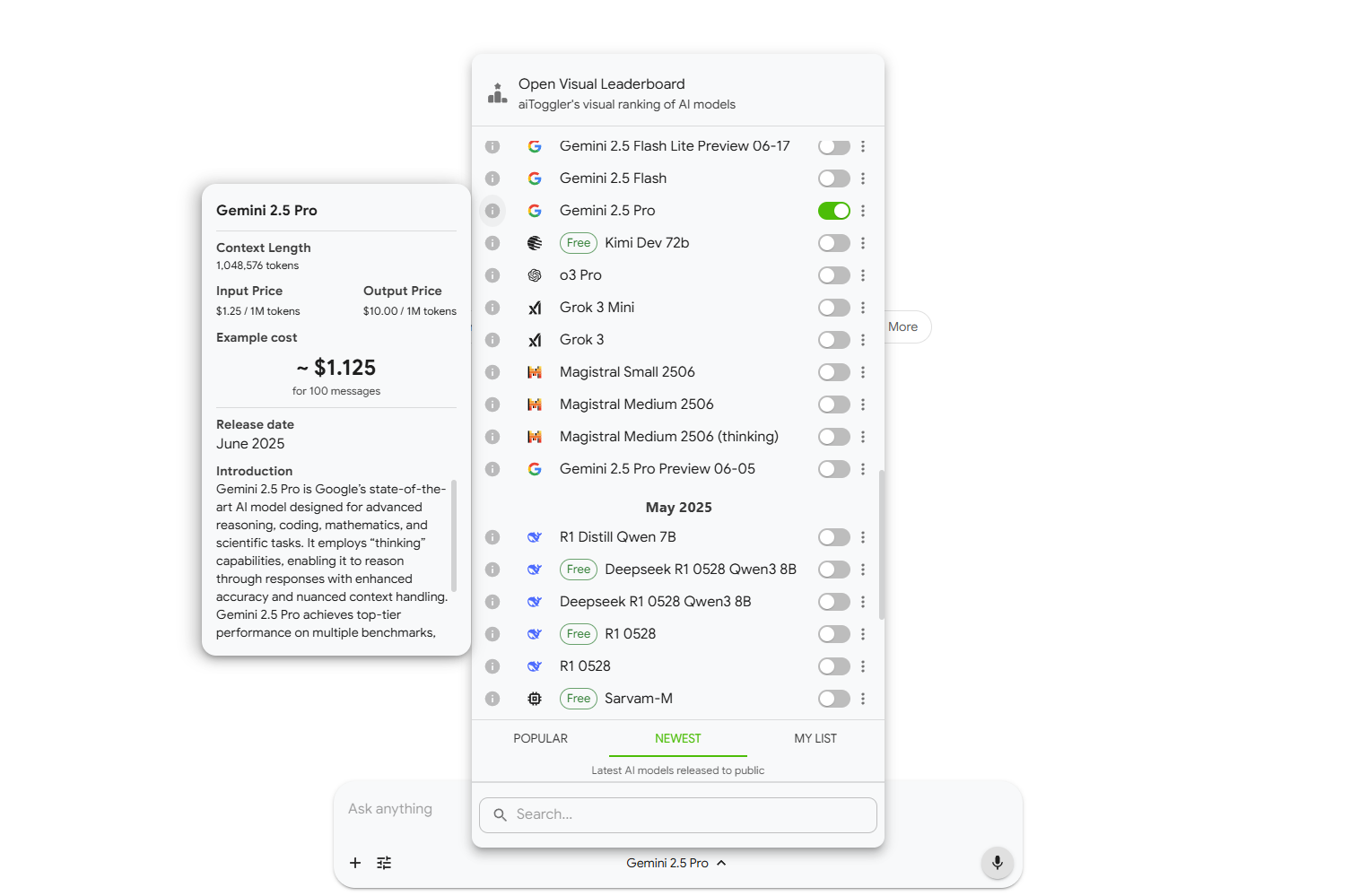
- Compare AI model responses side-by-side to instantly identify the best output for your content using parallel chatting
- Access 300+ AI models through one account instead of managing multiple subscriptions with unified platform access
- Reduce AI experimentation costs with transparent pricing that shows exact model costs before you generate
- Generate higher quality content faster using the Big Prompt Library with pre-set prompts for various AI models
- Organize all your AI interactions efficiently with unlimited chat history, folders, and drag-and-drop file management
- Select the optimal AI model for any task using the performance leaderboard that ranks models based on real results
- Maintain visual comfort during extended AI sessions with light/dark mode options that adapt to your environment
- Scale your AI usage without recurring fees through the lifetime license option for cost-effective access
Pros & Cons
Pros
- Multi-model user access
- Cost transparency
- Big Prompt Library
- Side-by-side model comparison
- File organization feature
- User API keys support
- Parallel chatting feature
- Chat with images
- Easy transitions between models
- Bookmarking feature
- Leaderboard for model selection
- Lifetime licensing option
- Cost-effective
- Drag and drop support
- Data control
- Light/Dark mode
- Content creation support
- Subscription management
- Potential future updates
- One app, account, payment
- Cloud-based application
- Endless models
- Extension feature
- Fine-tunable
- 4 parallel chat conversations
- Online search access
- Remember history in extension
- Unlimited bookmarks
- Unlimited file uploads
- Unlimited chat history
- Leaderboard access all categories
- Installable app
- Useful model info display
Cons
- Limited chat history
- Limited bookmarks
- Limited file uploads
- Paywall for premium features
- Potential changes in features
- Requires online connection
- Cost transparency may vary
- Dependent on third-party integrations
- No mobile app mentioned
- No offline version
Reviews
Rate this tool
Loading reviews...
❓ Frequently Asked Questions
aiToggler is a unified platform that integrates various AI models in one application. It streamlines the use and management of AI technology by aggregating multiple resources under a single account with a simplified payment system.
aiToggler offers several advanced features such as parallel chatting, light/dark mode selection, drag and drop support, detailed data control, and the ability to chat with images. It also includes a 'Big Prompt Library', support for user API keys, an easy bookmarking system, a leaderboard feature, and aids in file organization.
aiToggler provides AI transparency by distinctly showing the cost associated with each AI model. This enables users to comprehend and manage their expenditure effectively.
The 'Big Prompt Library' in aiToggler is a extensive repository of pre-set prompts designed to facilitate user interaction with various AI models.
aiToggler supports user API keys, allowing users to personalize and enhance their interaction with the AI models integrated on the platform.
Yes, aiToggler allows easy bookmarking, which helps users to save and quickly access important or frequently needed resources.
Yes, aiToggler provides a lifetime license. This offers a cost-effective alternative to users compared to multiple individual subscriptions.
aiToggler brings efficiency to workflow by enabling swift transitions between various AI models. It allows for side-by-side comparison of responses from different models, which can prove quite beneficial in tasks such as content creation.
Users can compare responses from different AI models side-by-side on aiToggler. This feature is designed to aid decision-making processes, particularly when working on tasks that require the generation of content.
aiToggler is beneficial for content creation as it enables the comparison of responses from varying AI models, side-by-side. This can enhance the quality of content generated by allowing a user to choose the best output from the responses presented.
aiToggler assists with file organization by enabling users to manage their chat histories and file uploads in an efficient and orderly manner.
The leaderboard feature on aiToggler aids in the selection of appropriate models for specific tasks. The feature ranks models based on their performance, providing users insights on which model may work best for their needs.
The Free Plan on aiToggler offers access to over 300 AI models but has some limitations on chat history, file uploads, and folders. The Premium Plan however, includes all the free features and additional perks like unlimited chat history, chat folders and file uploads, as well as access to all leaderboard categories and larger API credits.
Yes, aiToggler supports parallel chatting. This capability allows users to engage with multiple chatbots simultaneously.
Yes, aiToggler provides both light and dark modes, catering to user preference and improving display visibility based on the ambient environment.
aiToggler handles data control by providing users with comprehensive control options over their data. This includes managing chat history, file uploads, and the use of AI models.
Yes, users can communicate with images on aiToggler. This feature could be primarily useful for AI models that analyze or interact with visual data.
aiToggler operates as a cloud-based application, allowing users to access and interact with their account from anywhere with internet connectivity. This enhances flexibility and makes it possible to utilize the AI resources without having to physically install software on a device.
The specifics of potential updates to aiToggler are not detailed. However, it is likely that updates could lead to variations in capabilities, features or plans offered by the platform.
The drag and drop feature on aiToggler improves usability by allowing users to conveniently move items, such as files or chat transcripts, within the interface. This can help in organizing data and increasing overall productivity.
Pricing
Pricing model
Freemium
Paid options from
$59
Billing frequency
One-time
Refund policy
14 days money back guarantee
Related Videos
Introducing aiToggler Extension - Fact-check, explain, summarize with AI in few clicks
aiToggler•68 views•May 20, 2025


