

AnimateIMG.com
Bring old family photos, portraits, selfies, pets, drawings, and cartoons to life as moving video clips by uploading a JPG, PNG, or WebP image up to 10 MB.
Listing not yet reviewed by our editors · How we check
Overview
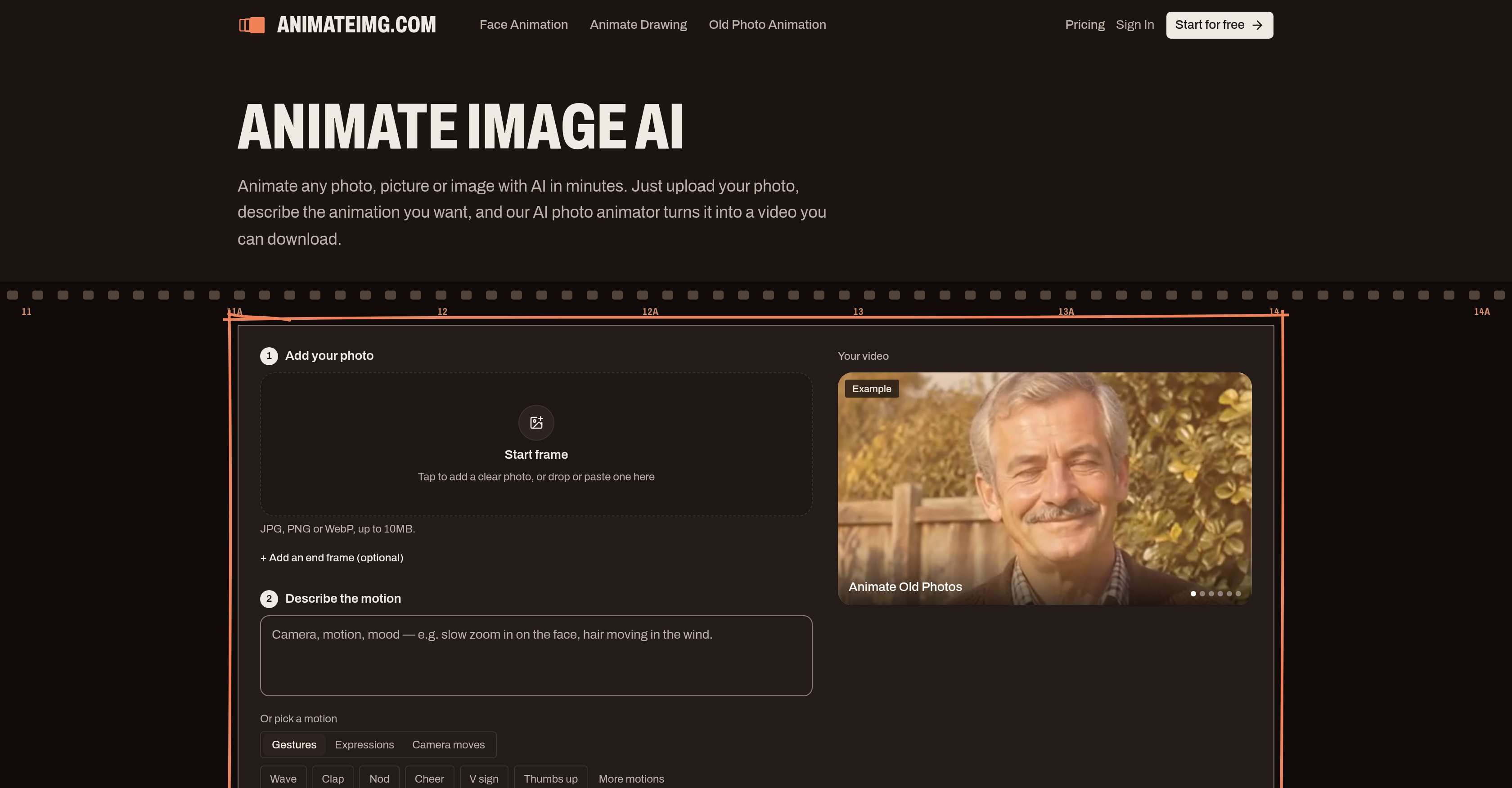
- Bring old family photos, portraits, selfies, pets, drawings, and cartoons to life as moving video clips by uploading a JPG, PNG, or WebP image up to 10 MB.
- Control exactly how your animation begins and ends by pairing your start image with an optional end frame.
- Direct lifelike motion with no animation skills by typing a plain-language prompt or picking presets for waving, clapping, nodding, cheering, a V sign, a thumbs-up, facial expressions, and camera moves like a slow push-in.
- Turn static product photos into eye-catching visuals for listings and ads with slow turns, light sweeps, and floating motion, with full commercial use rights on paid credits or plans.
- Make landscapes and nature photos feel alive with flowing water, drifting clouds, swaying trees, and hair moving naturally in the wind.
- Match every clip to where it will be shared by choosing a length from 2 to 15 seconds, 480P or 768P resolution, and downloading a ready-to-post MP4 for social media, websites, or presentations.
- Get your finished photo-to-video animation fast, with most renders ready in about two minutes.
- Animate images anywhere from your phone or computer without installing an app, directly in any modern mobile or desktop browser.
- Test the image animator risk-free with free credits and no credit card, then scale with credit packs that never expire, refunds on failed generations, and videos starting at 8 credits.
- Keep your personal photos private, since uploads are never used for model training, deletion is available on request, and server-side moderation blocks NSFW generations.
Pros & Cons
From the listing; not yet checked by our editors.
Pros
- Optional end-frame guidance
- Plain-language motion instructions
- Camera movement instructions
- Preset gestures and expressions
- Preset camera moves
- Wave, clap, and nod presets
- Thumbs-up and V-sign presets
- Portrait and pet animation
- Old-photo animation
- Drawing and cartoon animation
- Nature-scene animation
- Product-photo animation
- JPG, PNG, WebP uploads
- Uploads up to 10 MB
- Selectable 215-second clips
- Selectable 480P or 768P
- Downloadable MP4 videos
- Browser-based on phones and computers
- No app installation required
- No animation skills required
- Free signup credits
- No credit card for signup
- Purchased credits never expire
- Failed generations receive credit refunds
- Commercial use with paid credits
- Uploads excluded from model training
- Deletion requests available
- Start and end frame control
- Motion guidance for natural elements
- Motion guidance for objects
- Videos ready in about two minutes
- Direct downloads for sharing
- Supports scanned and black-and-white photos
- Accepts sketches and digital art
- Supports social, website, and presentation sharing
Cons
- Still-image input only
- JPG, PNG, or WebP only
- 10 MB upload limit
- MP4 output only
- 480P or 768P resolution
- Clips limited to 215 seconds
- Short prompts; one or two actions
- No reference-video motion transfer
- Longer clips cost more credits
- Free-credit videos are noncommercial
Alternatives to AnimateIMG.com
Tools that share the most tags with AnimateIMG.com.
- Common Sense Machines (CSM)
Transform text, images, or sketches into game-engine ready 3D worlds instantly using AI-powered conversion
Freemium · from $20/month
$20/month
Not yet checked
- MyHeritage Deep Nostalgia
See your ancestors come to life with realistic facial movements using deep learning technology
Freemium
Not listed
Not yet checked
- Rokoko
Create professional 3D animations without expensive equipment using AI that converts webcam footage into motion data
Free trial · from $20/month
$20/month
Not yet checked
- Ebsynth
Create complete animated videos from just one painted frame with automatic style propagation
Not listed
Not listed
Not yet checked
- Plask
Create professional 3D animations from any video without motion capture equipment using AI-powered video analysis
Freemium · from $18/month
$18/month
Not yet checked
- Doodle Dreams
Watch your child's drawings come to life as animated videos using our AI animation engine
Paid · from $3.75/month
$3.75/month
Not yet checked
Reviews
Rate this tool
Loading reviews...
Frequently asked questions
How do I turn a photo into a video with Animate Image AI?
Upload a photo, describe the motion in plain language or choose a preset, select the clip length and resolution, then generate and download the MP4.
What image formats and file sizes does Animate Image AI accept?
Animate Image AI accepts JPG, PNG, and WebP images up to 10 MB.
Can Animate Image AI animate old family photos, drawings, and pet pictures?
Yes. It can animate old family photos, drawings, cartoons, and pet pictures, along with other image types.
Can I add an end frame in Animate Image AI to guide how the clip finishes?
Yes. You can optionally add an end frame to guide how the clip finishes.
What kinds of motion prompts work best with Animate Image AI?
Use a short prompt describing one or two actions, such as making hair move in the wind, water ripple, or a character wave. You can also describe camera movement.
Can Animate Image AI create camera movements such as a slow push-in?
Yes. You can specify camera movement, for example, a slow push-in.
What preset gestures and expressions does Animate Image AI offer?
Presets include waving, clapping, nodding, cheering, a V sign, and a thumbs-up. The interface also offers expression and camera-movement options.
How long can Animate Image AI videos be, and what resolutions are available?
Clips can be 2 to 15 seconds long, at 480P or 768P.