Apple Creator Studio
Overview
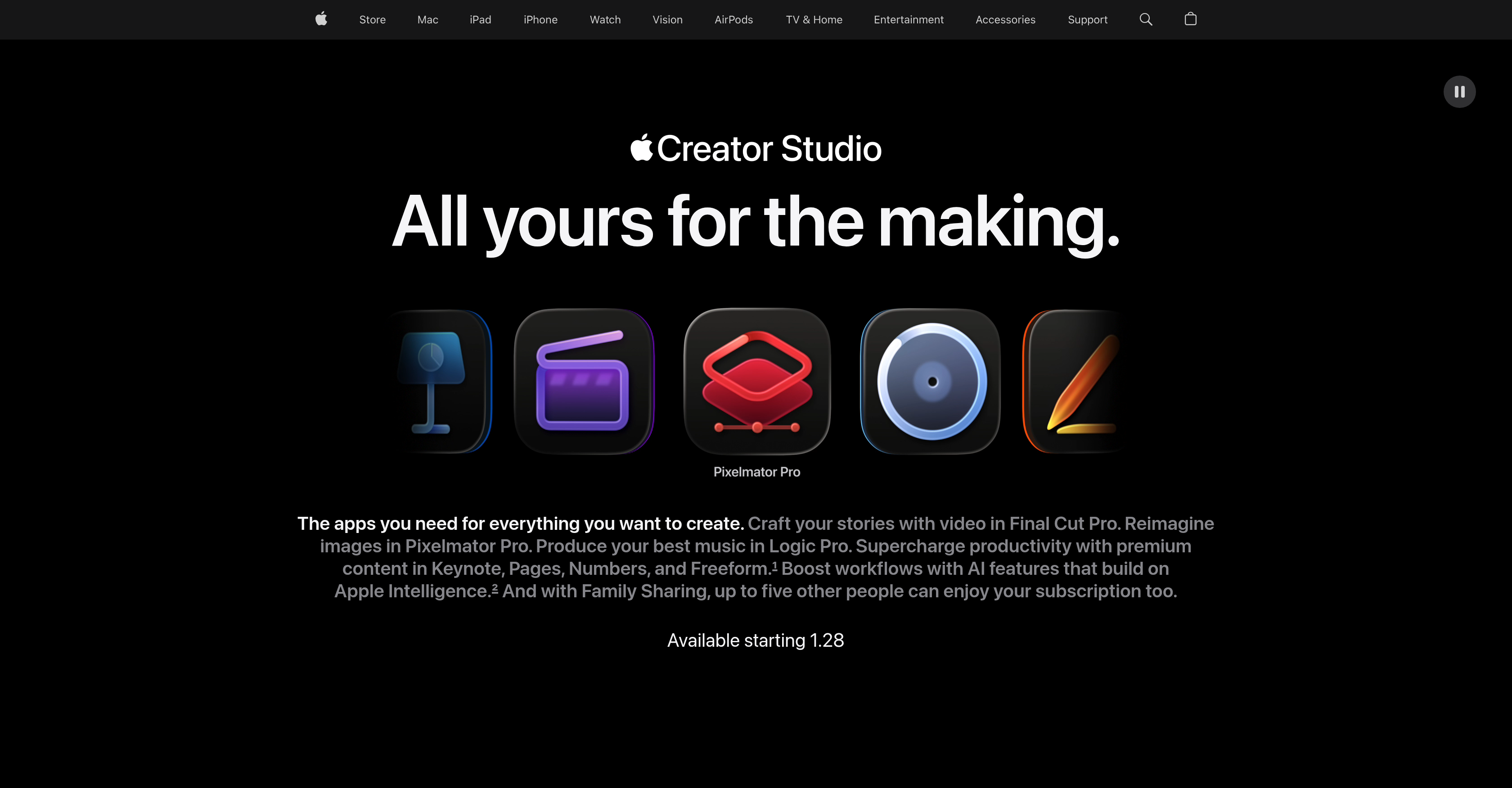
- Produce cinematic videos faster with Final Cut Pro's smart, accelerated editing and Visual Search that finds footage instantly
- Create striking graphics and edit photos precisely using Pixelmator Pro's AI for automated background removal and image repair
- Compose and produce professional-grade music with Logic Pro's intelligent Session Players, Stem Splitter, and massive Sound Library
- Streamline document, presentation, and spreadsheet work with AI-enhanced productivity apps Keynote, Pages, Numbers, and Freeform
- Manage projects with a team efficiently through shared access for up to six people on a single subscription
Pros & Cons
Pros
- Final Cut Pro included
- Logic Pro included
- Pixelmator Pro included
- Premium productivity content
- Keynote, Pages, Numbers, Freeform in suite
- Enhanced workflows
- Shared access supported
- Blend of creative applications
- All tools in one platform
- Integrated with Apple Intelligence
- Supports video crafting
- Supports image editing
- Supports music production
- Supports general productivity
- Upgrades traditional content creation
- Intuitive tool design
- Optimized for Mac and iPad
- Facilitates family sharing
- Accompanies Apple Store purchase
- Visual Search in suite
- Transcript Search feature
- Magnetic Timeline for flexible editing
- Beat Detection for music synchronization
- Professionally designed motion graphics
- Integrated Compressor for export optimization
- Fast workflow on Pixelmator Pro
- Nondestructive editing on Pixelmator Pro
- Pixelmator Pro templates and mock-ups
- High typographic control on Pixelmator Pro
- Dedicated Session Players on Logic Pro
- Voice Memos support in Logic Pro
- Integrated Stem Splitter tools in Logic Pro
- Huge Sound Library in Logic Pro
- Comprehensive instruments and effect plugins in Logic Pro
- Generated slides in Keynote
- Content Hub for high-quality media
- Auto Crop feature in Content Hub
- Super Resolution for better image details
- Intuitive remixing features in image editor
Cons
- Only available on Apple platforms
- Subscription-based
- Limited sharing capabilities
- Suite can be overwhelming
- No individual app subscriptions
- Mixed app performance standards
- Complex learning curve
Reviews
Rate this tool
Loading reviews...
❓ Frequently Asked Questions
Apple Creator Studio is a comprehensive suite of applications provided by Apple. This suite enables users to engage in various creative pursuits with specialized tools for video editing, image creation, music production and productivity. It is designed to act as a single platform fulfilling different creative requirements.
Apple Creator Studio provides a range of tools tailored for various creative pursuits. These include Final Cut Pro for video content creation, Pixelmator Pro for image editing and graphic creation, and Logic Pro for music and sound production. Additionally, the suite also includes productivity tools such as Keynote, Pages, Numbers, and Freeform.
Final Cut Pro in Apple Creator Studio is a professional tool that allows users to craft video content. It provides smart, accelerated techniques designed to create engaging videos. It also offers seamless editing features, intuitive tools and it's enhanced using powerful AI features. The software includes tools for fine-tuning audio, sharing finished stories, and it comes with a feature called 'Visual Search' which lets users locate required footage without manually scrubbing through everything.
Pixelmator Pro in Apple Creator Studio serves as a platform for editing images and creating graphics. It's specialized with powerful AI features that support automated image edits like background removal, image repair, detail enhancement, and color adjustment. Users can start working from professionally crafted templates and it provides typographic control offering sophisticated styles. It allows users to edit their creative work smoothly and with precision using Apple pencil on an iPad.
Logic Pro in Apple Creator Studio supports the production of music and sound. It includes tools specifically designed to enhance audio quality and emphasize specific beats. Its features include intelligent Session Players, cutting-edge beat-making tools and a large Sound Library. It also offers a feature called 'Stem Splitter' for fine-tuning the creative process and it provides a platform for recording drafts on the go with Voice Memos.
Apple Creator Studio comes with smart AI enhancements that optimize performance across different applications. These AI features are integrated into Final Cut Pro, Logic Pro, and Pixelmator Pro, providing intelligent automation, predictive performance, and unparallel user experience. The AI features have the capability to automate image edits, streamline workflows, and contribute to advanced image creation and editing.
Yes, Apple Creator Studio supports shared access, allowing up to five other people to enjoy the features provided with a single subscription.
The productivity tools included in Apple Creator Studio are Keynote, Pages, Numbers, and Freeform. These tools are designed to enhance workflows and amplify productivity by offering advanced capabilities and features.
Apple Creator Studio is engineered to enhance video creation by providing applications like Final Cut Pro which offers advanced techniques for crafting engaging videos. It features intuitive tools for video editing that elevate every frame to create cinematic stories.
Apple Creator Studio can be used for image editing through applications like Pixelmator Pro. It lets users edit images and create striking graphics using powerful AI-backed technology. Functions such as automation of image edits, nondestructive editing, and creation of virtually any design using simple building blocks are available.
Apple Creator Studio offers a range of music production capabilities through its application Logic Pro. This application facilitates the production of music and sound with intelligent tools designed to enhance audio quality and emphasize specific beats. It offers a comprehensive suite of tools like AI Session Players, drum kits, beat traditional sequencing tools, and a huge Sound Library.
Apple Creator Studio optimizes workflows with its suite of tools that enhances productivity. It includes AI-backed features like Visual Search in Final Cut Pro and Background Removal in Pixelmator Pro. For the productivity tools like Keynote, Pages, Numbers, and Freeform, AI capabilities are used to automate and streamline various tasks bringing efficiency and precision.
Yes, Apple Creator Studio offers premium content. The suite provides premium productivity tools like Keynote, Pages, Numbers, and Freeform, designed to enhance workflows and productivity. Moreover, it gives access to a range of high-quality content and new AI capabilities for diverse project requirements.
Yes, Apple Creator Studio supports collaborative work by allowing shared access. Up to five other people can use the features with a single subscription, making it an ideal tool for teamwork and collaborative creative projects.
Yes, all the applications provided in Apple Creator Studio are specialized with AI features. The suite integrates AI technology into its tools enhancing their performance and making them smarter. This includes Final Cut Pro, Pixelmator Pro, and Logic Pro, all of which are supplemented with smart AI features for optimization.
Users can access all the features provided by Apple Creator Studio through a subscription. The suite of applications is available for use on Apple platforms.
Apple Creator Studio supports a broad range of creative pursuits. Its applications are designed to cater to the needs of video editing, image editing, music production, and general productivity thus making it suitable for a diversity of creative pursuits.
Yes, Apple Creator Studio provides tools specifically designed for different aspects of content creation. It includes Final Cut Pro for video creation, Pixelmator Pro for image and graphics creation, and Logic Pro for music production. These tools are designed to provide a single platform for all creative needs.
Yes, Apple Creator Studio supports shared access which allows multiple people to access and enjoy the features of the suite with a single subscription.
The cost of subscribing to Apple Creator Studio varies. For new subscribers, the first month is free then it costs $12.99 per month or $129 per year. For students and educators, the first month is free and it's $2.99 per month or $29.99 per year after the free trial.
Pricing
Pricing model
Pricing
Paid options from
N/A
Related Videos
Creator Studio Review: Is Apple’s New Pro Subscription Worth It?
Stephen Robles•3.0K views•Jan 28, 2026