
Archsynth
Skip hours of manual rendering: upload a pencil sketch and Archsynth's AI sketch-to-render engine turns it into a finished architectural visualization.
Listing not yet reviewed by our editors · How we check
Overview
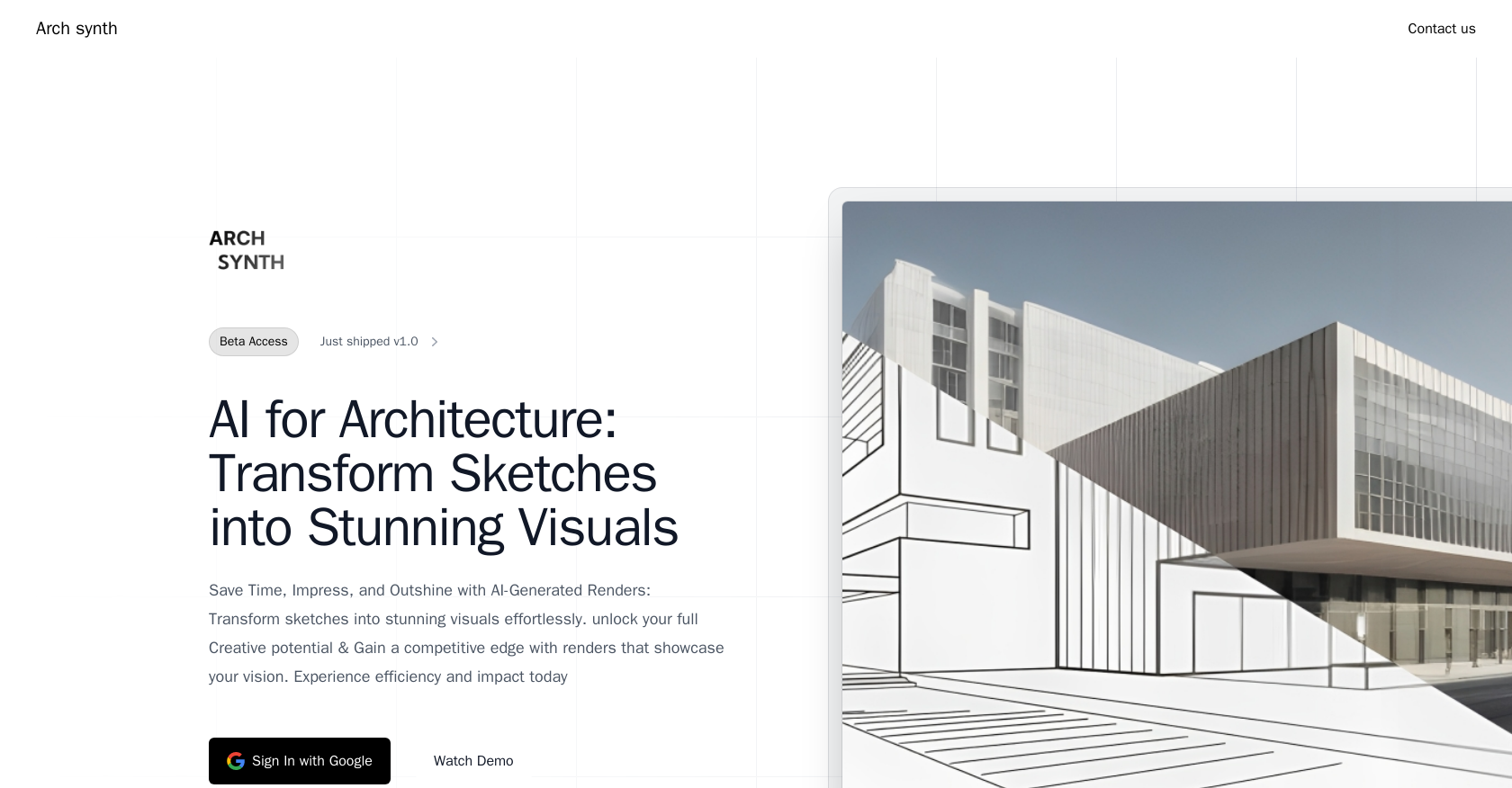
- Skip hours of manual rendering: upload a pencil sketch and Archsynth's AI sketch-to-render engine turns it into a finished architectural visualization.
- Lock in a consistent look across projects: prebuilt style templates let you fine-tune each architectural render to your preferred aesthetic.
- Get the exact look you picture, even when no preset matches: describe a custom style in plain words and the AI renders your design concept in it.
- Work from whatever you have on the table: hand-drawn artwork, rough concepts, and detailed architectural drawings all convert into high-quality visuals.
- Use one tool across disciplines: interior design concepts, product designs, and character sketches render through the same sketch-to-image workflow.
- Win clients and approvals with presentation-ready imagery: preview each AI-generated render, then download it to share your vision immediately.
- Test more design directions before committing: fast sketch-to-visual turnaround lets you run multiple style variations on one concept.
- Start rendering in minutes with no software setup or learning curve: Google sign-in and a three-step flow take you from upload to style input to rendered image.
Pros & Cons
From the listing; not yet checked by our editors.
Pros
- Transforms sketches to visuals
- Intuitive interface
- Preview and download feature
- Offers prebuilt templates
- Supports custom styles
- Works with various mediums
- Enhances workflow
- Boosts creativity
- Time efficient
- Supports hand-drawn artwork
- Supports rough concepts
- Supports architectural drawings
- Supports product designs
- Supports character sketches
- Supports interior design concepts
- Versatile technology
- Multi-medium support
- Allows style fine-tuning
- Transforms ideas into reality
- Google sign in integration
- Showcases user vision
Cons
- Limited customization options
- Requires clean sketches
- Lacks advanced refining tools
- Only supports static media
- No collaboration features
- Inadequate for complex projects
- Limited prebuilt templates
- Weak error handling approach
- No mobile app available
- Doesn't support 3D modelling
Alternatives to Archsynth
Tools that share the most tags with Archsynth.
- Redraw
Generate photorealistic renders from simple sketches in seconds using the render-from-strokes feature
Paid · from $12.50/month
$12.50/month
Not yet checked
- Rendair
Eliminate quote calls and forms by getting instant pricing automatically generated from your uploaded floor plans
Paid · from $15/month
$15/month
Not yet checked
- ARCHITEChTURES
Reduce early-stage residential design time from months to mere hours with real-time generative AI that adapts to your geometry and design criteria
Freemium · from $43/month
$43/month
Not yet checked
- Augmenta
Complete building designs in hours instead of weeks through fully automated generative AI that produces code-compliant, constructible plans
Not listed
Not listed
Not yet checked
- Eler
Get client-ready photorealistic images in seconds instead of hours, using AI to instantly process your 3D SketchUp or GLB files
Freemium · from $8/unit
$8/unit
Not yet checked
- Maquete AI
Deliver client-ready, DSLR-quality interior renders in under 30 seconds by uploading your SketchUp or ArchiCAD prints and selecting a lighting preset
Free trial · from $8/month
$8/month
Not yet checked
Reviews
Rate this tool
Loading reviews...
Frequently asked questions
What is Arch Synth?
Arch Synth is an AI-powered design architecture tool intended for architects and designers. It allows users to transform sketches and ideas into visuals. The software offers templates for tuning styles and lets users describe custom styles in words which the AI brings to life.
How does Arch Synth work?
Arch Synth works by creating stunning visuals from sketches. Users can upload a sketch, input their desired style, and the AI will do the rest. The software then allows users to preview and download the rendered image.
What are the steps to use Arch Synth?
The steps to use Arch Synth are straightforward. First, upload a sketch. Second, input the style you want. Third, let Arch Synth's AI technology do the magic. Lastly, preview and download the rendered image.
What kind of sketches can I upload on Arch Synth?
Within Arch Synth, you can upload various types of sketches. These include, but are not limited to, hand-drawn artwork, rough concepts, architectural drawings, product designs, character sketches, and interior design concepts.
Can Arch Synth convert hand-drawn artwork into visuals?
Yes, Arch Synth can convert hand-drawn artwork into visuals. It has the capability to transform these types of sketches, making it versatile for different artistic mediums.
Is Arch Synth suitable for interior design concepts?
Yes, Arch Synth is suitable for transforming interior design concepts. It is designed to take sketches and ideas in this realm and create stunning visualizations from them.
What kind of templates does Arch Synth provide for fine-tuning styles?
Arch Synth provides a variety of prebuilt templates. These templates are intended to assist users in fine-tuning their preferred style. Unfortunately, specifics about what these templates involve are not stated.
Can I describe my custom style in words on Arch Synth?
Yes, within Arch Synth, you have the ability to describe your custom style in words. The AI will then take your description and bring your design concept to life.