

Audio Converter AI
Get accurate, ready-to-use transcripts from any audio or video file with 99.8% accuracy, powered by AI that handles diverse accents and background noise.
Listing not yet reviewed by our editors · How we check
Overview
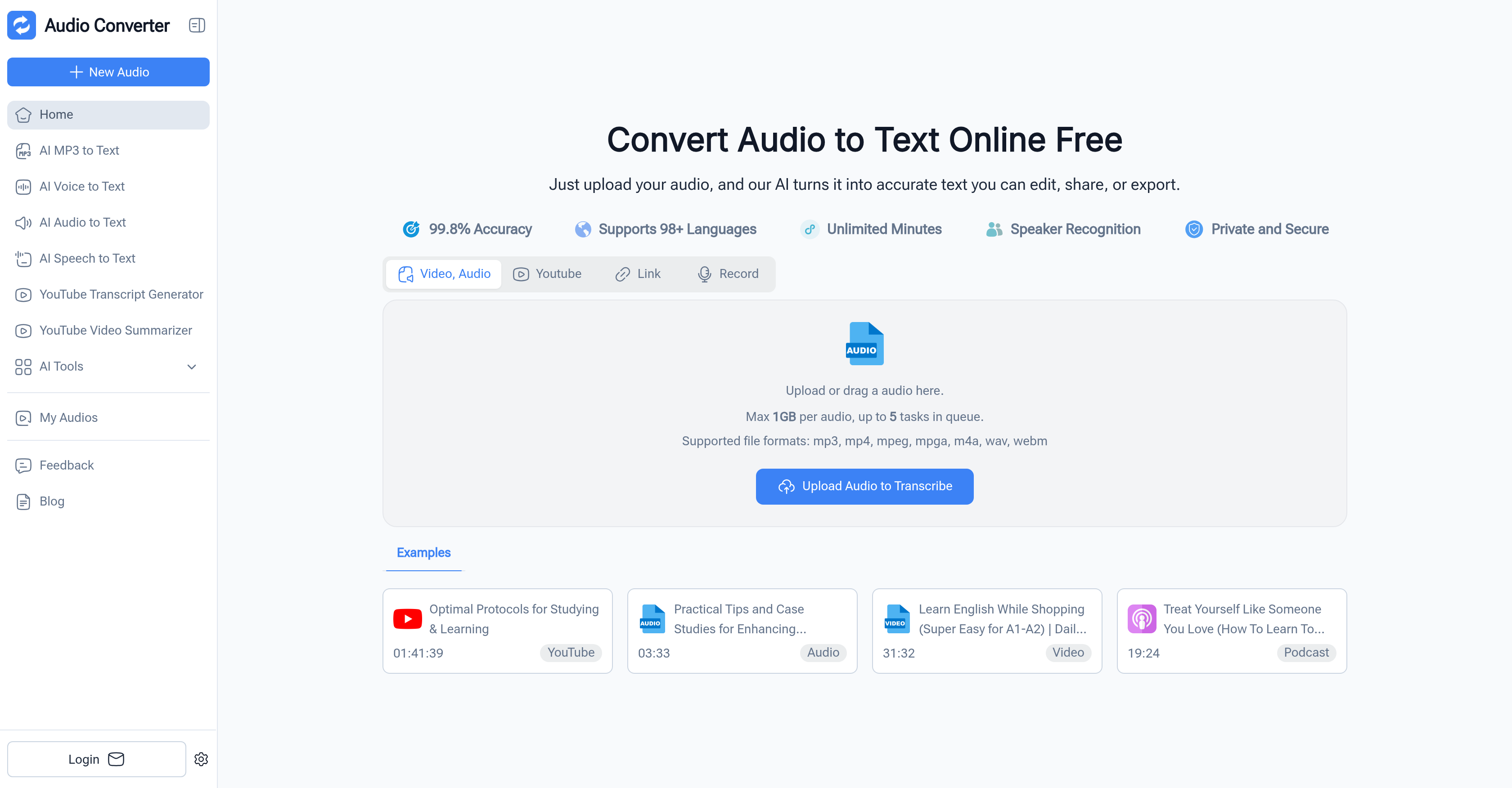
- Get accurate, ready-to-use transcripts from any audio or video file with 99.8% accuracy, powered by AI that handles diverse accents and background noise.
- Transform long recordings like lectures or meetings into searchable, timestamped text without splitting files, processing up to 1GB in a single upload.
- Identify and label different speakers automatically in interviews or multi-person meetings, making dialogue easy to follow and attribute.
- Repurpose audio content instantly by converting podcasts or webinars into editable text for articles, blogs, or social media posts.
- Break language barriers by translating transcripts into over 100 languages while preserving the original context and meaning.
- Edit, format, and correct transcripts in real-time within the tool before you download or share them.
- Process multiple files simultaneously to transcribe up to five videos or audio tracks at once, saving hours of manual work.
Pros & Cons
From the listing; not yet checked by our editors.
Pros
- Transcribes audio and video
- Supports large files (1GB)
- Can multi-task (5 videos)
- Recognizes speakers
- Allows instant edits
- Exports and shares transcriptions
- Supports diverse file types
- Timestamped transcriptions
- Summarizes audio content
- Suitable for various users
- Text transcription for language learners
- Online tool, no installation
- Trusted by top organizations
- Supports 98+ languages
- Timestamps and notes in summary
- Automated smart notes
- High transcription accuracy (98%)
- Handles long duration files
- Quick download and sharing
- Organizes large volumes of data
- Translates into multiple languages
- Delivers clear speaker labels
- Easy navigation with timestamps
- Transforms content into accessible formats
- Facilitates collaboration
- Facilitates content distribution
- Upload or drag files
- Speech to text in seconds
- Helps with content repurposing
- Aids in studying
- Aids in conducting research
- Useful for data analysis
- Helps in learning languages
- Efficient information organization
- Multi-format download and sharing
- Useful for teams tracking meetings
- Improves team efficiency
- Enables keyword search
- Encrypted and private files
- Helps creators with content creation
- Assists educators and trainers
- Enhances comprehension and learning
- No sign-up required
- Track meetings with ease
- Review lectures faster
- Repurpose content in seconds
- Time efficiency
- Ensures precise conversion
- Creates editable text
- Recordings to clean transcripts
Cons
- Limited to 1GB uploads
- Online tool only
- Handles up to 5 tasks
- Lacks offline functionality
- No app version
- May struggle with accents
- Dependent on internet connection
- No mentioned integration with other tools
- Unspecified processing time
- No draft/save progress option mentioned
Alternatives to Audio Converter AI
Tools that share the most tags with Audio Converter AI.
- Soundwise.ai
Get instant transcriptions without signing up or paying, enabled by a completely free and unlimited-use web tool
Freemium · from $10/month
$10/month
Not yet checked
- AssemblyAI
Achieve up to 23% more accurate call transcription with AI models trained on 12.5M hours of multilingual audio data
Freemium
Not listed
Not yet checked
- Apptek
Convert audio to precise text transcripts across dozens of languages and dialects using neural network speech recognition
Not listed
Not listed
Not yet checked
- Zeemo
Create accurate video captions instantly with AI-powered generation that achieves over 98% accuracy
Free trial
Not listed
Not yet checked
- Voicetype AI
Write emails and documents entirely hands-free using advanced voice dictation that captures your natural speaking style
Free trial · from $13.59/month
$13.59/month
Not yet checked
- Speechy
Instantly create organized to-do lists and action items by speaking instead of typing, eliminating manual note-taking during meetings and brainstorming sessions
Freemium · from $9/month
$9/month
Not yet checked
Related Videos

Transforming Longform Content with AI Transcription
Bluusun Venture Studio · Jul 4, 2025
Reviews
Rate this tool
Loading reviews...
Frequently asked questions
What is Audio Converter AI?
Audio Converter AI is an online tool that translates audio and video data into text. It handles both audio and video content up to 1GB and can process five videos at once. Major features include high accuracy, comprehensive language support, and speaker recognition. Users can edit, export, and share their transcriptions instantly and the AI supports various file types including mp3, mp4, mpeg, mpga, m4a, wav, and webm. It is extensively used accross domains including education, research, business, content creation, and language learning.
How does Audio Converter AI convert audio into text?
Audio Converter AI works by taking uploaded audio files, transcribing, and summarizing the content into text. It includes timestamps and notes in the transcriptions, which can then be downloaded or shared for use in various applications.
What kind of files does Audio Converter AI support?
Audio Converter AI supports a variety of file types including mp3, mp4, mpeg, mpga, m4a, wav, and webm.
Can Audio Converter AI handle large files?
Yes, Audio Converter AI can handle large audio files. It can process audio content up to 1GB without the need to split the files.
Can Audio Converter AI transcribe multiple videos simultaneously?
Yes, Audio Converter AI can transcribe up to five videos simultaneously.
What languages does Audio Converter AI support?
Audio Converter AI supports over 98 languages, making it a highly versatile tool for global, multilingual use.
Does Audio Converter AI offer speaker recognition?
Yes, Audio Converter AI does offer speaker identification as one of its features. It can distinguish and label different speakers in a recording.
How do I utilize the text export feature on Audio Converter AI?
To utilize the text export feature on Audio Converter AI, users simply need to allow the AI to convert their audio files into text, then proceed to download or share the resulting transcripts as needed.