Beardstyle AI
Overview
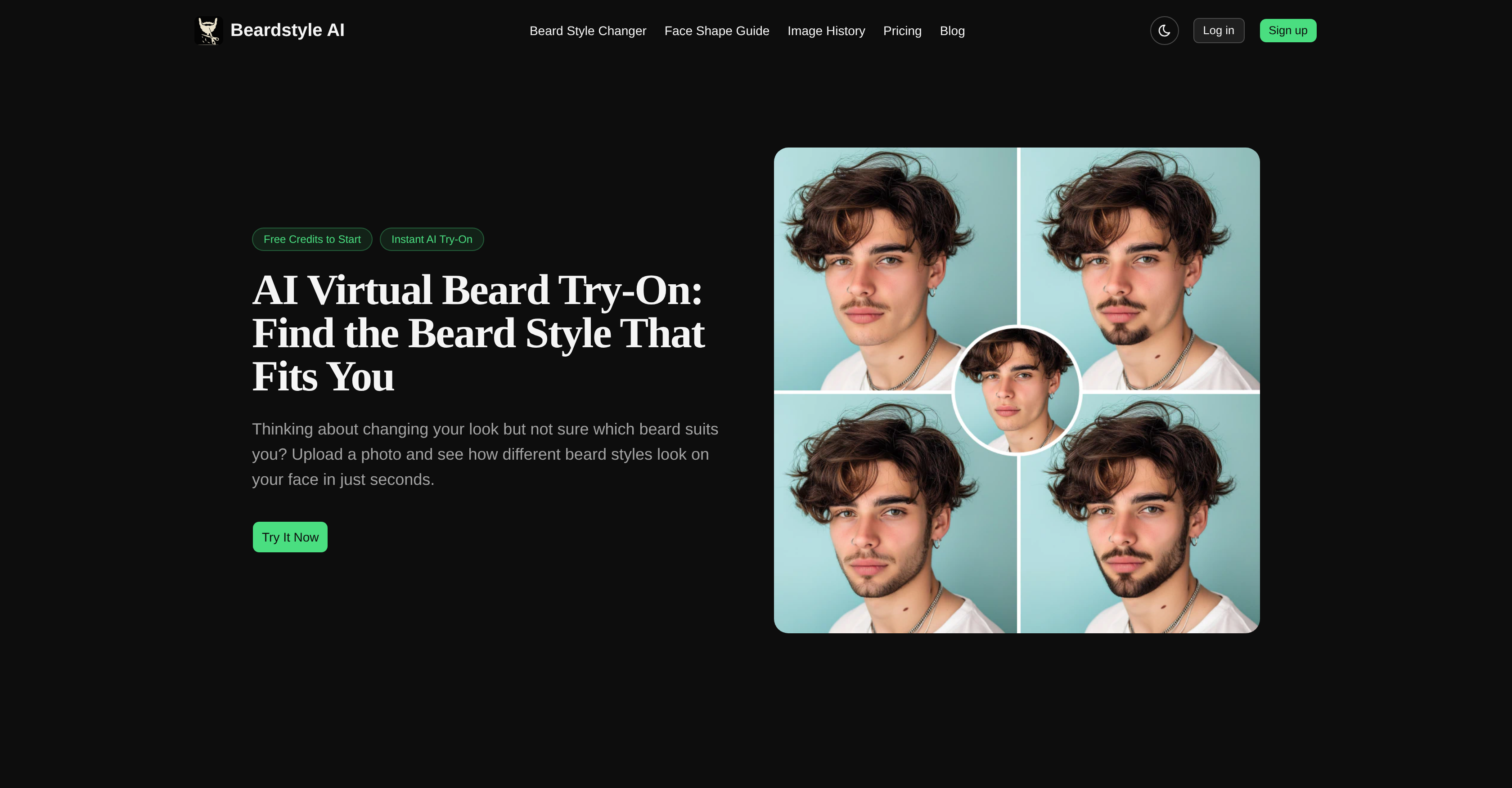
- Instantly see yourself with any beard style by uploading a front-facing photo and selecting from a continuously updated gallery
- Choose the perfect beard for your face shape using the built-in face shape guide, ensuring the style complements your features
- Achieve a natural, realistic look with color adjustment that matches the beard shade to your hair for seamless blending
- Explore a wide range of styles from subtle stubble to bold full beards without any editing skills or paid subscription
- Build confidence before committing to a real beard by previewing how each style transforms your appearance
- Refresh your social media profile pictures with natural-looking beard results ready for download and sharing
- Experiment with looks for events or cosplay by superimposing different beard styles instantly and securely
Pros & Cons
Pros
- Free tool
- Intuitive face shape guide
- Quick style selection process
- Color adjustment feature
- Continuously updated style gallery
- Secure image processing
- Ideal for social media
- Confidence-boosting
- Fun tool
- Strengthens personal style
- Good for cosplay
- Variety of beard styles
- Realistic virtual try-on
- Privacy oriented
- Secure photo upload
- Flexible beard color options
- Regularly added new styles
- User-friendly interface
- Broad style selection
- Natural outcome
- Easy transformation download
- Effortless photo tool
- Suitable for events
- Improves grooming process
- Great for experimenting looks
- Easy navigation
- Aids profile picture update
- Streamlines personal branding
Cons
- Limited to beard styles
- No hairstyle integration
- Requires quality front-facing photo
- No in-depth color adjustments
- No manual tweaks possible
- No downloadable mobile app
- Lacks personal style analytics
- No multi-device synchronisation
- Doesn't support group images
- Lacks offline functionality
Reviews
Rate this tool
Loading reviews...
❓ Frequently Asked Questions
Beardstyle AI works through a simple three-step process: Upload a clear, front-facing photo, select the preferred beard style from the gallery, and then witness the transformation as the selected beard style gets superimposed on the image instantly.
To try different beard styles using Beardstyle AI, upload a clear, front-facing photo first. Then browse through the style gallery, select a beard style you wish to try, and the AI will superimpose it onto the photo, giving you instant results. Repeat the process to try different styles.
Yes, Beardstyle AI provides a face shape guide, allowing users to choose a suitable beard style that complements their face structure.
For best results with Beardstyle AI, use a clear, front-facing photo in good lighting conditions.
Yes, Beardstyle AI ensures the privacy of users by securely processing the uploaded photos, which are never shared.
Yes, along with selecting the beard style, Beardstyle AI allows the user to adjust the colour, ensuring a more natural look.
Beardstyle AI continuously updates its style gallery but there is no precise timescale stated for updates.
Indeed, Beardstyle AI can be a fun tool for trying new styles for events or cosplay, as well as for personal grooming experiments.
Beardstyle AI is a free tool that does not require a paid subscription to use.
Beardstyle AI works best with photos taken in good lighting conditions for optimal results.
Beardstyle AI provides an extensive range of beard styles, but does not specify a particular number. They range from subtle stubble to bold full beards.
Yes, users have noted that using Beardstyle AI has boosted their confidence by enabling them to see how they would look with different beard styles before committing to a change.
With Beardstyle AI, the transformation is instant. As soon as you select a style from the gallery, it is superimposed onto the uploaded photo.
Absolutely, Beardstyle AI's natural looking results are ideal for updating social media profile pictures.
While not explicitly stated, it can be inferred that users can probably download or share their results, since one of the usage scenarios mentioned refers to using the result for a profile picture.
Yes, Beardstyle AI uses Artificial Intelligence to ensure the selected beard style appears naturally on your face, including appropriate adjustments for colour.
No, Beardstyle AI does not require any editing skills. The process from photo upload to beard style superimposing is handled by the AI.
On their website, Beardstyle AI doesn't specify whether it can be used on mobile devices. However, since it's an online tool, it's likely to work on any device with a browser and internet connection.
If you encounter any issues while using Beardstyle AI, you can reach out to their support team. They have a dedicated FAQ section for commonly asked queries.
No specific beard styles have been singled out as the most popular among users of Beardstyle AI, but users have tried a wide range of styles, from the clean Classic Goatee to the robust Full Beard according to testimonials on their site.
Pricing
Pricing model
Paid
Paid options from
$9.99
Billing frequency
One-time