
Overview
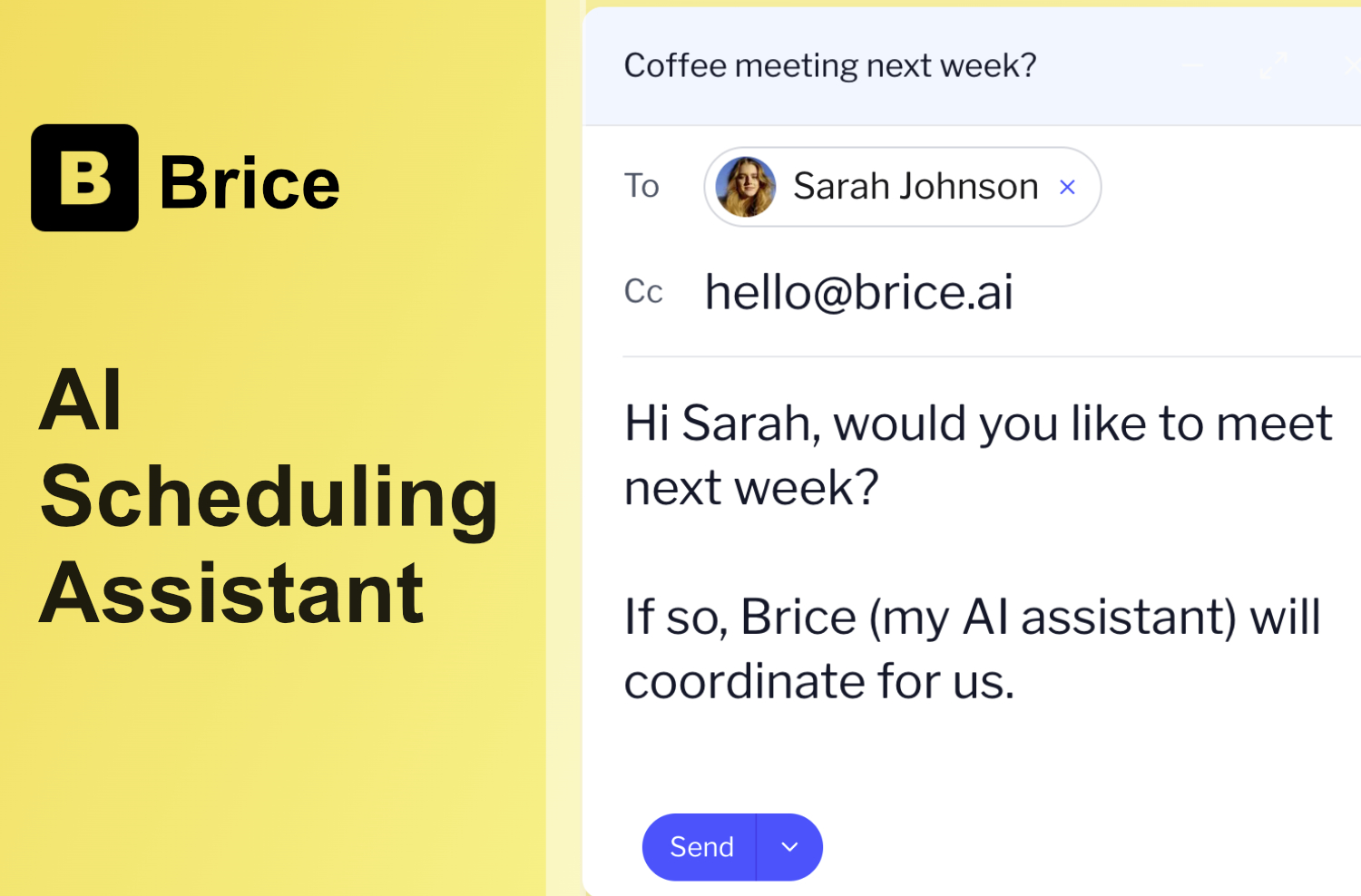
- Eliminate the 7-email back-and-forth for every meeting through AI that handles scheduling conversations automatically when CC'd
- Coordinate international meetings effortlessly across multiple time zones without manual time calculations
- Prevent double-bookings between professional and personal calendars through simultaneous monitoring of both schedules
- Handle last-minute rescheduling professionally with automatic alternative time suggestions for all parties
- Maintain complete calendar privacy unlike traditional scheduling tools that expose your entire availability
- Get smarter scheduling over time as the AI learns your preferred meeting times and patterns
- Schedule with multiple participants simultaneously by finding times that work for everyone involved
- Integrate directly with your existing workflow through Google Calendar and Zoom integrations
Pros & Cons
Pros
- Efficient scheduling process
- Removes email exchanges
- Automatic coordination of suitable times
- Professional and personal calendar monitoring
- Avoids double-bookings
- Optimal time management
- Handles rescheduling requests
- Professional communication skills
- Suggests alternative meeting times
- Timezone coordination for meetings
- Learning algorithm for user preferences
- Google Calendar integration
- Zoom integration
- Future integrations with Outlook
- Future integration with Microsoft Teams
- Personalized calendar management
- Free in beta
- Saves 1-2 hours weekly
- Can be added to email threads
- Automated communication regarding scheduling
- Avoids unnecessary e-mails
- Supports multiple time zones
- Pattern learning for personalization
- Upcoming Slack integration
- Feels like real assistant
- Protection of calendar data
- Handles multiple calendars
- No double bookings
- Rescheduling with communication
- Seamless timezone coordination
- Loved by busy individuals
Cons
- Only in beta stage
- Supports limited platforms
- No standalone mobile app
- Doesn't support all calendar services
- Limited software integrations
- No multi-language support
- Requires email participation
- Relies on user CCing
- Unproven learning algorithm
- Lacks concrete privacy information
Reviews
Rate this tool
Loading reviews...
❓ Frequently Asked Questions
Brice streamlines the scheduling process by coordinating suitable meeting times between parties, thereby eliminating the traditional back-and-forth email exchange associated with meeting scheduling. Users simply CC Brice into their email conversations while setting up a meeting and Brice automatically coordinates with other parties to find a suitable time.
Brice handles rescheduling requests by suggesting alternative meeting time slots that work for all parties involved. This is done with high-level professional communication skills maintaining conversation efficiency.
Yes, Brice is capable of monitoring both your professional and personal calendars simultaneously. It does this to avoid any double-bookings and ensure optimal time management across different spheres of life.
Yes, Brice does offer timezone coordination for international meetings. It can handle the intricate task of scheduling between different time-zones effectively, ensuring convenience for all parties involved.
Indeed, Brice has a learning algorithm that adapts to and learns the nuances of each user's scheduling preferences over time. This means it gets better at scheduling for you as it understands your unique scheduling patterns and habits.
Brice offers integration with platforms such as Google Calendar and Zoom. It has support for further integrations in the pipeline as well.
To set up a meeting using Brice, you initiate a conversation via email with your desired contact and CC Brice into the email thread. Brice then automatically coordinates with the other party to find a suitable meeting time based on the availability of all parties.
Yes, Brice offers assistance with avoiding double-bookings. It does this by monitoring both your professional and personal calendars at once, ensuring meetings do not overlap and optimal time management is maintained.
Yes, Brice is capable of coordinating with multiple parties for a meeting. It communicates with all parties involved to find a suitable time slot that is convenient for everyone.
Yes, Brice integrates seamlessly with both Google Calendar and Zoom. This makes it easy for you to schedule and conduct meetings directly within these platforms.
Brice streamlines email conversations during the scheduling process by automatically communicating with all parties in a conversation to find a suitable time slot. It manages all necessary correspondence, eliminating the need for lengthy email threads.
Brice ensures no double-bookings by simultaneously monitoring both your professional and personal calendars. It ensures meetings do not overlap, thereby preventing any scheduling conflicts.
Yes, Brice can handle complex scheduling scenarios due to its advanced AI capabilities. It is equipped to manage multi-party scheduling, international meetings with differing time zones, rescheduling requests, and more.
Yes, you can customize your preferences in Brice. The AI learns the nuances of how you like to organize your calendar and meetings over time, allowing it to better serve your unique scheduling style and requirements.
Yes, Brice is extremely suitable for corporate productivity. Its capabilities in meeting coordination, automation, professional communication, and calendar management make it a great tool for streamlining operations and improving scheduling efficiency within corporate environments.
Brice improves personal productivity by handling the complex task of scheduling, freeing up significant amounts of time for users. Its features such as managing personal calendars, avoiding double-bookings, and handling email automation greatly reduce the administrative load, leading to increased personal productivity.
Brice's learning algorithm works by observing and learning the nuances of your scheduling preferences. Over time, it adapts to these observations, making it more efficient and effective at organizing meetings that are suitable for your unique requirements.
Yes, according to information on their website, Brice has further integrations forthcoming but the platforms are not specified.
Brice provides calendar privacy by not exposing your entire calendar. It gets to know your scheduling preferences over time and provides coordination without exposing unnecessary details, protecting your privacy in the process.
Besides scheduling, Brice also provides capabilities such as monitoring and managing both your professional and personal calendars, handling rescheduling, coordinating for international meetings with different time zones, and improvising scheduling based on your preferences learned over time. It doesn't explicitly mention any additional services beyond these functionalities.
Brice is an AI scheduling assistant designed to streamline the process of scheduling meetings and appointments. It handles scheduling coordination, communicates professionally with multiple parties, manages rescheduling requests, supports multiple timezones, learns user preferences, and integrates with various platforms.
To use Brice, one needs to CC '[email protected]' in the email conversation when setting up a meeting. From there, Brice takes over the communication regarding scheduling, informing all parties of available meeting slots and securing a suitable time.
Yes, Brice supports both professional and personal calendars. It carefully monitors both to prevent double-bookings and to facilitate optimal time management across various aspects of the user's life.
In case a rescheduling request is received, Brice handles it with professional communication skills. It finds alternative time slots that are convenient to all parties involved and communicates the options back to them.
Currently, Brice is integrated with platforms like Google Calendar and Zoom.
Upcoming integrations of Brice include Slack, Outlook, and Microsoft Teams.
Brice's learning algorithm adapts to the nuances of each user's scheduling preferences over time. As it continues to be used, it learns patterns and preferences of the user, thereby enhancing convenience and personalization.
Cross-life scheduling is a feature that Brice employs to manage both personal and professional calendars. This ensures efficient coordination of all aspects of a user's life to avoid conflicts and double-bookings.
Brice can handle coordination across multiple timezones. This is particularly useful for scheduling international meetings where parties are in different geographical locations.
Certainly, owing to its multi-timezone support, Brice is suitable tool for coordinating international meetings.
Yes, Brice is currently in open beta and it is free to use.
Brice automatically manages email thread conversations once it is added to an email. It handles scheduling, information on available slots, and conducts all necessary scheduling communication, eliminating the need for the user to do the same.
Unlike traditional scheduling tools like Calendly which expose your calendar and lack personalization, Brice protects user's calendar privacy and learns the nuances of their preferences. It handles real conversations, offers professional communication, and personalizes scheduling based on the user's habits.
By taking over the responsibility of scheduling coordination, Brice helps you save time that would otherwise be spent in back-and-forth communication. It manages both professional and personal calendars to avoid double-bookings, thus ensuring optimal time management, and supports multiple time zones for cross-geographical appointments.
Brice learns the nuances of your scheduling preferences and adapts to them over time for enhanced convenience and personalization. It remembers individual patterns such as call duration, preferred meeting times, and works around them to offer a more personalized scheduling service.
No, Brice does not need any special setup. It simply needs to be added via CC to an email thread for scheduling a meeting.
By simultaneously managing and monitoring both your professional and personal calendars, Brice ensures there is no overlapping of schedules, thereby helping avoid double-bookings.
Brice personalizes calendar management by learning each users' unique preferences and scheduling habits. This allows it to provide more accurate and suitable suggestions for meeting times, and effectively manage both personal and professional calendars to ensure optimal time management.
Pricing
Pricing model
Free Trial
Paid options from
$19/month
Billing frequency
Monthly
Refund policy
No Refunds